
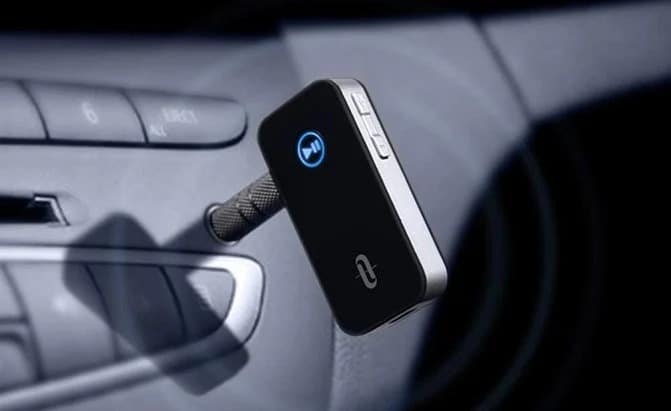

Modern cars make hands-free connectivity feel effortless. You start the engine, your phone pairs automatically, calls route through the speakers, and music resumes exactly where you left off. For many drivers, that seamless experience has become the baseline expectation—and for good reason: staying connected without taking your hands off the wheel is both safer and more comfortable.
But if you drive an older vehicle, you already know the downside of “classic” factory stereos: no Bluetooth, no convenient streaming, and no native way to make calls through the car’s audio system. You’re often stuck with an AUX cable (if you’re lucky), a CD player, or an FM radio with limited input options. The good news is that you don’t need to replace your car—or even replace the entire stereo system—to get reliable Bluetooth calling and music streaming. The aftermarket offers several excellent solutions, ranging from quick plug-and-play adapters to smart voice assistant devices and full single-DIN stereos with built-in Bluetooth.
Bluetooth is a wireless connectivity standard built into virtually every smartphone. It enables short-range data exchange, which—when applied to cars—translates into two key benefits: (1) you can stream audio (music, podcasts, navigation prompts) to your car stereo, and (2) you can make hands-free phone calls using the car’s speakers or a dedicated in-car speakerphone. For everyday driving, that second benefit is the real safety win. A hands-free kit won’t make driving “risk-free,” but it significantly reduces the temptation to handle the phone while the vehicle is moving.
The challenge is compatibility. Many older stereos don’t have Bluetooth at all, and some lack even a front-facing AUX input. In those cases, your connection options expand into a few practical categories: AUX-based receivers, FM transmitters, standalone speakerphones, smart assistant devices that bridge audio to your stereo, and (for those who want a deeper upgrade) replacing the head unit with a Bluetooth-enabled stereo. Each approach has trade-offs in sound quality, call clarity, installation complexity, and cost.
In this guide, I’ll walk you through the best hands-free Bluetooth solutions for different car stereo setups—focusing on products and product types that make sense for older cars, without treating a full head-unit replacement as the only answer. I’ll also explain what truly matters when buying a Bluetooth kit (hint: microphone performance is often more important than speaker volume), how to avoid common issues like interference and echo, and how to choose the right option based on how you actually drive.
We have prepared a list of the best Bluetooth kits for your car, with a detailed description of each of them—organized in an order that mirrors how most drivers shop: start with the simplest and most budget-friendly path, then move up to premium call quality and deeper integrations.
The best car hands-free kits on the market
Before diving in, one important note from an installer’s perspective: “best” depends on what your stereo can accept. If your radio has an AUX input, an AUX Bluetooth receiver will usually deliver cleaner audio than an FM transmitter. If your stereo has no AUX but you still want music through the speakers, an FM transmitter is often the most practical compromise. And if you primarily want call clarity with minimal setup, a dedicated visor or dash-mounted speakerphone can be the easiest and most reliable upgrade.
1. Bluetooth FM transmitter
The best budget FM transmitter
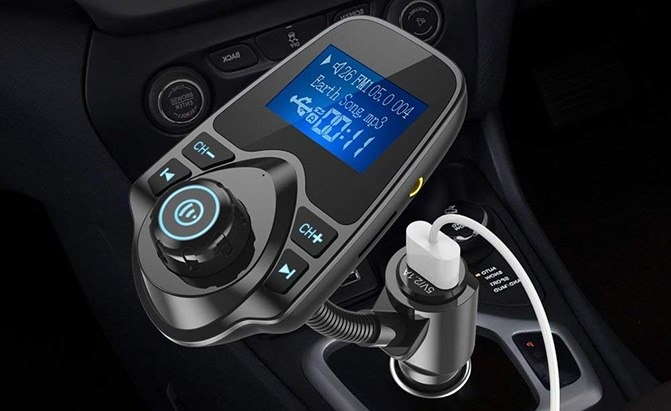
Type: Bluetooth Receiver Unit | Bluetooth: Bluetooth 5.0 | Maximum operating distance: unknown | Connection to car stereo: FM transmitter | Power supply: 12v socket
If your car stereo is truly old-school—no Bluetooth and no AUX input—an FM transmitter is often the fastest route to hands-free calling and wireless music. This style of device plugs into the 12V socket (cigarette lighter port), pairs with your phone via Bluetooth, and then broadcasts the audio over a chosen FM frequency. You tune your radio to that same frequency, and the sound plays through the car speakers.
For such an inexpensive solution, this type of transmitter can do a surprising amount. In addition to Bluetooth streaming, many units support music playback from a Micro SD card or USB drive (often in MP3, WMA, and WAV formats). That’s useful if you prefer to keep a small offline library in the car or if your phone battery is low and you want to reduce streaming load.
The dual USB interface is more than a convenience—it’s part of the value proposition. The ability to charge two devices at once (for example, a driver phone and a passenger phone) makes a budget transmitter feel like a small car-power upgrade too. And if you care about cabin aesthetics, the multi-color lighting options can add a custom look, especially in cars that already have accent lighting or illuminated consoles.
Expert guidance on FM transmitters: their performance depends heavily on local radio interference. If you live in a dense city with crowded radio bands, you’ll want to select a frequency with minimal overlap and possibly change it as you drive across different areas. The clearest frequency at home might not be the clearest frequency downtown. Also, keep your transmitter’s volume balanced—too low can raise noise floor, too high can cause distortion depending on the unit.
Privacy note: because FM transmitters broadcast over radio frequency, there is a theoretical possibility that someone nearby tuned to the same frequency could hear audio. In practice, the range is usually short and the signal is weak, but if you regularly discuss sensitive topics on calls, you may prefer an AUX receiver or a dedicated speakerphone instead.
2. Kinivo BTC480
The best hands-free kit with AUX input
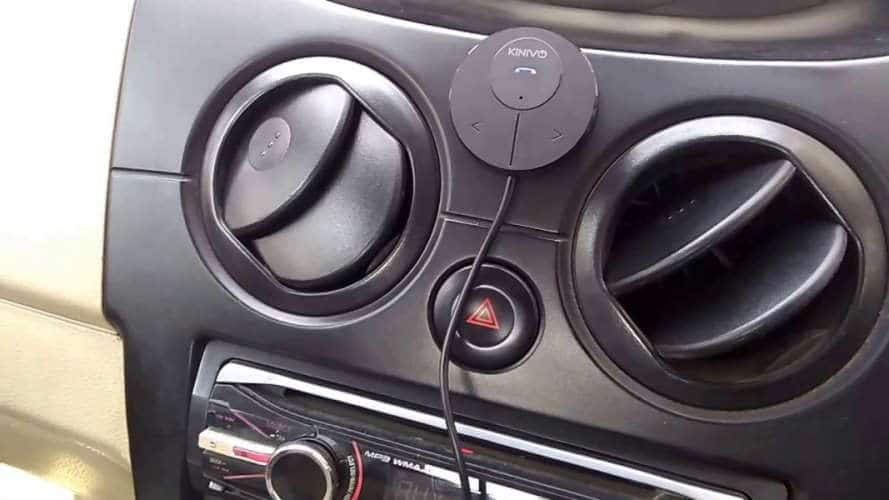
Type: Bluetooth unit via AUX receiver | Bluetooth: Bluetooth 4.0 | Maximum operating distance: unknown | Connection to car stereo: AUX | Power supply: 12v / USB socket (double USB-A charger supplied)
If your car stereo has a 3.5mm AUX input, you’re in an excellent position: AUX-based Bluetooth receivers typically deliver cleaner audio than FM transmitters because the signal is routed directly into the stereo rather than being broadcast over radio. That means less static, less interference, and more consistent volume—especially on highways or in cities where FM frequencies are crowded.
The Kinivo BTC480 is a straightforward, cost-effective way to convert an AUX-capable stereo into a Bluetooth-enabled system. The receiver plugs into your AUX port, while the main unit sits in a magnetic mount on your dashboard. That placement is practical: it keeps the controls within easy reach and positions the microphone closer to the driver than a typical 12V socket location. Microphone proximity matters because it improves voice pickup and reduces the “hollow” echo effect common with cheaper setups.
One of the most useful features in daily driving is multi-point pairing. With multi-point, you can keep two devices connected at once—such as your personal phone and a work phone, or your phone and a passenger’s phone. In real-world use, multi-point prevents constant re-pairing and reduces frustration. The controls are refreshingly simple: a central button for play/pause and call handling, plus dedicated track skip buttons. When you’re driving, simplicity is not just convenience—it’s safety.
The included dual USB-A charger is a meaningful extra. Many older cars have limited charging options, and once you add a Bluetooth kit you also tend to increase phone usage (navigation, streaming, calls). A reliable charger prevents the “Bluetooth is great until my battery dies” problem, which is more common than people admit.
Expert installation tip: route the AUX cable neatly and keep the receiver away from areas where it can be bumped by shifting hands or cup holders. A stable mounting position improves both usability and microphone consistency. Also, set your phone’s media volume to a strong level and then adjust the stereo volume normally—this often produces cleaner sound with fewer compression artifacts.
3. Supertooth Buddy
The best budget hands-free kit for dashboard
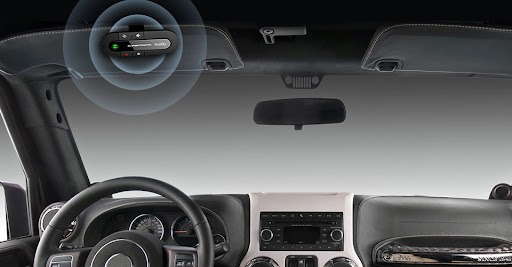
Type: Dash Mount Bluetooth Hands-Free Unit | Bluetooth: Bluetooth 2.1 | Maximum operating distance: 10m | Connection to car stereo: no | Power supply: lithium-ion battery; 20 hours of conversation; 100 hours of standby
Not every driver needs music streaming through the car speakers. Sometimes the priority is simply clear, reliable phone calls—especially if your daily driving includes frequent work calls, short trips, or older vehicles with limited stereo capabilities. That’s exactly where a dedicated Bluetooth speakerphone like the Supertooth Buddy shines.
The Buddy has been around for years, and its continued popularity is best explained by one word: dependability. It clips to the sun visor with a sturdy mount and uses a strong magnet, which makes it easy to install, remove, and store out of sight when you park. That last point matters more than it seems—small electronics left visible in older cars can attract unwanted attention.
Because it has its own built-in speaker and microphone, it doesn’t rely on your stereo at all. That can be a major advantage if your radio is unreliable, your speakers are weak, or you simply don’t want to introduce FM interference or AUX cable clutter. The built-in battery charges via micro-USB and offers generous talk and standby times, which is ideal for drivers who don’t want yet another gadget tethered to a charging cable every day.
Where the Buddy performs best is voice calling. With effective anti-echo behavior and a straightforward interface, it does the job without forcing you into a learning curve. The buttons are large enough to operate without looking, which is exactly how an in-car accessory should be designed. While it’s not the best choice for serious music listening (a visor speakerphone will never sound as full as a car’s speaker system), it’s a remarkably efficient way to add hands-free calling to a vehicle that otherwise can’t support it well.
Expert tip: place visor speakerphones on the driver-side visor for best microphone pickup. If your car has a loud cabin (older tires, worn weather seals, or a loud exhaust), positioning closer to your mouth noticeably improves clarity for the person on the other end of the call.
4. Jabra Freeway
The best hands-free kit for call quality
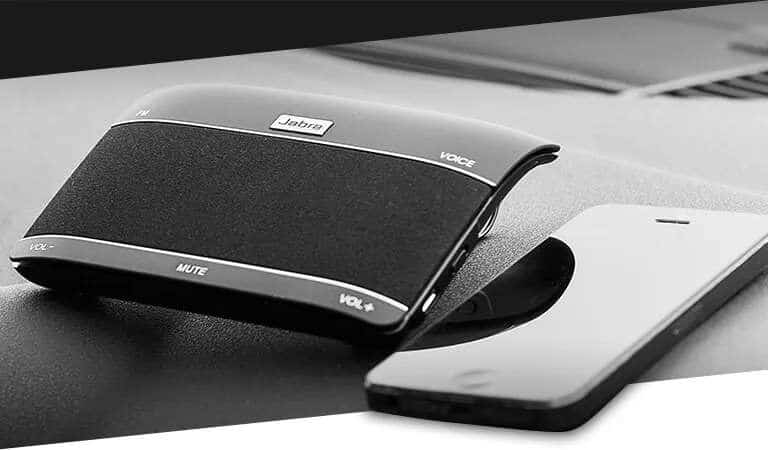
Type: Bluetooth Receiver Unit | Bluetooth: unknown | Maximum operating distance: unknown | Connection to car stereo: FM transmitter | Power supply: 12v / USB socket (both included)
When drivers ask for the “best call quality,” they’re usually describing a very specific frustration: the person on the other end keeps saying, “You’re breaking up,” “It’s too noisy,” or “Can you repeat that?” Call quality is not just about speaker loudness. It’s about microphone performance, echo cancellation, and noise suppression—especially in real cars with real road noise.
The Jabra Freeway has long been recognized as a high-performing in-car speakerphone, and its approach to clarity is more sophisticated than many budget units. The triple-speaker design can produce fuller, more directional sound than single-speaker kits, and the dual-microphone system is built to reduce background noise and improve voice pickup. In practice, that helps your voice come through more cleanly during highway driving, rainy weather, or older vehicles with louder cabins.
From a usability standpoint, one of the most important features is its automatic behavior. The Freeway can power on and off based on car activity and reconnect automatically after the initial pairing. That’s not just a convenience—it’s what makes a device feel integrated instead of “extra.” If you’ve ever owned a Bluetooth accessory that constantly needs manual reconnecting, you know how quickly it becomes irritating.
Voice commands for call handling can be useful when implemented well. With systems like this, you can often accept calls without reaching for buttons, which keeps attention where it belongs. Charging flexibility is also practical: being able to charge via micro-USB or a car adapter and still use the device while charging eliminates downtime. The talk time and standby time figures are strong for drivers who spend long hours on the road.
Expert note: premium speakerphones tend to justify their price during the worst conditions—fast highways, open windows, or noisy urban traffic. If you rarely make calls, a budget option may be sufficient. But if calls are part of your daily driving routine, investing in better microphones and noise control usually pays off in fewer repeated sentences and less driver fatigue.
5. Amazon Echo Auto
The hands-free kit with Alexa
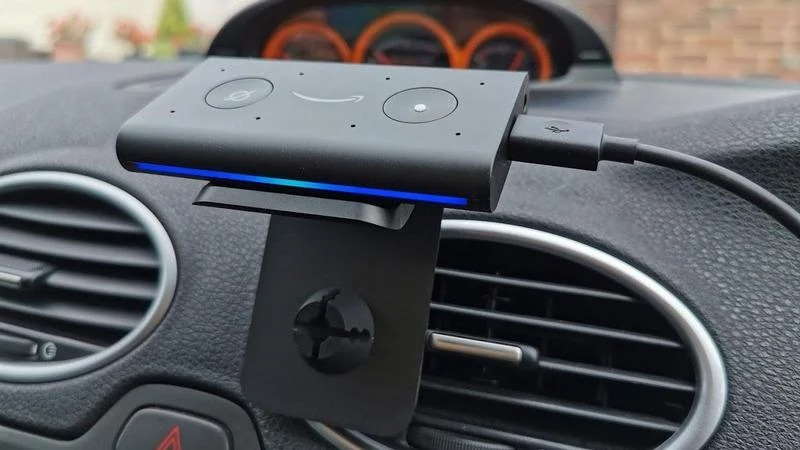
Type: Air vent mounted hands-free unit | Bluetooth: unknown | Maximum operating distance: unknown | Connection to car stereo: yes (via Bluetooth or AUX) | Power supply: 12v / USB socket
For drivers who want more than basic Bluetooth—especially those already invested in smart home devices—Amazon Echo Auto brings voice control into vehicles that never shipped with it. In practical terms, it can function as a bridge: it adds Alexa-powered commands and can route audio through your car’s speakers using AUX or Bluetooth (depending on your stereo’s capabilities).
It mounts on an air vent and draws power via microUSB, which means it’s not dependent on internal battery life. Once set up, you can use voice commands similar to the ones you’d use at home: play music, call contacts, send messages, control smart home features, and manage reminders. The strength of this approach is “hands-free by design.” When it works well, you spend less time searching menus and more time focusing on the road.
In real-world environments, cabin noise is the major test for any voice assistant. Echo Auto is designed to capture voice commands clearly even when the cabin is loud, and many users find it surprisingly capable—sometimes even with the windows down. This matters because voice control is only useful when the device can hear you reliably without repeated commands.
For calling and media playback, the experience is generally consistent with other Alexa-enabled products. Navigation, however, can be more nuanced. If your goal is turn-by-turn guidance, your phone’s dedicated navigation apps are often more reliable than voice assistant navigation in complex areas. That doesn’t mean Echo Auto is a poor choice—it simply means you should buy it for what it does best: hands-free control, media access, and convenience within the Alexa ecosystem.
Amazon’s long-awaited entry into the automotive industry is best viewed as a smart add-on for older cars rather than a replacement for a full infotainment system. If you already use Alexa at home and want that same voice-first workflow in your car, it’s an elegant solution.
6. Pioneer MVH-S420BT
The best Bluetooth car stereo under € 100
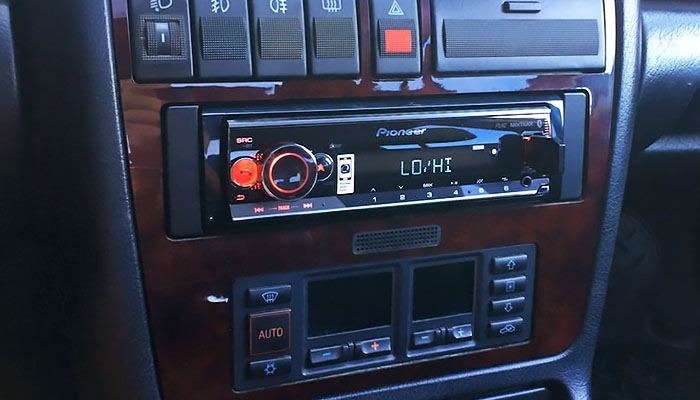
Type: 1 DIN FM stereo unit | Bluetooth: Bluetooth 4.0 | Maximum operating distance: unknown | Connection to car stereo: unknown | Power supply: powered by the car battery
While this guide focuses mainly on add-on kits rather than full head-unit replacements, it would be incomplete without acknowledging a key reality: sometimes the best “hands-free kit” is a modern stereo. If your factory head unit is failing, lacks AUX, produces noisy output, or simply doesn’t fit your needs, a reputable single-DIN Bluetooth stereo can be the cleanest long-term solution.
The Pioneer MVH-S420BT stands out because it combines Bluetooth calling, Bluetooth audio streaming, USB connectivity, and sound customization in a package that is often priced affordably. Once installed, it functions like an integrated system rather than an external add-on. Calls route through the stereo, music streams directly, and controls are designed for in-car use.
One of the most overlooked benefits of a better head unit is improved audio tuning. With a 13-band graphic equalizer, you can tailor the sound to your speakers and cabin acoustics. That can make older factory speakers sound surprisingly decent and can reduce listener fatigue during long trips. Support for FLAC is also a meaningful plus for drivers who keep high-quality, lossless music files and want the stereo to handle them properly.
This model also offers integration options via an app, including support for Amazon Alexa functionality (depending on your setup). For drivers who enjoy voice assistants but want the stability of a dedicated stereo, that hybrid approach can be appealing.
Installation is the key consideration. Some drivers can install a single-DIN unit themselves, but if you’re unfamiliar with wiring harnesses, dash kits, or vehicle-specific adapters, professional installation can be worth the small extra cost. A clean install avoids rattles, loose connections, and electrical issues that can undermine the experience.
Hands-Free Car Kits Buying Guide: How to Choose the Perfect Hands-Free Car Kit for You
Buying a hands-free car kit is not about chasing the fanciest specification sheet—it’s about choosing the connection method and microphone performance that best match your vehicle and your driving habits. From an expert perspective, there are three questions that matter most:
- What inputs does your stereo actually have? (AUX, Bluetooth, USB, FM only)
- What is your top priority? (call clarity, music quality, voice assistant control, simplicity)
- How much effort do you want to put into installation? (plug-and-play vs. minor wiring vs. full head unit install)
Once you answer those, the right product category becomes far clearer. Below are the key buying questions—rewritten with practical, real-world guidance and the kinds of details you only learn after installing and testing these devices over time.
Which Bluetooth car kit do I need?
This depends on two things: your car’s stereo capabilities and what you want the kit to do day-to-day.
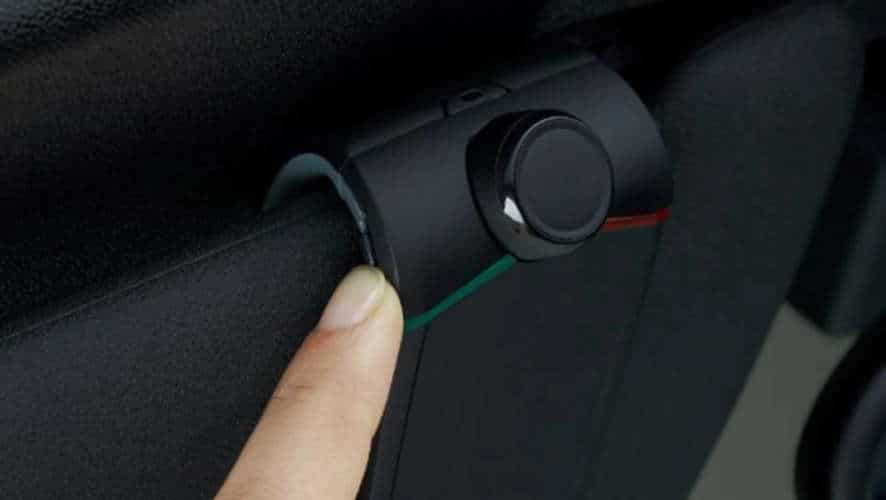
If your main goal is hands-free calls only, a visor-mounted or dash-mounted Bluetooth speakerphone is the simplest option. These devices clip onto the sun visor, dashboard, or air vent and act like a loud, in-car Bluetooth headset—everyone in the cabin can hear the conversation. They usually run on an internal battery and are designed for quick pairing and reliable calling, without needing to interface with the stereo at all.
If you want both calls and music through your car speakers, look for a device that can connect to the stereo. The cleanest approach is an AUX receiver if your stereo has a 3.5mm input. AUX solutions typically sound clearer than FM transmitters because they avoid radio interference and don’t depend on finding an open frequency.
If your stereo has no AUX input, an FM transmitter is usually the easiest workaround. It won’t always match the audio purity of AUX, but it is often the most practical solution for truly older head units. Many drivers choose FM transmitters because they are inexpensive, require zero dashboard disassembly, and can be installed in minutes.
If you want deeper integration and long-term stability, replacing the stereo with a Bluetooth-enabled head unit can be the most complete upgrade. This is especially appealing if your current head unit has weak output, unreliable buttons, or poor radio reception. While it takes more effort upfront, it can simplify everything: fewer cables, fewer external gadgets, and a more factory-like experience.
Also consider how many devices you expect to connect. If you use a work phone and a personal phone, multi-point pairing is a meaningful upgrade because it prevents constant re-pairing.
Finally, be honest about your routine. If you hate fiddling with settings, choose a kit with automatic power on/off and automatic reconnect. The best kit is the one you will actually use consistently.
How much do I have to spend?
Typically, less than most drivers expect. There are premium kits and professionally installed systems, but you can achieve safe, functional hands-free calling and basic streaming for a relatively modest budget.
Here’s a realistic spending framework:
- Budget range: FM transmitters and basic speakerphones deliver the essentials—calls and simple streaming.
- Mid-range: AUX receivers and better speakerphones typically improve call clarity and reduce noise/echo issues.
- Upgrade range: Replacing the head unit costs more but often gives the most seamless experience and better sound control.
Cost should be balanced with how often you use the feature. If you make daily calls, spending a little more on microphone quality and noise control can be genuinely worthwhile. If you rarely call and just want occasional music, a budget transmitter may be perfectly adequate.
What should I look for in a hands-free car kit?
The most important criteria can be summarized in one sentence: you should be able to hear clearly, and you should be heard clearly.
Sound quality matters, but drivers often over-focus on speaker loudness and under-focus on microphone performance. If the other person can’t hear you or hears you with echo and road noise, the kit fails at its core job. High-quality microphones, echo cancellation, and noise suppression make a bigger difference than flashy lighting or extra buttons.
Device placement is also crucial. Visor kits and dash-mounted units sit closer to your mouth, giving the microphone a better signal-to-noise ratio (your voice is “stronger” relative to the cabin noise). In contrast, devices that live in the 12V socket area may be farther away and more exposed to road noise and HVAC fan noise. That doesn’t mean they don’t work—it simply means the microphone has a harder job.
Controls and usability should be simple and driver-friendly. The best devices offer large, intuitive buttons for answering/ending calls and adjusting volume, without forcing you to look away from the road. Some kits include displays or caller ID screens, which can be useful when parked, but while driving you’ll mostly rely on tactile controls and voice prompts.
Voice command features are now best delivered through established ecosystems like Google Assistant, Siri, and Alexa rather than proprietary “voice dial” functions. If a kit charges extra for voice features but doesn’t integrate smoothly with your phone’s assistant, it’s often not worth the premium.
Finally, check for multi-point pairing if you use more than one phone. It’s a small feature that can dramatically improve daily convenience.
What else should I know?
Two practical features separate “fine” kits from truly enjoyable ones: automatic behavior and power management.
Auto shutdown / auto power-on is valuable when it works reliably. It prevents battery-powered kits from dying unexpectedly and reduces the annoyance of your phone staying connected to the car kit while you’re inside your home or walking nearby. Different devices accomplish this through motion detection, voice activation, or sensing car-door events. Whatever the mechanism, the goal is the same: make the experience feel effortless.
Battery life matters if you choose a speakerphone that runs on internal power. Some units offer 20+ hours of talk time and long standby periods, while others require frequent charging. If your driving is irregular—short trips on weekdays, long trips on weekends—you’ll appreciate a device that can sit for days and still be ready. The last thing you want is to take an important call and discover the kit is dead.
Also, consider where and how you drive. If you often drive with windows down, ride with loud passengers, or use a noisy diesel engine, prioritize microphones and noise cancellation. If you drive in cities with crowded FM bands, lean toward AUX solutions or speakerphones rather than FM transmitters.
One more expert note: whatever you buy, test it within the return window. Make a call on the highway, at city speeds, and while idling. Ask the other person how you sound. Play music at a moderate volume and listen for distortion. Small problems become big annoyances over time—so it’s better to discover them early.
Expert troubleshooting: common Bluetooth car kit problems (and how to solve them)
Even great devices can struggle if the environment is difficult. Here are the issues I see most often—and the fixes that usually work.
Problem 1: Static or interference with an FM transmitter
If your audio hisses, fades, or picks up radio stations, you’re likely sharing frequency space. Try a different FM frequency—preferably one at the low or high end of the band where fewer strong stations exist. Also reduce the distance between the transmitter and the stereo antenna area if possible (some vehicles have the antenna integrated in the rear glass). Finally, adjust volume balance: keep the transmitter output moderate and set your stereo volume higher, rather than maxing the transmitter and running the stereo low.
Problem 2: People can’t hear you clearly
This is almost always microphone placement, cabin noise, or an overly loud stereo. Move the device closer to the driver (visor kits help here). Reduce HVAC fan speed when possible during calls. If your kit routes calls through the car speakers, lower speaker volume slightly to reduce echo and feedback. Echo cancellation has limits; if you overwhelm it, the other person hears reflections and reverb.
Problem 3: The kit won’t reconnect automatically
First, delete the device from your phone’s Bluetooth list and re-pair it fresh. If you’ve paired multiple cars or multiple devices, your phone may be switching connections. Also check whether the kit is trying to connect to a different phone (this is common in households where multiple people have paired to the same accessory). Multi-point devices can sometimes need a manual priority setting based on which device was last connected.
Problem 4: Music sounds thin or distorted
For AUX receivers, make sure the AUX input is clean and the cable is firmly seated. For FM transmitters, distortion often comes from the transmitter being set too loud or the phone’s EQ boosting bass excessively. Try turning off “sound enhancer” or extreme EQ settings on your phone. Also, don’t underestimate speaker condition—older factory speakers can crackle at volumes they once handled easily.
Safety and legal notes (short but important)
Hands-free calling can improve safety, but it does not remove cognitive distraction. Keep calls short when traffic is complex. If a conversation becomes emotional or complicated, pull over. Also be aware that some regions regulate phone usage, device mounting, or audio recording. If you install a device on the windshield or dashboard, make sure it doesn’t obstruct your view and complies with local rules.
The goal of a Bluetooth car kit is to reduce manual phone handling and help you keep your eyes on the road—not to encourage longer or more frequent calls while driving.