
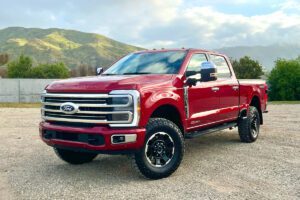

Dealing with malfunctioning power door locks on your Ford F-250 can be incredibly frustrating; imagine approaching your truck in a hurry, only to find the doors refuse to respond to the key fob or interior buttons. This is a widespread issue among F-250 owners, especially in Super Duty models built for tough jobs. The good news? These problems are rarely catastrophic and often stem from straightforward causes that you can diagnose and resolve yourself. Whether it’s a quick battery swap or a deeper dive into the wiring, understanding the root triggers empowers you to get back to seamless operation without unnecessary downtime or expense.
The path to resolution hinges on pinpointing the exact culprit. In many cases, the fix is remarkably simple and DIY-friendly, saving you a trip to the shop. Other scenarios might call for professional tools or parts replacement. Dive into this comprehensive guide to uncover the most common reasons behind Ford F-250 power door lock failures and discover practical, step-by-step strategies to restore full functionality. By the end, you’ll feel confident tackling the issue head-on.
Table of Contents
Mastering the Fix: Overcoming Ford F-250 Power Door Lock Challenges
Restoring your Ford F-250’s power door locks often starts with the basics but can extend to more involved repairs. A frequent quick win involves swapping out the key fob battery, especially when the interior lock/unlock buttons still function normally. Beyond that, culprits like a weakening vehicle battery, poor grounding, frayed wiring, overheated or degraded internal resistors within the actuators, or outright failing door lock actuators frequently emerge as the villains. Each of these deserves careful inspection, as overlooking one can lead to repeated headaches.
Let’s break it down in detail, exploring each potential solution with expert insights to help you troubleshoot efficiently:
Solution #1: Swap Out the Key Fob Battery for Instant Results
Picture this: your key fob buttons feel responsive, yet the doors stay stubbornly locked or unlocked when you press them from outside. Meanwhile, the interior switches work without a hitch. This classic scenario almost always points to the remote itself as the weak link. The key fob relies on a small battery to transmit signals strong enough for the truck’s receiver to pick up and act on. Over months or years of daily use, that battery drains gradually until its output dips below the threshold needed for reliable operation.
Start by replacing the battery; most Ford key fobs use a common CR2032 coin cell, readily available at auto parts stores or supermarkets. Pop open the fob (usually by prying gently along the seam), swap in the fresh battery (mind the polarity), and test immediately. In the majority of cases, this revives full remote functionality, restoring that satisfying click and smooth locking action from afar. If the new battery doesn’t solve it, the fob could have an internal fault, such as a damaged circuit board or worn buttons. At that point, sourcing a replacement from your Ford dealer or an authorized programmer becomes the next logical step. Programming is often straightforward and can sometimes be done at home with the right procedure outlined in your owner’s manual.
Solution #2: Inspect and Strengthen Battery and Ground Connections
When neither the key fob nor the interior lock/unlock buttons elicit any response across multiple doors, shift your focus to the truck’s main power source: the battery. Automotive batteries aren’t immortal; they degrade over time due to cycles of charge and discharge, temperature extremes, and vibration from heavy-duty use. If your F-250’s battery is approaching or past the three-year mark, its ability to deliver consistent voltage may have diminished significantly, starving sensitive electronic systems like the power door locks.
Use a reliable multimeter to measure the battery’s resting voltage; it should read between 12.4 and 12.7 volts for a healthy, fully charged battery. Anything consistently below 12.4 volts signals weakness, and below 12.0 volts often means it’s time for replacement. Clean the terminals thoroughly if corrosion is present, as buildup can create resistance and mimic low voltage issues. Also, examine the ground connections, particularly the negative cable’s attachment to the chassis or engine block. A loose, corroded, or damaged ground can interrupt the circuit, preventing power from reaching the door lock modules effectively. Tighten connections, scrape away rust, and ensure solid metal-to-metal contact. Many owners discover that refreshing these basics revives the entire system without further intervention.
For added assurance on grounding, refer to reliable resources like this explanation on what it means to ground a battery. Proper grounding completes the electrical loop essential for all powered accessories.
Solution #3: Hunt Down and Repair Wiring Faults or Blown Fuses
Intermittent operation; where locks sometimes engage after persistent button-pressing or door jiggling; often screams wiring trouble. In rugged trucks like the F-250, constant door movement flexes the wiring harnesses routed through rubber boots between the body and doors. Over thousands of cycles, insulation cracks, strands fatigue, and breaks occur, leading to partial or complete loss of continuity. This manifests as erratic behavior: one door might respond sporadically while others function normally, or all locks act up after certain maneuvers.
To test, press and hold the lock or unlock button while gently opening and closing the affected door repeatedly. If functionality flickers in and out, you’ve likely found a break in the harness. Carefully peel back the protective boot and inspect the wires visually and with a continuity tester. Repair by soldering and heat-shrinking any damaged sections, or splice in new wire if needed. Pay special attention to high-stress areas near hinges.
Don’t overlook the fuse; it’s a frequent silent culprit. Age, overloads from shorted components, or even minor corrosion can blow it. In many Ford Super Duty models, the power door lock fuse is labeled #17 (consult your specific year’s fuse diagram for confirmation). Pull it out, inspect for a broken filament, and replace with an identical amperage unit if faulty. This inexpensive swap often brings immediate relief and prevents further electrical strain.
Solution #4: Address Burned-Out or Degraded Internal Resistors
Prolonged holding of the lock or unlock button can overheat the small thermal resistors (sometimes called PTC thermistors or current-limiting devices) inside the door lock actuators. These components protect the motor by increasing resistance as temperature rises, cutting current to prevent burnout. Unfortunately, repeated thermal cycling causes them to degrade, raising baseline resistance until insufficient current reaches the motor for full operation.
You’ll notice symptoms like no audible click, minimal or no actuator movement, or progressive weakening; perhaps the passenger door struggles consistently while the driver’s side works only occasionally (say, one success in every 15 attempts). The actuators attempt to move but lack the torque to complete the action as resistance climbs.
Some resourceful owners bypass the failed resistor creatively (e.g., with conductive material like aluminum foil to restore low-resistance paths), but caution is key; bypassing removes overheat protection. For reliability, replacing the actuator assembly is wiser. These parts are affordable (often under $60 each), and swapping them ensures long-term durability without risking motor damage.
Solution #5: Clean, Lubricate, or Replace Worn Door Lock Actuators
The heart of the power door lock system is the actuator; a compact electromechanical unit that converts electrical signals into mechanical motion to engage or disengage the lock. Mounted inside each door, it includes a small DC motor, gears, levers, and linkages. Over time, especially in dusty, high-mileage environments like job sites or off-road trails, contaminants accumulate, gears wear, or motors lose torque, leading to unresponsive or noisy operation.
Before condemning the actuator, try preventive maintenance. Remove the door panel (using trim tools to avoid breakage) and peel back the vapor barrier carefully. Use compressed air to blast away dust and debris from the actuator and surrounding mechanism. Inspect for binding or stiffness in the linkage rods. Apply a light, appropriate lubricant; such as silicone-based spray or white lithium grease; to pivot points and the motor shaft (avoid over-saturating electrical parts). WD-40 can free stuck components temporarily, but for lasting smoothness, choose a dry-film or gear-specific lube.
Test operation after cleaning; if the actuator now moves crisply with clear clicks and full travel, you’ve likely solved it affordably. If weakness persists, replacement is straightforward. New actuators bolt in place, connect via plug-and-play harnesses, and cost modestly (typically $30–$60 per unit from aftermarket suppliers or dealers). Ensure all doors function smoothly before reassembling panels to avoid rattles or water intrusion. Many owners report this as the definitive fix for persistent issues, especially when symptoms include one-sided failures or cold-weather aggravation.
Frequently Asked Questions (FAQs)
What Exactly Does the Ford F-250 Door Lock Actuator Do?
The door lock actuator serves as the muscle behind your F-250’s power locking system. Nestled inside each door, this compact device receives electrical commands from the key fob, interior switches, or even remote start modules. It then powers a tiny motor that drives gears and a cable or rod to physically move the lock mechanism between locked and unlocked positions. This seamless integration allows convenient, centralized control without manual key turning; essential for a workhorse truck where quick access matters.
What Are the Telltale Signs of a Failing Door Lock Actuator?
A deteriorating actuator announces itself through several unmistakable clues. You might hear odd grinding, clicking, or buzzing noises from inside the door panel when attempting to lock or unlock; indicating the motor straining against resistance. Locks may operate inconsistently: one press works, the next doesn’t, or only certain doors respond. In advanced failure, no movement occurs at all despite power reaching the unit. Repeated blown fuses often accompany failing actuators, as they draw excessive current while trying (and failing) to overcome internal friction or seized gears. Cold temperatures can exacerbate symptoms, as lubricants thicken and plastic components contract.
Is It Possible to Repair a Damaged Door Lock Actuator?
While some mechanically inclined owners have successfully disassembled actuators to clean, lubricate, or bypass degraded thermal resistors, true repairs are uncommon and often temporary. Internal components like worn brushes, stripped gears, or failed motors aren’t designed for easy servicing; most units are sealed and non-user-serviceable. Attempting deep repairs risks further damage or safety issues from compromised protection circuits. In practice, replacing the entire actuator proves far more efficient, cost-effective, and reliable. Parts remain reasonably priced, labor is moderate for DIYers, and the result is a fresh, warrantied-like performance that lasts years longer than patchwork fixes.
Wrapping It Up: Regain Control of Your F-250’s Locks
Ford F-250 power door lock issues arise from a variety of sources; ranging from simple battery fatigue to complex actuator wear; but they’re almost always conquerable with systematic troubleshooting. Start with the easiest checks (fob battery, vehicle battery voltage, grounds, fuses) before progressing to wiring inspections and actuator service. Most owners handle these repairs independently, armed with basic tools and patience. If diagnostics point to warranty-covered components or you’re uncomfortable with door panel removal, a trusted dealer or mechanic can step in swiftly.
Don’t let faulty locks force manual operation; it’s inconvenient, time-consuming, and diminishes the convenience that makes owning a Super Duty so rewarding. Tackle the problem today, follow these expert-guided steps, and enjoy reliable, effortless locking once more. Your truck deserves it, and so do you!