
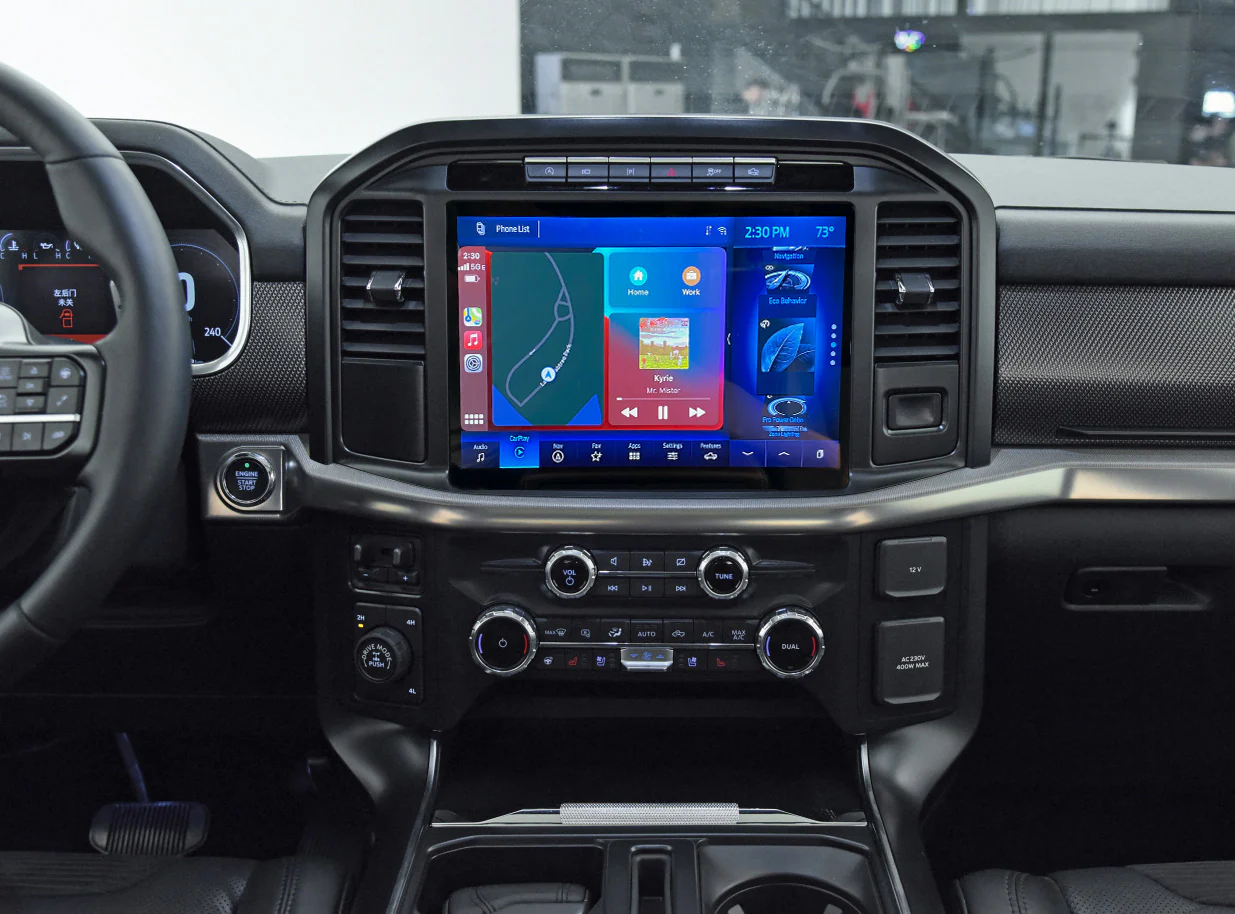
You climb into your F-150 on a Monday morning, turn the key, and everything fires up perfectly — except the 8-inch touchscreen in the center of the dash. It’s completely black. No navigation. No backup camera. No climate controls. No music. Just a dark, dead rectangle staring back at you while the rest of the truck runs fine.
If that scenario sounds painfully familiar, you’re in good company. Ford F-150 display screen failures are one of the most frequently reported infotainment complaints across the 2015–2023 model years, and they range from mildly annoying (a momentary flicker that resolves itself) to genuinely disruptive (a permanently dead screen that kills your backup camera, navigation, and climate interface all at once).
I’ve diagnosed this exact problem on dozens of F-150s over the years — from brand-new trucks still under warranty to high-mileage work rigs with 180,000 miles on the clock. And here’s the encouraging part: in roughly 60–70% of cases, the fix doesn’t require replacing the screen or the APIM module. It requires a proper reset, a $3 fuse, or a software update that Ford offers for free.
This guide covers every practical angle of the problem. I’ll walk you through exactly what causes the F-150’s display to go dark, which reset methods actually work (and which ones people recommend online that don’t), how to check for blown fuses without guessing, when a software update solves the issue permanently, what the APIM module is and why it fails, how much professional repairs cost, and how to tell whether your specific situation is a DIY fix or a dealership visit. By the end, you’ll know exactly what to do — and more importantly, what not to do — when your F-150’s screen decides to take an unscheduled vacation.
How the Ford F-150’s Display System Actually Works (And Why That Matters for Diagnosis)
Before troubleshooting a blank screen, it genuinely helps to understand what you’re troubleshooting. The F-150’s center display isn’t just a screen — it’s the visible face of a complex computer system that controls far more than music and navigation.
The Brain Behind the Screen: Ford’s SYNC and APIM Architecture
Depending on your F-150’s model year and trim level, your truck runs either SYNC 3 (2016–2021 models) or SYNC 4 (2021+ models, sometimes called SYNC 4A on trucks with the larger 12-inch screen). Both systems are powered by a module called the APIM — the Accessory Protocol Interface Module. Think of the APIM as the actual computer brain. The touchscreen you see and interact with is essentially just a monitor and input device. The APIM sits behind the dash, processes all the data, runs the software, and tells the screen what to display.
This distinction matters enormously for diagnosis. When your screen goes black, the problem might be the screen itself (hardware failure), the APIM module behind it (software crash or hardware failure), a power supply issue (blown fuse or loose connector), or a wiring fault between the APIM and the display. Each of those causes has a different fix, a different cost, and a different level of urgency. Treating them all the same — which is what most generic “Ford screen fix” articles do — leads to wasted time and wasted money.
What the Display Screen Controls (It’s More Than You Think)
On a modern F-150, the center touchscreen isn’t a luxury feature you can simply live without. It controls or displays:
- Backup camera feed — Without it, you lose rear visibility when reversing (a genuine safety concern)
- Climate control interface — On many trims, adjusting temperature, fan speed, and airflow direction requires the touchscreen
- Navigation and GPS mapping
- Apple CarPlay and Android Auto
- Phone calls and text messaging (hands-free)
- Audio and entertainment controls
- Vehicle settings — Including drive modes, trailer settings, and lighting configuration
- Maintenance alerts and diagnostic information
- 360-degree camera system (on equipped trucks)
When that screen dies, you don’t just lose music. You lose access to a significant portion of the truck’s functionality. That’s why a blank F-150 display screen isn’t something most owners can simply ignore — and why knowing how to fix it quickly matters so much.
Why Does the Ford F-150 Display Screen Go Blank? (Every Major Cause Explained)
After years of working on these trucks, I’ve narrowed the common causes down to a handful of categories. They’re listed here from most frequent to least frequent, because understanding probability saves you from chasing unlikely causes while the obvious fix sits right in front of you.
1. Software Freeze or APIM Crash (The #1 Cause — And Usually the Easiest Fix)
The single most common reason an F-150’s screen goes black is a software freeze inside the APIM module. Just like a smartphone or laptop can lock up and need a restart, the APIM runs an operating system that occasionally crashes. When it does, the screen may go completely dark, freeze on the Ford logo, display a black screen with the clock still visible, or cycle on and off repeatedly.
This type of failure is especially common after over-the-air (OTA) software updates that didn’t complete properly, when the truck battery is weak or has been recently replaced, during extreme temperature swings (both very hot and very cold weather), and after jump-starting the vehicle. The good news is that a software freeze almost always responds to a proper reset — which I’ll walk you through in detail below.
2. Blown Fuse in the Interior or Under-Hood Fuse Box
A blown fuse is the second most common cause, and it’s frustratingly simple. The F-150 has multiple fuses related to the infotainment system — typically located in both the interior passenger-side fuse panel and the under-hood fuse box. If the specific fuse powering the APIM or display loses continuity, the screen goes completely dark with no warning.
Fuses can blow because of momentary voltage spikes, aftermarket accessory installations that overload a circuit, or simply age-related fatigue in the fuse element itself. Replacing a $2–$5 fuse is one of the cheapest and most satisfying fixes in automotive repair — but only if you check the right fuse first.
3. Loose or Corroded Wiring Connections Behind the Display
The connectors that link the display screen to the APIM module and the vehicle’s main wiring harness can work loose over time — especially in a truck that sees regular off-road use, towing vibration, or rough road conditions. A connector that’s 90% seated but not fully clicked can cause intermittent screen blackouts that come and go unpredictably.
Corrosion on connector pins is another possibility, particularly in humid climates or on trucks that have experienced water intrusion near the dashboard (leaking windshield seals, for example). If your screen blacks out intermittently — works sometimes, dies other times — a loose or corroded connection is high on the suspect list.
4. Outdated SYNC Software That Needs Updating
Ford has released numerous software updates for both SYNC 3 and SYNC 4 systems specifically to address display stability, responsiveness, and black-screen issues. If your truck is running an older software version, it may be susceptible to known bugs that Ford has already patched in later releases.
Software updates can be installed via USB drive (downloaded from Ford’s owner website), through over-the-air updates (on SYNC 3 and SYNC 4 equipped trucks with Wi-Fi connectivity), or by a Ford dealership during a service visit. In some cases, a software update alone permanently resolves a recurring black-screen problem that no amount of resetting can fix — because the underlying bug exists in the software itself.
5. Failed APIM Module (The Expensive One)
When resets, fuse checks, and software updates all fail to restore the screen, the APIM module itself may have failed. The APIM is a physical computer board with processors, memory, and communication interfaces. Like any computer, it can fail due to heat damage, power surges, component degradation, or manufacturing defects.
APIM failure is the most expensive diagnosis on this list — replacement modules from Ford typically cost $800–$1,500 for the part alone, plus $200–$400 in programming and installation labor. However, aftermarket refurbished APIM units are available from reputable suppliers for $300–$600, and some owners have had success with used modules from salvage yards (though these require VIN-specific programming).
Before accepting an APIM replacement diagnosis, make absolutely sure the simpler causes have been thoroughly ruled out. I’ve seen trucks sent to dealerships for $1,200 APIM replacements that actually needed a $3 fuse.
6. Physical Screen Damage or Backlight Failure
Less common but worth mentioning: the LCD panel itself can fail. If the backlight dies, the screen may appear completely black even though the system is actually running behind it. You can sometimes confirm this by shining a bright flashlight at the screen at an angle — if you can faintly see menu graphics or text, the backlight has failed but the display is technically still functioning.
Physical screen replacement typically runs $500–$1,000 depending on screen size and whether you use OEM or aftermarket parts.
How to Fix a Blank Ford F-150 Screen: Step-by-Step Solutions (Ranked by Difficulty)
Now that you understand what causes the problem, let’s fix it. I’ve arranged these solutions from simplest and cheapest to most involved, because you should always exhaust the easy options before escalating to expensive repairs.
Fix #1: The Soft Reset (Takes 30 Seconds, Fixes ~40% of Cases)
This is always your first move. A soft reset power-cycles the SYNC system without affecting anything else in the truck.
- Turn the truck’s ignition to the ON position (engine running is fine)
- Press and hold the power button (volume knob) and the right seek button (the forward-skip button on the right side of the steering wheel controls or on the head unit) simultaneously
- Hold both buttons for 15–20 seconds
- The screen should go dark, then display the Ford logo as the system reboots
- Wait 60–90 seconds for the system to fully restart before touching anything
On SYNC 3 systems, some owners report better results holding the power button and the right directional arrow on the audio controls. If the first button combination doesn’t trigger a reboot, try this alternative.
What this fixes: Software freezes, temporary APIM glitches, post-update boot failures, and display hangs where the system is running but the screen isn’t rendering properly.
What this won’t fix: Blown fuses, failed APIM hardware, dead backlights, or wiring faults. If the soft reset doesn’t work after two attempts, move on.
Fix #2: The Hard Reset via Battery Disconnect (Takes 20 Minutes, Fixes ~25% of Remaining Cases)
If the soft reset doesn’t restore the screen, a full battery disconnect forces every electronic module in the truck to power down completely and restart fresh.
- Turn the truck completely off and remove the key (or keep the key fob away from the vehicle)
- Open the hood and locate the 12V battery
- Disconnect the negative terminal first (black cable, minus sign) using a 10mm wrench
- Wait a full 15–20 minutes — this allows capacitors in the APIM and other modules to fully discharge
- While waiting, press the brake pedal 5–6 times to help drain residual power from the electrical system
- Reconnect the positive terminal first, then the negative terminal
- Start the truck and wait 2–3 minutes without touching any controls — let the SYNC system complete its full boot cycle
Important note: After a battery disconnect, you’ll need to reset your clock, radio presets, and possibly recalibrate your power windows (hold each window switch in the full-up position for 5 seconds after the window closes completely). Your drive mode settings and seat memory positions may also reset to defaults.
What this fixes: Deeper software hangs that survive a soft reset, module communication errors between the APIM and other vehicle systems, and glitches caused by voltage irregularities or recent battery replacement.
Fix #3: Check and Replace the Display System Fuse (Takes 10 Minutes, Costs Under $5)
If both resets fail, it’s time to check fuses. On the F-150, the infotainment system draws power through specific fuses in two locations:
Interior fuse panel (passenger side, behind the kick panel or under the glove box): Look for fuses labeled or mapped to the audio system, APIM, or display. Common fuse numbers vary by model year, but the owner’s manual fuse diagram will identify the correct ones. Typical amperage ratings are 5A, 7.5A, 10A, or 20A depending on the circuit.
Under-hood fuse box (near the battery): Additional fuses related to the body control module (BCM) and power distribution can indirectly affect the display. Check these if the interior fuses test good.
- Turn the truck completely off
- Open the fuse panel cover and locate the fuse diagram (usually printed on the inside of the cover or in the owner’s manual)
- Identify every fuse related to audio, SYNC, APIM, display, or multimedia
- Pull each suspect fuse using the plastic fuse puller tool (usually stored inside the fuse panel)
- Hold the fuse up to light — if the metal filament inside is broken, melted, or scorched, the fuse is blown
- Replace any blown fuse with a new one of the exact same amperage rating
- Reinstall, close the panel, and start the truck
Critical warning: Never install a fuse with a higher amperage rating than what the circuit is designed for. A 10A fuse that keeps blowing should not be replaced with a 20A fuse — that’s how wiring melts and electrical fires start. If a new fuse blows again immediately, you have a short circuit somewhere in the wiring that needs professional diagnosis.
Fix #4: Update the SYNC Software (Takes 30–60 Minutes, Usually Free)
If resets and fuse checks don’t resolve the issue — or if the screen comes back but the problem keeps recurring — a SYNC software update may permanently fix the underlying bug.
To update via USB drive:
- Visit ford.com/support/sync-maps-updates and enter your VIN
- Download the latest available update for your SYNC version
- Transfer the update files to a USB flash drive (formatted as FAT32 or exFAT, minimum 32GB recommended)
- Insert the USB drive into one of the truck’s USB ports
- The system should automatically detect the update and prompt you to install — follow the on-screen instructions
- Do not turn off the truck during the update process (it may take 20–45 minutes)
If the screen is too dead to display the update prompt, try performing a battery disconnect reset first to get the screen functional, then immediately run the USB update before the problem recurs.
Alternatively, a Ford dealership can force-install software updates using their diagnostic tools — even if the screen isn’t currently displaying. This is sometimes the only option when the APIM is partially functional but the screen won’t render.
Fix #5: Inspect Wiring Connections Behind the Display (Intermediate DIY)
If you’re comfortable removing interior trim panels, checking the wiring connections behind the display is a worthwhile step — especially if your screen blackouts are intermittent rather than constant.
On most F-150 model years, the center display can be accessed by carefully removing the surrounding trim bezel (typically held by clips that release with a plastic trim tool — never use a metal screwdriver, which can scratch or crack the trim). Once the bezel is removed, you’ll see the display unit and the wiring harness connectors plugged into the back of it.
Disconnect each connector, inspect the pins for corrosion or damage, blow out any dust with compressed air, and firmly reseat each connector until you hear or feel a positive click. Sometimes this simple reconnection is all that’s needed to restore a solid electrical connection that had worked itself loose over thousands of miles of driving vibration.
Fix #6: APIM Module Replacement (Professional Repair)
If you’ve exhausted every option above and the screen remains dead, the APIM module is the most likely hardware failure. Replacement involves removing the old module (usually mounted behind the display or under the center console, depending on model year), installing the new unit, and — critically — programming it to your specific truck’s VIN and configuration using Ford’s diagnostic software (IDS/FDRS).
Programming is not optional. An unprogrammed APIM won’t function correctly even if it’s physically identical to the original. This is why most owners have APIM replacements done at a dealership or a shop equipped with Ford’s programming tools.
Estimated costs:
- New OEM APIM from Ford: $800–$1,500
- Refurbished aftermarket APIM: $300–$600
- Used APIM from salvage: $150–$400 (requires VIN programming)
- Installation and programming labor: $150–$400
- Total typical range: $450–$1,900 depending on parts sourcing
The Auto-Brightness and Auto-Headlight Setting Trick (A Fix Many Owners Miss)
Here’s one that catches a surprising number of F-150 owners off guard. On certain model years, the display screen dims to near-invisibility — or appears completely black — because of the automatic headlight sensor and display brightness settings interacting in unexpected ways.
When the ambient light sensor on the dashboard detects darkness (or thinks it detects darkness — for example, if the sensor is covered by a phone mount, a sunshade, or dashboard debris), the system can dim the display to its lowest setting. In some cases, especially with certain software versions, the “lowest setting” is effectively black. The screen is technically on and functioning, but the backlight is so dim you can’t see anything.
How to check:
- With the truck running, look for the physical brightness control — on many F-150s, this is a thumbwheel on the left side of the dashboard near the headlight switch
- Roll it upward to increase display brightness manually
- If the screen gradually appears as you increase brightness, the display isn’t broken — it was simply dimmed to an unusable level
- Check whether anything is blocking the ambient light sensor on the top of the dashboard
- In the display settings menu (once visible), verify that automatic brightness is configured correctly
This takes 10 seconds to check and has saved more than a few owners from unnecessary dealership visits. Always try the brightness control before assuming the screen has failed.
Ford F-150 Display Problems by Model Year: What to Watch For
Not all F-150 model years experience display issues equally. Here’s a quick reference guide based on common owner-reported patterns and technical service bulletins (TSBs):
| Model Years | SYNC Version | Most Common Display Issues | Most Effective Fix |
|---|---|---|---|
| 2015–2016 | SYNC 3 (early) | Frequent black screen freezes, slow boot times, touchscreen lag | Software update + battery disconnect reset |
| 2017–2019 | SYNC 3 (revised) | Intermittent blackouts, screen flickering, CarPlay disconnects | SYNC update via USB, fuse check |
| 2020 | SYNC 3 (late) | Post-OTA update crashes, blank screen after battery replacement | Battery disconnect reset, dealer software reinstall |
| 2021–2023 | SYNC 4 / SYNC 4A | 12-inch screen freezing, delayed startup display, wireless CarPlay drops | Soft reset, OTA update, APIM reflash |
Ford has issued multiple Technical Service Bulletins (TSBs) addressing display issues across these generations. If your truck is still under warranty (bumper-to-bumper or powertrain), or if a relevant TSB exists for your specific model year and complaint, the dealership may cover the repair at no cost. Always ask the service advisor to check for applicable TSBs before agreeing to pay for diagnosis.
When to Stop Troubleshooting and Visit a Professional
DIY troubleshooting is valuable — it saves money and often solves the problem. But there are clear signals that it’s time to hand the truck over to someone with Ford-specific diagnostic tools:
- The screen remains completely dead after both soft and hard resets, fuse replacement, and a software update attempt — This pattern strongly suggests APIM hardware failure or a deeper wiring issue
- New fuses blow immediately after installation — This indicates a short circuit that needs to be traced with proper diagnostic equipment before it damages other components
- The screen works intermittently but fails unpredictably — Intermittent faults are among the hardest to diagnose and often require monitoring tools that can record electrical data over time
- The display shows distorted graphics, lines, or partial rendering — This typically points to LCD panel damage or a failing video connection rather than a software problem
- Other electrical systems are also malfunctioning simultaneously — If the screen failure is accompanied by other strange electrical behaviors (random warning lights, power window issues, instrument cluster problems), the root cause may be a failing body control module (BCM) or a ground connection problem — not the display system itself
A qualified Ford technician with access to IDS or FDRS diagnostic software can read APIM fault codes, check module communication status on the vehicle’s CAN bus network, and pinpoint whether the issue is the display, the APIM, the wiring, or something else entirely. The diagnostic fee is typically $100–$175, and it’s money well spent if it prevents you from replacing a $1,200 module that wasn’t actually the problem.
How to Prevent Ford F-150 Display Screen Problems
While you can’t prevent every hardware failure, several maintenance habits significantly reduce the risk of display-related headaches:
- Keep your SYNC software updated. Ford releases patches specifically to address stability and display issues. Check for updates every 3–6 months, either via the Ford website or through the truck’s built-in Wi-Fi update feature.
- Maintain a healthy battery. Weak or dying batteries cause voltage fluctuations that can crash the APIM. If your battery is older than 4–5 years, have it load-tested. A $150 battery is far cheaper than a $1,200 APIM replacement caused by chronic low voltage.
- Be careful with aftermarket accessories. Dash cameras, phone chargers, LED light bars, and other accessories wired into the truck’s electrical system can create voltage spikes or overload circuits. Use properly fused, dedicated power connections for any aftermarket equipment — never tap directly into the SYNC or display wiring.
- Don’t interrupt OTA updates. If your truck is performing an over-the-air software update, don’t turn it off until the update completes. Interrupted updates can corrupt the APIM’s firmware and cause boot failures.
- Periodically check fuse connections. Every 12–18 months, pull and reseat the fuses related to your audio and display system. This prevents corrosion buildup on fuse contacts that can cause intermittent power loss.
Repair Cost Summary: What to Expect Financially
| Repair Type | DIY Cost | Professional/Dealer Cost |
|---|---|---|
| Soft reset (button combination) | $0 | $0 (if done during service visit) |
| Hard reset (battery disconnect) | $0 | $50–$100 if part of diagnostic |
| Fuse replacement | $2–$5 | $50–$100 (including diagnosis) |
| SYNC software update via USB | $0 (USB drive cost only) | $0–$150 at dealership |
| Wiring inspection and connector repair | $0–$30 (trim tools, contact cleaner) | $100–$300 |
| APIM module replacement (refurbished) | $300–$600 + programming | $600–$1,000 |
| APIM module replacement (new OEM) | $800–$1,500 + programming | $1,200–$1,900 |
| LCD screen replacement | $200–$500 (aftermarket) | $500–$1,000 |
Frequently Asked Questions About the Ford F-150 Blank Screen
Why did my F-150 screen go black suddenly while driving?
A sudden mid-drive blackout is almost always caused by a software crash in the APIM module. The system locks up, stops sending video data to the display, and the screen goes dark. In most cases, the audio may continue playing even though the screen is black — that’s because the audio processor and display renderer are handled by different parts of the APIM software. Try a soft reset (power button + right seek held for 15–20 seconds) at your next safe stop. If the screen comes back, a SYNC update should be your next priority to prevent recurrence.
Can a dead battery cause the F-150 display to stop working?
Yes — and this is more common than most owners realize. A battery that’s failing or producing inconsistent voltage can cause the APIM to crash, freeze, or fail to boot properly. This is especially common after jump-starts, battery replacements, or during extremely cold weather when battery output drops. If your screen went blank after a battery-related event, a full battery disconnect reset (15–20 minutes) usually resolves the issue. If problems persist after the reset, have the battery load-tested to confirm it’s providing stable voltage.
Is the F-150 blank screen covered under Ford’s warranty?
It depends on the cause, your model year, and your warranty status. Under the standard bumper-to-bumper warranty (3 years / 36,000 miles), display and APIM failures are typically covered. Extended warranties and Ford Protect plans may also cover the repair. Additionally, if Ford has issued a Technical Service Bulletin (TSB) or recall related to display issues for your specific model year, the repair may be covered regardless of standard warranty status. Always ask the dealership to check for applicable TSBs before paying out of pocket.
My F-150 screen is black but the radio still plays music — what does that mean?
This symptom is a strong indicator of a software freeze rather than a hardware failure. The APIM processes audio and video through different software threads. If the video rendering process crashes while the audio process continues running, you get sound without picture. A soft reset almost always fixes this specific symptom. If it keeps recurring, a SYNC software update should address the underlying instability.
Can I still use my backup camera if the display screen is black?
No. The backup camera feed is routed through the APIM and displayed on the center touchscreen. If the screen is non-functional, the backup camera image has nowhere to display. This is one of the genuine safety concerns with a dead display — you lose rear visibility when reversing. Until the screen is repaired, use extra caution when backing up, check mirrors carefully, and consider having a spotter when reversing in tight spaces.
How long does a SYNC software update take?
USB-based updates typically take 20–45 minutes. Over-the-air updates may take longer depending on file size and download speed. During the update, the screen may go dark, display progress bars, or show the Ford logo repeatedly — all of which are normal. Do not turn off the truck or remove the USB drive during the update process. Interrupting an update can corrupt the APIM firmware and potentially make the problem worse.
Will disconnecting the battery delete my truck’s stored settings?
A battery disconnect will reset your clock, radio presets, and trip computer data. It may also reset power window auto-up/down calibration (easily recalibrated by cycling each window fully open and fully closed while holding the switch for 5 seconds). Your seat memory positions, mirror positions, and SYNC paired phone data are stored in non-volatile memory and typically survive a battery disconnect — though some older model years may lose Bluetooth pairings.
Are aftermarket replacement screens worth considering?
Aftermarket replacement screens and APIM units can be significantly cheaper than OEM Ford parts. Quality varies, though. Reputable suppliers like 4D Tech, Infotainment.com, and OEM-certified refurbishers offer units that include proper programming and warranty coverage. Avoid no-name units from generic marketplace sellers — the savings aren’t worth the risk of compatibility issues, poor display quality, or lack of warranty support.
What to Do Right Now If Your F-150 Screen Is Blank
If you’re reading this because your screen just died and you want a clear action plan, here it is — in the exact order I’d work through the problem myself:
- Check the display brightness control. Roll the brightness thumbwheel (near the headlight switch) to maximum. If the screen gradually appears, you’ve found your answer — it was dimmed, not broken.
- Try a soft reset. Hold the power button and right seek button simultaneously for 15–20 seconds. Wait 90 seconds for the system to fully reboot.
- If the soft reset fails, do a full battery disconnect. Negative terminal off for 20 minutes. Reconnect. Start the truck. Wait 3 minutes without touching any controls.
- If the screen returns but keeps dying, check the fuses. Pull and inspect every fuse related to audio, SYNC, APIM, and display. Replace any that are blown with the exact same amperage rating.
- If the screen returns and stays on, install a SYNC software update immediately. Download from Ford’s website to a USB drive and install before the problem recurs.
- If nothing works after all five steps, schedule a professional diagnosis. You’ve eliminated the simple causes. What’s left likely requires Ford’s diagnostic software to identify — whether that’s an APIM failure, a wiring fault, or a screen hardware problem.
This sequence works through the problem logically, costs almost nothing to attempt, and gives you genuine diagnostic value even if you ultimately need professional help. When you walk into the dealership and say, “I’ve already done a soft reset, a battery disconnect, checked fuses 32 and 67, and attempted a USB update — the screen still won’t display,” you immediately communicate that you’re an informed owner, and the technician can skip the basic steps and focus on deeper diagnosis. That saves you time and money.
Final Thought: A Blank Screen Doesn’t Mean a Broken Truck
A dead display on your F-150 can feel like a major failure — and admittedly, losing your backup camera, navigation, and climate controls all at once is genuinely disruptive. But after diagnosing this issue on more trucks than I can count, I can tell you with confidence that the majority of F-150 blank screen problems are solved by a 30-second reset, a $3 fuse, or a free software update. The expensive APIM replacements and screen swaps? They happen — but they’re the minority, not the majority.
Start simple. Work through the steps methodically. Don’t let anyone sell you a $1,200 APIM replacement until the $0 fixes have been thoroughly exhausted. And if you do end up needing professional help, you’ll walk into that appointment as a well-informed customer who knows exactly what’s been tried and what hasn’t — which is the single best way to ensure you get an accurate diagnosis and a fair price.
Your F-150 is still a great truck. It just needs its screen to wake up and remember that.

