
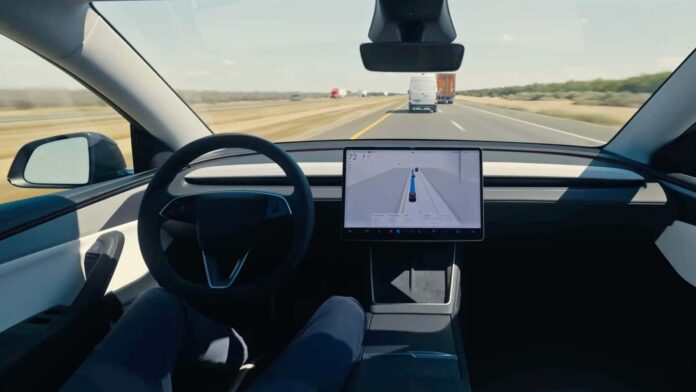
Tesla Autopilot is one of the most talked-about driver assistance technologies on the road today. For many owners, it adds convenience during highway travel, reduces fatigue in traffic, and makes long drives feel less demanding. But for all its sophistication, Autopilot is still a machine-driven system that depends on cameras, sensors, software logic, road visibility, and driver cooperation. When one part of that chain breaks down, the system may suddenly become unavailable, behave unpredictably, or simply refuse to activate.
If that has happened to you, you are not alone. A Tesla that suddenly says Autopilot is unavailable, stops offering lane guidance, reacts oddly to road markings, or brakes unexpectedly can be frustrating and sometimes unsettling. The good news is that many of the causes are understandable and, in some cases, fixable without major repair. The less comforting truth is that some issues are not bugs at all—they are the system doing exactly what it was designed to do when it lacks enough confidence in the environment.
As someone looking at this subject from an expert diagnostic and vehicle-systems perspective, I can tell you that Tesla Autopilot problems usually fall into a handful of categories: perception issues from dirty or obstructed cameras, calibration loss, temporary software faults, incorrect interpretation of road conditions, environmental limitations, or actual hardware trouble. The challenge is figuring out which category your vehicle is dealing with before you panic, reset the screen a dozen times, or assume the car is fundamentally broken.
This article is designed to give you a deep, practical understanding of why Tesla Autopilot may stop working, how to troubleshoot it logically, what kinds of situations commonly confuse the system, and what safety and legal realities surround it. I will also explain the difference between temporary feature unavailability and real hardware faults, why phantom stops happen, how camera and sensor calibration works, what role software updates play, and how regulations in the U.S., Europe, and Asia influence what Tesla can and cannot allow the system to do.
Most importantly, I will keep the explanation grounded in one principle Tesla drivers must never forget: Autopilot is a driver assistance system, not a fully autonomous chauffeur. That distinction matters in both troubleshooting and safety. If the system is limited, uncertain, or unavailable, it is often because it is refusing to make assumptions when the data in front of it is incomplete or ambiguous.
So if your Tesla Autopilot is acting up, unavailable, inconsistent, or just not performing the way you expected, this guide will help you understand what is happening and what your best next step should be.
What Tesla Autopilot Is, and What It Is Not
Before troubleshooting the system, it is important to define what Tesla Autopilot actually is. Autopilot is an advanced driver assistance package that can include features such as traffic-aware cruise control, lane centering, lane guidance, automatic lane changes in some configurations, and other convenience or safety functions depending on the vehicle, hardware generation, software version, and purchased options. It is built to help the driver, not replace the driver.
That distinction cannot be overstated. The word “Autopilot” sounds more autonomous than the system really is, and that has shaped public expectations—sometimes in unhelpful ways. In practical use, Autopilot depends on your continued supervision. It wants you engaged, aware, and ready to intervene. Tesla’s system can steer, adjust speed, and respond to many roadway situations, but it can also become confused, limited, or unavailable under conditions that a human driver can interpret more flexibly.
The system relies heavily on external cameras, software interpretation, and—depending on model year and configuration—related sensing inputs that help it assess lane lines, nearby vehicles, road edges, traffic flow, and obstacle patterns. Newer Tesla systems have leaned more heavily into camera-based perception, which means visibility quality matters a great deal. Dirt, glare, fog, heavy rain, snow, road spray, unusual lane paint, confusing work zones, and uncommon traffic geometry can all reduce the system’s confidence.
This is why understanding Autopilot’s limitations is not just a legal disclaimer exercise. It is central to good troubleshooting. If a Tesla driver expects the system to function flawlessly in all environments, every refusal or disengagement feels like a failure. But if you understand that Autopilot only works well when it can clearly interpret the road and surrounding conditions, many of its “problems” become easier to identify as either temporary environmental limits or signs that the perception system needs attention.
In other words, the first step in diagnosing Autopilot is accepting that it does not function based on trust alone. It functions based on input quality. And when that quality falls, so does system confidence.
Why Tesla Autopilot May Suddenly Stop Working
Drivers are often surprised by how abruptly Tesla Autopilot can become unavailable. The car may have been operating normally one day and then suddenly refuse to engage lane assistance or adaptive cruise the next. Sometimes the warning comes with a message. Other times the feature simply does not activate. In most cases, this happens because the car no longer trusts its ability to perceive the world around it with enough accuracy to support the function safely.
Think of Autopilot as a system that constantly asks itself a set of questions. Can I see the lane lines clearly? Can I judge the road edges correctly? Can I track the traffic ahead with enough confidence? Do the cameras appear clean? Has the calibration state been maintained? Is the software behaving as expected? Am I in an environment the current logic can interpret properly? If enough of those answers become uncertain, the system may restrict or shut off some of its features rather than continue operating in a questionable way.
This means that “Autopilot not working” is not one single fault. It is a symptom with many possible sources. In some cases, the problem is as simple as dirt on a camera lens. In others, the issue stems from software confusion after an update, the need for recalibration after glass replacement or service, or environmental conditions that exceed what the vision system can reliably interpret. In fewer—but more serious—cases, the issue may involve actual hardware faults, damaged sensors, or communication problems within the car’s network.
Because the causes vary so much, the smartest path is structured troubleshooting. Do not jump straight to assuming major failure. Start with the most common real-world causes, especially anything that affects visibility and sensor confidence. Only move toward deeper diagnosis if the simpler explanations fail.
Now let’s break down the most common issues in detail.
Common Issues With Tesla Autopilot
1. Camera Obstruction, Blinding, or Perception Failure
The most common reason Tesla Autopilot becomes limited or unavailable is not a dramatic electronic failure. It is a perception problem. Tesla’s driver-assistance system depends heavily on cameras, and cameras are only as useful as the image they can capture. If those lenses are dirty, blocked, iced over, fogged up, splashed with road grime, or overwhelmed by harsh lighting, the system may lose confidence fast.
This can happen in very ordinary situations. A bug smear on the forward camera housing, a layer of dried road salt on a side repeater, mud on a rear camera, heavy rain, direct low-angle sun, wet snow, glare from reflective road surfaces, or even a fine film of dirt on the windshield in front of the camera cluster can all affect what the system sees. A human driver may still make sense of the road through context and experience. The computer vision system is much less forgiving.
It is also important to understand that not all visibility issues are obvious from the driver’s seat. You might look at the windshield and think it looks clean, while the camera housing area near the mirror has a hazy film that is enough to reduce contrast in key parts of the image. Likewise, a side camera can be partially obscured by rainwater, dust, or a thin smear you would never notice unless you specifically inspected it.
In many real-world cases, Autopilot is not “failing” here at all. It is appropriately declining to assist because the vision input is compromised. That is good engineering behavior even if it feels annoying in the moment. The system should not guess when it cannot see clearly.
If your Tesla suddenly reports that some Autopilot functions are unavailable, your first step should always be a camera cleanliness and visibility check. This is especially true after storms, winter driving, dusty roads, highway bug impacts, or long periods without washing the vehicle.
2. Phantom Stops or Phantom Braking
Phantom stops—more accurately described in many cases as phantom braking or unexpected deceleration—are among the most talked-about Autopilot complaints. This happens when the vehicle slows sharply or brakes even though the driver sees no obvious danger requiring that reaction. It is frustrating, unsettling, and one of the clearest examples of how a system can be technically functional yet operationally imperfect.
Why does it happen? Usually because the software has interpreted something in the environment as a potential threat or conflict when, from a human perspective, it was not. A shadow across the roadway, a bridge seam, an unusual sign placement, a vehicle in an adjacent lane moving in a way the system finds ambiguous, changing lane geometry, oncoming traffic positioned oddly on two-lane roads, or a temporary mapping/context mismatch can all contribute.
Phantom braking is not always caused by a broken sensor. Sometimes it is caused by the software being cautious in the wrong moment. That distinction matters. If a system sees something it thinks might be a collision path or hard obstacle, it may choose safety-first braking. The result from the driver’s seat is often “Why did you just do that?” But from the software’s point of view, it may be choosing false-positive caution over false-negative risk.
This is why phantom stops are particularly associated with semi-autonomous systems. The car is not broken in a traditional sense. It is interpreting the road with a level of uncertainty that occasionally leads to overly conservative behavior. That does not make the event harmless. Sudden braking on an open road can be dangerous, especially if someone is following closely. But it does mean the solution is not always as simple as replacing a failed part.
When phantom stops occur, the driver must remain alert and ready to take control immediately. If the behavior happens repeatedly in the same area or under similar conditions, document it mentally: weather, road type, traffic situation, speed, and what was ahead. Pattern recognition can help determine whether the issue is environmental, software-related, or something deeper.
3. Software Bugs or Update-Related Glitches
Tesla vehicles are unusually software-dependent, which is part of what makes them impressive—and occasionally what makes them frustrating. Over-the-air updates allow Tesla to improve features, refine behavior, and add capabilities without a dealership visit. But software evolution also means a new update can introduce temporary oddities, reset preferences, trigger fresh calibration needs, or create behavior that feels inconsistent until the system settles.
Sometimes Autopilot stops working properly after a software update not because any hardware has failed, but because the software needs a reboot, a recalibration period, or time to process fresh environmental data. In some cases, a visible glitch on the center screen is accompanied by a temporary driver-assistance issue. In other cases, the interface looks normal but lane guidance, visualization, or adaptive features behave strangely.
A software-related issue can show up as delayed Autopilot engagement, missing lane lines on the display, unavailable cruise options, or repeated requests for recalibration. Some owners report the system becoming more cautious or behaving differently than before after a software release. Whether that is a true bug, a feature adjustment, or simply a change in driver expectation is not always obvious at first.
The encouraging part is that software glitches often respond to simple resets or subsequent updates. The less encouraging part is that a software-defined car can occasionally behave in ways that traditional mechanical logic does not prepare people for. A reboot that sounds silly in the context of a car is sometimes entirely appropriate in a Tesla.
That is one reason screen reboot and update verification belong early in the troubleshooting process—though not before basic camera cleanliness, because the physical environment remains the most common variable.
4. Misinterpretation of Road Conditions
Tesla Autopilot does not drive on a perfect digital version of the road. It drives on its interpretation of the road. And that interpretation can be challenged by all sorts of real-world conditions that humans process more naturally.
Confusing lane markings are a major example. Construction zones, temporary paint, partially removed old lane lines, faded pavement stripes, lane splits, merges, unusual shoulder widths, chevrons, and poorly maintained roads can create uncertainty. Add rain, glare, or uneven road color, and that uncertainty increases.
Road signs can also contribute to strange behavior. A sign positioned in an unusual place, a shadow pattern the system interprets incorrectly, or roadside objects arranged in ways that mimic traffic-relevant features can all complicate the car’s perception. Dense urban traffic patterns, sharp changes in roadway width, or roads with inconsistent edge markings may be handled less elegantly than the driver expects.
This is one of the reasons Autopilot tends to work best in structured environments such as well-marked divided highways. The more standardized the environment, the easier the system’s job becomes. The messier the environment, the more a human driver’s flexible reasoning becomes important.
In practical terms, if your Autopilot works beautifully on highways but becomes unreliable on local roads, old pavement, complex intersections, or construction zones, the issue may not be “Autopilot failure” in the traditional sense. It may be the predictable limit of computer interpretation in an irregular visual environment.
5. Calibration Loss or Incomplete Calibration
Tesla’s camera-based driver-assistance system depends on calibration. The car needs to understand how its cameras relate to the vehicle body, road geometry, and each other. If that calibration is incomplete, disturbed, or lost, Autopilot may become unavailable or behave inconsistently.
Calibration issues often appear after windshield replacement, front-end work, alignment changes, suspension changes, collision repair, or camera service. Anything that changes the camera’s physical relationship to the road can affect calibration. In some cases, even if the cameras themselves are undamaged, their learned reference state is no longer trustworthy enough for the vehicle to continue using advanced assistance normally.
A Tesla may display a calibration message after certain repairs or system resets. At that point, the car usually needs to be driven under appropriate conditions so it can relearn lane boundaries, environmental structure, and position. If the roads driven are poor for calibration—bad markings, heavy weather, low visibility, constant stop-and-go urban movement—the process may take longer.
Calibration issues can be subtle too. The car may not say “camera failure.” It may simply say some features are unavailable, or it may repeatedly refuse engagement until calibration completes. That is why calibration status deserves explicit attention during troubleshooting.
6. Temporary Driver-Monitoring Lockouts
Another issue worth mentioning is that Autopilot may stop functioning or limit itself because of driver-monitoring logic rather than a hardware or perception problem. Tesla expects drivers to remain engaged. Repeated ignored prompts to apply steering input, repeated inattentiveness, or behavior that makes the system question driver supervision can sometimes cause temporary lockouts or restrictions for the remainder of the drive.
Drivers sometimes misinterpret this as a system failure, when in fact it is a deliberate safety restriction. If the car repeatedly asked for input and did not receive appropriate confirmation, it may suspend features until the next drive cycle or until certain conditions are reset.
This is not the most common Autopilot complaint, but it is important because it can look like one. If the system was working, then began issuing attention prompts, then stopped assisting, consider your own interaction history before assuming there is a sensor or software problem.
7. Genuine Hardware Faults
Although many Autopilot issues are temporary or environmental, real hardware failures do happen. Cameras can fail. Connectors can become compromised. Wiring issues can develop. Modules can report faults. A physical impact, water intrusion, or manufacturing issue can cause one of the perception components to stop functioning correctly.
When this happens, the car may display more direct warnings. You may see repeated unavailability, persistent error messages, fault alerts that do not clear after reboot, or multiple related features going offline together. In these cases, software resets and cleaning will not solve the underlying issue. Proper diagnosis and service intervention become necessary.
The key is not to assume every Autopilot problem is a failed camera just because the feature is unavailable. But also do not assume every issue is a harmless weather quirk if the warnings are persistent and repeatable. Good diagnosis is about separating common temporary causes from true hardware faults.
How to Fix Tesla Autopilot Not Working
The best troubleshooting approach is structured. Start with the easiest and most common causes, then move toward deeper system checks only if the problem remains. Below is the expert order I recommend for most owners.
- Check whether road, weather, and lighting conditions support Autopilot use.
- Inspect and clean all relevant camera areas thoroughly.
- Confirm that the windshield area in front of the camera housing is clean and clear.
- Perform a basic touchscreen reboot.
- Confirm the vehicle is updated to the latest stable software version.
- Drive the vehicle through normal calibration-friendly conditions if a calibration message exists.
- Look for signs of recent windshield, suspension, or body work that may have disrupted calibration.
- Review system messages carefully rather than relying on memory alone.
- Pay attention to whether the issue is location-specific, weather-specific, or constant.
- Contact Tesla support or schedule service if the issue persists after the above checks.
That list gives the short sequence. Now let’s go deeper into the most important corrective actions.
Camera Calibration: Why It Matters and How to Support It
Tesla Autopilot depends heavily on the vehicle’s external cameras. On many Tesla vehicles, that means a network of camera views positioned around the car to support lane detection, object recognition, traffic interpretation, and driving assistance. If those cameras are not calibrated correctly, the system’s understanding of its environment can become unreliable. And when reliability drops, Tesla is often conservative about enabling advanced functions.
Calibration is not just a factory setup step. It can also be something the vehicle needs after windshield replacement, front-end repair, suspension geometry changes, or some software-related resets. In those moments, the car must relearn how to interpret lane markings and environmental perspective from the exact mounting positions of its cameras.
What does that mean for you? First, if your Tesla displays a camera calibration or Autopilot calibration message, take it seriously. It is not a cosmetic notification. The system is telling you it does not yet trust its own visual reference state enough to offer full assistance.
Second, calibration tends to happen best when the car is driven under favorable conditions. That usually means well-marked roads, decent lighting, relatively stable speeds, and enough uninterrupted driving for the system to observe lane geometry and surrounding structure consistently. Constant stop-and-go traffic in poorly marked urban conditions is not ideal. A clean highway or a clearly marked arterial road often is.
Third, cleanliness matters during calibration. A camera trying to calibrate through dirt, salt haze, or raindrop distortion is already operating with compromised input. That can slow the process or create inconsistent behavior.
If the car has recently had its windshield replaced, do not assume everything is automatically fine just because the glass is new. Camera mounting geometry matters. Even a high-quality replacement job can require a recalibration period. If the problem began immediately after glass or body work, mention that clearly when troubleshooting or scheduling service. It is highly relevant.
Sensor and Perception Recalibration: Practical Steps That Actually Help
If your Tesla’s Autopilot feels off or is marked unavailable without obvious hardware warnings, there are several practical actions that can improve the odds of recovery before you escalate to service. Here is the most useful sequence, reordered from most practical to most effective in typical real-world troubleshooting:
- Clean the vehicle thoroughly. Focus especially on the camera areas, windshield in front of the forward camera housing, side repeater areas, and any region where road grime builds quickly.
- Confirm the software version. Make sure the car is running current software. Tesla frequently refines driver assistance behavior through updates.
- Reboot the touchscreen. Press and hold both steering-wheel scroll wheels until the screen goes dark and restarts. This can clear temporary software hiccups.
- Drive in a variety of normal, well-marked conditions. Calibration often improves during ordinary driving on clean, lane-marked roads at different speeds.
- Pay attention to environment-specific failures. If the system only struggles in rain, glare, fog, or construction zones, the root cause may be environmental interpretation rather than permanent fault.
- Escalate to Tesla support if the issue remains constant, repeatable, and unaffected by cleaning, rebooting, or normal driving.
This sequence works because it addresses the most common causes first without wasting time on unnecessary steps. Many Autopilot complaints are rooted in dirty cameras or system confusion, not hard part failure. But if you work through these logically and the problem does not improve, that persistent pattern itself becomes valuable diagnostic information.
How to Reboot a Tesla When Autopilot Acts Strange
Rebooting the Tesla touchscreen is one of the simplest steps you can take when Autopilot behaves oddly after a software update or random glitch. To do this, keep the car safely parked, then press and hold both scroll wheels on the steering wheel until the display goes black and begins restarting. Once the system comes back, give it a moment to fully recover before evaluating the driver-assistance functions again.
This does not fix dirty cameras, misaligned hardware, or broken sensors. What it can do is clear temporary user-interface or software-state oddities that may be affecting how the systems present themselves. In software-heavy vehicles, this sort of reset is a completely reasonable first-line action.
If the problem disappears after a reboot and does not return, you may have been dealing with a transient software issue. If it returns quickly or never improves, continue the diagnosis rather than repeating the reboot endlessly. A restart is a tool, not a cure-all.
When Road Conditions Are the Real Problem
One of the most important expert insights I can offer is that many Autopilot complaints are not vehicle faults in the traditional sense. They are context failures. The system is operating at the limit of what it can confidently interpret in that environment.
For example, lane markings that make perfect sense to a human driver may be inconsistent enough to confuse the cameras. Construction zones are notorious for this. Temporary paint laid over faded old paint creates ambiguous lane paths. The human brain can often resolve the conflict instantly by using context. Autopilot may not.
The same goes for unusual road signs, merge zones, split exits, sharply varying shoulder widths, and areas with missing edge lines. Add in poor weather and the system’s challenge grows further. If the problem appears in the same categories of roadway but not on a well-marked divided highway, that pattern strongly suggests road interpretation limits rather than a broken car.
This matters because it influences the solution. You do not fix a perception limit on a chaotic construction road by cleaning the camera a third time. You fix it by recognizing the system’s limit and taking over without resentment. Understanding where Autopilot works best is part of using it correctly.
Phantom Braking: What It Means and How to Respond Safely
Phantom braking deserves extra attention because it is one of the most unnerving Autopilot-related behaviors a driver can experience. If the vehicle slows abruptly for no obvious reason, your trust in the system changes immediately.
The first rule is simple: if phantom braking happens, stay calm and take control. Keep your hands on the wheel, maintain awareness of traffic behind you, and be ready to apply throttle or disengage the system if conditions require it. The event may last only a moment, but the driver’s awareness in that moment matters.
The second rule is to observe the context. Did it happen under a bridge? Near an unusual road sign? On a crest where the road view changed suddenly? During strong shadow contrast? In a lane split or on a road with unusual markings? Repetition matters here. If the same highway overpass triggers the same behavior repeatedly, you are likely seeing a software interpretation issue tied to a specific environmental pattern.
The third rule is not to normalize it. A one-off event may be annoying but not diagnostic. Repeated phantom braking events are a real usability and safety concern and should be documented mentally, then discussed with Tesla service or support if the pattern is strong. Even if the root is perception rather than hardware failure, the vehicle should not repeatedly surprise the driver in a way that could create rear-end risk.
It is also worth noting that phantom braking complaints have attracted regulatory attention. That does not mean every event indicates a broken vehicle, but it does mean the issue is taken seriously enough at a broader level that owners should not dismiss repeated occurrences as “just a weird Tesla thing.”
Weather and Visibility Conditions That Commonly Disable or Weaken Autopilot
Autopilot performance is deeply linked to visibility. That means weather affects it more than many owners expect. Heavy rain can obscure cameras with droplets, blur lane lines, and reduce contrast. Snow can cover lane markings entirely or create bright visual washout. Fog reduces range and clarity. Direct sun can create intense glare. Dirty winter slush can film over the cameras in a matter of minutes.
Even road spray from other vehicles matters. A clean camera at the start of the drive may not stay clean for long in highway slush or heavy rain. This is especially true on side cameras positioned lower on the body where grime accumulates quickly.
Low-light conditions can also change how the system behaves, though modern cameras are capable in many situations. The issue is rarely “darkness alone.” It is darkness plus glare, reflections, poor paint, wet pavement, or uncertain lane edges.
If your Tesla Autopilot works well on dry bright days and poorly in winter grime or heavy rain, that is not surprising. It is also not necessarily a sign of defect. It is a reminder that advanced driver assistance still depends on usable visual input. Human drivers struggle more in those same conditions too—we just tend to be more forgiving with ourselves than with software.
When a Windshield Replacement or Body Repair Triggers Autopilot Issues
This topic deserves its own section because it catches many owners by surprise. If your windshield has been replaced recently and Autopilot started acting differently afterward, the timing matters. Very much.
The forward camera area behind the windshield is one of the most important perception zones for Tesla’s driver assistance systems. If the glass was replaced, the camera housing disturbed, the bonding conditions altered, or the alignment relationship changed even slightly, the system may need recalibration before returning to normal confidence. In some cases, if the replacement was poorly executed, the problem may go beyond recalibration and require corrective installation work.
Likewise, collision repair or front-end work can affect sensor and camera relationships. Suspension changes and wheel alignment shifts may also influence how the car interprets the road, especially if the change is meaningful and the system’s calibration assumptions no longer fit reality.
This is why I tell owners to always mention recent glass replacement, accident damage, bumper work, or suspension work when reporting Autopilot issues. Those details are not background noise. They are diagnostic gold.
How to Tell the Difference Between a Temporary Limitation and a Real Fault
This is the practical question every owner really wants answered. Is Autopilot unavailable because the cameras are a little dirty and the weather is bad, or because something is actually broken?
Temporary limitations usually have a pattern tied to conditions. They appear in rain, snow, glare, construction zones, or after the car gets dirty. They may come and go. They often improve after cleaning or better weather. The car may still behave normally in other environments, and warnings may be generic rather than severe.
Real faults tend to be more persistent. They may remain after cleaning, after a reboot, and across multiple drives in different conditions. They may appear together with explicit service messages. The problem may not care whether the sky is clear or the road is simple. It is simply there, repeatedly.
If the system returns fully to normal after a wash and a clear-weather drive, you were probably dealing with perception limits. If it remains unavailable over days, with no connection to conditions and no improvement after basic troubleshooting, it is time to think more seriously about hardware, calibration, or deeper software fault.
Pattern recognition is what separates calm diagnosis from random guessing.
Tesla Autopilot Safety and Regulations
Any discussion about Tesla Autopilot must eventually move beyond convenience and into safety and regulation. This is not optional context. The system exists in a world where public expectations, marketing language, legal standards, software capability, and real human behavior do not always align neatly. That tension has shaped how regulators in different regions respond to Tesla’s technology.
The most important expert point here is simple: no matter what the system is called, you remain responsible for the vehicle. Whether you are in the United States, Europe, or Asia, the legal and practical expectation is that the driver must remain attentive and ready to take over immediately.
United States Regulations
In the United States, Tesla’s Autopilot has faced repeated scrutiny from regulators and investigators. Agencies such as the National Transportation Safety Board (NTSB) have voiced concerns about driver monitoring, system misuse, and the gap between what some drivers think the system can do and what it is actually designed to do. The National Highway Traffic Safety Administration (NHTSA) has also conducted investigations tied to certain crashes and Autopilot-related events.
A major area of concern has been driver engagement monitoring. Critics have argued that systems like Autopilot should do a better job confirming that the driver is truly supervising the vehicle rather than simply applying occasional steering-wheel torque. This issue is not unique to Tesla, but Tesla’s prominence and branding have made it a central part of the conversation.
Another concern in the U.S. has been the interaction between advanced driver assistance and real-world public roads. Automatic emergency braking, lane-keeping, traffic-aware cruise, and highway-assist features can improve safety when used correctly. But if drivers begin treating the system as self-driving rather than assistive, the risk changes. That is why regulatory attention often focuses not only on the hardware and software, but also on human behavior around the system.
For Tesla owners in the U.S., the practical takeaway is clear: use Autopilot as an assistance tool, not as a replacement for active driving. Keep your hands on the wheel, remain mentally engaged, and never assume the system can safely handle every environment without your supervision.
European Union Regulations
In the European Union, the regulatory landscape tends to be more restrictive and structured when it comes to advanced driver assistance. In general, EU rules have historically placed tighter limits on how aggressively systems like lane-centering and automated lane changes can be deployed, especially in the interest of keeping the driver firmly in charge.
That means Tesla often has to tailor Autopilot behavior differently for European markets. Certain features may be limited compared with what drivers in other regions expect. Intervention thresholds, lane-change logic, and some operating conditions may be shaped by regulatory requirements designed to prioritize driver accountability and system transparency.
European regulators also place strong emphasis on the distinction between driver assistance and automation. That distinction is central to both consumer protection and road safety. While Tesla has revised and adapted system behavior to comply with these rules, the driver’s responsibility has never gone away. If anything, EU regulatory philosophy reinforces it more strongly.
Owners in Europe should therefore be especially careful about assuming that videos or tutorials from other markets apply directly to their own cars. Regional regulation can shape how the feature behaves in meaningful ways.
Asia Regulations
Across Asia, regulation varies significantly by country. Some markets are highly cautious, some are more flexible, and many are still evolving quickly as autonomous and semi-autonomous technologies develop. What remains consistent, however, is the focus on safety and driver participation.
For Tesla drivers in Asian markets, local legal expectations matter. The same vehicle may not be allowed to operate identically in every region, and feature availability or operating behavior may differ based on national rules, certification requirements, or software limitations tied to local infrastructure and policy.
The most practical advice for Tesla owners in Asia is to remain familiar with local guidance and not assume cross-border uniformity. The broader truth remains the same everywhere: Autopilot should be treated as a driver-assistance feature rather than as a complete self-driving solution.
Why Driver Behavior Still Matters More Than Marketing Language
One of the hardest things about discussing Tesla Autopilot objectively is that the name itself encourages assumptions. Some drivers hear “Autopilot” and think in aviation terms: something that can largely take over routine operation while the human supervises from a lighter posture. But road driving is not aviation, and public roads are far more chaotic and less structured than controlled airspace.
That is why driver behavior matters so much. A driver who uses Autopilot as intended—hands on the wheel, eyes up, ready to intervene—can benefit from a useful assistance system. A driver who mentally checks out, overtrusts the system, or expects it to solve visual ambiguity better than a human will eventually be disappointed, and potentially much worse.
The system’s limitations are not evidence that it is useless. They are evidence that it is not magic. The more owners understand that, the safer and less frustrating the ownership experience becomes.
Best Practices to Get the Most From Tesla Autopilot
If you want the best possible Autopilot experience, there are a few habits that matter more than most owners realize.
Keep the car clean, especially the windshield and exterior camera areas. Use the latest stable software. Stay alert for recalibration messages after service or glass replacement. Avoid expecting peak performance in poor visibility, work zones, or road-marking chaos. Learn the roads where your car behaves confidently and the roads where it does not. And most importantly, stay engaged enough that a sudden limitation, phantom brake event, or disengagement never catches you mentally unprepared.
Good driver-assistance ownership is less about trusting the car blindly and more about understanding the partnership between the system and the driver. The better you understand that partnership, the more useful the feature becomes.

Final Thoughts
Tesla Autopilot is a sophisticated and genuinely useful driver assistance system, but it is also highly dependent on clear sensor input, strong camera calibration, stable software, and realistic driver expectations. When it stops working, acts unpredictably, or becomes unavailable, the cause is often one of a few categories: dirty or obstructed cameras, temporary environmental limitations, calibration needs, software glitches, misinterpretation of complex road conditions, or true hardware faults.
The smartest way to troubleshoot it is to start with the simple things first. Clean the cameras. Check the windshield. Reboot the system. Confirm software is current. Drive in good calibration-friendly conditions. Then observe the pattern. If the issue only appears in bad weather or poorly marked roads, that suggests a perception limit. If it persists through all conditions and ignores basic fixes, the system likely needs professional attention.
Just as important, remember what Autopilot is and what it is not. It is not full self-driving. It is not a replacement for attention. It is not a promise that the car can interpret every road as well as a careful human can. It is an advanced assistance system, and when used with the right expectations, it can be extremely helpful. When expected to be infallible, it will eventually disappoint you.
Understanding those limits is not cynicism. It is good ownership. And in a software-driven vehicle, informed ownership is often the difference between confidence and confusion.

