
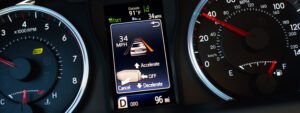

When Toyota’s Lane Departure Alert (LDA) starts misbehaving, it can be unsettling—especially if you’ve grown to trust that gentle steering-wheel buzz or dashboard warning as a second set of eyes. You might see an LDA indicator light, a “Lane Departure Alert Unavailable” message, or you may simply notice the system no longer warns you when you drift toward a lane line.
As a driver-assistance feature, LDA is designed to reduce the risk of unintended lane departures, but it’s also a camera-based technology that depends heavily on a clean optical path, stable calibration, good road markings, and correct vehicle settings. The good news is that most LDA issues are not “major failures.” In many cases, you can restore normal operation with basic checks—often without replacing parts or paying dealership prices.
Below is a practical, expert-style guide to the most common causes of Toyota LDA problems, the smartest DIY fixes, when you should stop troubleshooting and get a professional calibration, and how to prevent repeat issues.
What Causes Toyota LDA to Stop Working?
In the field, Toyota LDA complaints typically fall into a few predictable buckets. The trick is to recognize whether you’re dealing with a simple “can’t see” situation (camera visibility), a “can’t interpret” situation (lane markings or environment), or a “can’t trust its own reference” situation (calibration and electrical integrity).
Here are the most frequent causes, explained in the way a technician or ADAS calibrator would think about them.
Windshield Camera Can’t See Clearly (Dirty or Obstructed Camera Area)
The number-one reason LDA stops working is also the least dramatic: the camera’s view is compromised. Toyota’s LDA (and related systems like Lane Tracing Assist on some models) typically uses a forward-facing camera mounted near the rear-view mirror. That camera must clearly “read” lane markings. If it can’t, Toyota often disables the function to avoid nuisance alerts or unsafe false inputs.
Common camera-view obstructions include:
- Road film, dust, or bug residue on the outside of the windshield
- Wiper smear, water spotting, or hazy glass cleaner residue
- Interior film from off-gassing plastics or cigarette/vape haze
- Condensation or fogging near the camera area
- Snow, ice, or slush buildup in winter conditions
- Stickers, toll tags, dashcam mounts, or any object placed near the camera’s “window”
Expert note: Even when the windshield looks “fine,” a thin oily film can reduce contrast just enough to confuse lane detection—especially at night, in rain, or on worn lane markings.
The Road or Weather Conditions Don’t Provide Reliable Lane Data
LDA does not operate in a vacuum; it needs lane lines that are visible, consistent, and high-contrast. In certain conditions, the system will temporarily suspend operation because it cannot confidently detect lanes. This is normal behavior and is often misunderstood as a failure.
Expect reduced or disabled LDA performance during:
- Heavy rain, sleet, or dense snowfall
- Fog, mist, or road spray that “washes out” the lane lines
- Strong glare from low sun angles or bright reflections off wet pavement
- Night driving on poorly lit roads with low-contrast markings
- Construction zones with temporary, confusing, or overlapping lane lines
- Back roads with faded, missing, or irregular markings
The system is intentionally conservative. If it can’t trust what it sees, it steps back—because a wrong lane interpretation is worse than no assistance.
LDA Is Disabled in Settings (More Common Than People Think)
Modern Toyotas offer multiple driver-assistance settings, and it’s surprisingly easy for LDA to be turned off—either intentionally (some drivers dislike the alerts) or accidentally (menus get changed, profiles get reset, or settings revert after battery events).
In many models you can also adjust alert timing/sensitivity, which can make it seem like LDA is “not working” when it’s simply set to be less intrusive.
Speed and Operating Requirements Aren’t Met
On most Toyota models, LDA does not operate at low speeds. If you test it on city streets or in stop-and-go traffic, you may conclude it’s broken when it’s actually inactive by design. A common activation threshold is around 32 mph (50 km/h), though this can vary by model year and Toyota Safety Sense version.
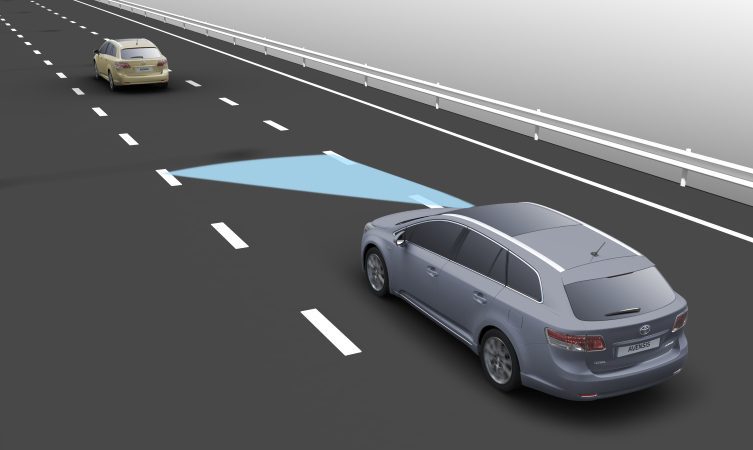
Also note: some systems are designed to alert only when you drift without signaling. If you change lanes with your turn signal on, it may not warn you (because it assumes the movement is intentional).
Battery, Voltage, or Fuse Problems Disrupt Driver-Assistance Systems
Driver-assistance features depend on stable voltage and clean communication across vehicle networks. A weak battery, a recent battery disconnect, or a blown fuse can cause LDA to go offline or behave inconsistently—sometimes alongside other systems (pre-collision, adaptive cruise, automatic high beams, etc.).
Common electrical triggers include:
- Battery replacement or recent disconnection
- Low battery voltage (especially after sitting, or in cold weather)
- Blown fuse(s) related to ADAS, camera, or ECU power supply
- Aftermarket electrical accessories that introduce interference or poor grounding
Expert note: Many Toyota systems perform self-checks at startup. If voltage dips during cranking, certain modules can flag faults or temporarily disable features.
Calibration Is Off (After Windshield, Collision, Camera Movement, or Ride-Height Changes)
If your LDA problem began after a windshield replacement, collision repair, camera disturbance, or suspension/ride-height modification, calibration should move to the top of your suspect list. The forward-facing camera is not just “mounted”; it is aimed. A small angle change can have a big effect on where the system believes lane lines are.
LDA may require professional recalibration if any of the following occurred:
- Windshield replacement or resealing work near the camera mount
- Front-end collision (even if the damage appears minor)
- Camera bracket bumped, loosened, or moved
- Suspension work that significantly changed ride height or alignment
In these cases, DIY steps can still help you confirm the issue, but a proper ADAS camera calibration is often the real fix.
How to Fix Toyota LDA Not Working
Troubleshooting works best when it’s systematic. Start with what’s most likely, least expensive, and easiest to verify. Then move toward resets, electrical checks, and finally calibration.
1. Clean the Windshield Properly (Inside and Out)
Before you touch settings or think about parts, clean the glass the way an ADAS system needs it cleaned. The goal is not just “no dirt,” but also “no haze, no film, no streaks.” Focus especially on the camera viewing area near the rear-view mirror.
Recommended method:
- Use a clean microfiber towel (avoid paper towels that can leave lint and streaks).
- Apply a quality automotive glass cleaner to the towel (not directly onto electronics or camera housings).
- Clean the outside windshield, then re-check from different angles for oily smear or water spotting.
- Clean the inside windshield as well—interior film is a frequent culprit.
- Ensure the wiper blades are not creating a persistent smear; replace blades if they’re worn.
- Remove or reposition any stickers, mounts, or devices near the camera’s field of view.
- If fogging is present, use the defogger/defroster until the glass is truly clear.
If LDA returns after cleaning, you’ve confirmed a visibility issue—not a hardware failure. That’s a win.
2. Confirm LDA and Related Features Are Enabled in Settings
Next, verify the system is actually switched on. Depending on your Toyota’s year and trim, LDA settings may be accessed via the multi-information display (MID) in the cluster or through infotainment menus. Use the steering-wheel controls to navigate to driver-assistance settings.
What to check:
- Locate the Lane Departure Alert settings menu.
- Confirm the feature is set to ON.
- Check the warning timing/sensitivity (a low setting can feel like “no alerts”).
- If your model includes it, verify whether Lane Tracing Assist or related lane-centering support is also enabled.
- Confirm you’re not in a special drive mode or setting profile that disables certain assists.
Expert tip: If LDA appears enabled but never activates, the issue may still be speed, lane visibility, or a temporary camera restriction message that’s easy to miss.
3. Do a Controlled “Power Cycle” Reset (Then Escalate Only If Needed)
Electronic modules can occasionally lock into a faulted state. A reset won’t fix a broken camera or a miscalibrated bracket, but it can clear transient glitches caused by voltage dips, software hiccups, or temporary sensor errors.
Method A: Simple Power Cycle
- Park safely and turn the vehicle fully off.
- Wait at least 2 minutes (this allows modules to shut down completely).
- Restart the vehicle and observe the LDA indicator status.
- Drive normally and see if LDA returns once conditions are right.
Method B: Battery Disconnect Reset (Use With Caution)
If the problem persists and you’re comfortable working around a battery, a disconnect reset can clear certain stored states. Be aware it may reset radio presets, clock settings, and window auto functions depending on your model.
- Turn the vehicle off and ensure the key/fob is away from the car.
- Disconnect the negative (black) battery terminal.
- Wait 15–30 minutes to allow stored power in capacitors to discharge.
- Reconnect the terminal securely.
- Start the vehicle and re-check LDA operation.
Important: If LDA stopped working immediately after battery replacement/disconnection, you may be dealing with a reinitialization or calibration requirement rather than a “bug.” If multiple warning lights appear after reconnecting, professional diagnostics may be the smarter next step.
4. Address Temperature and Moisture Effects (Hot and Cold Weather Behavior)
Extreme heat and cold can temporarily affect camera performance—usually indirectly through condensation, ice, glare, or rapid temperature differences that create fogging near the camera mount.
Hot Weather Checklist
- Use a windshield sunshade to reduce cabin heat soak.
- Park in shade when practical.
- Run the air conditioning to stabilize cabin temperature and reduce haze.
- Remove reflective accessories that can bounce glare toward the camera area.
Cold Weather Checklist
- Fully clear snow/ice from the windshield before driving.
- Use the defroster to remove condensation, especially around the mirror/camera area.
- Allow the cabin and glass to warm gradually if fogging is persistent.
- Use winter-grade washer fluid and confirm washer nozzles are not clogged or frozen.
If LDA only fails in specific weather and returns when conditions improve, you’re likely seeing normal system limitation rather than a defect.
5. Check Fuses, Battery Health, and Aftermarket Electrical Add-Ons
If LDA is down and other driver-assistance features are also acting strange, treat it as a broader electrical integrity problem. This is where basic electrical checks can save you money and time.
- Consult the owner’s manual to locate fuses related to driver-assistance systems, camera, or ECU power.
- Inspect fuses visually and, ideally, verify with a test light or multimeter.
- Replace blown fuses with the exact same amperage rating.
- Check battery condition: slow cranking, frequent jump-starts, or odd warning lights can point to low voltage.
- Temporarily unplug or disable aftermarket accessories (dashcams hardwired incorrectly, cheap chargers, add-on lighting) to rule out interference or voltage instability.
Expert note: A marginal battery can trigger an entire “constellation” of ADAS warnings because many systems share network communication. Fix the voltage problem first; the safety features often come back on their own.
6. Test Drive the Right Way (So You Don’t Misdiagnose It)
After cleaning, setting checks, or resets, test in conditions where LDA is designed to work. Many false “it’s still broken” conclusions come from testing on the wrong roads or at the wrong speeds.
- Choose a road with clear, consistent lane markings.
- Drive above the typical activation threshold (often around 32 mph / 50 km/h).
- Confirm the LDA indicator shows the system is available/active (varies by model cluster design).
- Observe whether lane lines appear detected (some models show lane indicators when recognized).
- Do not perform risky “drift tests.” If you must evaluate alerts, do so only where it is safe, legal, and controlled—and always remain fully responsible for lane control.
If the system only works on some roads, that strongly suggests a lane-marking or visibility limitation rather than a defective camera.
Professional Solutions for Toyota LDA Problems
If you’ve completed the basic visibility and settings checks and the system still won’t function—especially if warnings persist—professional diagnostics become the efficient next move. At that stage you’re trying to answer a technical question: is the system disabled due to a stored fault code, a calibration requirement, or a component issue?
When to Visit the Dealer (or a Qualified ADAS Shop)
Schedule professional help if any of the following are true:
- LDA warnings remain after cleaning, enabling, and resetting attempts
- Multiple safety systems fail at the same time (pre-collision, cruise support, auto high beams, etc.)
- The system worked normally and then stopped abruptly without weather or road-marking explanations
- You recently replaced the windshield or had glass work near the camera mount
- The vehicle experienced a collision, front-end impact, or camera-area disturbance
What to Expect During Professional Diagnosis
A competent dealer or ADAS-capable repair facility will typically follow a structured process:
- Run a diagnostic scan to retrieve fault codes related to the camera, ADAS ECU, or communication networks.
- Inspect the camera housing, bracket, and windshield area for physical issues or improper installation.
- Verify electrical integrity (power supply, grounds, connector condition, wiring damage).
- Perform camera calibration if required (commonly after windshield replacement or collision repairs).
- Check for applicable software updates or known service advisories that address false deactivations or calibration issues.
Calibration is not a cosmetic step—it is fundamental. A camera that is even slightly mis-aimed can misread lane geometry, resulting in frequent deactivation or unreliable lane tracking.
Preventing Future Toyota LDA Problems
LDA problems are often preventable because they tend to originate from contamination, wiper issues, glass replacement shortcuts, or modifications that interfere with the camera’s line of sight.
Routine Habits That Keep LDA Reliable
- Clean the windshield inside and out regularly, not just the exterior.
- Replace wiper blades when they start smearing (smear is worse than droplets for cameras).
- Keep washer fluid topped up so road film can be removed quickly.
- Inspect the camera area for haze, condensation, or accidental obstructions.
Windshield Replacement Done the Right Way
If you ever replace your windshield, treat it as an ADAS job—not just a glass job.
- Choose an auto glass provider experienced with Toyota driver-assistance systems.
- Use OEM-quality glass (or equivalent) that meets optical specifications.
- Confirm that camera calibration is included in the service, not treated as optional.
- Ask for documentation that calibration was completed and verified.
Avoid Changes That Interfere With Camera-Based Systems
Some popular “small” modifications can create big driver-assistance headaches.
- Avoid placing stickers, tags, or suction mounts near the camera zone.
- Be cautious with windshield tinting; improper tint can distort camera input.
- Avoid major ride-height changes unless you’re prepared for recalibration requirements.
- Don’t use windshield covers or reflective shields that block the camera area while driving.
Understanding Toyota LDA System Limitations
Even with perfect calibration and a spotless windshield, LDA is still a driver-assistance system—not an autopilot. It has design boundaries. When drivers understand those boundaries, they interpret system behavior correctly and avoid chasing “problems” that are simply normal limitations.
Speed Thresholds and Activation Logic
Many Toyota LDA systems are designed to operate primarily at moderate road speeds and above (commonly around 32 mph / 50 km/h). Below that, the system may remain off or may offer limited assistance depending on the vehicle’s generation of Toyota Safety Sense.
Lane Markings Are a Requirement, Not a Suggestion
LDA requires visible lane boundaries. It may be unreliable or inactive on:
- Roads with no painted markings
- Faded, patchy, or low-contrast lines
- Snow-covered roads, leaf-covered shoulders, or debris-obscured lines
- Construction zones with conflicting markings
- Very narrow lanes or unusual lane geometries
Environmental Conditions Can Temporarily Disable It
Temporary deactivation is common in:
- Heavy precipitation and road spray
- Low-angle direct sunlight glare
- Fog, mist, or haze that reduces contrast
- Night driving on roads with poor lighting and weak markings
Complex Road Features Can Confuse Any Lane System
Most lane systems struggle more with “messy” roads than with clean, straight highway lanes. Expect reduced confidence on:
- Sharp curves and winding roads
- Steep hills that change camera perspective
- Merges, splits, and large intersections
- Areas with multiple lane lines, arrows, or old markings showing through
Understanding these limitations helps you interpret LDA behavior correctly and focus troubleshooting on real faults rather than normal operating boundaries.
Toyota LDA Troubleshooting Table
| Symptom | Most Likely Causes | DIY Checks/Fixes | Professional Fixes |
|---|---|---|---|
| LDA warning light or “unavailable” message | Camera visibility issue, system disabled, stored fault | Clean inside/outside glass, confirm settings, power cycle reset | Diagnostic scan, camera inspection, calibration |
| System works sometimes, then disables itself | Weather/road markings, intermittent obstruction, glare | Clean camera zone, check wiper smear, test on well-marked roads | Software update (if applicable), camera function test |
| No alert when drifting across lane lines | Speed too low, sensitivity too low, system off, lanes not detected | Enable LDA, raise alert timing/sensitivity, test above activation speed | Calibration verification, system performance evaluation |
| Multiple safety systems malfunction together | Low battery voltage, fuse issue, network communication fault | Battery health check, fuse inspection/replacement, remove aftermarket add-ons | Comprehensive diagnostics, wiring repair, ECU/module repair if needed |
| LDA error after windshield replacement | Calibration not performed or not completed correctly | None reliably (avoid guessing) | Professional ADAS camera calibration and verification |
Toyota Models Commonly Mentioned in LDA Complaints
Toyota’s lane systems are used across a wide range of vehicles, and the underlying causes of problems are usually the same regardless of model. That said, these models are frequently discussed by owners because they are popular and widely equipped with Toyota Safety Sense:
- Camry (late 2010s and newer)
- Corolla (late 2010s and newer)
- RAV4 (especially high-volume model years in the last several years)
- Highlander (versions equipped with Toyota Safety Sense)
- Prius (versions equipped with Toyota Safety Sense)
- Tacoma (trims equipped with Toyota Safety Sense)
It’s worth emphasizing that these concerns are not uniquely “Toyota problems.” Camera-based lane systems across the industry face similar limitations and failure modes because they rely on the same fundamentals: visibility, contrast, and calibration accuracy.
Finally, remember the correct mindset: Lane Departure Alert is a helpful backup, not a substitute for attentive driving. If it’s offline, you should treat the car as a normal vehicle and drive accordingly—then troubleshoot when you’re parked safely. When it’s working properly, treat it as an added layer of safety, not your primary lane-control strategy.