
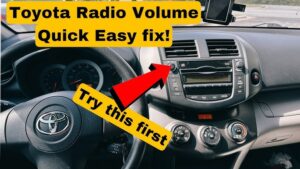

The Toyota model vehicle comes with volume control for its integrated stereo system. It doesn’t matter whether the control is digital or manual; when it fails, it can ruin the entire driving experience faster than you’d expect. Two things can likely happen. One, the amplifier’s volume control may randomly operate itself clockwise or counterclockwise (the classic “ghost volume” problem). Alternatively, the control may not work at all, leaving you stuck with audio that’s either too loud, too quiet, or inconsistent. Whatever it is, you’ve got to fix a faulty amp button as soon as possible; not only for comfort, but also for safety, because a sudden volume spike can distract you at the worst moment.
This problem is more common than most Toyota owners realize, especially on vehicles that have lived through years of heat, humidity, dust, frequent detailing sprays, or spilled drinks near the center console. Even if you’ve never spilled anything into the radio area, the volume knob and its internal components are still exposed to airborne dust, skin oils, and micro-corrosion over time. If your vehicle has steering wheel audio controls, those circuits can also interact with the head unit in ways that create strange volume behavior when wiring is degraded or shorted.
This article details why the problem arises in the first place. In addition, it also proffers solutions to get over it in good time.
Expert note before we begin: “Volume knob” problems can come from several different layers of the audio system: (1) the knob and its internal encoder/potentiometer, (2) the head unit electronics that interpret knob movement, (3) the amplifier circuitry (if separate), (4) wiring and grounds, or (5) speaker damage that creates the illusion that volume is behaving strangely. The fastest repair comes from identifying which layer is failing; rather than replacing expensive parts blindly.
Also important: Toyota audio designs vary by year and trim. Some systems are basic head units with onboard amplification. Others are “premium” systems with external amplifiers, JBL systems, and separate control logic. The symptom pattern can look the same, but the real cause can differ. The good news is that the diagnostic principles are consistent across most Toyotas.
Why Toyota Volume Control Gets Bad
As different issues can cause your Toyota radio volume control to get bad, the solutions are different. The kind of problem you experience will determine what fix to apply. Before you grab tools or start shopping for parts, your first job is to identify which of these symptom families you’re experiencing:
- Ghost volume: the volume goes up/down on its own, jumps, or behaves erratically.
- Dead knob: the knob turns but does nothing, or only works intermittently.
- Reverse response: you turn volume down and it goes up (or vice versa).
- Distortion and “volume confusion”: audio sounds distorted or harsh, making you think volume is changing when the speaker is actually failing.
- Dropouts: the radio turns off, restarts, or resets when hitting bumps or when the cabin is hot/cold.
Those patterns point toward different root causes. For example, a knob that physically feels fine but changes volume randomly often points toward contamination inside the rotary encoder or a short signal from steering wheel controls. A knob that has no response at all might be a dead encoder, a broken solder joint, or a head unit internal fault. Distortion points you toward speakers or amplifier channels rather than the knob itself.
Let’s examine each possible scenario.
Damaged Speaker
One of the reasons you may notice the integrated stereo volume knob becomes “defective” is actually not the knob at all; it’s a damaged speaker. A bad or blown-out radio speaker can make audio behave in ways that feel like the volume is changing incorrectly. For example, if a speaker cone is torn, a voice coil is damaged, or a speaker is partially shorted, the sound can become distorted, “crackly,” or harsh at certain frequencies. That distortion can make it seem like the volume is increasing when you’re trying to reduce its intensity; or like turning the knob down makes the sound worse instead of quieter.
The cause of a blow-out can be thermal or mechanical. Thermal damage occurs when a speaker is pushed too hard for too long (excessive power/heat in the voice coil). Mechanical damage can occur when the cone or surround breaks down with age, moisture, or vibration. In either case, the rotatory pulse generator (volume regulator) may start to “seem” like it is malfunctioning; especially to the driver’s ear; because the relationship between volume setting and perceived sound quality becomes inconsistent.
The first thing you’ll notice is typically distorted sound. When distortion begins, many drivers immediately change the volume trying to “make it better,” which is understandable; but it can create confusion about what the volume knob is actually doing.
Expert diagnostic tip: To confirm whether the knob is truly the problem or the speaker is failing, test audio through different sources and channels. For example:
- Try FM radio, Bluetooth, and USB audio (if available). If distortion exists across all sources, it’s likely speaker/amplifier related rather than a source issue.
- Use the balance/fader controls to isolate one speaker at a time. If one corner sounds awful while others are normal, that speaker is suspect.
- Listen at low volume. A speaker with a damaged cone often buzzes or rattles on bass notes even at low levels.
Why this matters: Replacing the head unit or cleaning the volume knob won’t fix a blown speaker. Likewise, replacing speakers won’t fix a defective volume encoder. Correct diagnosis keeps you from paying twice.
Defective Car radio
It is also possible that you’ll notice an increased volume when you attempt to turn down the volume because the radio (head unit) itself is faulty. A failing head unit can interpret knob signals incorrectly, reset the audio processor randomly, or even produce its own intermittent audio output issues. In those cases, the volume control behavior becomes unreliable even if the knob is physically fine.
A faulty radio will often show other symptoms, including unstable or random sound. The stereo may turn off irregularly once it’s bad. It may also go off when your vehicle hits a bump; classic evidence of an internal solder joint issue, a loose connector, or a head unit that is failing under vibration. As a result, the volume control won’t function as it should.
Expert interpretation: A bump-triggered shutdown is often not a “software glitch.” It’s often a mechanical or electrical integrity issue:
- Loose harness connector behind the radio
- Corrosion on connector pins causing intermittent contact
- Cracked solder joints inside the head unit PCB
- Power/ground issue (weak ground can cause the head unit to reboot)
In modern Toyota systems, the radio is sometimes integrated with other functions (backup camera display, settings menus, vehicle alerts). When the head unit is defective, you may notice more than just volume issues; such as screen flicker, loss of Bluetooth pairing stability, or random system reboots. Those additional symptoms help confirm the head unit is the primary suspect.
Professional note: If your Toyota has a premium audio system with an external amplifier, a failing amp can sometimes mimic head unit failure (sound cutting out, volume instability). Diagnosis should include checking whether audio loss is coming from the head unit output or the amplifier stage.
Connection Short
There’s also the possibility that the audio system has a wiring short. If this is the case, the knob may not work; or it may work sporadically and unpredictably. Shorts can occur in the wiring harness behind the dash, in the steering wheel control circuit (if equipped), or in the amplifier wiring (if the system uses an external amp).
Electrical shorts and poor connections are particularly tricky because they can create “ghost input.” That means the head unit receives a signal that looks like you turned the knob; even though you didn’t. The result is volume jumping, random muting, or volume “creeping” up or down by itself. The more moisture, dust, or corrosion present in connectors, the more likely you are to see intermittent behavior.
Expert clue: If volume changes randomly but the knob itself feels normal, test whether the behavior changes when you:
- Press steering wheel audio buttons (if equipped)
- Adjust the knob while the issue is occurring
- Turn the headlights on/off (electrical load changes can reveal bad grounds)
- Drive over bumps (wiring movement can trigger intermittent shorts)
Connection shorts can also be linked to aftermarket installations. If you have installed an aftermarket head unit, amp, remote start, alarm, or aftermarket steering wheel control interface, you should include that in your diagnostic thinking. Poor splices and low-quality connectors are common failure points.
Also consider environmental exposure: If coffee or soda has ever spilled near the radio area, even years ago, sticky residue can migrate into the knob and electrical contacts. That can produce intermittent input, especially in humid weather.
Understanding What’s Really Under the Toyota Volume Knob (Why It “Jumps”)
To fix a Toyota volume knob that increases volume when you turn it down (or changes volume on its own), it helps to understand what the knob actually is. On many modern head units, the knob is not a simple analog potentiometer (a “pot”). Instead, it’s often a rotary encoder, which sends pulses that the radio interprets as “volume up” or “volume down.”
A rotary encoder has internal contacts that can become dirty or oxidized. When that happens, the encoder can generate noisy or incorrect pulse patterns. The head unit reads those pulses as random or reversed movement. This is one of the most common reasons why cleaning the contacts (properly) can restore normal function without replacing the entire radio.
Why cold or humidity can worsen it: Moisture and temperature changes can alter contact resistance and make a borderline encoder behave much worse. That’s why some owners report the problem is “seasonal” or changes depending on climate.
Why aggressive knob turning can worsen it: Rapidly spinning the knob can make the encoder produce more pulses, which can amplify the incorrect behavior. If the encoder is dirty, fast rotation can “skip” signals and produce a sudden jump in volume.
This also explains why some volume control issues are fixed by cleaning the prongs/contacts rather than replacing speakers or the entire unit.
How To Fix Failing Radio Volume Control
The correct repair depends on what you discovered in diagnosis. If the issue is distorted sound from a damaged speaker, the fix is different than if the knob is generating erratic encoder pulses. If the problem is an electrical short, cleaning the knob might help temporarily but won’t permanently solve the issue.
Below are repair strategies based on the causes described above, starting with the most likely and most practical.
Faulty speaker or radio: How to Fix
A problem with volume control due to a faulty radio or speaker requires drastic measures. The only solution is to replace the entire stereo system. If you won’t mind the cost, you can start by replacing the speakers. And if your problem persists, the alternative is to change the radio. Either of the two remedies will fix the issue. You’ll need a technician to handle replacing the stereo system. You don’t want to risk losing the large money with which you bought the system. Don’t bother repairing a blown speaker. Replacement is the best thing to do.
Expert nuance: In many cases, you do not necessarily have to replace the “entire stereo system” when one part fails, but the core idea stands: a blown speaker should usually be replaced (not patched), and a defective head unit often requires replacement or professional repair. Speaker repair is sometimes possible for specialized audio equipment, but for automotive factory speakers, replacement is the most reliable and cost-effective remedy.
Professional sequencing (cost-smart approach): If you suspect speaker damage, replace the speakers first (or at least test them) because speaker replacement is often less expensive than a head unit replacement. If the issue persists after confirmed-good speakers, the head unit becomes a stronger suspect.
What a technician will do: A good technician can confirm whether the head unit output is stable and whether the speakers are within expected impedance. A speaker that is partially shorted can load the amplifier channel and cause volume behavior that feels strange. Confirming electrical and impedance health helps avoid replacing expensive parts unnecessarily.
Important warning: If your Toyota has a factory amplifier, replacing the head unit without proper integration (or replacing speakers with the wrong impedance) can create new audio issues. Always match components to system design.
Automatic Volume control Increase: How to Fix
The issue of a faulty volume control that increases automatically is as tricky as its fix. You can’t always pin it down to one cause without diagnosis. That’s why I generally don’t recommend random DIY part swapping. Driving to a technician or an electronics workshop can be your best bet; especially if the vehicle is under warranty or the system is integrated with other vehicle features.
Nonetheless, here’s a step-by-step guide to address a faulty radio volume knob issue using cleaning and contact restoration. This method is most effective when the underlying problem is contamination or oxidation on the knob’s internal contacts (encoder/prongs), which is a common failure mode.
Before you begin (expert safety and protection advice): Electronic contact cleaner is flammable and can damage certain plastics if used excessively. Work in a well-ventilated area, use small amounts, and avoid soaking the radio face. Also, avoid metal tools around live circuits. Ideally, the vehicle should be off. If you’re uncomfortable working near delicate trim or electronics, stop and consult a professional.
Materials needed:
- An electronic cleaner
- A flathead screwdriver
- Cotton swabs
- A Toothpick
Expert add-ons (optional, but helpful):
- A microfiber cloth to protect the radio face and surrounding trim
- A small flashlight for better visibility inside the knob area
- A plastic trim tool instead of a flathead screwdriver (reduces scratching risk)
Steps To Follow to Fix a Defective Volume Control Button
Step 1: Locate the volume control knob
Locate the volume control button on your stereo system. In a typical Toyota model, the volume control knob is typically located beside the power button. In fact, it is often the same knob that powers the radio and regulates the volume (press for power, rotate for volume).
Expert tip: If your Toyota has steering wheel controls, confirm whether the volume changes when you touch the steering wheel buttons. If the problem triggers even when you never touch the knob, the issue may be in the steering wheel control circuit rather than the knob itself. But cleaning the knob is still a reasonable first step because it’s quick and low-cost.
Step 2: Pull off the cap
Once you’ve located the knob, it’s time to carefully remove the plastic cap around the button. Take this process gently to avoid cracking trim or scratching the faceplate. A small flathead screwdriver can help, but a plastic trim tool is safer. Gently pry the cap off the knob without forcing it.
Expert caution: Some Toyota knobs pull off straight; others have a tighter friction fit. Don’t pry aggressively against the faceplate. Protect the surrounding surface with a cloth if needed. If you crack the bezel or scratch the screen, the cosmetic damage can be expensive to correct.
Step 3: Locate the metal prongs
The irony is that the stereo volume control is not the knob itself but the internal electrical contact mechanism; often described here as two metal prongs fastened to it. These contacts increase or reduce the volume when they interact with the internal electrical contacts in the stereo.
Expert clarification: On many head units, the physical knob couples to a rotary encoder on the circuit board. The “prongs” concept is a simplified way to describe the contact points that generate the signals. The point remains: if dirt, oxidation, or sticky residue interferes with those contacts, the encoder can send unstable signals and your volume can jump or reverse direction.
Step 4: Remove dirt
Once you’ve taken off the cover and you’re face-to-face with the metal prongs/contacts, remove any surrounding dirt, dust, or sticky residue. If you leave debris in place, cleaning the prongs alone may not produce lasting results because new contaminants will continue interfering with the contacts.
Expert tip: Use a dry cotton swab or a toothpick gently to lift visible debris. Do not use metal picks aggressively. Avoid pushing debris deeper into the housing.
Step 5: Clean the prongs
The next step is to wipe the prongs/contacts clean. Dip cotton swabs into the alcohol-based precision electronic cleaner. Wring out excess liquid so the swab is damp, not dripping. Clean the prongs gently to avoid bending or damaging them.
Expert caution: Excess cleaner can drip into areas you don’t want it (screen edges, button contacts, or deeper circuit paths). Use small amounts and let the cleaner evaporate fully before reassembly. Most electronic cleaners evaporate quickly, which is part of why they’re preferred for contact cleaning.
Step 6: Repeat Step 5
Repeat step 5 using fresh cotton swabs. Rotate the knob clockwise and counter-clockwise to expose different contact surfaces for cleaning. Make sure the cleaner reaches the contact area and cleans thoroughly until the surfaces appear clean and consistent.
Expert tip: The goal is not to polish the contacts like jewelry; it’s to remove oxidation, grime, and residue that cause intermittent contact. A few careful rotations and clean swabs are usually enough.
Step 7: Reinstall all parts
The last step is to reinstall all parts of the stereo system that you previously uncoupled. Press the cap/knob back on securely. Turn the vehicle on and test the volume behavior in both directions. There you have it!
Expert post-cleaning test: Test volume changes slowly and then more quickly. If the knob now behaves correctly at slow turns but still jumps during fast turns, the encoder may be mechanically worn rather than just dirty. Cleaning can help temporarily, but worn encoders may require replacement or head unit repair.
If cleaning doesn’t help: That’s not the end of the road. Persistent ghost volume can still be caused by:
- A failing rotary encoder inside the head unit
- Steering wheel control circuit short or stuck button
- Head unit internal fault (signal processing or control logic)
- Wiring/ground issues causing unstable control signals
At that stage, professional diagnosis is often more efficient than repeated cleaning attempts.
Go for a Radio Reset
Another thing to do to fix a bad stereo system is to reset the entire program. This can clear temporary software glitches, stuck states, and certain memory issues that cause the volume control to behave unpredictably.
Expert note: Toyota factory head units sometimes reset by holding the power button for a set duration, or by cycling battery power. Aftermarket head units often have a dedicated reset pinhole. The reset method below resembles the “reset pinhole” style found on many aftermarket units and some faceplate designs.
- Turn off the ignition and remove the key
- Take off the faceplate from the system
- Release the rest knob using a sharp object (a needle)
- Clean the metal prongs and faceplate with an electronic cleaner
- Reinstall the faceplate
- Insert the ignition key and start the vehicle
- Reprogram the stereo using the faceplate
Expert caution: If your head unit is integrated with vehicle settings (common on newer Toyotas), removing the faceplate may not be applicable. In those cases, follow the vehicle’s manual or dealer instructions for resetting. If you disconnect the battery as part of a reset, be aware that you may reset clock presets, radio memory, and possibly window auto-up calibration depending on model.
When resets are useful: If volume behavior becomes strange after a battery replacement, software update, or Bluetooth glitch, a reset can restore normal logic. But if the problem is physical (dirty encoder contacts, worn knob mechanism, broken wiring), a reset won’t permanently fix it.
A Professional Diagnostic Flow (So You Don’t Replace the Wrong Thing)
If you want to approach this like a technician, follow a structured diagnostic sequence. This saves money and avoids replacing speakers, radios, or amps unnecessarily.
Step 1: Confirm the symptom type
Answer these questions:
- Does volume change on its own (ghost volume)?
- Does the knob do nothing (dead knob)?
- Does volume behave reversed?
- Is the issue only on certain sources (Bluetooth vs radio)?
- Does it happen when hitting bumps or turning the wheel?
These details narrow the cause dramatically.
Step 2: Rule out speaker distortion confusion
Use fade/balance to isolate speaker channels. If one speaker is distorted or crackling, repair/replace the speaker first. Distortion can be mistaken for “volume weirdness.”
Step 3: Test steering wheel controls (if equipped)
Try disabling or avoiding steering wheel audio buttons. If ghost volume occurs when you touch the steering wheel or turn it, suspect steering wheel control circuitry or a clockspring/connection issue (vehicle-dependent). This is especially relevant if the volume changes without touching the knob at all.
Step 4: Clean the knob/contacts as described
If the issue is random volume increase/decrease or reversed response, cleaning the contacts is a reasonable low-cost step. If it works, you may have fixed oxidation/contamination. If it improves but returns, the encoder may be worn mechanically.
Step 5: Consider deeper electrical diagnosis
If the problem persists, a technician may:
- Inspect wiring harness behind head unit for loose connectors or corrosion
- Check grounds and power feeds to head unit/amplifier
- Test the head unit encoder circuit (if serviceable)
- Check for shorts in the audio control circuits
At this stage, professional help is often justified because the cost of repeated guesswork can exceed the cost of one accurate diagnosis.
FAQS
Can I replace the pot under the radio volume control knob?
Yes, you can. It’s an alternative method to the electronic cleaner, even though it’s a worst-case remedy. However, if the pot is just dirty, all you need to do is to wipe it clean.
Expert clarification: Many people use the term “pot” (potentiometer) for any rotary control, but many modern Toyota head units use rotary encoders instead. Whether the part is a true potentiometer or an encoder depends on head unit design. Replacement is possible in some units (especially if you can source the correct component and have soldering skills), but it’s not always practical as a DIY job. If the control is only dirty/oxidized, cleaning is usually the first and best step. If the component is physically worn or electrically failed, replacement of the component; or the entire head unit; may be required.
When replacing the pot/encoder makes sense: When you have confirmed the speakers are fine, cleaning provides only short-lived improvement, and the head unit otherwise works normally. At that point, replacing the encoder is a targeted repair. It is still not easy for most DIYers, so many choose a radio repair shop or a replacement head unit.
What is the cost of the radio volume control knob?
The cost of fixing a bad Toyota radio volume control knob varies. It depends on whether you’re using an OEM or aftermarket system. Regardless, you should be ready to spare between $10 and $30. Labor costs can take about $10 and the cost of purchasing parts is $15.
Expert cost reality: The $10–$30 estimate is realistic when you’re replacing only the external knob cap or doing a basic cleaning. Costs increase significantly if the problem is inside the head unit (encoder replacement), involves a premium system amplifier, or requires full head unit replacement. If the issue requires removing interior trim and diagnosing wiring shorts, labor can also rise. Still, it’s smart to start with the low-cost steps (cleaning and reset) before assuming a major replacement.
Practical money-saving tip: If you suspect speaker damage, isolate the speaker first before buying any radio parts. A blown speaker can lead you into unnecessary head unit replacement if you don’t test the audio channels properly.
Why does my Toyota volume change when I hit bumps?
This behavior often points to loose internal connections (in the knob encoder, faceplate contacts, or head unit solder joints), or to a loose wiring connector behind the radio. Vibration can momentarily open and close a contact, which the head unit interprets as a volume command or can even cause the system to reboot. Cleaning contacts may help if the issue is oxidation, but bump-sensitive changes often justify inspecting connectors and harnesses.
Can a bad ground cause strange volume behavior?
Yes. A weak ground can cause voltage instability at the head unit or amplifier, and voltage instability can make electronic controls behave unpredictably. If your radio also resets, flickers, or loses presets, ground and power feed checks become more important. A technician can test voltage drop under load to confirm whether the ground is healthy.
Final Thoughts
Long-distance trips without quality music can certainly be boring. And if you’re choosy, you’ll want to select the kind of music or talk radio program to listen to; at the volume you choose. Having random spikes in volume, arbitrary jumps, or a knob that does nothing can turn a relaxing drive into an irritating one. As I noted, faulty volume control can cause this arbitrary selection and “out of your control” behavior to occur.
The key to resolving the issue is identifying the real cause. It could be a damaged speaker creating distorted sound that feels like volume changes, a defective car radio/head unit that misinterprets knob input, or a wiring short that injects false commands into the audio system. The good news is that many cases; especially those caused by dirty contacts; can be improved with careful cleaning and a system reset. If cleaning does not help, or if you have dropouts and bump-related failures, professional diagnosis is usually the fastest way to avoid wasting money on parts you don’t need.
Certainly, this article is detailed enough about the causes of a failed amp button and how best you can quickly fix it. Start with the simplest checks, clean the knob contacts carefully, and if you still have unpredictable volume behavior, don’t hesitate to consult a technician or electronics specialist; especially when the head unit is expensive or integrated into other vehicle functions.