
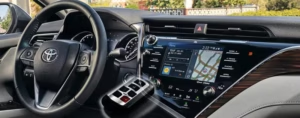

Ever been running late, only to find your Toyota won’t recognize your key? That dreaded “Smart Key System Malfunction” message can stop you in your tracks; doors won’t unlock normally, the engine won’t start, and suddenly a routine day turns into a troubleshooting session in a parking lot. The reassuring news is that Toyota’s Smart Key System is generally very reliable, and when it does misbehave, the cause is usually practical (battery voltage, signal quality, or a temporary communication hiccup) rather than catastrophic.
In this guide, I’m going to walk you through the problem like a technician would: we’ll start with how the system works, then move into the most common causes, emergency “get me moving” procedures, DIY diagnostics, and finally the situations where professional reprogramming or dealer-level tools are genuinely required. Along the way, you’ll learn the “why” behind each step; because when you understand what the car is checking for, you can fix the issue faster and avoid replacing parts unnecessarily.
Table of Contents
Most importantly: don’t panic. In the majority of cases, the fix is straightforward and inexpensive; often a key fob battery, a weak 12V vehicle battery, or a reset that re-establishes clean module communication. Let’s dig into why it happens and how to get back on the road quickly.
How Toyota’s Smart Key System Works (In Plain English)
Toyota’s Smart Key System is essentially a secure “permission system” layered on top of your car’s locks and ignition. Instead of a traditional metal key physically turning a lock cylinder and ignition switch, Smart Key uses encrypted communication between:
- The key fob (battery powered transmitter + passive transponder)
- Exterior antennas (door handle proximity sensors/antennas)
- Interior antennas (cabin key detection)
- The immobilizer / smart key ECU (authorization logic)
- The start/stop system (push-button ignition control)
When everything is healthy, the system does three core jobs:
- Unlock authorization: If the key is near the door handle, the vehicle allows touch unlock.
- Start authorization: If the key is inside the cabin, the car permits “READY” mode (hybrid) or engine start.
- Anti-theft protection: If the key is not recognized, the immobilizer blocks starting.
So when you see “Smart Key System Malfunction”, it doesn’t mean your Toyota has “forgotten how to start.” It means the system is failing one of its confidence checks; typically because it can’t reliably detect the key, can’t trust a sensor input, or can’t maintain stable electrical power for the control modules to operate properly.
Expert perspective: This warning is often less about a single broken component and more about signal integrity and voltage stability. Smart Key needs stable 12V power and clean communication. If either becomes unreliable; even momentarily; you can get a malfunction message.
What Causes Toyota Smart Key System Malfunctions?
Toyota Smart Key malfunctions usually fall into a few repeatable categories. Start with the highest-probability causes first; because the most common fixes are also the easiest and cheapest.
Dead or Dying Key Fob Battery
Your key fob battery is the most frequent cause of Smart Key problems. When it weakens, the fob can still “sort of” work, which is why many owners don’t suspect it at first. Low battery output reduces signal strength and consistency, and the vehicle becomes less able to authenticate the key reliably; especially when the fob is in a pocket, purse, or near other electronics.
When the fob battery is losing power, you’ll commonly notice:
- The fob works only when you’re super close to the car
- Buttons need multiple presses to work
- The car occasionally fails to detect the key
- Complete failure to unlock doors or start the engine
The coin-cell battery inside the fob (commonly a CR2032) typically lasts about 1–2 years, though climate and usage habits can shorten that. Cold weather is especially hard on coin cells: a borderline battery that works indoors can fail outdoors in freezing temperatures.
Expert tip: If you replace the battery and the fob still behaves inconsistently, inspect the battery contacts inside the fob. Weak spring tension, corrosion, or a slightly mis-seated battery can cause intermittent power loss that mimics “electronics failure.”
Vehicle’s 12V Battery Issues
This surprises many Toyota owners: a weak 12V battery can trigger “Smart Key System Malfunction” warnings even if your key fob battery is brand new. The reason is simple; Smart Key components (antennas, ECUs, receivers, start authorization logic) run on the 12V electrical system.
This is especially relevant for Toyota hybrids. While the hybrid battery propels the car, the 12V auxiliary battery powers computers and system initialization. If the 12V battery is weak, the car can behave strangely: it may “wake up” inconsistently, fail to detect the key, or throw multiple unrelated warnings.
When your vehicle’s 12V battery is struggling, you might experience:
- Inconsistent electrical system behavior
- Key detection problems (even with a fresh fob battery)
- Difficulty starting the vehicle
- Dashboard warning lights
In practice, many dealership visits for Smart Key issues end with a simple 12V battery replacement; because low voltage is one of the fastest ways to create “ghost” electronic failures in modern vehicles.
Expert note: Battery health is not just about resting voltage. A battery can read “okay” at rest and still collapse under load during startup/wake-up sequences. That’s why a proper load test is often more informative than a basic voltage reading.
Key Fob Programming Loss
Sometimes the key fob and the vehicle lose synchronization. Owners often describe this as the key “forgetting” the car; especially after a battery change, after the vehicle battery has been disconnected, or after certain electrical events. When that happens, the vehicle may not authenticate the key normally, even though the fob appears physically fine.
This desynchronization is frustrating, but it’s often fixable without dealer help in older/less complex systems. Newer systems can require specialized tools, which we’ll cover later in the reprogramming section.
Expert clue: If both keys suddenly stop working after a 12V battery replacement or a jump-start event, suspect a vehicle-side electrical state issue or initialization problem rather than both fobs failing at the same time.
Environmental Interference
Toyota’s Smart Key system uses radio frequency communication, and like any wireless system, it can be affected by interference. Disruptions can come from electronics, metal shielding, or certain structures that create signal reflection or absorption.
Your Toyota’s smart key system can be disrupted by:
- Other electronic devices
- Nearby cell towers
- Metal objects blocking the signal
- Extreme weather conditions
Many Toyota owners report temporary malfunctions near certain electronics or structures. Parking garages, industrial buildings, and dense urban zones with heavy RF activity can increase intermittent failures.
Expert tip: If the malfunction happens in one place but not another, interference becomes far more likely than a true hardware failure. Move the vehicle or move the key fob away from phones, chargers, or metal objects (coins, key organizers, RFID-blocking wallets) and retry.
Emergency Solutions When Your Smart Key Fails
If you’re stuck right now, the priority is to regain access and start the vehicle safely. Toyota designs Smart Key systems with backup methods specifically for dead fob batteries or detection failures.
When Your Key Fob Battery Dies
Even with a completely dead key fob, you can usually still unlock and start your Toyota using the emergency key and close-range transponder reading:
- Look for a small button on your key fob
- Press it to release the hidden physical key
- Use this emergency key to unlock the driver’s door manually
- Once inside, place the dead key fob directly against the start button
- Press the brake pedal and push the start button while holding the key fob there
This works because the key often contains a passive RFID/transponder element that can be read at extremely close range, as shown in this helpful video.
Expert note: The exact “best place” to hold the fob varies by Toyota model. Some read best against the start button; others may have a designated spot in the console. If the first attempt fails, reposition the fob and retry.
For Complete System Failure
If you see the “Smart Key System Malfunction” message and nothing seems to respond, work through these steps in order:
- Try the physical key method above first
- Check and potentially jump-start your car’s 12V battery
- Perform a system reset: Disconnect the 12V battery for at least 45 minutes
- Inspect related fuses: Check your owner’s manual for fuse locations related to the smart key system
According to multiple owner reports, the 12V battery solution resolves approximately 70% of persistent smart key malfunctions.
Safety caution: Disconnecting the 12V battery can reset vehicle settings and may require reinitialization for certain systems. If you’re not comfortable working around batteries, seek help; especially on hybrids where the vehicle’s electrical architecture can be more complex.
DIY Diagnostic Steps
Once you’re no longer in “emergency mode,” the next goal is to diagnose the root cause so the problem doesn’t repeat. The best DIY approach is structured: start with the fob, then confirm vehicle power, then test sensors and interference.
Basic Key Fob Troubleshooting
Start with these simple checks:
- Replace the key fob battery with a fresh CR2032
- Clean the battery contacts inside the fob using rubbing alcohol on a cotton swab
- Test both key fobs if you have them – if both fail, it’s likely a vehicle issue
- Move away from potential interference like electronic devices or metal structures
Expert detail: If your fob starts working only when you squeeze it, tap it, or hold it in an odd angle, the issue may be poor internal contact pressure rather than a dead battery. That can happen after drops, case wear, or repeated battery changes. A fob case that doesn’t close tightly can cause intermittent failures.
Expert detail: Avoid mixing up battery orientation. Even if the fob powers on briefly, reversed polarity can prevent stable transmission and lead to repeated “malfunction” messages.
Testing Your Vehicle’s Smart Key Sensors
Toyota vehicles use multiple sensors/antennas to detect the key. That’s why you may have a situation where the driver’s door unlocks but the passenger door doesn’t, or the car detects the key outside but not inside. Testing by location helps identify where detection breaks down.
Toyota vehicles have multiple sensors that detect your key:
| Sensor Location | Function | Testing Method |
|---|---|---|
| Door handles | Proximity detection | Touch handle to see if it responds |
| Center console | Interior key detection | Place key inside vehicle to see if start button works |
| Rear bumper (some models) | Hands-free trunk access | Wave foot under bumper with key present |
For a more thorough test, you can use an AM radio as described in this diagnostic video. Set the radio to a low frequency and hold it near sensors/antennas; when sensors are actively searching, you may hear interference or changes in static.
Expert note: The AM radio method is a crude diagnostic tool. It doesn’t replace scan tool diagnostics, but it can help confirm whether the vehicle is actively emitting/interacting with proximity detection signals.
More sensor-related symptoms worth noting:
- If only one door handle fails, that handle’s sensor may be dirty, damaged, or weak.
- If interior detection fails but exterior works, the cabin antenna or interior receiver function may be the issue.
- If hands-free liftgate fails but everything else works, the rear detection sensor/antenna area may be blocked or faulty.
Vehicle Battery Testing
Since 12V battery voltage stability is such a common trigger, testing the battery is a high-value step; especially if the vehicle is more than a few years old or sits unused frequently.
Since the 12V battery is a common culprit:
- Check battery terminals for corrosion
- Measure voltage (should be 12.4-12.7V when engine is off)
- Try a brief drive to recharge if the battery seems weak
- Consider replacing batteries older than 3-5 years
Expert battery nuance: A voltage reading of 12.2V is often already “weak” even if the car still starts sometimes. A battery can also show a decent resting voltage but fail under load. That’s why a load test (or conductance test) is ideal if symptoms persist.
Hybrid caution: On Toyota hybrids, the 12V battery is not for cranking the engine in the traditional sense; but it is critical for “booting” the car’s computers and relays. A weak 12V battery can produce confusing symptoms well before the car becomes fully undrivable.
Reprogramming Your Toyota Smart Key
If the fob battery is fresh and the car’s 12V system is healthy, yet the key still behaves as if it’s not recognized, programming/resynchronization becomes a reasonable next step. However, not all Toyota key systems are equally “DIY programmable.” Older remote systems sometimes respond to simple lock/unlock cycles, while newer smart key systems may require dealer-level tools.
Key Fob Resynchronization
If your key lost its programming after a battery change, you might be able to resync it.
For traditional key fobs:
- Sit inside your vehicle with doors closed
- Insert key into ignition (or press start button) and turn to “ON” position
- Press and hold the lock button on your remote for 1-2 seconds
- Turn ignition to “OFF”
- Repeat steps 2-4 at least three times, ending with the key in “OFF” position
- Your doors should lock and unlock, indicating successful programming
Expert caution: This procedure can work for certain older Toyota remote systems, but it does not universally apply to all Smart Key vehicles. If your model uses an advanced smart key ECU and immobilizer pairing, the resync may not be possible without a scan tool procedure.
Professional Reprogramming Options
For newer Toyota models with more complex Smart Key systems, professional programming may be required; especially if keys must be registered to an immobilizer/smart key ECU. The typical service providers and ranges are:
| Service Provider | Average Cost | Turnaround Time |
|---|---|---|
| Toyota Dealership | $75-150 | Same day |
| Locksmith | $50-100 | Same day |
| Mobile Key Service | $75-125 | 1-2 hours |
According to Toyota’s support documentation, some advanced smart keys can only be programmed using dealer-specific equipment. That’s not Toyota being difficult; it’s how modern immobilizer security is designed to prevent unauthorized key addition.
Expert advice before paying for programming: Confirm you truly need programming. If the key works intermittently, it’s more likely battery/contact/interference than programming. Programming issues tend to be consistent: the car will not recognize the key at all, even at close range, or after a known event (replacement key, ECU replacement, full loss of keys).
Preventing Future Smart Key Problems
Smart Key issues are often preventable. Most failures are not “random”; they are wear-and-consumption events (batteries) or environmental and handling issues (moisture, impact, interference). A small prevention routine saves time and avoids the worst-case scenario; being stuck with a non-start situation.
Avoid future headaches with these preventive measures:
Regular Maintenance
- Replace your key fob battery every 1-2 years before it fails
- Have your vehicle’s 12V battery tested during regular service
- Keep spare pre-programmed keys in a safe place
- Clean key fob contacts occasionally with alcohol
Expert tip: If you do short trips only (especially in winter), your 12V battery may never fully recharge. That increases the odds of intermittent Smart Key warnings. A periodic longer drive or a maintenance charger can help in low-use vehicles.
Protection Tips
- Store keys away from electronic devices when not in use
- Avoid exposing keys to extreme temperatures or moisture
- Use a key fob protection case to prevent physical damage
- Learn your specific model’s battery-saving mode (typically holding lock while pressing unlock twice)
Expert clarification on battery-saving mode: Battery-saving mode is helpful for long-term storage because it reduces constant “listening” behavior. However, if enabled, you may need to interact with the fob to wake it. If you’re getting Smart Key complaints after storage, double-check whether battery-saving mode was activated inadvertently.
Know Your Backup Options
- Make sure all drivers know how to use the emergency physical key
- Keep a spare CR2032 battery in your glove compartment
- Save your dealership’s service number in your phone
- Consider keeping a portable jump starter in your vehicle
Expert tip: A small jump starter is one of the most underrated tools for modern cars; not just for “dead battery” events, but because low voltage can create false electronic symptoms. Restoring voltage can instantly tell you whether the problem is power-related.
System-Specific Troubleshooting
Different Toyota models share the same Smart Key principles but can have different failure patterns based on sensor layout, battery type, and ECU strategies. The tips below reflect recurring owner experiences and the “first things to check” that matter most by platform.
For Toyota Prius Owners
Prius models are known for being sensitive to 12V battery condition. As noted in PriusChat forums, the smart key system is often one of the first systems to show trouble when the 12V battery weakens; sometimes even before other electrical symptoms become obvious.
If your Prius displays the smart key malfunction message:
- Check the 12V auxiliary battery first
- Look for the jump-start terminal under the hood
- After replacing or jumping the battery, drive for at least 30 minutes to ensure proper charging
Expert Prius note: If your Prius sits often, consider a maintenance charger. Prius 12V batteries can be stressed by long storage periods, and Smart Key systems can drain a marginal battery faster than owners expect.
For Toyota RAV4 and Highlander Models
These SUVs sometimes experience issues with door handle sensors. Owner reports suggest starting with:
- Checking for dirt or debris in door handle sensors
- Testing each door handle individually to identify which sensor might be faulty
- Performing the “door lock initialization” procedure:
- Close all doors
- Insert key in driver’s door and turn to unlock position twice
- Open and close driver’s door
- Repeat lock/unlock cycle several times
Expert explanation: Door handle sensors act as the “front line” of Smart Key convenience. If one handle sensor is contaminated, damaged, or intermittently failing, it can create inconsistent unlock behavior that feels like “the key is malfunctioning,” even when the key is fine.
For Toyota Camry and Corolla Owners
Camry and Corolla owners frequently report Smart Key glitches after car washes or during heavy rain. According to owners, these steps can help:
- Thoroughly dry door handles and key sensors
- Perform a simple system reset by locking/unlocking manually several times
- Temporarily disconnect the 12V battery for 10-15 minutes to reset electronics
Expert note: Water intrusion is not always “inside the electronics.” Often it’s simply water film interfering with sensor behavior temporarily. Drying and waiting for conditions to normalize can restore function without any repairs.
Common Mistakes That Make Smart Key Problems Worse
Smart Key troubleshooting is usually simple; but the wrong approach can waste money or create repeat failures. Here are the mistakes I see most often.
- Replacing the fob battery with a cheap off-brand cell that has poor output under load. Use a quality battery and confirm the correct type.
- Assuming the 12V battery is fine because the car “starts”. A weak 12V battery can still allow startup but cause Smart Key instability.
- Ignoring interference variables. If the problem happens only in one location, don’t buy parts; change location and retest.
- Skipping the spare key test. Testing the second key is one of the fastest ways to separate fob problems from vehicle problems.
- Overusing battery disconnect resets. It can clear symptoms temporarily without fixing the cause. Use it strategically, not repeatedly.
Correct diagnosis is what prevents repeat failure. If you treat Smart Key as “one part,” you’ll miss the system nature of the problem (fob + vehicle power + antennas + ECU authorization).
When to Stop DIY and Get Professional Help
Most Smart Key issues are DIY-friendly. But certain scenarios justify professional diagnostics and dealer-level programming tools.
Consider professional help if:
- The car will not recognize either key fob
- Fob battery is new and confirmed good, but detection remains inconsistent everywhere
- The vehicle’s 12V battery tests healthy under load, yet the malfunction persists
- You suspect immobilizer/ECU issues (consistent no-start with security indicators)
- You replaced keys or ECU modules and need key registration
At that stage, a dealership or a capable automotive locksmith can scan the smart key ECU and immobilizer system, verify antenna function, and perform proper key registration if required.
Final Notes
The Toyota Smart Key System is generally reliable, but like any modern electronic convenience feature, it depends on stable power and clean communication. Most malfunctions come down to simple causes: a weak key fob battery, a weak vehicle 12V battery, or temporary interference. If you start with the basics; battery, contacts, spare key testing, and 12V health; you’ll solve most “Smart Key System Malfunction” messages quickly and confidently.
Use the emergency methods when you’re stuck, then follow the diagnostic process so you don’t experience the same surprise again. With the right approach, you’ll be back on the road in no time.