
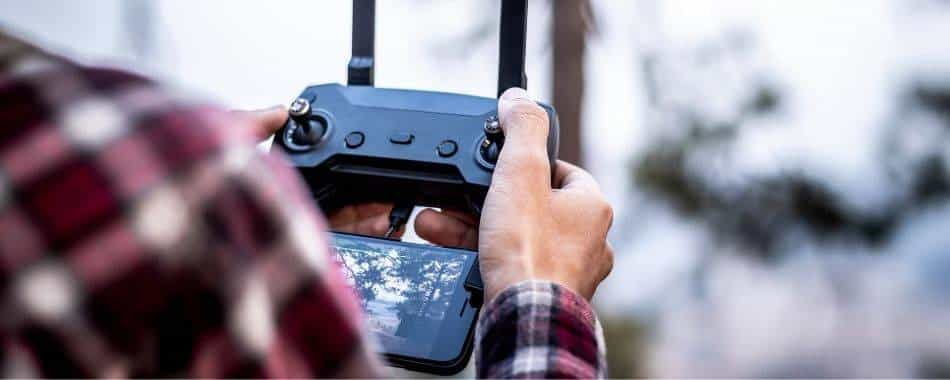

In recent years, the popularity of drones has skyrocketed; and that growth isn’t hype. It’s a practical shift. Drones have moved from “expensive toys” to everyday tools for creators, engineers, farmers, surveyors, real estate teams, emergency responders, and weekend hobbyists who simply enjoy seeing the world from above.
From aerial photography and filmmaking to inspection, surveillance, mapping, and recreational flying, drones have transformed how we capture data and tell visual stories. But there’s a truth experienced pilots learn quickly: buying the drone is only half the equation. The other half is your software ecosystem; especially if you fly with an iPhone or iPad.
To enhance the user experience and make flying drones more convenient, several drone apps have been developed for iPhones and iPads. These apps come pre-loaded with a range of features and functionalities, making them essential tools for drone owners.
In this article, we will explore some of the best drone apps available for iPhone and iPad users. So, if you own a drone or are considering purchasing one, read on to discover the top drone apps to enhance your flying experience.
Before we jump into the list, here’s a professional note that can save you time and frustration: drone apps generally fall into a few categories, and most pilots end up using more than one. You typically need (1) a flight-control app for your specific drone brand, (2) an airspace and regulation app, (3) a weather/wind app, and (4) optional “mission” apps for mapping, waypoint automation, or cinematography. Trying to force one app to do everything can work, but it’s not always the best way to fly safely and consistently.
Also keep in mind that iOS device settings matter. Your drone app experience can be affected by:
- Location services (for maps, airspace overlays, and accurate home point)
- Bluetooth/Wi‑Fi permissions (some controllers and accessories rely on them)
- Background refresh (useful for weather/airspace updates)
- Storage space (cached maps, offline data, screen recordings, and downloaded footage can fill iPhones fast)
- Battery health (if your phone overheats or throttles, video feeds and app stability can suffer)
If you fly professionally, your “drone app stack” is part of your risk management. A great drone pilot is not only good at stick control; they’re good at planning, reading conditions, and avoiding situations where the drone shouldn’t be airborne in the first place.
HOT READ: Meet PAL-V Flying Cars That May Cost You an Arm & a Leg
How to Choose the Right Drone App (Quick Expert Checklist)
Not every app is right for every pilot. Before you download anything, clarify what you need. Use this checklist like a pre-flight inspection for your software choices:
- Drone compatibility: Is the app designed for your drone model? Many flight apps are brand-specific (DJI GO 4 vs DJI Fly, for instance).
- Mission type: Are you flying for fun, for cinematic footage, or for mapping/survey work? Mapping apps need different features than hobby flying apps.
- Regulatory support: Do you need airspace restrictions, advisories, and compliance tools? If you’re flying in controlled airspace, this is not optional.
- Weather intelligence: “Clear skies” doesn’t guarantee safe conditions. Wind speed, gusts, visibility, and precipitation matter more than most new pilots realize.
- Workflow: Do you want to plan flights at home and execute them later? Apps with offline maps and prebuilt routes can be a big advantage.
- Professional proof: If you fly for clients, you may need flight logs, checklists, team collaboration, and repeatable planning tools.
With that in mind, let’s look at the best drone apps for iPhone and iPad; and how each one fits into a real pilot’s toolkit.
1. DJI GO 4
DJI GO 4 is an excellent app developed by DJI, one of the leading drone manufacturers in the world. This app is specifically designed for DJI drones and offers a seamless connection between your iPhone or iPad and your drone. With DJI GO 4, users can access live video streams, control the camera settings, capture photos and videos, and even plan flight routes.
From a practical, professional standpoint, DJI GO 4 is often the “command center” for DJI aircraft that use it. Beyond basic takeoff and landing, it helps you manage the relationship between the drone, camera, and controller; especially when you want predictable results rather than casual footage.
Why DJI GO 4 matters in real flights
When pilots talk about “confidence,” they often mean: stable live feed, reliable telemetry, fast access to camera controls, and clear prompts when something is wrong. DJI GO 4 is built around that philosophy; letting you adjust ISO, shutter speed, white balance, exposure compensation, video resolution, frame rate, and color profiles (when supported) without guessing.
DJI GO 4 also tends to be the place where you’ll see warnings that matter: compass interference, calibration prompts, IMU-related errors, gimbal overload, wind warnings, and geofencing notices. A responsible pilot doesn’t ignore these messages; they interpret them and respond intelligently.
Pro tip: If you rely on DJI GO 4 for mission-critical flights, keep your iPhone/iPad storage clean and your iOS updated; but avoid updating iOS right before an important job. Many pilots prefer to confirm app stability with their exact device and drone firmware before flying for clients.
2. AirMap for Drones
AirMap is a popular app among drone pilots and is known for its real-time airspace maps and flight planning features. This app allows users to check for local flight restrictions, obtain airspace information, and plan flights in compliance with regulations. AirMap also provides live traffic alerts, and weather conditions, and even allows users to connect with other drone enthusiasts in their area.
Airspace awareness is one of the most important “adult responsibilities” of drone flying. Many crashes and enforcement issues don’t happen because a pilot can’t fly; they happen because the pilot didn’t understand what airspace they were in, what restrictions applied, or what conditions made flight unsafe that day.
Apps like AirMap address that gap by turning regulation into something visual and actionable. Instead of memorizing airspace classes and restrictions, you see a map overlay that helps you make decisions quickly; especially when you’re traveling, shooting in a new area, or flying near airports and sensitive zones.
How experienced pilots use AirMap-style tools
Professionals treat airspace apps as part of pre-flight planning, not as a last-second check while unpacking a drone. A good workflow looks like this:
- Open the airspace map before you leave home.
- Confirm restrictions and plan alternate launch points if needed.
- Check weather and wind for the exact flight window.
- Arrive early and recheck restrictions and live conditions.
This approach reduces “surprises,” which is what safe drone operation is really about: fewer unknowns, fewer rushed decisions.
3. DroneDeploy
DroneDeploy is a powerful mapping app that enables users to create detailed aerial maps and 3D models. This app is particularly useful for professionals in industries such as agriculture, construction, and surveying. With DroneDeploy, users can plan and execute automated drone flights, capture high-resolution images, and analyze data using the app’s advanced mapping and analysis tools.
If DJI GO 4 is about controlling the aircraft, DroneDeploy is about turning flights into measurable deliverables. This is where drones move from “camera platforms” to “data collection platforms.” In agriculture, for example, a drone isn’t just capturing pretty images; it’s helping you see crop stress patterns. In construction, it’s helping you track progress. In surveying, it supports mapping accuracy and volume estimation workflows.
DroneDeploy is particularly valued because it supports automated flight planning. Instead of piloting manually and hoping you captured enough overlapping images, you set parameters like altitude, overlap, and flight boundary. Then you run consistent flights that produce consistent datasets; exactly what professional clients pay for.
Download DroneDeploy App on App Store
Expert notes for first-time mapping pilots
Mapping flights look simple, but they require discipline. If you’re new to it, keep these professional rules in mind:
- Overlap matters: Too little overlap ruins reconstruction quality; too much overlap increases flight time and data storage without real benefit.
- Consistent lighting matters: Rapid lighting changes (cloud shadows) can reduce the consistency of a mosaic.
- Altitude is not just “higher is better”: Higher altitude means lower ground resolution; lower altitude increases resolution but may increase noise and flight complexity.
- Battery planning matters: Mapping missions often require multiple batteries; build a battery swap plan before you start.
DroneDeploy helps structure those variables, which is why it’s widely used for professional workflows.
4. Litchi
Litchi is a feature-rich app offering a range of functionalities that enhance the drone flying experience. This app allows users to plan and execute autonomous flights, providing features such as waypoint navigation and orbit modes. Litchi also includes a virtual reality mode, enabling users to immerse themselves in a first-person view of their drone’s flight.
In the iOS drone world, Litchi is often chosen by pilots who want more control over repeatable, cinematic flight paths; especially waypoint routes and automated camera movements. The strength of Litchi is not just that it can fly “by itself,” but that it can execute planned movements consistently, which is valuable for:
- real estate flyovers that need a consistent route
- construction site documentation that benefits from repeated angles over time
- cinematic shots where smooth motion matters more than pilot improvisation
Virtual reality mode is another unique angle; useful for immersion, but also something you should treat responsibly. VR can reduce situational awareness if used carelessly. The expert way to use it is in low-risk environments or with support from a visual observer when required by local rules.
Download Litchi App on App Store
Pro tip: If you use waypoint and orbit modes, always preview your planned path and confirm that it avoids obstacles (trees, cables, towers). Autonomous flights are only as safe as the plan behind them.
5. Aloft (Kittyhawk)
The Aloft app, formerly known as kitty hawk, is free and easy to download and create an account, and it’s available for download on the Apple store.
Kittyhawk is an all-in-one app designed for professional drone operators. This app offers comprehensive features for flight planning, pre-flight checks, and flight logging. Kittyhawk also provides airspace awareness with real-time information on temporary flight restrictions and other relevant data. Additionally, this app enables easy collaboration between team members, making it an ideal choice for organizations with multiple drone pilots.
From a professional operations perspective, Aloft/Kittyhawk-style apps are what separate “a person with a drone” from “a drone operator with a system.” Why? Because professional flying is not only about the flight itself; it’s about preparation, documentation, and repeatability.
What makes Aloft (Kittyhawk) valuable for serious pilots
Flight logging may not sound exciting, but it becomes extremely valuable when you need to:
- prove a pattern of safe operation
- document job flights for clients
- track battery cycles and flight hours
- review incidents or near-misses to improve your procedures
Pre-flight checklists are another underrated feature. Even experienced pilots forget things; SD cards, controller charge, firmware prompts, prop damage, or forgotten ND filters. A checklist reduces mental load and helps prevent avoidable mistakes.
Team collaboration becomes essential when an organization has multiple pilots operating under one brand. Shared airspace awareness, shared logs, shared compliance tools, and consistent checklists can improve safety and reduce operational confusion.
6. Autopilot
Autopilot is a powerful app that allows users to plan and execute autonomous drone missions with ease. This app offers advanced features such as waypoint navigation, spherical photos, and even pre- and post-flight checklists. Autopilot also supports augmented reality flight simulation, giving users a unique and immersive experience.
Autopilot fits into a category similar to Litchi but with its own emphasis: structured, “mission-style” flying. Waypoint navigation and spherical photo capture are particularly useful for pilots who want repeatability and creative camera output without improvisation.
Augmented reality flight simulation is not just fun; it can be a training tool. A safe pilot is often a pilot who practices. Simulated missions can help you understand how waypoint logic works, how camera framing changes with movement, and how your decisions affect outcomes; without risking a real drone in real airspace.
Professional reminder: Autonomous flight apps do not replace responsibility. Before running an automated mission, confirm line of sight rules where applicable, confirm obstacles, check wind conditions, and ensure a safe return-to-home altitude setting. The app can execute the plan, but it cannot guarantee that the plan is safe.
7. Pix4Dcapture
Pix4Dcapture is a free app suitable for both hobbyists and professional drone pilots. This app focuses on capturing aerial imagery for mapping and surveying purposes. Pix4Dcapture allows users to plan missions and easily capture images using their drone’s camera. The app also offers an automatic image processing feature that creates detailed maps, orthomosaics, and 3D models.
Pix4Dcapture is a staple name in mapping workflows. While hobby pilots can certainly use it, this is primarily a “serious output” tool. Like DroneDeploy, it’s built around the logic of consistent data capture: proper overlap, stable altitude, and predictable routes that produce images suitable for photogrammetry and modeling.
For surveying, agriculture, and site documentation, Pix4Dcapture helps you create the inputs needed for orthomosaics and 3D models. The core value is efficiency: you don’t have to manually “guess” a mapping pattern; the app turns it into a repeatable procedure.
Pro tip for mapping quality: avoid fast exposure changes. Lock exposure when appropriate, plan flights when lighting is stable, and keep your image set consistent. Mapping quality is often won or lost on capture discipline, not processing software.
8. DJI Fly
DJI Fly is a simplified app developed specifically for DJI’s Mavic Mini drone. This app provides a user-friendly interface with essential features such as a flight tutorial, intelligent flight modes, and a built-in photo editor. DJI Fly is perfect for beginners or those who prefer a straightforward and intuitive app for their drone-flying adventures.
DJI Fly is essentially DJI’s “easy on-ramp” app: simplified interface, guided tutorials, and a smoother learning curve for pilots who want to start flying safely without feeling overwhelmed by technical menus. That makes it highly valuable for beginners, but also useful for experienced pilots who want speed and simplicity in casual flying.
The built-in editing tools are a practical benefit because they shorten the time from “capture” to “share.” For many users, the goal isn’t post-production perfection; it’s quick, good-looking content. DJI Fly supports that workflow.
Expert perspective: A simplified app doesn’t mean “less capable flying.” It means less friction for routine operations. If you’re a beginner, DJI Fly’s tutorials and intelligent modes can help you build skill safely. If you’re experienced, it helps you get airborne quickly when you don’t need complex mission planning.
9. UAV Forecast
UAV Forecast is a weather app designed specifically for drone pilots. This app provides detailed weather information, including wind speed, temperature, visibility, and precipitation. UAV Forecast also offers a unique feature called “Fly Now,” which analyzes current weather conditions and provides a simple “Go” or “No Go” recommendation for flying your drone.
Weather is one of the most underestimated risk factors in drone flying; especially wind. Many crashes happen because pilots assume “if the sky looks clear, it’s fine.” But drones don’t fly in “sky.” They fly in air; and air has movement, shear, gusts, and turbulence.
UAV Forecast is valuable because it translates weather into pilot-relevant metrics: wind speed and gusts at different altitudes, visibility, precipitation risk, temperature, and sometimes cloud conditions depending on sources. The “Fly Now” recommendation is helpful as a quick check, especially for newer pilots who don’t yet know what wind levels are safe for their specific drone.
Professional warning: “Go/No Go” is guidance, not permission. Always consider your drone’s capability, your skill level, your location (open field vs urban canyon), and your mission requirements. But as a starting point, UAV Forecast is one of the most practical tools you can keep on your iPhone.
10. Hover
These best drone apps for iPhone are excellent for adding weather info alongside mapping and location awareness, and it also takes into consideration visibility and wind direction. It is a vital tool for drone and quadcopter pilots.
Additional features of these best drone apps for iPhone include weather data, flight readiness indicators, an industry news feed, flight logs, etc.
If you’re looking to have just one drone app on your iOS device, you should go for Hover; it has incredible features in just one app. Download
Hover’s appeal is that it bundles multiple pilot needs into a single interface: weather intelligence, map awareness, and readiness-style indicators that help you answer the question, “Is this a smart time and place to fly?” For many hobby pilots; and even some professionals doing quick scouting; an all-in-one style app reduces app switching.
The real professional advantage is not the news feed; it’s the decision support. Visibility, wind direction, and wind speed matter because they affect not only flight stability but also the quality of your footage. If you’re trying to capture clean cinematic shots, strong gusts and shifting wind can create jitter and force the drone to work harder, draining battery faster.
Expert tip: Use Hover (and similar apps) as a pre-flight filter. If the indicators suggest marginal conditions, either delay the flight, change location, or reduce risk by flying lower and closer; depending on your mission and local rules.
11. Sun Surveyor
In photography, the direction of the sun or the moon is of utmost importance. If you’re a drone photographer, you need this app more like you need food every day.
That’s not an exaggeration if you care about consistent results. Light is the difference between “content” and “cinematography.” It shapes shadows, depth, color temperature, contrast, and mood. Drone footage is especially sensitive to light direction because aerial perspectives can quickly flatten scenes when lighting is dull or overhead.
A Sun surveyor helps you locate the perfect sun or Moon position at a particular location, and you can plan the perfect shot with the perfect height as you fly.
It also helps you visualize sunlight and shade throughout the year for a particular location and saves the stress of always looking for the perfect light spot to take your shots.
Need I mention that you can also view augmented reality projections of the location of the sun or moon at a particular location? You have all these fantastic benefits for just $7.99 on the app.
From a working creator’s perspective, Sun Surveyor is a planning weapon. If you’ve ever arrived at a location and realized the sun is directly behind your subject (or directly in front of your lens), you understand why professionals plan light. The app helps you make decisions about:
- Golden hour timing for soft light and long shadows
- Backlight vs sidelight depending on mood and subject
- Moon position for nighttime landscape planning
- Shadow lines that can make (or ruin) architectural shots
Augmented reality projections are particularly useful when you’re scouting a location in advance. Instead of guessing where the sun will be at 6:30 p.m. two days from now, you can visualize it and plan your flight path accordingly.
12. Tesla Field Recorder
Although there have been no records of drones crashing and killing people, drone pilots can admit that they’ve once or twice crashed a drone.
That honesty is important because crashes are common in pilot development. The key is to reduce avoidable crashes; those caused by flying too close to interference sources, failing to recognize hazards, or operating in areas where sensors and compasses become unreliable.
Since you don’t want to crash your drone due to inexperience or an avoidable mistake, It is expedient that pilots have firsthand information on unsafe maneuvers, problematic areas, and zones to avoid unnecessary drone crashes.
These free best drone apps for iPhone use the magnetometer sensor in your Android device or tablet and transform it into an easy-to-use electronic magnetic scanner.
This helps detect metals and electromagnetic fields, which helps to prevent drone crashes and ensure the drone’s complete safety.
You might want to keep records of magnetic fields or strongholds in a particular area for future reference or purposes.
Download Tesla Field Recorder
Let’s clarify the value here in professional terms: magnetometer and electromagnetic field (EMF) scanning apps are “situational awareness” tools. They don’t guarantee safety, but they can help you identify areas with unusual magnetic interference; especially around large metal structures, industrial environments, vehicles, or certain infrastructure installations.
Many drone stability systems rely on sensor fusion: GPS, compass, IMU, barometer, and sometimes vision positioning. In some environments, electromagnetic interference can contribute to erratic compass behavior or warnings. Using a tool that helps you spot abnormal magnetic fields can support better site selection and reduce the likelihood of launching from a problematic location.
Expert note: The goal is not to obsessively scan every location; it’s to be smart in “high-risk” environments: near heavy machinery, large steel structures, and dense urban areas where interference and multipath GPS issues can occur. If your drone warns you about compass interference repeatedly, these tools can add helpful context.
13. Google Earth
There are so many apps that can you help you find safe places to fly. Google Earth, however, offers you unique, adventure-filled, and exceptional places to fly.
It helps you see cities and landscapes from a different view such that you cannot help but marvel. Sure sounds like an excellent app to have on your device as a drone pilot.
You have access to the 3D representation of the Earth by satellite imagery. You can explore by using a mouse or a keyboard or if you’d like addresses and coordinates.
Download Google Earth for free on the app store and start your flight adventure.
Download Google Earth App
From a planning standpoint, Google Earth is one of the best scouting tools a drone pilot can keep. It helps you “pre-visualize” a location before you arrive. You can identify:
- open spaces for safe takeoff and landing
- potential obstacles like towers, dense trees, and power line corridors
- terrain changes that affect line of sight and return-to-home altitude planning
- the best direction to face for sunrise/sunset shots (especially paired with Sun Surveyor)
If you’re flying for content creation, Google Earth also helps you design shot lists. If you’re flying for inspection or documentation, it helps you plan routes and vantage points. And if you’re flying recreationally, it helps you discover landscapes worth exploring; responsibly, with awareness of local rules and airspace restrictions.
How to Build a “Best-in-Class” Drone App Stack on iPhone/iPad
Most experienced pilots use a combination of apps rather than relying on a single tool. Here are practical “stack” examples based on common mission goals:
If you’re a beginner pilot who wants simple, safe flying
- DJI Fly (for DJI beginners and simplified control)
- UAV Forecast (for wind and weather checks)
- Hover (for a consolidated “ready to fly” view)
This combination reduces complexity and helps you focus on learning basic control, safe distances, and consistent landings.
If you’re a creator focused on cinematic travel content
-
- DJI GO 4 or DJI Fly (depending on your drone)
-
- Litchi or Autopilot (for waypoint/orbit and repeatable camera movement)
-
- Sun Surveyor (for planning light direction and timing)
-
- UAV Forecast or Hover (for wind, visibility, and flight readiness)
This stack helps you plan your shot like a professional: light first, flight path second, then capture and edit.
If you’re doing mapping, construction, agriculture, or survey-style outputs
- DroneDeploy or Pix4Dcapture (for mission planning and capture discipline)
- Aloft (Kittyhawk) or AirMap (for airspace awareness, checklists, and logs)
- UAV Forecast (for wind and weather checks)
This stack supports professional accountability and repeatability; two traits clients expect even if they don’t say it out loud.
Common Mistakes iPhone/iPad Drone Pilots Should Avoid
Even with great apps, many pilots run into the same avoidable problems. Here are common mistakes I see repeatedly; and how to prevent them:
- Flying without an airspace check: Always check restrictions before you launch; especially when traveling or shooting near built-up areas.
- Underestimating wind: Wind is often stronger at altitude. Don’t assume your drone can “handle it” just because it’s stable near the ground.
- Ignoring light planning: The best drone camera won’t save a flat, harsh midday scene. Plan around golden hour where possible.
- Using autonomous modes without site scouting: Waypoints and orbits are powerful, but they can also fly your drone into obstacles if you plan poorly.
- Not managing iPhone/iPad heat and battery: Bright screens, live video feeds, and sun exposure can cause overheating. Keep your device cool, and consider shade.
- Running too many background apps: Close heavy apps before flight to reduce lag and prevent video feed interruptions.
Apps make flying more capable; but they don’t replace judgment. The best drone pilots use apps to reduce uncertainty, not to take responsibility off their shoulders.
Conclusion
In conclusion, these nine drone apps offer a range of features and functionalities to enhance your drone flying experience. Whether you are a hobbyist drone pilot or a professional in need of advanced mapping and analysis tools, these apps are sure to elevate your drone adventures. So, grab your iPhone or iPad, download these apps, and take your drone flights to new heights!
From an expert standpoint, the real advantage is not simply downloading “the best” apps; it’s building a workflow that fits your mission. Some of the apps above are core flight-control tools, others are compliance and airspace planners, others are mapping engines, and others help you plan light, weather, and safety conditions. Used together, they turn drone flying into a more predictable, safer, and more productive experience.
If you only choose one or two tools, prioritize the apps that protect you from avoidable mistakes: airspace awareness, weather intelligence, and a stable flight-control app for your drone model. Then add specialized tools like mapping, waypoint automation, and sun planning as your skill and mission demands grow.