

The Pre-Collision System Malfunction warning flashing on your Toyota’s dashboard can feel alarming; like your car’s high-tech guardian has suddenly gone offline. As a trusted safety feature within Toyota Safety Sense™, the Pre-Collision System (PCS) is engineered to act as an extra set of eyes and reflexes, helping to avert or lessen the impact of frontal crashes. Yet, like any sophisticated technology, it occasionally encounters glitches that disable it temporarily. This in-depth guide explores the inner workings of the system, unpacks the typical culprits behind malfunctions, shares practical troubleshooting steps you can handle yourself, explains when it’s time to call in the professionals, and offers strategies to keep everything running smoothly in the future.
Picture this: You’re cruising along, confident in your vehicle’s intelligent safeguards, when suddenly the screen lights up with “Pre-Collision System Malfunction” or a cluster of related alerts. It’s a moment that can spike your stress levels, especially if you’re unsure whether it’s a minor hiccup or something more serious. Rest assured; this issue is surprisingly widespread among Toyota drivers, and in the vast majority of cases, it’s fixable without breaking the bank or compromising overall vehicle safety. Let’s dive deep into understanding and resolving it step by step.
Understanding the Toyota Pre-Collision System: Your Vehicle’s Proactive Shield
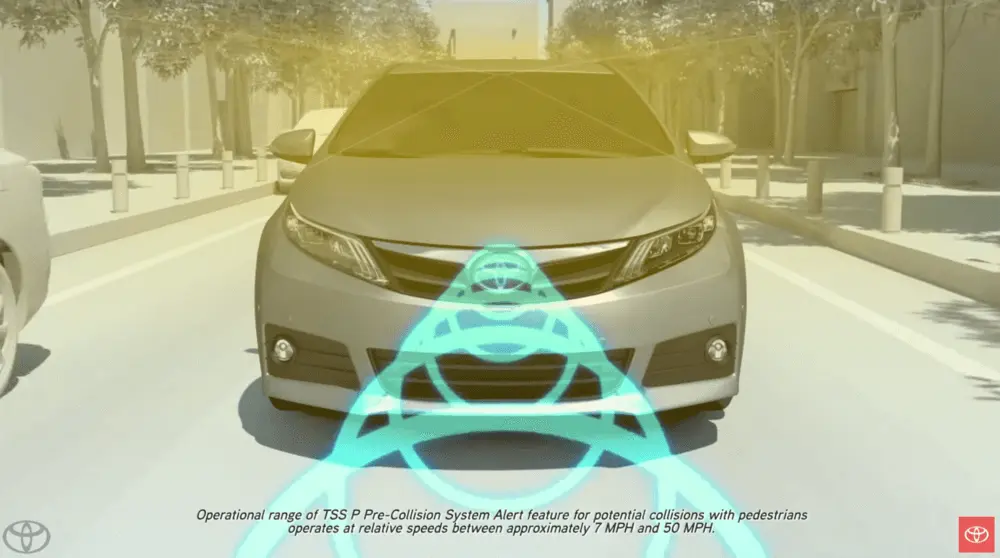
At its core, Toyota’s Pre-Collision System represents a leap forward in automotive safety innovation. Integrated into the broader Toyota Safety Sense™ package (now in versions like TSS 2.0, 2.5+, and 3.0 across recent lineups), PCS leverages a combination of forward-facing millimeter-wave radar (usually tucked discreetly behind the iconic Toyota badge on the grille) and a high-resolution camera (positioned high on the windshield, often near the rearview mirror mount) to constantly scan the road ahead.
When everything operates as designed, the system performs several critical functions in rapid succession:
- Spotting potential threats: It identifies vehicles, pedestrians, cyclists, and even certain larger animals in your path, day or night.
- Issuing timely alerts: You’ll hear audible beeps and see visual warnings on the multi-information display or head-up display if a collision risk escalates.
- Enhancing driver intervention: Brake assist amplifies your pedal pressure for quicker stops, while automatic emergency braking (AEB) can engage independently if you don’t react swiftly enough.
- Pre-tensioning restraints: The system tightens seatbelts moments before anticipated impact to optimize occupant protection.
This intelligent suite comes standard or available on popular models such as the Camry, Corolla, RAV4, Highlander, Tacoma, 4Runner, Prius, Crown, and many more. Toyota’s commitment to democratizing advanced safety tech means millions of drivers benefit from these protections every day, significantly reducing real-world crash severity according to independent studies and Toyota’s own data.
Yet technology this advanced relies on flawless integration between hardware, software, and environmental conditions; any disruption can trigger a protective shutdown, displaying that dreaded malfunction message.
Recognizing the Telltale Signs of a Pre-Collision System Malfunction
The first clue is almost always visual: bold warning text splashed across your instrument cluster or infotainment screen. Common variations include:
- “Pre-Collision System Malfunction Visit Your Dealer”
- “Pre-Collision System Unavailable”
- A bright yellow icon depicting a vehicle with skid marks or exclamation points
- Cascading alerts involving related systems like Lane Tracing Assist (LTA), Dynamic Radar Cruise Control (DRCC), or Automatic High Beams
These warnings aren’t mere annoyances; they indicate the system has intentionally disabled itself to prevent erroneous activation (such as phantom braking). When PCS goes offline, you lose automatic emergency braking, forward collision warnings, and pedestrian/cyclist detection.
But the ripple effects often extend further, surprising many owners:
- Adaptive cruise control refuses to engage or drops out unexpectedly
- Lane-keeping and centering assistance becomes erratic or completely unavailable
- Other Toyota Safety Sense elements (like road sign recognition or proactive driving assist) may flicker or fail
- In some instances, traction control or stability systems display secondary warnings
The erratic behavior frustrates drivers most: one day the system works flawlessly, the next it throws errors only during sunrise commutes, heavy downpours, or after a routine car wash. Errors vanish after a restart, only to reappear unpredictably hours or days later. This intermittent pattern often points to environmental sensitivity or marginal hardware conditions rather than total failure.
Root Causes: Why the Pre-Collision System Malfunctions in the First Place
Understanding the “why” empowers you to prevent recurrence. Malfunctions fall into three broad categories: environmental interference, hardware degradation, and interconnected vehicle issues.
Environmental Factors ; Nature’s Frequent Culprits
Modern sensors are incredibly precise, but they’re not invincible against the elements. Direct sunlight blasting the camera at dawn or dusk creates glare that overwhelms image processing, mimicking a sensor fault. Heavy rain, snow, fog, or road spray coats the radar dome and windshield, scattering signals and blocking clear views. Extreme heat can cause temporary electronic drift, while bitter cold stiffens connections or affects battery performance feeding the modules.
Real-world examples abound: Numerous owners report errors exclusively during low-sun-angle hours or after winter drives through salted roads, where grime buildup silently degrades performance until cleaned.
Hardware and Sensor Problems ; The Mechanical Side
Physical obstructions top the list; think bug splatter, bird droppings, snow/ice accumulation, or dust layered over the front emblem (radar location) and forward camera zone. Even minor impacts (potholes, light bumper taps, or windshield replacements) can knock sensors out of precise alignment, triggering immediate faults.
Other hardware gremlins include:
- Corroded, frayed, or rodent-chewed wiring harnesses (Toyota’s eco-friendly soy-based insulation has unfortunately attracted pests in some cases)
- Failed radar units, cameras, or integrated control modules
- Lost calibration from previous repairs or modifications
Interconnected and Sneaky Underlying Issues
Here’s where things get intriguing: PCS doesn’t operate in isolation. It shares data across the vehicle’s CAN bus network, so problems elsewhere cascade into safety system shutdowns.
Examples from owner experiences include:
- Engine misfires or emission faults throwing codes that indirectly disable PCS
- Low battery voltage or recent jump-starts/battery swaps disrupting module communication
- Aftermarket lifts, oversized tires, or accessories altering ride height and sensor geometry
- Software bugs requiring over-the-air or dealer flash updates
- Surprisingly trivial triggers like a loose gas cap triggering evaporative system codes that confuse multiple modules
These hidden links explain why a seemingly unrelated check engine light can suddenly disable half your advanced safety suite.
Empowering Yourself: DIY Troubleshooting Steps That Often Resolve the Issue
Many malfunctions clear up without dealer intervention. Start simple and escalate only if needed.
Quick, No-Cost Resets and Cleaning (Start Here)
- Perform a full power cycle: Shut off the engine, remove the key fob from the vehicle, wait 5–10 minutes (or disconnect the negative battery terminal for 30 seconds if comfortable), then restart. This forces modules to reboot and re-sync.
- Thoroughly clean critical areas: Gently wipe the Toyota emblem/grille radar cover with a microfiber cloth and mild soapy water. Clean the windshield interior and exterior in the camera’s field of view (avoid abrasive cleaners that could scratch).
- Remove visible blockages: Clear away ice, snow, mud, or stickers/decal residue from sensor zones.
- Allow conditions to change: If errors coincide with glare, rain, or fog, continue driving once weather improves; many systems self-recover.
- Try a calibration drive: On a straight, open road, maintain steady speeds above 25–30 mph for several minutes. Some models perform partial “zero-point” relearns automatically under these conditions.
Intermediate Checks for Persistent Problems
- Invest in a basic OBD-II scanner (under $50 models work) to pull diagnostic trouble codes. Look for PCS-specific codes (C1Axx series), radar/camera faults, or network communication errors.
- Test battery health: Low voltage (<12.4V resting) or weak cranking often triggers false safety faults. Many auto parts stores offer free checks.
- Visually inspect accessible wiring: Check for chew marks, loose plugs, or corrosion around the front sensors and windshield camera area.
- Log occurrences meticulously: Note exact time, weather, road type, speed, and recent vehicle activity. Patterns reveal causes faster than guesswork.
Pro tip from seasoned owners: If heading to the dealer, drive there while the warning is active. Cleared codes make reproduction harder for technicians.
Knowing When Professional Intervention Is Essential
Some situations demand dealer-level expertise and tools:
- Errors persist despite cleaning and resets
- Multiple Safety Sense features fail together
- Accompanying drivability quirks (hesitation, odd braking)
- Recent front-end damage, windshield work, or collision repair
- Repeated faults after clearing
- Rare but serious unintended braking events
At the dealership, expect a structured approach:
- Connection to Toyota’s Global Technical Stream (GTS) diagnostic suite for in-depth data logs
- Review of freeze-frame data capturing conditions during the fault
- Hands-on inspection of sensors, mounts, and wiring
- Test drives to replicate symptoms under controlled conditions
- Software updates/flashes to address known glitches
- Individual component testing and replacement if needed
- Precision recalibration using targets and alignment tools
Costs vary: Simple updates/cleaning might be free under warranty or low-cost. Sensor replacement plus calibration often runs $800–$2,000; extensive multi-module repairs can climb higher. Always verify coverage under Toyota’s safety system warranty (typically 5 years/60,000 miles for TSS components, longer in some cases).
Proactive Habits to Minimize Future Headaches
Prevention beats cure every time. Incorporate these routines:
- Clean sensor zones weekly or after dirty/wet drives
- Steer clear of unapproved modifications affecting front geometry or windshield
- Address any dashboard warnings (including check engine) immediately
- Choose certified Toyota collision/repair centers familiar with ADAS calibration
- Request safety system verification during oil changes or inspections
Equally vital: Recognize built-in limitations. PCS excels in clear conditions but struggles with extreme weather, sudden cut-ins, or partially obscured objects. It augments; not replaces; your attentive driving.
Looking Ahead: Toyota’s Ongoing Evolution in Safety Tech
Toyota invests heavily in refining these systems. Newer iterations feature tougher environmental resistance, smarter AI-driven detection to cut false activations, expanded coverage for vulnerable road users, tighter integration with emergency services, and over-the-air capabilities for seamless updates.
Occasional recalls have addressed specific PCS vulnerabilities (check your VIN at Toyota.com/recall or NHTSA.gov for open campaigns; examples include certain 2019 models with sensor software fixes). These proactive measures underscore Toyota’s dedication to continuous improvement.
Final Thoughts: Reclaiming Confidence on Every Drive
Dealing with a stubborn Pre-Collision System malfunction tests patience, but armed with knowledge, most cases resolve quickly. From a quick sensor wipe to a dealer software update, restoring this guardian angel brings invaluable peace of mind.
Your Toyota remains fully drivable without PCS; core protections like brakes, airbags, and stability control stay intact. Stay proactive, document issues thoroughly, and don’t hesitate to escalate persistent problems through Toyota’s customer support line (1-800-331-4331) or lemon law avenues if needed.
Drive aware, stay safe, and enjoy the journey knowing your vehicle’s advanced safety net is ready when you need it most.