
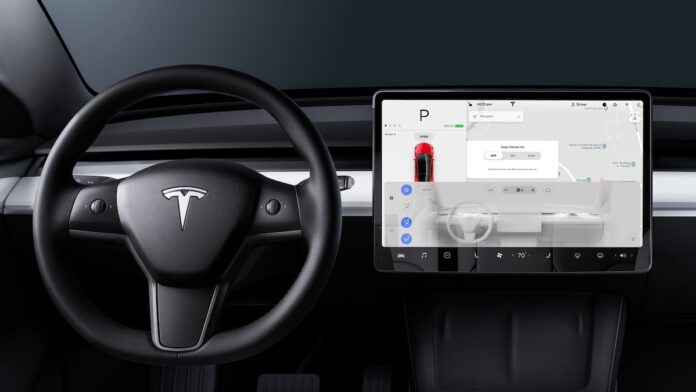

If you’ve ever climbed into your Tesla on a scorching summer day or a freezing winter morning, you know how much the climate control system matters. It’s one of those features you don’t think about until it stops working. And when your touchscreen suddenly flashes “Cabin Climate Control Requires Service,” it can feel pretty alarming.
The good news? This error doesn’t always mean something catastrophic is happening under the hood. Sometimes it’s a minor software glitch. Other times, it’s a sensor acting up. But in some cases, it does point to a real hardware issue that needs professional attention.
Let’s walk through how Tesla’s climate control actually works, what causes this error, and what you can do about it before (and after) booking a service appointment.
How Tesla’s Climate Control System Actually Works
The Hardware Behind Your Comfortable Cabin
Tesla’s climate system isn’t all that different from a traditional car’s HVAC setup in concept, but the execution is distinctly Tesla. It’s tightly integrated with the vehicle’s software, battery management, and touchscreen controls. Here are the main components doing the heavy lifting:
- Air vents: These distribute heated or cooled air throughout the cabin. On newer Tesla models, the vents are digitally controlled, meaning you adjust airflow direction on the touchscreen rather than physically moving a vent.
- Compressor: This circulates refrigerant through the system, which is essential for cooling the cabin. In a Tesla, the compressor is electric (no engine-driven belt like in gas cars), so it runs off the high-voltage battery.
- Condenser: Positioned at the front of the vehicle, the condenser releases heat from the refrigerant, converting it from a high-pressure vapor into a high-pressure liquid.
- Evaporator: This sits inside the cabin area and does the actual cooling. As refrigerant passes through and turns into a low-pressure gas, it absorbs heat from the cabin air, leaving you with that refreshing blast of cold air on a hot day.
All of these parts work together in a continuous loop. When any single component fails or a sensor reads incorrectly, the whole system can throw an error or stop functioning properly.
Automatic vs. Manual Mode: Which Should You Use?
Tesla gives you two ways to manage your cabin temperature, and each has its place.
Automatic mode is the “set it and forget it” option. You pick your desired temperature on the touchscreen, and the car handles everything else: fan speed, air distribution, even which vents are active. For most daily driving, this is the way to go. The system is surprisingly good at keeping things comfortable without constant fiddling.
Manual mode puts you in the driver’s seat (figuratively and literally). You control the fan speed, temperature, and airflow direction yourself. This is useful if the auto mode isn’t behaving the way you’d like, or if you just prefer a specific setup, like blasting cold air directly at your face on a hot day.
You can switch between these modes and customize your settings directly through the touchscreen. It’s worth experimenting with both to find what suits your preferences, especially if you’ve noticed any quirks in how your climate system responds.
What Triggers the “Cabin Climate Control Requires Service” Error
This is where things get frustrating. The error message itself is pretty vague. Tesla doesn’t give you a detailed breakdown on the screen of what exactly went wrong. But based on owner reports and service center feedback, the causes generally fall into three categories.
Faulty Sensors and Mysterious Error Codes
Tesla’s climate system relies on multiple sensors to monitor cabin temperature, refrigerant pressure, and airflow. If any of these sensors start sending bad data, or stop communicating altogether, the system can’t do its job. That’s when you’ll see the dreaded “Cabin Climate Control Requires Service” or “Climate Keeper Unavailable Due to System Fault” message on your screen.
Sensor failures are one of the more common culprits. Sometimes they degrade over time. Other times, a software update doesn’t play nicely with the sensor firmware. The tricky part is that you usually can’t diagnose which sensor is misbehaving without Tesla’s service tools. If you’re getting this error repeatedly, it’s worth contacting your local Tesla service center. If your vehicle is still under warranty, the repair should be covered.
When Your Heat or A/C Just Isn’t Cutting It
Sometimes the error message doesn’t appear, but the system clearly isn’t working right. You’ve got the heater cranked up, and all you’re getting is lukewarm or cold air. Or the A/C runs but barely takes the edge off on a 95-degree day.
There are a few things to check before panicking. First, make sure your temperature settings are actually where you think they are. It sounds obvious, but the touchscreen can be finicky, and it’s easy to accidentally adjust the temp. If you’re dealing with cold weather, try turning on the seat heaters as a supplement while you troubleshoot. They draw less energy than the cabin heater and can keep you comfortable in the meantime.
If neither the heat nor A/C is responding properly despite correct settings, the issue could be a failing compressor, a refrigerant leak, or a problem with the heat pump (on models equipped with one). These are service center fixes, not something you can DIY in your driveway.
Software Glitches That Mimic Hardware Problems
Here’s the thing about Teslas: they’re essentially computers on wheels. And like any computer, they can freeze, glitch, or just have a bad day. A surprising number of climate control issues trace back to software rather than hardware.
If your climate system won’t turn on, becomes unresponsive, or throws an error out of nowhere, try these troubleshooting steps before scheduling a service appointment:
- Wait a few minutes and try again. Sometimes the system just needs a moment to sort itself out.
- Check your internet connectivity. Some climate features, especially remote activation through the app, rely on a data connection.
- Make sure your battery is above 20%. Tesla limits certain features at low charge levels to preserve range, and climate control is one of them.
- Force-close and reopen the Tesla app. If you’re trying to control climate remotely, the app itself might be the problem.
- Reboot the car’s touchscreen. Press and hold both scroll wheels on the steering wheel for about 10 seconds until the screen goes black and restarts. This is Tesla’s version of “turn it off and on again,” and it fixes more issues than you’d expect.
- Update everything. Check that both the Tesla app on your phone and your car’s software are running the latest versions. Tesla pushes updates frequently, and some specifically address climate control bugs.
If none of that works, you’re likely dealing with something that needs hands-on diagnosis at a service center. Book a mobile service appointment if one is available in your area, as Tesla techs can often diagnose and resolve these issues right in your driveway.
Dog Mode and Camp Mode: Features Worth Understanding
Beyond basic heating and cooling, Tesla’s climate system includes a couple of standout features that owners love. They’re also relevant to this conversation because both rely on the climate control system working properly. If you’re getting the service error, these features won’t function either.
Dog Mode: Keeping Your Pets Safe While You Run Errands
Dog Mode is exactly what it sounds like. When you need to leave your pet in the car for a few minutes, this feature keeps the cabin at a safe, comfortable temperature. But it does more than just run the A/C or heater. It also displays a message on the big touchscreen that reads something like “My owner will be back soon. Don’t worry! The A/C is on and it’s [temperature] inside.” This is a smart touch because it reassures well-meaning passersby that your pet isn’t in danger.
To turn it on, tap the fan icon at the bottom of your touchscreen and select “Dog Mode” before you step out. Simple as that.
Camp Mode: Your Tesla as a Tiny Climate-Controlled Hotel Room
Camp Mode is built for people who use their Tesla for road trips or, yes, actual camping. When activated, it keeps the climate control running, maintains interior lighting, and keeps your USB ports and electrical outlets powered, all while the car is in Park. So you can sleep in the back of a Model Y on a cold night and stay perfectly warm, or keep things cool during a summer road trip nap.
You activate it the same way: tap the fan icon and select “Camp Mode.” Just keep an eye on your battery level, since running climate control for hours will drain it. Planning ahead and parking near a charger is a smart move if you’re going to use this feature overnight.
Both of these features can also be monitored and managed through the Tesla app on your phone, which is handy for checking in on your pet or adjusting the temperature without getting out of your sleeping bag.
SEE ALSO: Awe-inspiring Car Tips and Tricks That Everyone Should Try
When to Stop Troubleshooting and Call Tesla
DIY fixes are great when they work. But if you’ve rebooted the screen, updated your software, checked your battery level, and the error keeps coming back, it’s time to let the professionals handle it. Climate control issues that persist after basic troubleshooting usually point to a hardware failure, whether that’s a bad sensor, a failing compressor, or a refrigerant leak.
Don’t ignore this error for too long, either. Beyond the obvious discomfort of driving without heat or A/C, a malfunctioning climate system can also affect your battery’s thermal management in some Tesla models. That’s not something you want to leave unchecked, especially in extreme temperatures.
Schedule a service appointment through your Tesla app, keep your software updated, and pay attention to how the system behaves after any fix. A climate control system that works reliably isn’t a luxury in a Tesla. It’s part of the ownership experience you’re paying for.