
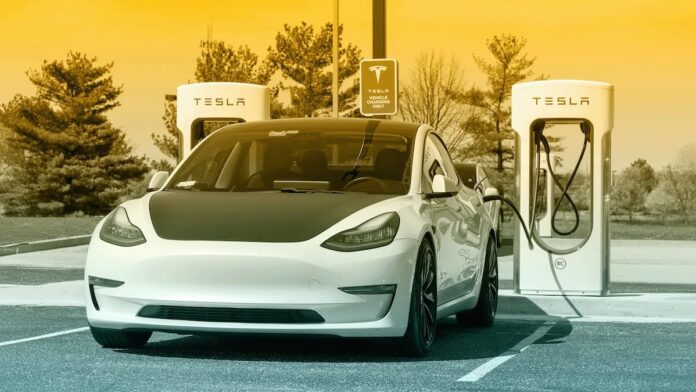

As Tesla owners, one issue that tends to catch us off guard is seeing a warning like “charging cable not fully secured” or noticing that the connector doesn’t “click” into place the way it normally does. It’s annoying in the moment, but it’s also important because a loose or partially latched connector can interrupt charging, slow it down, or prevent it from starting at all; especially if the car decides the connection is not safe or stable enough to energize.
In my experience (and after comparing notes with other owners), this problem is rarely random. Usually, it’s caused by something simple: the connector wasn’t fully seated, the charge port or handle is dirty, the cable has been strained or damaged, an adapter isn’t sitting correctly, or the charge port latch isn’t behaving normally due to temperature, debris, or wear. The trick is diagnosing it in the right order; starting with the high-probability, low-effort checks before you assume the worst.
In this guide, I’ll break down the most common causes, the most effective troubleshooting steps, the technical issues that can create repeat failures, and when it’s time to stop DIY work and contact Tesla Support. Along the way, I’ll also explain what’s happening mechanically and electronically when your Tesla says the connector isn’t secure; because understanding the “why” makes the “fix” much faster and less stressful.
How Tesla Charging Connectors “Lock” (Why “Not Fully Secured” Happens)
Before we jump into fixes, it helps to understand what Tesla means by “secured.” On a Tesla, the charging handle isn’t just pushed into a hole and left to friction. The system relies on a combination of:
- Physical seating: the connector must be inserted fully and aligned correctly.
- A latch/locking mechanism: the charge port uses a motorized pin (or latch system depending on model/region) that locks the connector in place during charging and can prevent removal while energized.
- Electrical handshakes: the vehicle and EVSE (charger) confirm the presence of the connector, validate conditions, and then allow current to flow.
If any of those layers fails; connector not fully inserted, latch can’t engage, sensor signals are inconsistent, or the charger detects instability; you can get a “not fully secured” warning. That’s why this issue can be caused by something as simple as a small piece of debris or as complex as a misaligned charge port assembly.
Also note that Tesla charge hardware operates in harsh environments. The charge port area is exposed to water spray, road salt, dust, temperature swings, and repeated mechanical use. Over time, even minor wear can reduce how “positive” the connection feels; especially if you’re charging outdoors year-round.
Common Causes of Charging Cable Not Fully Secured
While using Tesla, sometimes the charging cable may not be fully secured, leading to potential issues while charging the car. There are a few common reasons this can happen, and I wanted to share my findings with you, so you can avoid these problems with your Tesla charging cable.
One frequent cause is simply incomplete insertion. Tesla connectors often require a firm, straight push until the handle is fully seated. If you insert the connector at a slight angle; especially on a dark driveway, in rain, or while the cable is pulling sideways; one side can seat before the other, and the latch may not fully engage. In those cases, you may feel “resistance” and assume it’s seated, when it’s actually not.
Another potential cause of a loose charging cable could be the age of the charging connector. The connector might become more difficult to fully seat in the charge port over time. To avoid this, make sure to align the charging connector with the charge port and push firmly until it’s fully seated.
In the real world, “age” can show up as subtle wear on the handle, the latch interface, or even the charge port trim. Older handles can feel slightly looser, especially if they’ve been dropped, tugged, or frequently used at odd angles. That doesn’t automatically mean the equipment is unsafe; but it does mean seating and alignment become more important.
Another reason for loose charging cables could be physical damage or misalignment on the cable itself. I learned that long charging cables can get driven over and damaged frequently, as mentioned in a Reddit post. In my experience, it’s essential to handle the charging cable with care and inspect it regularly for any signs of wear or damage to maintain a secure connection.
This is more common than people think. Once a cable has been crushed, pinched, or repeatedly bent near the handle, the connector can develop tiny alignment issues. Even if the cable “works,” the handle may not sit perfectly square in the port. The result can be intermittent “not fully secured” warnings, especially if you bump the cable, close a garage door against it, or if the cable naturally pulls downward with its own weight.
Finally, using third-party charging equipment or making modifications to the charge port or vehicle exterior can also lead to issues with charging cable security. In the Tesla Model 3 Owner’s Manual, it warns against adding paint or adhesive products like wraps, stickers, or rubber coatings to the vehicle, as these can obstruct the charge port and affect cable connection. So, it’s best to stick with Tesla’s recommended charging equipment and avoid making any unnecessary modifications.
This point deserves emphasis. I’ve seen owners unknowingly create the problem with cosmetic work: a wrap edge, thick PPF seam, adhesive residue, or misaligned trim can prevent the handle from inserting fully. It doesn’t take much. If the connector is even a few millimeters short of its normal seated depth, the latch may not lock and the vehicle may refuse to charge.
Additional common causes worth adding to your checklist:
- Ice inside or around the charge port (common in winter climates): even a thin ring of ice can prevent full seating.
- Charge port door misalignment: if the door or surrounding trim is warped or sticking, it can interfere with handle insertion.
- Adapter not fully seated (J1772 or CCS adapter scenarios): the adapter can be latched to the cable but not fully seated into the vehicle port, or vice versa.
- Side-load from cable weight: if the cable is heavy and unsupported, it can pull down on the connector and reduce latch engagement stability.
- Latch pin sticking: debris or temperature effects can cause the locking pin to move sluggishly.
- High-humidity condensation: moisture can create temporary friction or sensor disagreement in some edge cases.
The good news is that most of these causes are easy to diagnose and fix with a careful, step-by-step approach.
Tips for Troubleshooting Tesla Charging Issues
When you’re facing a “charging cable not fully secured” warning, the fastest path to resolution is to troubleshoot in a structured order. Don’t start by replacing hardware or scheduling service if you haven’t checked the basics: alignment, debris, and cable condition. These steps solve the majority of cases.
Inspect the Charging Port
When you first encounter a “charging cable not fully secured” issue, start by inspecting Tesla’s charge port carefully. Look for anything that would prevent the connector from inserting straight and fully: dirt, grit, ice, bent trim, or visible damage. Even small debris can create a big difference because the connector has tight tolerances.
It is important to check for any signs of damage or obstruction. These can prevent the charging cable from being fully secured. Also make sure to align the charging connector with the charge port and push it firmly until it is fully seated.
Expert technique: Support the cable with your hand so it isn’t pulling downward while you insert it. Push the handle straight in until it stops, then give a final controlled push to confirm full seating. If your charge port light indicates a latch attempt but fails, remove the handle, inspect again, and reinsert with more deliberate alignment.
What to look for visually:
- Foreign material inside the port opening
- Warped plastic around the port
- Signs of impact (scratches, dents, misalignment)
- Moisture/ice accumulation
- Any wrap/PPF edge lifting near the port that could interfere
Examine the Charging Cable
Next, inspect the charging cable itself. Look for wear, damage, and deformation; especially near the connector head where most stress occurs. Check the connector for cracks, loose parts, or bent surfaces that might prevent full insertion.
Also inspect any adapter you’re using. Adapters can introduce their own fit and latch issues, particularly if the adapter is worn, dirty, or slightly out of spec. For example, a Reddit user who experienced a similar issue tried using a different adapter without success.
Expert note on cable damage: A cable can be compromised without obvious external cuts. Crushing damage (being driven over) can distort internal structure, causing subtle stiffness changes near the handle that affect alignment. If the problem only occurs with one cable and never with another, treat the cable as suspect even if it “looks fine.”
Quick cable stress check: With the cable unplugged, gently rotate and flex the handle area (do not aggressively bend it). If you feel unusual looseness, cracking sounds, or a “hinge-like” movement near the connector, the cable may have internal damage.
Clean the Port and Cable
After inspection, clean the charge port and the connector. Most “not fully secured” warnings caused by dirt or road salt disappear once the mating surfaces are clean and dry.
Gently wipe the charging port surround and the connector face with a soft, dry cloth to remove dirt and debris that could interfere with seating. For stubborn grime, be cautious: harsh cleaning can scratch surfaces or leave residues that attract more dirt.
Best-practice cleaning tools (safe and effective):
- Microfiber cloth (dry, clean)
- Soft detailing brush (for port surround)
- Compressed air (light bursts) to remove dry grit; use carefully and don’t force debris deeper
- Isopropyl alcohol on cloth for stubborn residue (avoid soaking; keep it controlled)
Avoid: metal picks, abrasive pads, heavy solvent cleaners, and anything that could damage seals or leave sticky residue.
Test with Another Cable
If the warning persists after cleaning and inspecting, test with another charging cable (or another charging source) if available. This is one of the fastest diagnostic separators: it tells you whether the issue follows the cable/charger or stays with the vehicle.
If the other cable works perfectly, you’ve likely confirmed that the original cable/connector is the problem and should be replaced or serviced. If no cable works reliably, focus back on the vehicle charge port and latch mechanism as the likely culprit.
Pro tip: If you can reproduce the warning consistently, try lightly supporting the cable upward while charging. If the warning disappears only when you support the cable, the connection may be sensitive to downward pull; often a sign of a worn handle fit, a slightly misaligned port, or cable strain.
A Practical Diagnostic Flow (Fastest Way to Identify the Root Cause)
If you want an expert-style “decision tree,” here’s a simple flow that avoids wasted effort:
- Reseat the connector: unplug, align, push firmly and straight. Confirm latch engagement.
- Inspect and clean: check port and connector for dirt, ice, salt film, or wrap interference.
- Check for cable strain: is the cable pulling down or sideways? Support it and retest.
- Swap the variable: try another cable/charger/adapter if possible.
- Evaluate the environment: is it below freezing? Is there moisture/condensation? Warm and dry the area.
- Escalate: if failures persist across cables, suspect latch/port alignment or hardware issues and prepare to contact Tesla.
This approach is effective because it isolates the problem quickly. Most owners get stuck repeatedly reseating without identifying why it won’t lock; dirt, ice, strain, or a worn connector. The flow above forces clarity.
Possible Technical Issues
If you’ve done the basic checks and the warning still returns, you may be dealing with a deeper technical issue; either with the wall connector/EVSE, the cable itself, or the vehicle charge port hardware. These issues are less common than debris or incomplete seating, but they do occur, especially as equipment ages or when charging outdoors.
Wall Connector Faults
One possible source is the wall connector or charging equipment. Sometimes, the charging cable is not fully secured because dirt or debris obstructs the connectors or prevents clean seating. I found a discussion on Tesla Motors Club where owners mentioned similar issues. Cleaning the connector surfaces and checking for visible damage can restore normal locking behavior.
From an expert standpoint, a wall connector issue can present in a few patterns:
- The handle feels “loose” or inconsistent across insertions.
- The issue occurs on multiple cars using the same wall connector.
- The handle latches on some days and fails on others (often temperature related).
- The connector pins or plastic surround show wear, cracking, or deformation.
Another common issue is damaged or worn-out cables. During my research, I discovered that charging cables can become damaged over time, especially if they’re accidentally driven over or mishandled. A Reddit post indicated that Teslas might be more sensitive to issues related to damaged cables compared to other electric vehicles. In such cases, replacing the cable or using a different charger can resolve the problem.
That “sensitivity” often comes from stricter handshake and latch validation. Tesla is generally conservative about energizing the connection if it can’t confirm stability. So a cable that might still “work” on another EV could trigger warnings on a Tesla if the fit is slightly off or if the internal signals aren’t clean.
Added technical possibility: If you’re using third-party EVSE equipment with a Tesla adapter, some handles have tolerances that fit “okay” but not perfectly. Over time, that can lead to intermittent seating problems. In those cases, testing with Tesla’s own charging equipment (or a known-good station) is a powerful diagnostic step.
Vehicle Charging Port Deficiencies
A vehicle-side issue is also possible. If the charge port is misaligned or the latch mechanism is not moving freely, the handle may not insert and lock as intended. I remember reading about new Tesla Model Y owners experiencing this issue on Tesla Motors Club. In some cases, applying additional straight pressure during insertion helps achieve full seating and latch engagement.
It’s also important to inspect your Tesla charge port for dirt or debris that could prevent a secure connection. Keep it clean and free of obstructions to maintain a proper seal and stable electrical contact.
Other vehicle-side issues to consider (expanded list):
- Locking pin sticking: the pin may move slowly due to dirt, ice, or internal wear.
- Port trim interference: cosmetic trim, wrap seams, or paint buildup can prevent full insertion.
- Charge port door alignment: if the door isn’t sitting correctly, the handle may be pushed slightly off-axis during insertion.
- Water intrusion: repeated moisture exposure can lead to corrosion or sensor issues over time.
- Impact damage: even a light bump in the port area can shift alignment enough to make seating inconsistent.
If none of the solutions work; especially if the problem occurs with multiple different charging cables or at multiple charging stations; then contacting Tesla Support is the right next step. A technician can verify charge port alignment, latch operation, and any stored diagnostic data the vehicle may have logged.
Safety Notes: What Not to Do When the Cable Won’t Secure
When charging problems happen, it’s tempting to “force” a solution. That’s where trouble begins. Here are expert-grade cautions that prevent damage and keep you safe:
- Don’t jam the connector at an angle or force it past resistance. Re-seat, align, and try again.
- Don’t use lubricants on the connector or in the charge port. Lubricants can attract dirt and interfere with electrical contact.
- Don’t scrape inside the port with metal tools. You can damage seals or contact surfaces.
- Don’t ignore heat. If the handle or port feels unusually hot, stop charging and investigate.
- Don’t keep trying repeatedly if the connector clearly won’t latch; step back and inspect for debris, ice, or damage.
Charging systems are designed with safety margins, but physical damage to the connector or port can be expensive. Controlled, careful troubleshooting is the smart approach.
Contacting Tesla Support
When encountering the “charging cable not fully secured” issue with Tesla, it’s reasonable to seek help from Tesla’s support channels; especially if you’ve already cleaned, inspected, and tested with alternate equipment. There are several ways to contact Tesla and address the issue efficiently.
First, visit the Tesla Support page. It covers purchasing, delivery, ownership, and product support, and it includes a knowledge base that often addresses the most common charging questions and error messages.
If you want real-world owner insight (especially helpful for intermittent issues), the Tesla Motors Club forums can be useful. Many owners document what they tried, what worked, and which patterns indicate cable damage versus port misalignment. When used wisely, community input can shorten your diagnostic time significantly.
How to make your support request more effective:
- Note whether the problem happens at home only, public chargers only, or everywhere.
- Confirm whether it happens with more than one cable/adapter.
- Take photos of the charge port area if you suspect wrap/trim interference.
- Document the temperature and weather (ice and road salt are major variables).
- If you can reproduce the issue, record a short video showing insertion and the warning message.
Support teams and service technicians can diagnose faster when you bring pattern-based evidence rather than “it happened once.” Charging issues are often intermittent; so good documentation matters.
Preventing the “Charging Cable Not Fully Secured” Warning (Best Practices)
Once you’ve fixed the immediate problem, prevention is the next step; because many of these issues are repeatable if the same conditions return. These best practices are simple but highly effective.
Habits that prevent most charging connection problems:
- Insert straight, then confirm seating: treat charging like plugging in a critical tool; firm, aligned, deliberate.
- Support heavy cables: avoid letting the cable pull down or sideways on the handle.
- Keep the port area clean: especially after winter drives, rainstorms, or dirt roads.
- Inspect the handle periodically: look for cracks, looseness, or signs the cable has been crushed.
- Avoid port-area cosmetic interference: follow the caution in the Tesla Model 3 Owner’s Manual about wraps, paint, or adhesive products obstructing the charge port.
- Be winter-smart: clear ice gently; precondition if needed to reduce freezing and condensation issues.
These steps don’t just reduce warning messages; they extend the life of your charging equipment and reduce the risk of expensive charge port repairs.
Final Summary
In summary, addressing the “charging cable not fully secured” issue often requires a methodical mix of inspection, cleaning, and variable swapping. In many cases, the fix is as simple as reseating the connector with better alignment or removing dirt and debris. In other situations; especially when cables have been driven over, adapters fit poorly, or the charge port latch/trim is misaligned; the solution may involve replacing equipment or getting Tesla to inspect the vehicle.
By combining self-help checks, community knowledge (like the Tesla Motors Club forums), and Tesla’s official support resources (starting at the Tesla Support page), you can resolve the issue efficiently and get back to reliable, predictable charging.
The goal is simple: a fully seated connector, a clean interface, and a stable latch. When those are in place, Tesla charging is typically rock-solid; and the “not fully secured” warning becomes a rare event instead of a recurring headache.