
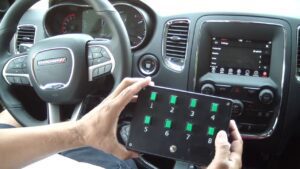

Modern vehicles are no longer “just” mechanical machines; they’re rolling networks of computers. Your vehicle is integrated with multiple electronic modules, each one managing a specific set of systems and sharing information through data networks. Sensors feed those modules real-time inputs (temperature, pressure, switch status, speed, position, voltage, and more), and the modules respond by commanding actuators, relays, and control strategies that keep performance sharp, drivability consistent, and the engine (and supporting systems) operating within safe limits.
One module that often raises questions; especially among fleet owners, commercial users, and anyone adding auxiliary equipment; is the Upfitter Electronic Module. In practical terms, the UEM is a dedicated computer that allows controlled integration of upfitter accessories (lights, relays, warning devices, PTO-related functions, etc.) without “hacking” into critical factory wiring. The UEM not only gives you a structured way to command auxiliary equipment, it also provides a safer method to access vehicle data and signals without interfering with other key components and networks.
Table of Contents
If you’ve been wondering what the UEM/VSIM actually does, how it communicates, why it sometimes appears “inactive,” and how to reset it when it stops responding, this guide is built for you. I’ll walk you through the fundamentals, then move into real-world wiring and diagnostics considerations so you can approach the system like a professional; carefully, methodically, and without guesswork. Let’s get started.
What is Upfitter Electronic Module and How does it work?
Many automakers design certain vehicles; particularly trucks and commercial platforms; with the expectation that owners will add specialized equipment. This could include work lights, emergency lighting, auxiliary power systems, PTO-driven devices, communication equipment, and other fleet or job-site add-ons. The computer that makes this kind of integration cleaner and more controlled is commonly referred to as the Upfitter Electronic Module (UEM).
Depending on the vehicle platform and manufacturer documentation, you may also see the same concept described as the Vehicle System Interface Module (VSIM) or the Upfitter Interface Module (UIM). While naming conventions vary, the central purpose remains consistent: it grants a structured interface to vehicle data and programmable inputs/outputs so upfitters can add functionality without compromising factory safety systems, network integrity, or warranty-sensitive wiring.
In a well-designed upfitter interface, you can connect to multiple functions and signals without altering the performance of other components. That’s the key value of a dedicated interface module: rather than splicing into random circuits (which increases the risk of voltage drop, noise, CAN bus errors, and long-term corrosion issues), the UEM provides defined connection points and logic pathways. These pathways use built-in input commands and communication outputs; commonly including a J1939 communication bus output; so the system can share data in a standardized way.
One critical point that often surprises owners: in many platforms, the VSIM/UEM is not a dealer-installable add-on. Rather, it is typically built into the vehicle during manufacturing when the truck is ordered with the appropriate upfitter package. Once the vehicle is assembled, the module may not be realistically “added later” in the same way you might add a light bar or radio. That limitation exists because the upfitter system may require factory wiring routes, harness provisions, network configuration, and module authorization that are integrated at build time.
The Upfitter Electronic Module (UEM) is designed with wired inputs and outputs specifically intended to support upfitting. On upfitter-ready trucks (for example, platforms commonly used for commercial builds), the UEM is frequently tied to PTO-related capabilities or control logic. PTO stands for Power Take-Off; a method of transmitting mechanical power from the vehicle’s engine to an external device without requiring that device to have its own engine. Common PTO applications include hydraulic pumps, winches, and specialized equipment on work trucks.
However, for PTO-linked functionality to operate correctly, the vehicle often must be PTO-prepped from the factory or through the appropriate build configuration. That’s because PTO integration can require specific hardware provisions, software configurations, and safety interlocks. The UEM then becomes the control interface that can command certain behaviors using J1939 messaging (digital network commands) or hardwire commands (physical input/output circuits).
The UEM enables the upfitter to control selected functions using the J1939 bus or hardwire commands. It is commonly available as a standard option when the upfitter package is selected. Its location is typically behind the knee blocker (the trim panel covering the steering column area), positioned under the steering column. If you need access, the connectors are usually reachable by carefully removing trim and then loosening the module’s mounting bracket. In many cases you can gently remove the VSIM mounting bracket using the correct screw tool, then reposition the bracket and module to access the connectors more comfortably.
The upfitter module hardware is designed to drive standard automotive loads such as LED indicators, relays, and analog outputs, while supporting multiple OEM baud rates and network protocols (depending on platform). This flexibility is what makes it so useful for controlling accessories like lighting systems. Many setups also allow programmable button behaviors through the EVIC (commonly known as the Electronic Vehicle Information Center; some sources misstate the acronym, but the practical concept is the same; an in-cabin information interface used for configuration). With EVIC programming, you can change how assigned inputs and outputs behave so the truck’s controls match your operational needs.
Understanding How UEM/VSIM Communicates (J1939 vs Hardwire)
To use the UEM intelligently; or to diagnose it when something doesn’t work; you need a basic understanding of the two major communication styles it supports: hardwire I/O and network messaging (often J1939, sometimes alongside other CAN-based networks depending on the platform).
Hardwire commands are direct electrical inputs and outputs. An input might be a switch you install in the cab; an output might be a wire that triggers a relay coil. This method is reliable, easy to visualize, and ideal for straightforward accessory control. The tradeoff is that hardwire circuits still require careful electrical design; proper fusing, correct gauge wire, weather-sealed connectors, and sound grounding practices.
J1939 commands are digital messages transmitted over a vehicle network. J1939 is widely used in commercial and heavy-duty applications because it standardizes how data (engine speed, status bits, requests, commands) is formatted and shared. The advantage is powerful: you can trigger actions based on actual vehicle conditions; engine running, vehicle speed, brake status, gear status; without splicing into each circuit. The module can “read” state from the network and make output decisions accordingly.
In practice, many upfitter builds use a blend of both: hardwire switches for user control, and J1939 data for context and safety logic. For example, an upfit system might allow an accessory to turn on only when the vehicle is in Park and the parking brake is applied. The button press is hardwire input; the park/brake verification comes from network data. The UEM/VSIM becomes the bridge that makes this structured and repeatable.
Key Features of Upfitter Electronic Module
The module is an exclusive interface device that helps you connect to different vehicle functions without literally cutting into factory wiring. From a professional upfitter’s perspective, that design reduces installation time, lowers the risk of electrical noise, and improves long-term reliability because connections are more controlled and less prone to corrosion or vibration-related failures.
Beyond its basic “connection convenience,” the UEM’s feature set is what makes it genuinely functional for advanced builds. Below are the primary features and what they mean in real-world use.
- Convenience: J1939 together with GM CAN, and FCA, all work to instantly generate a vehicle’s structural data.
- Automatic sleep mode when inactive to reduce battery consumption
- Data-driven control: Based on the vehicle’s data, the UEM enables other components like relay driver and output signals to control circuits
- Flexibility: Easy to operate output functions, due to user-friendly interface
- Extensive Control: Up to 4 or more inputs can control just one output.
- Streamlined troubleshooting: It makes troubleshooting easier through warning LED
- I/O capacity: It has seven low true outputs, one high true output and two low true inputs.
To add professional clarity to those points:
“Convenience” via J1939/CAN networks means the module can interpret and share standardized vehicle signals. Rather than chasing a dozen circuits with a multimeter, the module can pull “structural data” (vehicle status and operational conditions) through the network, then use that data to make safe decisions about outputs.
Sleep mode is particularly important for fleet vehicles and work trucks that may sit for extended periods. A module that stays awake can draw enough current to drain the battery; especially if auxiliary accessories are installed. By entering sleep mode when inactive, the UEM helps protect battery state-of-charge and reduces no-start incidents.
Data-driven control and relay driver logic is where the UEM becomes more than a “fancy fuse box.” It can combine multiple conditions (inputs, network messages, status bits) to control outputs. This is a major advantage for safety. For instance, you might want a PTO request to be ignored unless the brake is applied and vehicle speed is zero. The module can enforce that logic.
Flexibility and user-friendly operation is often realized through programming interfaces; factory configuration tools, EVIC menus, or upfitter software utilities; depending on platform. The goal is predictable behavior: the same button always does the same job under the same conditions.
Multiple inputs controlling one output is a practical feature in complex builds. For example, a single output could energize a relay that powers a lighting bank. That same output might be commanded by a manual switch, an automatic “door-open” condition, and a safety interlock. The module can unify these commands cleanly rather than forcing you to create messy diode networks or extra relays.
Warning LED troubleshooting is more valuable than it sounds. Upfitter issues can be electrical, logical, or network-related. A warning LED provides immediate feedback that helps you determine whether the module is powered, awake, and seeing the required conditions.
Low-true vs high-true outputs/inputs describe signal polarity. A low true output typically becomes active when pulled to ground; a high true output becomes active when driven to battery voltage. Understanding polarity is critical when wiring relays, LEDs, and interface devices; because wiring the wrong polarity can create “it’s powered but it doesn’t work” scenarios that look like module failure but are actually wiring logic mismatches.
VSIM Jumper Harnesses
When you order the upfitter package, you will typically receive a wiring harness intended to simplify accessory integration. On many truck platforms, this harness is stored in the cab structure; often described as the “spine” of the cab; in a designated compartment. The purpose of these harnesses is straightforward: they provide cleaner access points so you can route accessory wiring to under-hood or in-cab locations without improvising your own penetrations or splicing into factory wiring bundles.
In professional builds, this harness is a major time-saver. It reduces labor, improves reliability, and makes future service easier because accessory wiring follows a predictable path and uses known connectors rather than random splices buried in tape.
The VSIM jumper harness comes with a vehicle’s VSIM. It has four different colored connectors. The Black, Brown and Green connectors connect directly to the VSIM using matching cavities. Each colored connector has a specific number of cavities, and each cavity corresponds to a defined signal or output. This design prevents “guess wiring” and helps ensure accessories are tied to the intended signals.
Upfitter VSIM signals for the Black connector can include functions such as: High beam, Howler siren disabled, Driver seat belt not latched, Oil pressure warning signal, left turn signal, and more. The Green connector signals can include: Engine shutdown timer disable, Door unlock (all) function, Auxiliary/cluster lighting dimmer, and more.
From an upfitter’s perspective, these are valuable because they let you build smarter behavior. For example, using a high beam signal and a “seat belt not latched” status can support specific fleet policies. Using door unlock and cluster dimmer can allow a lighting system to behave in a way that feels factory-integrated rather than aftermarket.
Five of the Brown connector signals are Split shaft PTO – digital input, Rear bulb out detection off, and three different PTO engine speed signals. All must be plugged into the correct labeled connector and cavity to function properly. Because PTO signals are safety-relevant, correct pinning matters; incorrect wiring can cause unexpected behavior, disabled functionality, or faults that look like module failure.
Best practice tip: Always reference your service information and cavity labeling before making final connections. Even experienced installers can confuse cavity positions if they work from memory. A few minutes of verification prevents hours of diagnostic frustration later.
Common Upfitter Use Cases (What People Typically Control with UEM/VSIM)
To make the UEM feel less abstract, it helps to connect it to real-world applications. Upfitters commonly use UEM/VSIM systems to integrate:
- Work lights (scene lighting, bed lighting, utility lighting)
- Warning devices (light bars, strobes, directional arrows)
- Audible alerts (sirens, howlers; where legally permitted)
- Idle management and PTO-related requests (where supported)
- Accessory power enable/disable logic tied to vehicle state
- Interlocks that prevent accessory activation unless conditions are safe
The key theme is controlled integration. Rather than treating accessories as separate “islands,” the UEM allows them to behave like an extension of the vehicle; reacting to ignition state, speed, brake status, and other signals in a predictable way.
Conditions under which VSIM may not function
Even well-designed systems can appear to “fail” under certain conditions. When uplift components connected to the Vehicle System Interface Module (VSIM) malfunction, the reason is often related to vehicle state, module wake/sleep behavior, or network inactivity rather than a permanently damaged module.
The uplift components connected to the vehicle system interface module (VSIM) may malfunction at times. The reason is not far-fetched.
- VSIM signals will not function if the vehicle is not awake.
- If VSIM locks become inactive
- If the vehicle communication bus is inactive, all signals (Inputs, Outputs and J1939) will not work
- If the key is turned in the off position while the vehicle is in sleep mode, the VSIM will not function.
Let’s translate those conditions into practical meaning:
1) Vehicle not awake: Many modules power down when the vehicle enters sleep mode to protect the battery. If the truck is asleep, the VSIM may not provide outputs, and network messaging can be paused. This can look like “dead outputs” even though the module is fine.
2) VSIM locks inactive: Some systems include internal logic locks; configuration states that prevent outputs from energizing unless certain conditions are met. This prevents unintended activation. If those locks are inactive (or not satisfied), the module may refuse to operate the output, even if the wiring is correct.
3) Communication bus inactive: If the vehicle communication bus is down or asleep, the VSIM can’t reliably exchange data. When that happens, inputs, outputs, and J1939 functions may not operate. Bus inactivity can be normal (sleep mode) or abnormal (network fault, low voltage, module communication issue).
4) Key off while vehicle is in sleep mode: This is a common scenario: the vehicle is turned off, the network goes to sleep, and the VSIM shuts down. If your build expects an accessory to work with key-off, you must confirm whether the platform supports that behavior and how it is configured; because many vehicles will intentionally block accessory activation in key-off sleep states.
Expert takeaway: when an upfitter accessory stops working, don’t assume “module failure” first. Confirm vehicle wake state, check for bus activity, verify configuration locks, and only then move into component-level diagnostics.
How to Diagnose inactive VSIM
In many cases, an inactive or unresponsive VSIM can be corrected through software updates, configuration verification, or a controlled reset. Since the VSIM is part of a networked vehicle, diagnosing it is best done in layers: confirm it is present on the bus, confirm it has power and ground, then confirm software status and configuration.
It is possible to correct some of these issues by updating the VSIM with the newest software. The wiTECH tool is one device commonly used to check whether the VSIM is active on the bus. If active, you may be able to reset the part and/or install the latest software into the VSIM, which can resolve known bugs, communication glitches, or compatibility problems with other updated modules.
From a professional viewpoint, a software update is not just a “nice to have.” Vehicles receive periodic firmware revisions that improve stability, address known faults, and refine logic. If your vehicle has had other module updates but the VSIM remains on older software, you can sometimes see odd behavior; especially where network messaging is involved.
If the VSIM isn’t active, a manual reset can sometimes restore operation. You can lower the VSIM and disconnect the connector to reset the module. The VSIM is commonly located beneath the dash area, near the park brake pedal.
Use the following controlled steps:
- Press up on the module,
- Release the tab,
- Lower the VSIM.
- Disconnect the VSIM connector for 30 seconds
Important handling guidance: When you disconnect and reconnect a module connector, do so gently and ensure it is fully seated. Partial engagement can create intermittent communication, which is often worse than a complete failure because it leads to unpredictable behavior.
After reconnecting, allow the vehicle to complete its normal wake cycle. Then test your upfitter outputs and any programmed functions. If the VSIM becomes active again, the issue may have been a transient state problem or a temporary bus communication fault.
Once you complete this procedure and the VSIM remains inactive, you may need to consult your service manual and perform deeper diagnostics. At that stage, the next logical checks typically include:
- Confirming power and ground integrity at the VSIM connector
- Checking for network (bus) faults that may prevent module communication
- Scanning for diagnostic trouble codes related to communication or module authorization
- Verifying that the vehicle is properly configured for the upfitter package (where applicable)
If you are working in a fleet environment, document your findings (symptoms, conditions when it fails, and any recent repairs). That documentation speeds up professional troubleshooting significantly.
Common Symptoms When the UEM/VSIM “Goes Bad” (or Appears To)
Owners often describe a UEM/VSIM issue as “the module went bad,” but in practice the symptoms can result from power issues, network sleep behavior, configuration locks, or accessory wiring faults. Still, certain symptom patterns are useful because they help you decide whether the issue is likely module-side or installation-side.
Typical symptom patterns include:
- Accessory outputs that worked previously now do nothing, with no obvious wiring damage
- Outputs work only intermittently (often after bumps, temperature changes, or wash events)
- Upfitter buttons appear programmed but do not trigger the expected relay output
- Module appears missing/inactive on the bus when scanned with diagnostic tools
- Warning LED indicates an abnormal state (depending on platform design)
These symptoms are not proof of module failure; but they’re strong indicators that you should verify the basics: wake state, connector engagement, power/ground, and bus activity.
Professional Wiring Practices (So the VSIM Doesn’t Get Blamed for Installation Problems)
A large percentage of “module problems” are actually wiring design issues. The VSIM/UEM is meant to create a structured interface, but it cannot compensate for poor electrical practices downstream. If you’re building or maintaining an upfit system, the following professional habits prevent many common failures:
- Fuse every accessory circuit appropriately and as close to the power source as practical.
- Use relays for high-current loads instead of trying to drive them directly from a low-current output.
- Confirm polarity (low-true vs high-true) before wiring a relay coil or LED.
- Protect connectors with proper sealing and strain relief; vibration is a silent killer on work trucks.
- Use correct wire gauge and routing; undersized wiring can cause voltage drop that looks like “module weakness.”
- Ground correctly (clean, solid chassis ground points) rather than stacking multiple grounds on questionable fasteners.
If an accessory is miswired (for example, a relay coil is wired in the wrong polarity), the system can appear dead. Or worse, it can create backfeed conditions that confuse module logic. Clean wiring practices protect both the vehicle and your diagnostic sanity.
FAQs
What is Upfitter electronic module used for?
The Upfitter Electronic Module is used to provide an electrical and data-driven method of simplifying how accessories and specialized functions are added to a vehicle. It helps support customized features based on the vehicle owner’s needs; particularly in commercial and fleet settings; while reducing the need to modify critical factory wiring. Auto owners and upfitters often consider reliable access to vehicle structural data important, and a component like the UEM/VSIM becomes a controlled gateway to those signals and programmable outputs.
Is Upfitter Electronic Module the same as VSIM?
Yes. The Upfitter Electronic Module (UEM) is the same concept as the Vehicle System Interface Module (VSIM) in many platforms. In some other vehicles, the same module may also be called the Upfitter Interface Module (UIM). While the name can differ by vehicle model or documentation, the practical function remains the same: it provides a structured interface for upfitter inputs/outputs and vehicle data access without disrupting other systems.
What is the location of the VSIM connectors?
The VSIM connectors face toward the front of the truck; essentially the same direction you face while driving. To access them, you typically need to pull out or reposition the VSIM mounting bracket and the VSIM itself. Since the module is often mounted under the steering column area behind trim (such as the knee blocker), careful trim removal and gentle handling of the bracket helps avoid broken clips or connector stress.
How do I know whether a VSIM issue is software-related or wiring-related?
In general, a software-related issue is more likely when the VSIM appears on the bus (it’s “visible” to diagnostic tools like wiTECH), but certain programmed behaviors do not work correctly or the module acts inconsistently across key cycles. A wiring-related issue is more likely when specific outputs fail, when problems correlate with vibration/moisture, or when the VSIM drops offline intermittently. The most reliable approach is scanning for faults, verifying bus activity, then confirming power/ground and connector integrity.
Can I add a VSIM/UEM after the vehicle is already built?
On many platforms, the VSIM/UEM is not intended as a dealer-installed retrofit. It is typically integrated at the factory when the upfitter option is ordered because the build includes specific harnesses, network configuration, and provisions that may not be easily added later. The best path is to confirm your vehicle’s build options and consult platform-specific service information.
Final Wrap
An Upfitter Electronic Module; also commonly called the VSIM; is essentially the vehicle’s official “bridge” for upfitting. It provides augmentation by giving upfitters reliable and fast access to vehicle system signals, while offering programmable inputs/outputs to control accessories in a structured way. The module contains multiple power and signal-handling features designed to simplify integration, reduce unnecessary wiring modifications, and help manage power consumption (especially through sleep behavior).
Upfitting can add protective functions, increase control options, and improve day-to-day efficiency; particularly in commercial use where time, safety, and reliability matter. When the UEM/VSIM appears inactive, the solution is often found through disciplined troubleshooting: confirm the vehicle is awake, verify bus activity, check configuration locks, update software where applicable, and use a controlled connector reset if needed. I hope this article helps you understand the system clearly and make informed decisions whether you’re building an upfit, diagnosing an issue, or planning future upgrades.