
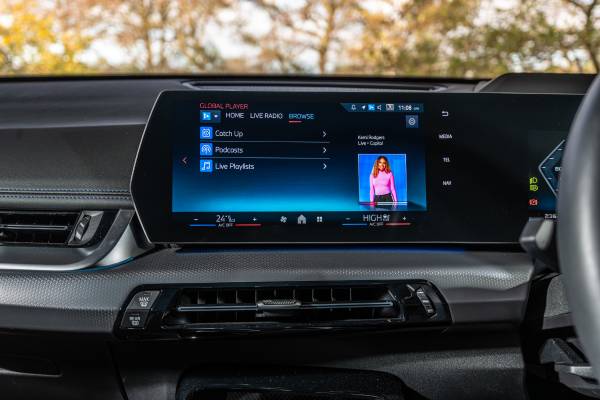
You turn the key in your BMW, ready to enjoy your morning commute with some good music or maybe catch up on the news. But instead of your favorite station or podcast, you get nothing. Complete silence. Or maybe the screen is frozen. Perhaps Bluetooth refuses to connect no matter how many times you try.
Sound familiar? You are not alone. Thousands of BMW owners wake up to this frustration every single day. The good news is that most BMW radio problems have solutions that do not require selling your kidney to afford the repair.
This guide will walk you through everything you need to know about BMW radio issues. We will cover the most common problems, explain what causes them in plain English, and show you how to fix them. Some solutions you can handle in your driveway. Others need a professional touch. Either way, you will know exactly what you are dealing with by the time you finish reading.
Buckle up. We are about to get your sound system back where it belongs.
Why BMW Radios Fail More Often Than You Would Think
BMW builds exceptional vehicles with cutting-edge technology. But here is the thing: all that technology creates more points of failure. Your radio is not just a simple AM/FM receiver anymore. It is a complex computer system integrated with navigation, Bluetooth, telecommunications, voice control, and multiple audio sources.
Think about it this way. A 1990s radio had maybe a dozen components. Your modern BMW infotainment system has hundreds, all connected through fiber optic cables and digital networks. When any one of those components fails, the whole system can go down.
The iDrive system, which controls most functions in newer BMWs, is particularly sensitive to electrical issues, software glitches, and module failures. The MOST (Media Oriented System Transport) bus that connects everything uses light signals through fiber optic cables. One broken connection can cascade into multiple system failures.
Temperature extremes also wreak havoc on these systems. If you live somewhere that gets brutally hot summers or freezing winters, your BMW radio components face constant expansion and contraction. Over time, this stress can cause solder joints to crack, connections to loosen, and components to fail prematurely.
When Your BMW Radio Goes Silent: No Sound or Reception
Let us start with the most frustrating problem: complete radio silence. You see the screen working. The controls respond. But when you try to play music or listen to the radio, nothing comes out of the speakers.
Check the Obvious Stuff First (Seriously, Do This)
Before you start tearing apart your dashboard, check the volume. I know this sounds insulting to your intelligence, but you would be surprised how often the volume gets turned all the way down or muted accidentally. Check both the main volume control and the individual source volume settings.
Look at your balance and fade settings too. If the balance is pushed all the way to the left and you are sitting on the right side, you might not hear anything. Same goes for fade settings pushed entirely to the rear when your front speakers are the only ones working.
Try switching between different audio sources. Does AM work but not FM? Does Bluetooth play but not USB? This tells you whether the problem is with a specific source or the entire audio output system.
Blown Fuses Kill Sound Faster Than Anything
Fuses are designed to protect your electrical systems by sacrificing themselves when too much current flows through a circuit. A blown fuse is one of the most common causes of complete radio failure in BMWs.
Your BMW has multiple fuse boxes. Most models have one in the glove box area and another in the trunk, usually on the right side behind a panel. Some models also have fuses under the hood. Your owner’s manual shows you exactly where to look for your specific model and year.
You are looking for fuses related to the radio, amplifier, and infotainment system. Common fuse labels include “Radio,” “Audio,” “Amplifier,” “CDC” (CD Changer), and “TEL” (Telematics). Pull each suspect fuse and inspect it carefully.
A blown fuse will have a broken metal strip inside the clear plastic housing. Sometimes the break is obvious. Other times you need to look closely or test with a multimeter. Replace any blown fuses with ones of the exact same amperage rating. Never, ever use a higher amperage fuse. That is asking for electrical fires.
But here is the important part: fuses blow for a reason. If you replace a fuse and it blows again immediately, you have a short circuit somewhere that needs professional diagnosis. Stop replacing fuses and get the car to a shop.
The Antenna Connection You Probably Forgot About
If you have no radio reception but other audio sources work fine, your antenna is probably the culprit. BMW antennas are typically integrated into the rear window or embedded in the roof as a “shark fin” module.
The antenna connects to your radio through a coaxial cable. Over time, this connection can work loose, corrode, or get damaged. If you recently had any work done on your car, especially interior work or rear window replacement, someone might have disconnected the antenna and forgotten to reconnect it properly.
Checking the antenna connection requires accessing the area behind your radio unit, which varies by model. In many BMWs, you need to remove trim panels or the entire radio unit to see the antenna connection. If you are not comfortable doing this, a shop can check it quickly.
Look for a small coaxial cable with a round connector. Make sure it is firmly seated in the antenna input on the back of the radio. Inspect the cable for damage. If the outer shielding is broken or the center conductor is bent, the cable needs replacement.
Dead Amplifiers and Failed Speakers
Most BMWs come with separate amplifiers that power the speakers. The radio head unit sends audio signals to the amplifier, which boosts them and sends them to individual speakers. When the amplifier fails, you get no sound even though everything else appears to work.
The amplifier location varies by model. In many vehicles, it sits under a front seat, in the trunk, or behind trim panels. Like the radio itself, the amplifier has its own fuse. Check that first before assuming the amplifier is dead.
Testing an amplifier properly requires some electrical knowledge and a multimeter. You need to verify that the amplifier is receiving power, ground, and signal from the radio. If all inputs are correct but there is no output, the amplifier has failed.
Amplifier replacement costs vary wildly. Aftermarket units run $200 to $500. OEM BMW amplifiers can cost $800 to $1,500 or more. Labor adds another $200 to $500 depending on how hard the amplifier is to access.
Individual speaker failure is less common than amplifier problems but still happens. Speakers can blow from age, moisture damage, or playing music too loud for too long. Testing speakers requires removing door panels or other trim to access them directly.
Bluetooth Nightmares: When Your Phone Refuses to Connect
Bluetooth connectivity issues probably rank as the number one complaint among BMW owners with functioning radios. The technology that should make your life easier instead becomes a daily source of frustration.
The Universal Fix That Works More Often Than It Should
Before diving into complex solutions, try the classic “turn it off and back on again” approach. I know it sounds too simple, but Bluetooth systems are computers, and computers get confused.
Start by turning off Bluetooth on your phone completely. Wait ten seconds. Turn it back on. On your BMW’s iDrive system, go into the Bluetooth settings and delete your phone from the paired devices list. Then delete your BMW from your phone’s Bluetooth settings.
Now pair them fresh as if connecting for the first time. This clears any corrupted pairing data that might be causing connection problems. Make sure your phone is not connected to any other Bluetooth devices when you attempt the pairing.
Real-world example: Jessica drives a 2015 BMW 328i. Her iPhone would connect to the car sometimes but not others. She spent weeks frustrated before trying a complete deletion and re-pairing. The problem vanished immediately. Sometimes the simplest solutions work best.
Software Updates Fix More Than You Think
BMW releases software updates for their infotainment systems regularly. These updates fix bugs, improve compatibility with newer phones, and enhance performance. Running outdated software can cause all sorts of connectivity issues.
Checking for updates varies by model year and system. Newer BMWs can download and install updates over the air through their cellular connection. Older models need updates installed at a dealership or through a USB drive.
Visit the BMW ConnectedDrive website and log into your account. Enter your VIN to see if updates are available for your vehicle. Some updates you can download and install yourself using a USB drive. Others require dealer installation because they involve critical systems.
A software update at a dealer typically costs $150 to $300 depending on how many systems need updating and how long the process takes. That might seem expensive, but it is cheaper than replacing hardware because your software is too old to function with modern devices.
The Bluetooth Module Might Be Toast
If pairing works but audio quality is terrible, connections drop randomly, or the system freezes when you try to use Bluetooth, the Bluetooth module itself might be failing. This is a separate component from the main radio unit in many BMWs.
The Bluetooth module communicates with the radio through the MOST bus network we mentioned earlier. When the module fails, it can cause problems throughout the infotainment system, not just with Bluetooth functions.
Diagnosing a failed Bluetooth module requires a BMW-specific scan tool that can read fault codes from the infotainment network. General OBD scanners usually cannot access these systems. A BMW specialist or dealership can perform this diagnostic.
Bluetooth module replacement runs $400 to $800 for the part plus $200 to $400 for labor. The module location varies by model but is often behind the glovebox or integrated into the radio unit itself.
iDrive System Failures: When Your Screen Goes Dark or Freezes
The iDrive system controls navigation, entertainment, vehicle settings, and more in modern BMWs. When it fails, you lose access to critical functions. Sometimes the screen goes completely black. Other times it freezes on one screen. Occasionally it reboots constantly in an endless loop.
The Reset That Fixes 50 Percent of iDrive Problems
Most iDrive issues respond to a simple reset. This is like rebooting your computer when it starts acting weird. The process varies slightly between BMW models and iDrive generations, but the basic approach is the same.
For most models, press and hold the power button (or the volume knob, which doubles as the power button on many systems) for 20 to 30 seconds. Keep holding even if the screen goes black. The system will restart, usually displaying the BMW logo during boot-up.
Some owners report better results by turning off the car, removing the key, waiting five minutes, then performing the reset procedure. The waiting period allows capacitors to fully discharge, giving you a “cleaner” reset.
If a simple reset does not work, you can try a deeper reset by disconnecting the car battery. Remove the negative cable and wait 15 minutes before reconnecting. This forces every electrical system in the car to reset.
Fair warning: disconnecting the battery erases radio presets, seat memory positions, and other custom settings. Your car might also need to “relearn” certain functions like the automatic transmission shift points. But if your iDrive is frozen or stuck in a boot loop, this nuclear option sometimes works when nothing else does.
Navigation Issues and Map Update Problems
Navigation problems in BMWs usually stem from outdated maps, corrupted map data, or failed hard drives. The navigation system stores massive amounts of map data on an internal hard drive or solid-state storage.
Hard drives hate vibration and heat. Your car provides both in abundance. Over time, hard drives fail. When they do, navigation becomes unreliable or stops working entirely. You might see error messages about being unable to read map data, or the navigation might freeze when calculating routes.
Map updates for BMWs are expensive, often costing $200 to $400 depending on your region and map coverage. You can purchase updates online and install them yourself using a USB drive in many models. This process can take several hours, so plan accordingly.
If your navigation was working fine and suddenly stopped, an update might have corrupted the data. Some owners have success rolling back to previous map versions or reinstalling the current version fresh.
Failed hard drives require replacement. A new navigation hard drive runs $500 to $1,200 depending on the model. Installation is usually straightforward, but the unit needs programming with your VIN and might require dealer installation for activation.
CIC and CCC Head Unit Failures
BMW used different generations of head units over the years. The CCC (Car Communication Computer) appeared in older models from about 2004 to 2008. The CIC (Car Information Computer) came next, from roughly 2008 to 2013. NBT (Next Big Thing) systems arrived in 2013 and newer models.
Each system has its own common failure modes. CCC units are known for pixelated screens, which usually means the LCD display is dying. CIC systems often develop hard drive failures or processor problems. NBT systems have fewer known issues but can still fail.
When the head unit itself fails, you have several options. You can replace it with a used unit from a salvage yard (cheapest option but risky). You can buy a remanufactured unit (better reliability, moderate cost). Or you can purchase a new unit from BMW (most expensive but comes with a warranty).
Here is the catch with replacement head units: they need to be programmed to your specific vehicle. VIN coding tells the unit what features your car has and how to communicate with other modules. This requires dealer-level scan tools in most cases.
Total cost for head unit replacement ranges from $1,000 for a used unit with DIY installation to $4,000 or more for a new unit with dealer installation and programming.
SOS Lights and Telecommunication Gremlins
That little SOS button in your BMW connects you to emergency services and roadside assistance. It is part of the larger telecommunications system that also handles Bluetooth phone calls, internet connectivity, and concierge services.
When the SOS light stays on, flashes, or you get telecommunication error messages, the TCU (Telematics Control Unit) or related components have developed a fault.
Why the SOS Light Stays Lit
The most common reason for a persistent SOS light is a failed backup battery in the TCU module. This small battery allows the SOS system to function even if the main car battery is disconnected in an accident. After several years, this backup battery dies.
When the backup battery fails, the system cannot verify that emergency functions will work, so it lights up the SOS indicator as a warning. The main telecommunications functions might work fine, but the emergency backup is compromised.
Some BMW models allow TCU backup battery replacement as a separate service. Others require replacing the entire TCU module. A scan tool can tell you which situation you face.
TCU modules live in various locations depending on the model. Common spots include the trunk area, under the rear seat, or behind the glovebox. Access is usually not too difficult, but programming the new module requires professional equipment.
Antenna Problems That Kill Cellular Connectivity
Your BMW has multiple antennas: one for AM/FM radio, one for GPS, and one for cellular communications. The cellular antenna connects your TCU to the mobile network for internet, phone calls, and emergency services.
Cellular antenna problems cause dropped calls, failed internet connections, and SOS system errors. The antenna is often integrated into the shark fin on the roof or embedded in the rear window.
Testing antenna function requires specialized equipment that can measure signal strength and quality. Most independent shops cannot perform this test. Dealerships have the proper tools.
If the antenna assembly has failed, replacement typically runs $300 to $600 for the part plus labor. Roof-mounted shark fin antennas are easier to replace than window-embedded antennas, which might require replacing the entire window in severe cases.
Going Deeper: Advanced Troubleshooting Techniques
If basic troubleshooting has not solved your BMW radio problems, you might need to dive deeper into the vehicle’s communication networks and electrical systems. This is where things get technical, but understanding these concepts helps you communicate better with mechanics and potentially save money on unnecessary repairs.
Understanding the MOST Bus Network
The MOST (Media Oriented System Transport) bus is a fiber optic network that connects infotainment components in your BMW. Think of it as a ring of Christmas lights: when one bulb fails, the whole string goes dark. That is similar to how the MOST bus works.
The network forms a loop. Signals travel as light pulses through fiber optic cables from one module to the next, eventually completing the circle back to the starting point. Radio, amplifier, navigation, CD changer, phone module, and other components all sit on this loop.
When one module fails or a fiber optic cable breaks, the loop breaks. This can cause multiple systems to fail simultaneously. You might lose radio, navigation, and phone functions all at once even though only one component has actually failed.
Optical Loop Testing for the Win
You can test the MOST bus optical loop to identify which component has broken the network. This requires a fiber optic loop tool, which is essentially a short fiber optic cable with connectors on both ends.
The basic process works like this:
- Locate the MOST junction box (often behind the glove box or in the trunk)
- Disconnect one module from the network
- Use the fiber optic loop to bypass that module, reconnecting the loop without it
- Check if the system starts working
- If yes, the bypassed module is faulty
- If no, reconnect that module and test the next one
This method helps pinpoint the exact failed component without guessing or replacing parts blindly. Professional diagnosis using this technique typically costs $150 to $300 but can save you thousands in unnecessary parts replacement.
When Other Modules Cause Radio Problems
Because everything connects through the MOST bus, failures in seemingly unrelated modules can cause radio problems. The speed module, which monitors wheel speed for ABS and traction control, sits on the network. So does the airbag module.
If either of these modules fails, it can break the MOST loop, killing your radio even though the radio itself is perfectly fine. This is why proper diagnosis matters. Replacing the radio will not fix anything if the airbag module is what actually broke the network.
Using a BMW-specific scan tool, a technician can see which modules are communicating on the network and which are not. This narrows down the search considerably.
Testing Power and Ground Circuits
Sometimes radio problems come down to basic electrical issues: no power or bad ground connections. Testing these requires a multimeter, which you can buy for $20 to $50 at any auto parts store.
The radio needs constant power (for memory functions), switched power (turns on with the ignition), and a solid ground connection. Testing each circuit tells you if power supply is the problem.
Set your multimeter to DC voltage (20V range). Touch the black probe to a good ground (bare metal on the car body). Touch the red probe to the power terminals on the back of the radio harness. You should see:
- 12 volts on the constant power wire (usually yellow) with the key off
- 12 volts on the switched power wire (usually red) with the key in the accessory or on position
- 0 volts on the ground wire (usually black or brown) when tested against battery positive
If any of these readings are wrong, you have found your problem. Trace the faulty wire back to find breaks, corrosion, or blown fuses.
Getting Your Radio Code After Battery Replacement
Some BMW radio systems require entering a security code after the battery has been disconnected or replaced. This anti-theft feature prevents stolen radios from working in other vehicles. But it also causes headaches for legitimate owners who do not have their code.
Your radio code should be in your owner’s manual documentation. Some dealers write it on a card and give it to the original owner. If you bought the car used, you might not have this information.
You can retrieve the code several ways:
From the dealer: Bring your VIN, registration, and ID to a BMW dealership. They can look up the radio code in their system. Some dealers provide this free. Others charge $50 to $100 for the service.
From the radio serial number: Various online services can generate radio codes from the serial number. You will need to remove the radio to read the serial number off the label. These services typically cost $10 to $30 and deliver codes via email within hours.
From specialized shops: Some independent BMW specialists have the software and databases to retrieve radio codes. They usually charge similar to dealerships but might be more convenient.
Once you have the code, entering it varies by radio model. Most systems prompt you to enter the code using preset buttons or the number pad. Enter it carefully because multiple wrong attempts can lock the radio, requiring dealer intervention to unlock.
What About Recalls and Warranty Coverage?
Before you spend a dime on repairs, check whether your radio problem falls under a recall or warranty coverage. BMW has issued various recalls and extended warranties for infotainment system issues over the years.
How to Check for Active Recalls
Visit the BMW recall website and enter your VIN (Vehicle Identification Number). You can find your VIN on the driver’s side dashboard (visible through the windshield) or on your registration documents. The system will show any open recalls for your specific vehicle.
Recall repairs are free, period. The dealer must fix recall issues at no charge regardless of your vehicle’s age, mileage, or warranty status. If a recall covers your radio problem, do not let any shop charge you for the repair.
You can also call the BMW recall hotline at (800) 525-7417 for recall information. Have your VIN ready when you call.
Understanding Your Warranty Coverage
BMW’s new vehicle limited warranty covers the infotainment system for four years or 50,000 miles, whichever comes first. If your vehicle is within this period, radio repairs should be free unless the damage resulted from abuse, modification, or accident damage.
Certified Pre-Owned BMWs come with extended warranties that might cover radio issues. Check your CPO warranty documents for specific coverage details.
Even if your factory warranty has expired, check whether BMW has issued any Technical Service Bulletins (TSBs) or extended warranty coverage for your specific problem. Certain widespread issues get extended coverage beyond the standard warranty period.
For example, some model years had known issues with failed Bluetooth modules or defective amplifiers. BMW quietly extended warranty coverage for these issues on affected vehicles. Your dealer can check if your car qualifies for any extended coverage programs.
Dealing with SiriusXM Issues Separately
SiriusXM satellite radio has its own set of problems independent from your BMW’s radio system. The most common issue is missing channels or a message that your subscription needs attention even though you are paying for service.
Refreshing Your SiriusXM Signal
SiriusXM receivers occasionally need signal refreshes to update channel lineups and verify your subscription status. This is a simple process that fixes most SiriusXM-related issues.
Park your car outside with a clear view of the sky. Tall buildings, parking garages, and heavy tree cover can block satellite signals. Start your vehicle and turn the radio to a SiriusXM channel.
Log into your SiriusXM account online. Find the option to refresh your radio (usually under radio management or troubleshooting). Send the refresh signal.
The refresh can take up to 30 minutes to complete. Leave your radio on and tuned to a SiriusXM channel during this time. Once the refresh completes, all your subscribed channels should appear.
If refreshing does not work, verify that your subscription is actually active and paid up. SiriusXM will cut service for non-payment but sometimes sends confusing error messages instead of clearly stating the account is suspended.
When the SiriusXM Tuner Dies
The SiriusXM tuner is a separate module from your main radio. When it fails, you will see error messages about the satellite radio being unavailable or you will get no SiriusXM reception at all.
Testing the tuner requires checking whether it receives power and ground, and whether it communicates with the radio head unit. A failed tuner needs replacement, which costs $200 to $400 for the module plus installation labor.
Some owners skip replacing failed SiriusXM tuners and just use Bluetooth streaming instead. With modern smartphones and unlimited data plans, streaming your favorite satellite channels through the SiriusXM app often makes more sense than paying for hardware repairs.
Prevention Tips That Actually Work
An ounce of prevention beats a pound of cure. These simple practices can prevent many radio problems before they start.
Keep Your Software Updated
Regular software updates fix bugs, improve compatibility, and enhance performance. Check for updates every six months and install them promptly. This prevents many of the glitches and compatibility problems that plague older software versions.
Be Gentle with the Controls
Slamming buttons, forcing knobs, or aggressively pressing the touchscreen can damage sensitive components over time. Treat your infotainment controls with respect and they will last longer.
Protect Against Extreme Temperatures
If you live somewhere with brutal summers, park in shade when possible or use a windshield sunshade. Excessive heat accelerates electronic component failure. Same goes for extreme cold. Give your car a minute to warm up before expecting the infotainment system to work perfectly.
Maintain Your Battery Health
A weak or failing battery causes voltage fluctuations that can damage sensitive electronics. Replace your battery proactively when it starts showing signs of weakness. This protects your radio and every other electrical component in your vehicle.
When to DIY and When to Call the Pros
Some radio repairs you can tackle at home. Others absolutely require professional expertise. Knowing which is which saves you time, money, and frustration.
Safe DIY Projects
These tasks are generally safe for home mechanics with basic tools and skills:
- Checking and replacing fuses
- Performing system resets
- Cleaning battery terminals
- Checking antenna connections (if accessible)
- Installing software updates via USB
- Deleting and re-pairing Bluetooth devices
- Testing basic electrical connections with a multimeter
Jobs for the Professionals
Leave these tasks to qualified technicians:
- MOST bus optical loop testing
- Module replacement and programming
- Fiber optic cable repair
- Head unit replacement and coding
- Amplifier diagnosis and replacement
- Any repair requiring removal of airbags or steering column components
- Software updates that require dealer-level tools
Working on infotainment systems involves risk. One wrong move can turn a simple problem into an expensive disaster. If you are not confident in your abilities or do not have the proper tools, professional help is worth the cost.
Choosing the Right Shop for BMW Radio Repairs
Not all repair shops are created equal when it comes to BMW infotainment systems. These are complex, proprietary systems that require specialized knowledge and tools.
Dealerships Versus Independent Specialists
BMW dealerships have factory training, proper diagnostic tools, and access to the latest technical information. But they charge premium labor rates, often $150 to $200 per hour or more. Parts pricing is also at the high end.
Independent shops specializing in BMW and other European brands often provide comparable expertise at lower rates. Labor might run $100 to $150 per hour, and they can source quality aftermarket or used parts to reduce costs.
Look for independent shops with good online reviews, ASE certified technicians, and the proper BMW diagnostic equipment. Ask if they have experience with your specific model and the particular problem you are facing.
Questions to Ask Before Committing
Before handing over your keys and credit card, ask these questions:
- Do you have BMW-specific diagnostic equipment?
- How much experience do you have with this particular problem?
- Can you provide a written estimate before starting work?
- What warranty do you offer on parts and labor?
- Can I see customer reviews or references?
- Do you have loaner vehicles or shuttle service available?
A reputable shop will answer these questions confidently and transparently. Vague answers or reluctance to provide estimates should raise red flags.
What You Can Expect to Pay
Radio repair costs vary wildly based on what is actually wrong, where you take it, and what parts you choose. Here is a realistic breakdown:
| Repair Type | DIY Cost | Independent Shop | Dealership |
|---|---|---|---|
| Fuse replacement | $2 – $5 | $50 – $100 | $75 – $150 |
| System reset/software update | Free – $50 | $100 – $200 | $150 – $300 |
| Bluetooth module replacement | $300 – $500 | $600 – $1,000 | $900 – $1,500 |
| Amplifier replacement | $200 – $600 | $500 – $1,200 | $800 – $2,000 |
| Radio head unit replacement | $500 – $1,500 | $1,200 – $2,500 | $2,000 – $4,000 |
| TCU module replacement | $400 – $800 | $700 – $1,400 | $1,200 – $2,200 |
| Navigation hard drive replacement | $500 – $800 | $800 – $1,500 | $1,200 – $2,000 |
| MOST bus diagnosis | Not DIY | $150 – $400 | $200 – $500 |
| Fiber optic cable repair | $50 – $150 | $200 – $500 | $300 – $700 |
These are general estimates. Actual costs depend on your location, specific model, and current market conditions. Always get a written estimate before authorizing repairs.
Real Stories from Real BMW Owners
Sometimes hearing how others solved their problems helps you tackle your own.
Tom’s 2010 335i mystery: Tom’s iDrive screen would randomly freeze or reboot while driving. Dealership quoted $2,400 for a new head unit. He got a second opinion from an independent BMW specialist who traced the problem to a failing speed module on the MOST bus network. A $600 speed module replacement fixed everything. The lesson here is that proper diagnosis beats guessing and replacing expensive parts.
Maria’s Bluetooth frustration: Maria could not get her new iPhone to pair with her 2013 X5 no matter what she tried. She was ready to upgrade the entire radio system for $3,000. Before pulling the trigger, she tried one last thing: a complete system reset by disconnecting the battery for 30 minutes. After reconnecting, the pairing worked perfectly. Sometimes the simplest solutions work when nothing else does.
David’s no-sound saga: David’s 2015 428i had perfect video but zero audio. He checked fuses, reset the system, and tested every setting he could find. Nothing worked. He took it to a shop that discovered a blown amplifier fuse in the trunk fuse box. The $3 fuse he had missed during his checks would have saved him the $150 diagnostic fee. The moral is to check every fuse, not just the obvious ones.
Your Next Steps to Getting Sound Back in Your Life
Your BMW radio is not just entertainment. It is part of your driving experience, your safety systems, and your connection to the outside world. When it stops working, you lose more than just music.
Start with the basics. Check fuses, try a system reset, verify your settings are correct. These simple steps fix a surprising number of problems without costing a penny.
If basic troubleshooting fails, do not guess. Proper diagnosis from someone with the right tools and knowledge saves money in the long run. The cost of diagnosis is insurance against throwing money at the wrong repairs.
Check for recalls and warranty coverage before spending money. You might be entitled to free repairs and not even know it.
Remember that your BMW is a sophisticated machine. Respect that complexity and do not be afraid to call in experts when you need them. But also remember that you are not helpless. Many problems have simple solutions that anyone can implement.
The silence in your car right now does not have to be permanent. Armed with the information in this guide, you can identify the problem, understand your options, and make informed decisions about repairs. Whether you fix it yourself or hand it to a professional, you now know what questions to ask and what answers to expect. That knowledge alone is worth more than the most expensive repair because it puts you in control of the situation instead of at the mercy of whoever happens to be holding a wrench.