
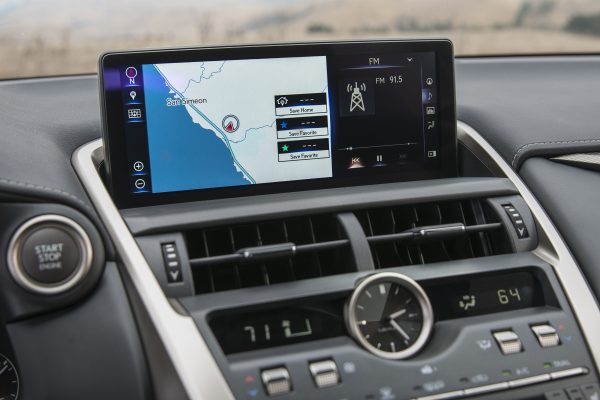
If you own a Lexus, there is a good chance you have experienced that sinking feeling when your navigation screen suddenly freezes mid-route. Or maybe you have watched it restart over and over, flashing odd colors while you sit in your driveway wondering what just happened. You are not alone. For several years now, Lexus has been dealing with widespread navigation system failures across multiple models and model years.
These issues are not limited to one or two vehicles here and there. We are talking about hundreds of thousands of Lexus owners who have experienced GPS failures, frozen screens, audio glitches, and complete system shutdowns. Some of these problems pop up out of nowhere, even in vehicles that were working perfectly fine the day before.
The frustrating part? Many owners paid a premium for their Lexus specifically because they expected superior reliability and performance. When a high-end vehicle has such a basic function fail repeatedly, it shakes your confidence. But here is the thing: Lexus is aware of the problem, and there are things you can try on your own before hauling your vehicle to the dealership.
In this guide, we will walk through everything you need to know about Lexus navigation system failures. You will learn how to spot the warning signs, what causes these issues, how to troubleshoot them yourself, and when it is time to let a professional take over. Think of this as your complete resource for dealing with a frustrating but unfortunately common problem.
What It Looks Like When Your Lexus Navigation Fails
Navigation system failures in Lexus vehicles do not all look the same. Depending on your model year and which system your vehicle uses, the symptoms can vary quite a bit. But most owners report one of several common patterns.
Understanding what is happening with your system can help you figure out whether a simple reset will work or if you need dealer-level intervention. Let us break down the most common failure modes.
The Endless Restart Loop
One of the most widely reported issues involves the navigation screen freezing, going black, and then restarting on its own. This happens over and over again, sometimes accompanied by a bright purple or blue flash on the screen. The system never fully boots up. It just keeps cycling.
You might be driving down the highway when it starts. Suddenly, your route disappears. The screen flickers, goes dark, and the Lexus logo appears as if the system is rebooting. A few seconds later, it tries again. And again. And again.
This is not just annoying. It is dangerous if you are relying on that screen for directions in an unfamiliar area. Some drivers report that the restart loop continues for the entire drive, making the system completely unusable.
Frozen Screen With No Response
Another common failure is a total freeze. The screen locks up on whatever image it was displaying, and nothing you do will change it. You can press buttons, tap the touchscreen, twist knobs. Nothing happens.
In some cases, the freeze happens gradually. First, the navigation map stops updating. Then the audio controls stop responding. Finally, the entire system becomes completely unresponsive. The image on the screen just sits there, frozen in time.
The only way to get it back is to turn off the vehicle completely and restart it. Sometimes that works. Sometimes it does not. And even when it does work, the freeze might come back minutes later or the next time you start the car.
Audio System Goes Silent
In many Lexus models, the navigation system and the audio system are integrated. When the navigation fails, the audio often goes down with it. The screen might freeze first, and then a few seconds later, the radio cuts out. No sound from the speakers at all.
This means you lose not just your GPS, but also your radio, your Bluetooth phone connection, and any other audio features. If you were on a call, it drops. If you were listening to music, it stops. The silence is sudden and complete.
Some owners have tried switching inputs, thinking maybe just the radio station failed. But nothing works. The entire audio system is locked up along with the navigation.
GPS Signal Lost
Then there is the situation where the screen works fine, but the GPS itself stops functioning. The system boots up normally. You can access menus and settings. Everything looks okay. But when you try to navigate somewhere, the system cannot find your location.
The map might show your vehicle sitting in the middle of the ocean or in a completely different city. Or the system might simply say it cannot acquire a GPS signal. It will not calculate a route because it does not know where you are.
This can happen even when you are parked outside with a clear view of the sky. There is nothing blocking the signal. The GPS receiver itself has just stopped working properly.
Intermittent Glitches and Random Behavior
Some owners report issues that are harder to pin down. The system works most of the time, but every so often, something strange happens. The screen flickers. The route recalculates for no reason. The map suddenly zooms in or out on its own.
These intermittent problems are harder to troubleshoot because they do not happen consistently. You might go days or even weeks without an issue, and then suddenly it acts up again. This makes it difficult to demonstrate the problem to a dealer, and it is hard to know if a fix actually worked.
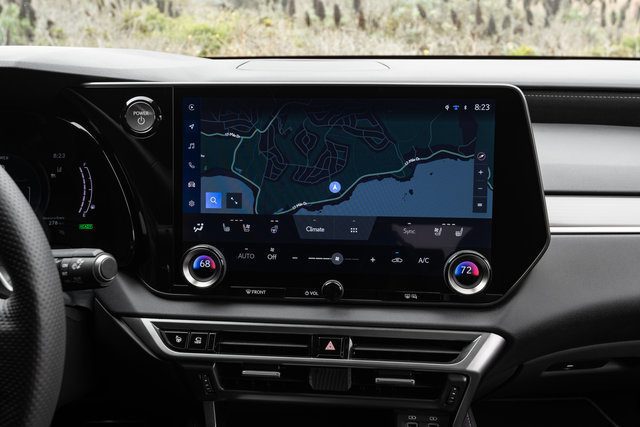
Why Do Lexus Navigation Systems Fail So Often?
You might be wondering why a luxury vehicle from a reputable brand like Lexus would have such persistent issues with something as basic as a navigation system. The answer is a mix of software bugs, hardware limitations, and the complexity of modern vehicle electronics.
Modern navigation systems are not simple devices. They integrate GPS receivers, touchscreen displays, audio systems, smartphone connectivity, and vehicle diagnostics all into one unit. When any part of that system has a bug or a hardware fault, it can bring down the entire system.
Software Bugs and Compatibility Issues
Many of the reported failures appear to be software-related. A bug in the operating system or navigation software can cause crashes, freezes, or endless reboot loops. These bugs can be introduced during a software update, or they might be present in the system from the factory.
Lexus has released multiple software updates over the years attempting to patch these issues. But software is tricky. Fixing one bug can sometimes create another. And if your vehicle does not receive the latest update, it might still be running buggy software from years ago.
There have also been reports of compatibility issues between different system components. For example, the navigation software might not play nicely with a particular version of the audio system firmware. When these components clash, the whole system can become unstable.
Hardware Failures
While many issues are software-related, some are caused by actual hardware failures. The GPS receiver itself can go bad. The hard drive that stores map data can fail. Solder joints on circuit boards can crack over time due to temperature changes and vibration.
In some vehicles, the navigation system is located in the trunk, where it is exposed to temperature extremes. Heat and cold cycles can accelerate hardware degradation. A component that was fine when the vehicle was new might fail after a few years of exposure to harsh conditions.
When hardware fails, a software update will not fix it. The faulty component needs to be repaired or replaced, which usually means a trip to the dealer.
Electrical System Issues
Sometimes the navigation system itself is fine, but an issue elsewhere in the vehicle causes it to malfunction. A weak battery, corroded connections, or a failing alternator can all cause electrical gremlins that affect sensitive electronics like the navigation system.
If the system is not getting clean, stable power, it can behave erratically. It might reboot unexpectedly, freeze up, or fail to start at all. These issues can be hard to diagnose because they are not really problems with the navigation system itself.
What You Can Try Before Visiting the Dealer
Before you spend time and money taking your Lexus to a dealer, there are several things you can try on your own. Some of these fixes are simple and take just a few minutes. Others require a bit more work, but they are still within reach of most vehicle owners.
Keep in mind that these are troubleshooting steps, not guaranteed fixes. If your system has a serious hardware failure, no amount of resetting will bring it back. But for software glitches and minor issues, these methods often work.
Check for Software Updates First
The easiest thing to try is checking whether your vehicle has any pending software updates. Lexus has released numerous updates over the years to address navigation system bugs. Installing the latest update might resolve your issue without any further work.
When you start your vehicle, look at the main screen. If there is a small yellow triangle with an exclamation mark and a message that says “update available,” you have an update waiting. Follow the on-screen prompts to download and install it.
Make sure your vehicle is parked in a safe location and that the engine is running during the update. Some updates can take 20 minutes or more, and you do not want the battery to drain while the update is in progress. Do not turn off the vehicle or interrupt the update once it starts.
If you do not see an update notification on your screen, you can also check manually. Go into the system settings menu and look for a section labeled “software update” or “system information.” This should tell you what version you are running and whether any updates are available.
In some cases, you may need to visit a Lexus dealer to have updates installed. Not all updates can be done over the air or by the owner. If your system is severely out of date, a dealer visit might be necessary just to bring the software up to current standards.
Perform a Soft Reset
If the system is frozen or acting strangely, the first thing to try is a soft reset. This is similar to rebooting a computer or smartphone. It clears temporary data and restarts the system without erasing any of your saved settings.
The exact method for performing a soft reset varies by model, but on many Lexus vehicles, you can do it by holding down the power button on the navigation unit for about 10 seconds. The screen should go black and then restart.
Another method is to simply turn off the vehicle, wait a minute or two, and then restart it. This forces the navigation system to shut down and reboot when you turn the key again. It sounds too simple to work, but it often does, at least temporarily.
If the soft reset fixes the problem, great. But if the issue comes back repeatedly, you will need to dig deeper. Repeated failures usually mean there is an underlying problem that a simple reboot cannot fix.
Disconnect the Battery
When a soft reset does not work, the next step is to disconnect the vehicle battery. This forces a complete power cycle of all the vehicle electronics, including the navigation system. It is a more thorough reset than just turning the vehicle off and on.
Here is how to do it safely. First, make sure the vehicle is parked on level ground with the engine off and the parking brake engaged. Open the hood and locate the battery. You will see two cables connected to the battery terminals, one positive (usually red) and one negative (usually black).
You only need to disconnect the negative terminal. Use a wrench to loosen the nut holding the negative cable clamp in place. Once it is loose, carefully lift the cable off the terminal and move it aside so it cannot accidentally touch the terminal again.
Leave the battery disconnected for at least 10 to 15 minutes. This gives the vehicle electronics time to fully discharge and reset. Some people recommend waiting even longer, up to 30 minutes, to be sure.
After the waiting period, reconnect the negative cable. Tighten the nut securely, but do not overtighten it. Close the hood, start the vehicle, and see if the navigation system is working properly.
Keep in mind that disconnecting the battery will reset some other vehicle settings as well. You might need to reset your radio presets, clock, and other personal preferences. But if it fixes your navigation system, it is worth the minor inconvenience.
How to Perform a Deep Reset of the Navigation System
If disconnecting the battery does not solve the problem, there is a more involved procedure you can try. This involves physically accessing the navigation receiver unit and disconnecting it directly. This is not for everyone, as it requires some mechanical comfort and a bit of time. But it is still something a motivated owner can do at home with basic tools.
This procedure is based on common Lexus models where the navigation receiver is located in the trunk. If your model is different, you may need to consult your owner manual or a Lexus forum to find the exact location of the receiver in your vehicle.
Step One: Prepare the Vehicle
Park the vehicle on level ground and turn off the engine. Engage the parking brake. Open the hood and disconnect the negative battery terminal as described earlier. This ensures there is no power flowing to the navigation system while you work on it.
It is a good idea to wear gloves, both to protect your hands and to avoid getting oils from your skin on sensitive electronic components. Have a flashlight handy, as the trunk area can be poorly lit.
Step Two: Access the Navigation Receiver
Open the trunk and remove everything inside. You need a completely clear workspace. The navigation receiver is typically located on one side of the trunk, behind a panel.
Remove the panel covering the spare tire area. This usually involves lifting or unclipping a carpeted cover. Once that is out of the way, look for a square or rectangular metal box mounted to the side or rear of the trunk. This is the navigation receiver.
The box is held in place by screws or bolts. Use a screwdriver or socket wrench to remove these fasteners. Be careful not to drop the box once the fasteners are out, as it will still be connected to the vehicle by several wiring harnesses.
Step Three: Disconnect the Wiring Harnesses
With the box loose, you will see multiple wiring connectors plugged into it. Carefully unplug each connector. Most have a tab or clip that you need to press or lift before the connector will release. Do not yank on the wires themselves. Pull on the connector body.
If you are worried about forgetting which connector goes where, take a photo with your phone before you start unplugging things. This will make reassembly much easier.
Step Four: Open the Navigation Receiver
Once all the wiring is disconnected, you can remove the receiver box from the vehicle. Place it on a clean, stable surface. The top of the box is usually held on by several screws. Remove these screws and carefully lift off the cover.
Inside, you will see one or more circuit boards. These are delicate, so handle them with care. Locate the main circuit board, which is usually on the left side. It will have several connectors and possibly some colored clamps holding it in place.
Step Five: Disconnect the Circuit Board
Gently disconnect the circuit board from its connectors. There may be clips, screws, or clamps holding it in place. Take your time and note how everything is assembled so you can put it back together correctly.
Once the board is free, flip it over and remove any additional clamps or connectors on the back side. The goal is to completely disconnect the board from the rest of the system.
Leave the circuit board disconnected for at least two to three minutes. This allows any residual charge to dissipate and gives the system a full reset. Some people recommend waiting even longer, up to 10 minutes, to be absolutely sure.
Step Six: Reassemble Everything
After the waiting period, flip the circuit board back over and reconnect all the clamps and connectors. Make sure everything is seated firmly and securely. Replace the top cover on the navigation receiver box and screw it back on.
Reconnect all the wiring harnesses to the receiver box. Again, make sure each connector clicks or locks into place. Mount the box back in the trunk and replace all the fasteners.
Put the trunk panels and carpet back in place. Close the trunk. Go to the front of the vehicle and reconnect the negative battery terminal. Tighten it securely.
Step Seven: Test the System
Start the vehicle and wait for the navigation system to boot up. This may take longer than usual the first time after a deep reset. Be patient. Once the system is running, test all the functions. Check the GPS, try entering a destination, test the audio system, and make sure everything is responding properly.
If the system is working, congratulations. You just saved yourself a trip to the dealer and possibly a hefty repair bill. If the problem persists, it is time to admit defeat and let a professional take a look.
When DIY Fixes Are Not Enough
There comes a point where you have tried everything reasonable, and the navigation system still does not work. Maybe the reset worked for a day or two, but then the problem came back. Maybe the system never came back to life at all. This is when you need to involve a professional.
But not just any mechanic will do. For navigation system issues, you really want to go to a Lexus-certified dealer. Here is why.
Why a Lexus Dealer Is Your Best Bet
Lexus dealers have access to specialized diagnostic tools and software that independent mechanics do not. They can plug into your vehicle and pull detailed error codes that tell them exactly what is going wrong with the navigation system.
They also have access to the latest software updates and technical service bulletins from Lexus. If there is a known fix for your specific issue, the dealer will know about it. An independent mechanic might not.
In addition, some navigation system repairs require reprogramming or recalibration that can only be done with factory tools. If your GPS receiver needs to be replaced, for example, the new unit will need to be programmed to work with your specific vehicle. Only a dealer can do that.
What to Expect at the Dealer
When you bring your vehicle to a Lexus dealer for navigation issues, the first thing they will do is a diagnostic scan. This reads the computer systems in your vehicle and looks for any stored error codes related to the navigation system.
If they find error codes, that gives them a starting point for troubleshooting. They might test the GPS antenna, check the wiring harnesses, or inspect the navigation receiver itself for signs of failure.
If the problem is software-related, they may install an update or reflash the system with fresh firmware. This is similar to what you tried at home, but they have access to more comprehensive updates and tools.
If the problem is hardware-related, they will need to replace the faulty component. This could be the GPS receiver, the display screen, a wiring harness, or something else. Parts and labor can be expensive, especially if your vehicle is out of warranty.
Warranty and Recall Information
Before you agree to pay for any repairs, check whether your vehicle is still under warranty. Even if your basic warranty has expired, some components may be covered under extended warranties or special programs.
Lexus has acknowledged the widespread nature of these navigation issues, and in some cases, they have extended warranty coverage or offered goodwill repairs even for vehicles that are out of warranty. It never hurts to ask.
There have not been any major recalls specifically for Lexus navigation systems, but there have been technical service bulletins issued for certain models. Ask the dealer if any bulletins apply to your vehicle. If there is a bulletin, the repair may be covered even if your warranty has expired.
The Big Picture: How Lexus Has Responded
It is worth taking a step back and looking at how Lexus as a company has handled this issue. Spoiler alert: the response has been mixed, and many owners remain frustrated.
Back on June 8, 2016, Lexus sent out a tweet acknowledging that many of their vehicles were experiencing navigation system failures. The message said they were working around the clock to find a solution and asked owners to stay tuned for more information.
That was over seven years ago. While Lexus has released multiple software updates since then, the problems have not gone away. Reports of navigation failures continue to pop up on owner forums and social media, even in 2022 and beyond.
Software Updates Have Helped, But Not Completely
To their credit, Lexus has been fairly proactive about releasing software updates. These updates address various bugs and improve system stability. Many owners report that after installing an update, their navigation system works better, at least for a while.
But updates are not a magic bullet. Some issues are too deeply rooted in the hardware or system architecture to be fixed with software alone. And some owners report that new updates have actually caused new problems.
There is also the issue of older vehicles that are no longer receiving updates. If your Lexus is more than a few years old, it may not be eligible for the latest software. That leaves you stuck with whatever bugs were present in the last version you received.
Owner Frustration Is Real
Lexus owners are not happy about this. The brand has built its reputation on quality and reliability. When you pay a premium price for a Lexus, you expect everything to work flawlessly. A malfunctioning navigation system feels like a betrayal of that promise.
Online forums and social media are full of complaints. Owners describe having to reset their systems multiple times per week. Some have given up entirely and just use their smartphones for navigation. Others have paid hundreds or even thousands of dollars for dealer repairs, only to have the problem come back months later.
The frustration is compounded by the fact that Lexus has not issued a recall or a comprehensive fix. There is no single solution that works for everyone. Each case seems to require individual troubleshooting, which takes time and often costs money.
Will Future Models Be Better?
The good news is that newer Lexus models seem to have fewer navigation issues. The company has updated its infotainment systems over the years, and the newer hardware and software appear to be more reliable.
If you are shopping for a new or used Lexus, it is worth researching which model years and systems have the best track records. Owner forums are a great resource for this. You can see which years have the most complaints and which ones seem to be trouble-free.
But if you already own a Lexus with navigation problems, you are stuck dealing with the issue as best you can. The methods outlined in this guide are your best bet for getting things working again without breaking the bank.
Alternative Solutions and Workarounds
If your navigation system continues to be unreliable, you do not have to just accept it. There are alternative solutions that can get you back on the road with functional navigation, even if the factory system never works right again.
Use Your Smartphone
The most obvious workaround is to use your smartphone for navigation. Apps like Google Maps, Apple Maps, and Waze are free, reliable, and constantly updated with the latest map data.
You can mount your phone on the dashboard or windshield using an inexpensive phone holder. Many newer Lexus models also support Apple CarPlay or Android Auto, which lets you display your phone navigation on the factory screen even if the built-in system is not working.
The downside is that you are using your phone battery and data plan. But for most people, this is a minor inconvenience compared to dealing with a broken navigation system.
Aftermarket Navigation Systems
If you want an integrated solution, you can replace the factory navigation system with an aftermarket unit. Companies like Pioneer, Kenwood, and Alpine make high-quality navigation systems that can be installed in place of the factory unit.
This is not a cheap option, and installation can be complex depending on your vehicle. But it gives you a fresh start with a system that is more modern and more reliable than the aging factory unit.
Before going this route, check whether your vehicle uses the navigation screen for other functions like climate control or vehicle settings. In some Lexus models, the screen is tied into multiple systems, and replacing it can cause other issues.
Portable GPS Units
Another option is a standalone portable GPS unit like a Garmin or TomTom. These devices mount on your dashboard or windshield and work independently of your vehicle systems.
Portable GPS units are relatively inexpensive and easy to move from one vehicle to another. They do not have all the bells and whistles of a smartphone or integrated system, but they do one thing well: get you from point A to point B.
The main drawback is that map updates often cost extra, and the user interface tends to be clunkier than what you are used to on your phone.
Preventive Measures to Reduce Future Problems
While you cannot completely prevent navigation system failures, there are steps you can take to reduce the likelihood of problems and catch issues early before they become major headaches.
Keep Your Software Updated
This is the single most important thing you can do. Install updates as soon as they become available. Do not ignore that little yellow triangle on your screen.
If your vehicle does not receive automatic update notifications, check periodically with your Lexus dealer to see if any updates are available. Some updates can only be installed at the dealer, so make it part of your regular maintenance routine.
Maintain Your Battery and Electrical System
A weak battery or corroded connections can cause all sorts of electrical problems, including navigation issues. Have your battery tested regularly, especially if it is more than three or four years old.
Clean any corrosion off the battery terminals and cable connections. Make sure all connections are tight. If your vehicle sits unused for long periods, consider using a battery tender to keep the battery charged.
Avoid Extreme Temperatures When Possible
Electronics do not like extreme heat or cold. If you live in an area with harsh summers or winters, park in a garage when possible to protect your vehicle from temperature extremes.
This is especially important if your navigation receiver is located in the trunk, where temperatures can get even more extreme than in the cabin.
Do Not Ignore Warning Signs
If your navigation system starts acting strangely, do not just hope it goes away. Address the issue early before it gets worse. A minor glitch today can turn into a complete system failure tomorrow.
Pay attention to patterns. If the system always fails in certain conditions (like hot weather or after the vehicle sits overnight), make a note of it. This information can be helpful when troubleshooting or when you take the vehicle to a dealer.
Which Lexus Models Are Most Affected?
Navigation issues have been reported across a wide range of Lexus models and model years. However, some models seem to be affected more than others. Here is a breakdown based on common owner reports.
Lexus RX Series
The RX series, particularly models from the mid-2000s to mid-2010s, has seen a high number of navigation complaints. The RX 350 and RX 450h seem to be particularly prone to screen freezes and GPS signal loss.
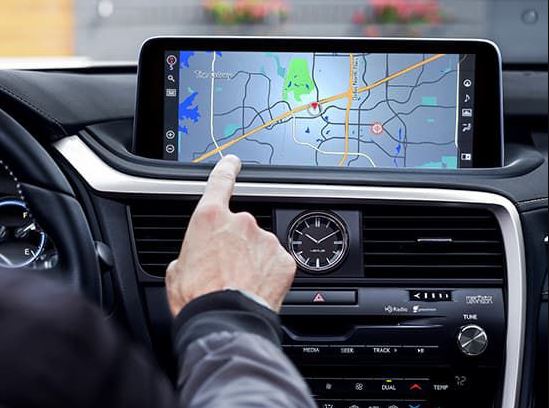
Owners report issues starting around the 2010 to 2015 model years. The problems often appear after the vehicle is a few years old and has accumulated some miles.
Lexus ES Series
The ES sedan has also had its share of navigation problems. The 2013 to 2016 model years seem to be the most affected. Owners describe restart loops, frozen screens, and unresponsive touchscreens.
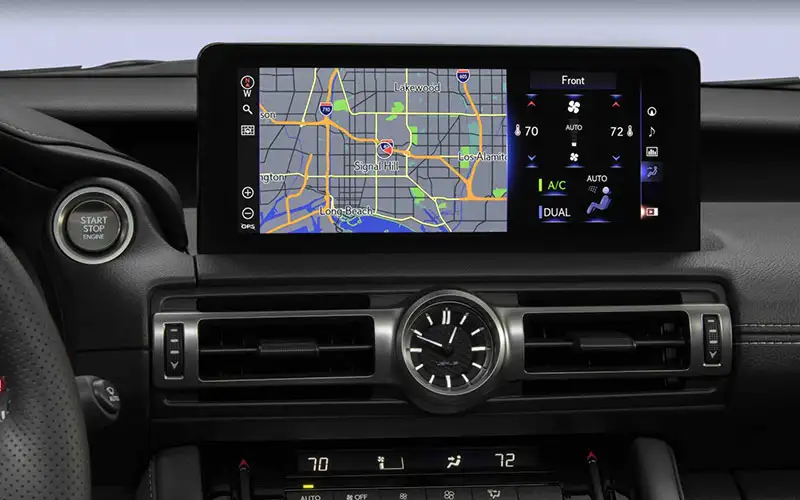
Some ES owners have reported that the navigation issues started suddenly after a software update, suggesting that certain updates may have introduced new bugs.
Lexus GS and IS Series
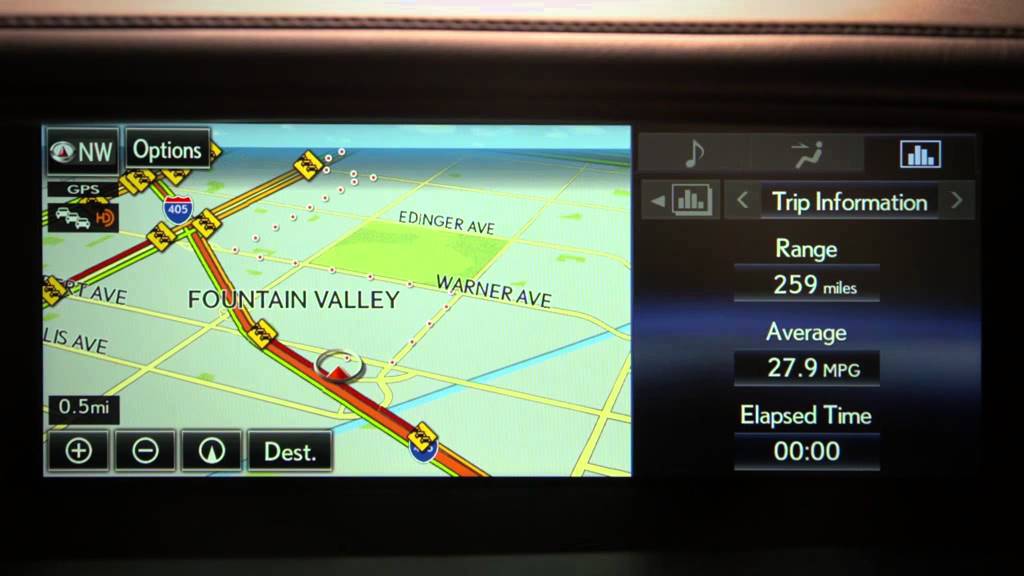
The GS and IS models have not escaped the problems either. Reports are somewhat less common than with the RX and ES, but they still exist. The issues tend to be similar: frozen screens, lost GPS signals, and audio system failures.
Lexus GX and LX Series
Even the larger SUVs in the Lexus lineup have had navigation issues. The GX 460 and LX 570 have both been reported with similar symptoms. Given the higher price point of these vehicles, owner frustration tends to be even greater.
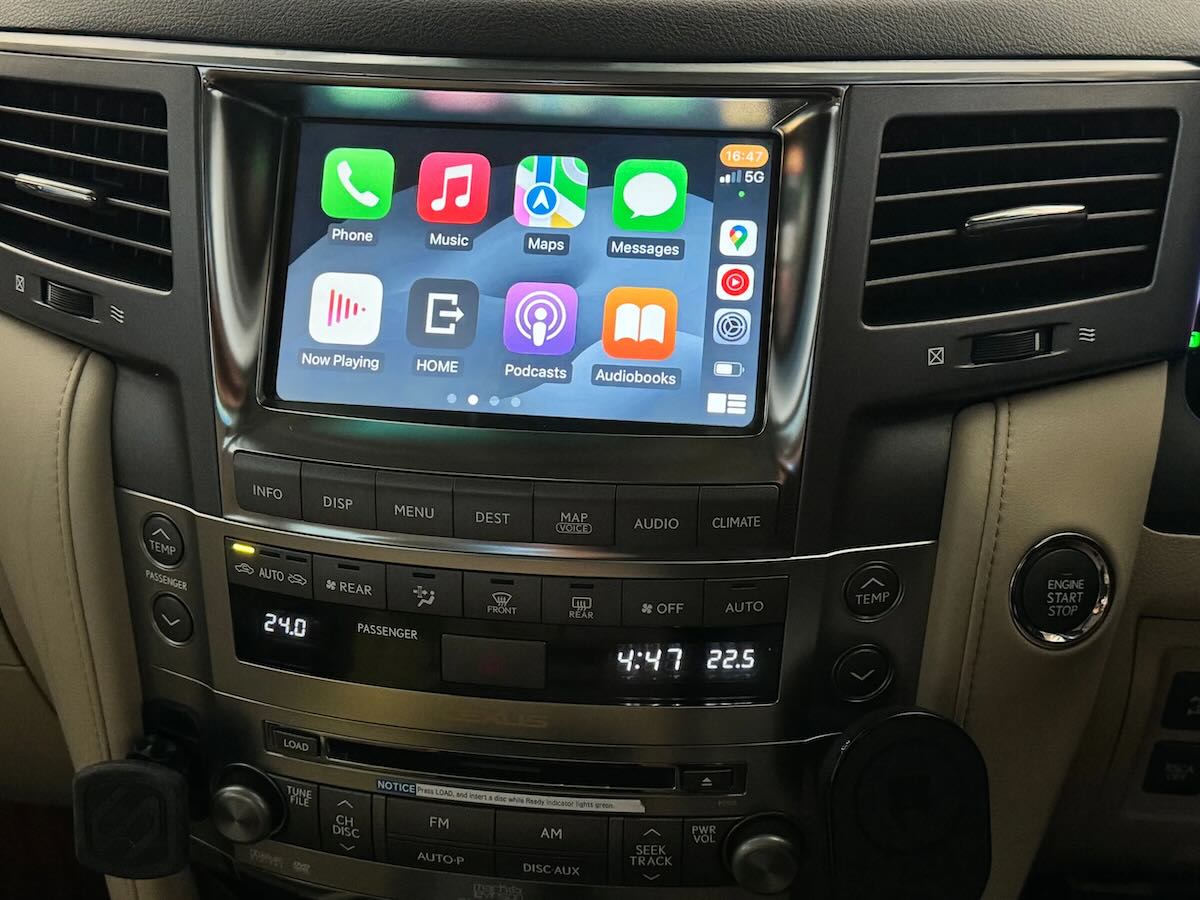
If you own one of these models and have not yet experienced navigation issues, consider yourself lucky. But stay vigilant and keep your software updated just in case.
Common Questions Lexus Owners Ask
Here are some of the most frequently asked questions about Lexus navigation system problems, along with straightforward answers.
Can I Fix This Myself or Do I Need a Dealer?
Many navigation issues can be fixed with a simple reset or software update that you can do yourself. Try the troubleshooting steps outlined in this guide first. If those do not work, then a dealer visit is probably necessary.
How Much Will It Cost to Fix?
That depends on what is wrong. A software update is usually free or low-cost. A hardware replacement can run anywhere from a few hundred to over a thousand dollars, depending on the part. If your vehicle is under warranty or covered by a service bulletin, the repair may be free.
Will Disconnecting the Battery Erase My Settings?
Yes, disconnecting the battery will reset some vehicle settings, including radio presets, the clock, and possibly some driver preferences. However, it will not erase navigation destinations or map data, which are stored separately.
Is This Covered Under Warranty?
It depends on the age and mileage of your vehicle. If you are within the factory warranty period, navigation repairs should be covered. Even if your basic warranty has expired, ask the dealer about extended warranties or goodwill programs.
Should I Just Use My Phone Instead?
That is a perfectly reasonable option. Many people find smartphone navigation to be better than factory systems anyway. It is free, always updated, and you can use it in any vehicle.
Are Newer Lexus Models Having the Same Problems?
Newer models seem to have fewer issues, but they are not completely immune. The infotainment systems in recent Lexus vehicles are more modern and appear to be more reliable overall.

Final Thoughts on Dealing With a Faulty Lexus Navigation System
There is no getting around it. Navigation system failures in Lexus vehicles are a real and widespread problem. Whether you drive an RX, ES, GS, or any other model, there is a decent chance you will experience some kind of glitch at some point.
The good news is that you have options. Start with the simple fixes like software updates and soft resets. If those do not work, try disconnecting the battery. For persistent issues, the deep reset procedure outlined in this guide is worth a shot before you spend money at the dealer.
If all else fails, a Lexus dealer has the tools and expertise to diagnose and fix the problem properly. Yes, it might cost money, but at least you will have a working navigation system again.
And if you get tired of dealing with the factory system, remember that your smartphone is always there as a backup. Modern phone navigation is excellent, and for many people, it is actually better than what the factory provides.
The key is not to let a malfunctioning navigation system ruin your Lexus ownership experience. These are great vehicles in most respects. The navigation issue is frustrating, but it is also manageable with the right approach.
Stay on top of software updates. Address problems early before they become serious. And if the system fails, you now have the knowledge and tools to get it working again. That is more than most Lexus owners have, and it puts you in control of the situation rather than at the mercy of it.