
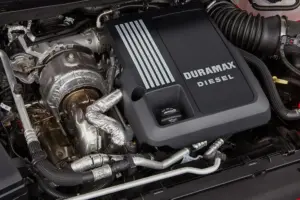

If you drive a Duramax-powered truck, there’s a decent chance you’ve dealt with (or will eventually deal with) a NOx sensor issue. These sensors are small but mighty components in your diesel engine’s emissions system, and when they act up, you’ll know about it. A check engine light, reduced performance, maybe even limp mode. None of it is fun.
The good news? Resetting a NOx sensor on a Duramax isn’t rocket science. It does, however, require some understanding of what these sensors do, why they fail, and how to go about the reset procedure correctly. Get it wrong, and you’re chasing your tail with repeat codes and wasted shop visits. Get it right, and you’re back on the road with a clean bill of health and no warning lights staring you down.
This guide covers everything from the basics of how NOx sensors work in a Duramax diesel to the full step-by-step reset process, troubleshooting tips, replacement advice, and even advanced monitoring tools that serious truck owners swear by. Whether you’re a weekend DIYer or you just want to show up at the shop knowing what’s actually going on with your truck, this is the guide you need.
Let’s get into it.
How NOx Sensors Work in Your Duramax (And Why They Matter So Much)
Before you start resetting anything, it helps to understand what you’re actually working with. NOx sensors aren’t just another emissions gadget bolted onto your exhaust. They’re one of the most important feedback devices in the entire emissions control system, and your Duramax relies on them heavily to stay compliant and run efficiently.
What NOx Sensors Actually Do in Your Diesel Engine
NOx stands for nitrogen oxides, which are harmful gases produced during the combustion process in your diesel engine. When fuel burns at high temperatures and pressures inside those Duramax cylinders, nitrogen and oxygen from the air combine to form NOx compounds. These compounds are a major contributor to smog, acid rain, and respiratory health problems. That’s why modern diesel trucks have elaborate systems designed to reduce NOx output before it leaves the tailpipe.
Your Duramax’s NOx sensors sit in the exhaust system and continuously measure the concentration of nitrogen oxides in the exhaust gas. They send this data in real time to the engine’s computer, which is either the Engine Control Module (ECM) or the Engine Control Unit (ECU), depending on how you want to label it. The computer uses this information to make adjustments to fuel injection timing, exhaust gas recirculation (EGR) rates, and diesel exhaust fluid (DEF) injection to keep NOx emissions within legal limits.
Think of the NOx sensors as the eyes and ears of your emissions system. Without accurate readings from these sensors, the ECM is essentially flying blind. It doesn’t know how much NOx is being produced, it doesn’t know if the aftertreatment system is doing its job, and it can’t make the adjustments needed to keep everything in balance. That’s why a failed or inaccurate NOx sensor can cascade into a whole series of problems, from check engine lights to reduced power to limp mode.
Sensor 1 vs. Sensor 2: Two Different Jobs, Two Different Locations
Your Duramax doesn’t use just one NOx sensor. It uses two, and each one has a distinct role and location in the exhaust system. Understanding the difference between them is important when you’re diagnosing problems or performing a reset.
NOx Sensor 1 is positioned upstream of the diesel particulate filter (DPF). This sensor measures the raw NOx output coming directly from the engine during combustion. The ECM uses this reading to adjust engine parameters in real time. If NOx levels are running higher than expected, the ECM might increase EGR flow, adjust injection timing, or command more DEF injection to bring the numbers down. Sensor 1 is all about monitoring what the engine is producing.
NOx Sensor 2 sits downstream of the DPF and the selective catalytic reduction (SCR) catalyst. Its job is completely different. It measures NOx levels after the exhaust has passed through all the aftertreatment components. By comparing the readings from Sensor 1 (before treatment) and Sensor 2 (after treatment), the ECM can determine how effectively the DPF and SCR system are working. If Sensor 2 shows high NOx levels when Sensor 1 shows they should have been reduced, the system knows something is wrong with the aftertreatment process.
Here’s a practical way to think about it. Imagine you’re testing a water filter. You measure the water quality going into the filter (that’s Sensor 1) and the water quality coming out of the filter (that’s Sensor 2). If the water coming out is just as dirty as the water going in, you know the filter isn’t working. Same concept applies to your exhaust aftertreatment system.
When either sensor fails, gives inaccurate readings, or loses communication with the ECM, you’ll get trouble codes and warning lights. And since the two sensors serve different functions, the diagnostic codes they trigger will point you in different directions. That’s why knowing which sensor is flagged is your first clue in the troubleshooting process.
Before You Reset: Getting Your Duramax Ready for the Procedure
Jumping straight into a NOx sensor reset without doing some groundwork is a recipe for frustration. A reset clears codes and re-establishes communication between the sensor and the ECM, but it won’t fix an underlying problem. If the sensor is physically damaged, the wiring is corroded, or the DEF system has an issue, the codes will just come right back after the reset. That’s why preparation matters.
Figure Out Exactly Which Duramax Engine You’re Working With
This might sound obvious, but the reset procedure can vary depending on which generation of Duramax engine is under your hood. The two most common versions you’ll encounter are the LML (found in 2011 to 2016 models) and the L5P (found in 2017 and newer models). While the general concept is the same, the specific menu navigation, diagnostic tool requirements, and sensor locations can differ between these engines.
Your Vehicle Identification Number (VIN) is the quickest way to confirm which engine you have. You’ll find it on the driver’s side dashboard, visible through the windshield, or on a sticker inside the driver’s side door frame. The VIN contains encoded information about your truck’s engine type, model year, and build specifications. If you’re not sure how to decode it, any auto parts store or dealership can look it up for you in seconds.
Knowing your exact engine variant ensures you’re following the right procedure and using the right diagnostic tool settings. An LML reset procedure applied to an L5P truck (or vice versa) might not work correctly, or worse, it might cause the system to set new fault codes.
Make Sure You Have the Right Diagnostic Tool
You can’t reset a NOx sensor on a Duramax with just a basic OBD-II code reader. Those little $30 scanners from the auto parts store are great for reading generic codes, but they don’t have the capability to communicate with the emissions system at the level needed for a NOx sensor reset. You need a diagnostic tool that can interface with the Duramax’s ECM, access the emissions system parameters, clear specific trouble codes, and perform the sensor reset or relearn procedure.
Some of the widely recognized tools for this job include the Snap-on Solus Ultra, the GM Tech2 (for older models), and various professional-grade scanners that support GM diesel platforms. If you’re not ready to invest in one of these tools (they’re not cheap), many auto parts stores offer free code reading services, and some independent diesel shops will let you rent or borrow their scanner for a small fee.
Before connecting any diagnostic tool, double-check that it’s compatible with your specific Duramax model year and engine variant. Software updates are important here too. If your scanner’s software is outdated, it might not support the latest Duramax protocols or have the reset function available. Most major scanner manufacturers offer periodic software updates that add new vehicle coverage and diagnostic capabilities.
If you plan to do this kind of work regularly on your own trucks, investing in a quality scanner pays for itself quickly. A single trip to the dealer for a NOx sensor reset can cost $150 to $300 or more for the diagnostic fee alone. Own the right tool, and you can do it in your driveway in 20 minutes.
Pull the Existing NOx Sensor Codes First
Before you reset anything, you need to know what codes are stored in the system. This step is non-negotiable. The codes tell you what’s actually going on, and clearing them without reading them first is like erasing a voicemail before listening to it. You lose valuable diagnostic information.
Park your truck in a safe location on level ground. Turn the engine off. Locate the OBD-II port, which is typically under the dashboard on the driver’s side, near the steering column. Plug in your diagnostic scanner and follow the on-screen instructions to connect to the vehicle’s computer system.
Navigate to the emissions or powertrain section and retrieve all stored diagnostic trouble codes (DTCs). Write them down or take a photo of the screen. Common NOx sensor-related codes on Duramax engines include:
P20EE: SCR NOx Catalyst Efficiency Below Threshold. This code means the downstream NOx sensor is detecting higher-than-expected NOx levels after the SCR catalyst.
P229F: NOx Sensor 1 and 2 Correlation. The readings from the two sensors don’t match up the way the ECM expects.
P2201 / P2204: NOx Sensor Circuit issues, which can point to wiring or sensor hardware failures.
P21DD: Reductant Injection Valve Performance, which relates to the DEF injection system but can accompany NOx sensor codes.
Understanding which codes are present helps you determine whether a simple reset will fix the problem or whether there’s a deeper issue that needs to be addressed first. If you see codes pointing to wiring faults, heater circuit failures, or DEF quality issues, a reset alone won’t solve anything. You’ll need to fix the underlying problem first, then perform the reset.
The Complete Duramax NOx Sensor Reset Procedure
Now we’re at the main event. Once you’ve identified your engine, gathered the right diagnostic tool, and read the existing codes, it’s time to perform the actual reset. This process involves accessing the emissions system through your truck’s diagnostic interface, executing the reset command, and then verifying that everything worked properly.
Step 1: Access the Emissions System Through the Diagnostic Interface
Start by locating the Diagnostic Instrument Cluster (DIC) on your dashboard. This is the information display where you can scroll through various vehicle settings and diagnostic menus. On most Duramax-equipped trucks, you can access basic emissions information through the DIC, though the full reset procedure will typically require your external diagnostic scanner.
Make sure your truck is parked on a flat surface with the parking brake engaged. The engine should be off for the initial connection, though some steps in the reset process may require you to turn the ignition to the “on” position without starting the engine. Your diagnostic scanner should be connected to the OBD-II port and powered on.
On your scanner, navigate to the vehicle-specific menu for your Duramax. Select the powertrain or emissions module. Look for options labeled something like “Diagnose,” “Vehicle Status,” or “Emission System.” The exact menu labels depend on your scanner brand and software version, but you’re looking for the section that gives you access to the NOx sensor parameters and reset functions.
Step 2: Execute the NOx Sensor Reset
Once you’ve navigated to the emissions system settings on your diagnostic tool, you should see an option for NOx sensor reset or NOx sensor relearn. The terminology varies by scanner, but the function is the same. Select this option.
The scanner will communicate with the ECM and initiate the reset procedure. During this process, the ECM clears the stored NOx sensor adaptation values and any related trouble codes. It essentially wipes the slate clean so the system can re-establish baseline readings from the sensors.
Some scanners walk you through the process with on-screen prompts. Follow these carefully. You may be asked to turn the ignition on and off at specific points, or to wait while the scanner communicates with the ECM. Don’t rush through these steps or disconnect the scanner mid-process. Interrupting the reset can leave the system in an incomplete state, which could trigger new error codes or prevent the sensors from calibrating properly.
If your truck had existing trouble codes that you identified during the pre-reset check, the scanner should clear those as part of the reset process. However, it’s good practice to manually verify that the codes have been cleared once the reset is complete. Navigate to the code reading function and scan again. The code list should be empty. If any codes persist, they need to be investigated individually before assuming the reset was successful.
Step 3: Verify That the Reset Actually Worked
A reset isn’t confirmed until you verify it. And verification requires more than just seeing the check engine light go off. Here’s how to properly confirm that the reset was successful.
First, with the scanner still connected, start the engine and let it idle. Watch the DIC on your dashboard. It should no longer display any NOx sensor-related error messages or warning indicators. If warnings persist after the engine starts, the reset either didn’t complete properly or there’s an underlying issue that’s immediately triggering new codes.
Next, use your diagnostic tool to view live data from the NOx sensors. Both Sensor 1 and Sensor 2 should be showing readings. Sensor 1 will typically show higher NOx values (since it’s measuring raw exhaust before treatment), while Sensor 2 should show significantly lower values (since it’s measuring after the SCR catalyst has done its work). If both sensors are reporting plausible numbers that make sense relative to each other, the reset has worked and the sensors are communicating properly with the ECM.
If either sensor shows zero, shows wildly erratic readings, or doesn’t report any data at all, you’ve got a problem that the reset didn’t fix. That could mean a bad sensor, a wiring issue, or a problem with the ECM’s sensor input circuit. We’ll cover troubleshooting for these scenarios shortly.
What to Do After the Reset: Testing and Monitoring
The reset is done, the codes are cleared, and the live data looks good on the scanner. But you’re not finished yet. The real test happens on the road, under actual driving conditions. Until you’ve put some miles on the truck and confirmed that the codes don’t return, consider the job still in progress.
Take the Truck for a Proper Test Drive
Disconnect your scanner, close the hood, and take your Duramax for a drive. But don’t just cruise around the block for two minutes and call it good. You need to drive under conditions that exercise the emissions system. That means city driving with stop-and-go traffic, some highway cruising at sustained speeds, and ideally some moderate hill climbing or loaded hauling if possible.
During the drive, pay close attention to how the truck behaves. Watch for any of these red flags:
The check engine light comes back on. If the light re-illuminates during or shortly after the test drive, the underlying problem hasn’t been resolved and the same codes (or new ones) have been set. You’ll need to scan again and dig deeper into the root cause.
The truck enters limp mode. This is a protective measure where the ECM limits engine power to prevent damage. If the emissions system detects a critical fault, it can force the truck into limp mode, which usually limits speed to around 55 mph or less. If this happens during your test drive, the NOx sensor issue (or a related problem) is still active and needs more than a reset to fix.
Performance feels off. Rough idle, hesitation during acceleration, poor throttle response, or unusual exhaust smoke can all indicate that the emissions system isn’t operating correctly after the reset. These symptoms might not immediately trigger a check engine light but are worth noting and investigating.
If the test drive goes smoothly with no warning lights, no limp mode, and normal performance, that’s a strong sign the reset was successful. But keep an eye on things over the next few days and hundred miles or so. Some issues are intermittent and may not show up immediately.
Keep Monitoring the NOx Sensor Data Over Time
After the initial test drive, it’s smart to periodically check the NOx sensor data using your diagnostic tool, especially during the first few hundred miles post-reset. What you’re looking for is consistent, stable readings that fall within the expected ranges for your engine.
Sensor 1 readings will vary depending on engine load, RPM, and operating temperature, but they should follow a logical pattern. Higher load and higher RPM generally produce higher NOx levels. Sensor 2 readings should consistently be lower than Sensor 1, reflecting the effectiveness of the SCR catalyst. If Sensor 2 readings are close to or exceeding Sensor 1 readings, the aftertreatment system has a problem, and it’s not a sensor issue at that point.
Some truck owners like to log this data over time to establish a baseline for their specific truck. That way, if something starts to drift, they can spot it early before it triggers a code. Advanced monitoring tools (which we’ll discuss later in this guide) make this kind of data logging easy and accessible.
When the Reset Doesn’t Fix It: Troubleshooting Common NOx Sensor Problems
Sometimes a reset is all you need. Other times, it’s just the first step in a longer diagnostic process. If you’ve reset the NOx sensor and the codes keep coming back, or if the truck continues to behave poorly, it’s time to troubleshoot. Here are the most common issues that a simple reset won’t fix, along with what to do about each one.
Persistent Malfunction Codes That Won’t Stay Cleared
If the same codes return within minutes or hours of clearing them, the problem is active and ongoing. The ECM is detecting a fault condition every time it runs its diagnostic checks, and no amount of resetting will make that go away until the underlying issue is resolved.
Start by carefully reading the specific codes. Not all NOx-related codes point to the sensor itself. Some indicate problems with the sensor circuit (wiring), some point to aftertreatment efficiency issues (DEF or SCR problems), and others flag communication faults between the sensor and the ECM. Your diagnostic tool should provide a description for each code that tells you what the ECM is actually complaining about.
If the codes point specifically to sensor performance (reading out of range, slow response, no signal), the sensor itself may have failed and needs replacement rather than a reset. If the codes point to circuit issues, you’re looking at a wiring or connector problem. And if the codes indicate aftertreatment efficiency problems, the issue is likely with the DEF system or the SCR catalyst rather than the NOx sensor.
DEF and DPF Issues That Mimic NOx Sensor Failures
The Diesel Exhaust Fluid (DEF) and Diesel Particulate Filter (DPF) are tightly interconnected with the NOx sensors in your emissions system. Problems with either of these components can cause NOx sensor codes even when the sensors themselves are perfectly fine.
DEF quality is a surprisingly common culprit. DEF degrades over time, especially if it’s been stored improperly or exposed to extreme temperatures. Contaminated or degraded DEF can’t effectively reduce NOx in the SCR catalyst, which means Sensor 2 will detect elevated NOx levels downstream and trigger efficiency codes. Check that your DEF is at the correct level and hasn’t been contaminated. If the DEF is old or you suspect quality issues, drain the tank and refill with fresh fluid from a reputable source.
The DEF injector itself can also cause problems. If it’s clogged or not injecting the correct amount of fluid, the SCR catalyst can’t do its job properly. A failed DEF quality sensor can give the ECM incorrect information about the fluid, leading to improper dosing.
DPF clogging is another common issue. When the DPF becomes excessively loaded with soot, it can affect the performance of the entire aftertreatment system, including the NOx sensors’ ability to measure accurately. If your DPF is due for a regeneration cycle, the system may need to complete a regen before the NOx sensor codes will stay cleared. Some diagnostic scanners can initiate a forced regeneration cycle, which burns off accumulated soot in the DPF at high temperatures. After a successful regen, clear the codes and monitor to see if they return.
Here’s a scenario that plays out all the time. A truck owner sees a P20EE code (SCR NOx catalyst efficiency below threshold) and assumes the NOx sensor is bad. They replace the sensor, clear the code, and within 50 miles the same code comes back. The actual problem? The DEF injector was partially clogged and wasn’t spraying enough fluid into the SCR catalyst. The sensor was accurately reporting that NOx levels weren’t being reduced. It was doing exactly what it was supposed to do. The fix was a $200 injector cleaning, not a $400 sensor replacement.
Wiring Damage and Heater Circuit Failures
NOx sensors contain an internal heater element that’s essential for proper operation. The sensor needs to reach a specific operating temperature before it can accurately measure NOx levels. In cold weather, this heater element works overtime to bring the sensor up to temperature quickly. If the heater fails, the sensor can’t warm up fast enough (or at all), and the ECM will flag a heater circuit code.
Heater circuit codes (like P2201 or P2204) are fairly common on Duramax trucks, especially in colder climates where the heater is working harder. In some cases, the heater element itself has burned out, which means the sensor needs to be replaced. But before you go that route, check the wiring first.
The wiring harness that connects the NOx sensors to the ECM runs through some harsh environments. It passes near hot exhaust components, through areas exposed to road salt and moisture, and across sections of the chassis that experience constant vibration. Over time, wire insulation can crack, connector pins can corrode, and terminals can work loose from vibration.
Inspect the wiring harness visually. Look for any obvious signs of damage: frayed or cracked insulation, wires rubbing against metal surfaces, green or white corrosion on connector pins, or connectors that aren’t fully clicked into place. Pay special attention to the connectors at the sensors themselves, as these are the most exposed to heat and moisture.
If you find corrosion on a connector, clean it with electrical contact cleaner and apply a thin layer of dielectric grease before reconnecting. This can restore a solid connection and resolve intermittent signal issues without having to replace any components.
If the wiring or connector is physically damaged, repair or replace the affected section. A proper wiring repair involves soldering (not just twisting wires together), using heat-shrink tubing for insulation, and ensuring the repaired section is routed and secured to avoid future damage. Don’t use electrical tape as a permanent fix. It degrades quickly in the under-truck environment and won’t provide lasting protection.
If you’ve checked the wiring and it’s fine, but the heater circuit code keeps returning after a reset, the sensor’s internal heater has likely failed and the sensor needs to be replaced.
When It’s Time to Replace the NOx Sensor Instead of Resetting It
A reset is a software procedure. It clears codes and re-establishes communication. But if the sensor hardware has failed, no amount of resetting will bring it back to life. Here’s how to know when replacement is the right call, how to choose the correct sensor, and what the installation process looks like.
Signs That Your NOx Sensor Has Reached the End of Its Life
Several indicators point to a sensor that needs replacement rather than a reset:
Repeated code returns after reset. If you’ve reset the sensor, verified the wiring is good, confirmed the DEF system is working, and the same sensor-specific code keeps coming back, the sensor itself is the problem.
Inconsistent or erratic sensor readings. When you view live data and the NOx readings are jumping around wildly, reading zero when they shouldn’t, or stuck at a single value regardless of engine conditions, the sensor’s internal measurement cell is likely failing.
Persistent check engine light with NOx sensor codes. A light that comes back within the same drive cycle after being cleared is a strong indicator of a hardware failure.
Poor engine performance or decreased fuel economy. When the ECM can’t get accurate NOx readings, it may default to a conservative operating strategy that reduces power and increases fuel consumption. If you’ve noticed your truck drinking more diesel than usual or feeling sluggish, a failed NOx sensor could be the cause.
Heater circuit failures that don’t respond to wiring repairs. If the wiring checks out fine but heater circuit codes persist, the internal heater element has failed.
Picking the Right Replacement Sensor for Your Duramax
Not all NOx sensors are created equal, and using the wrong one can cause more problems than it solves. When selecting a replacement sensor, keep these points in mind.
Match the sensor to your exact vehicle. NOx sensors are model-specific. The sensor for an LML Duramax is different from the one for an L5P. Sensor 1 is different from Sensor 2. Make sure you’re getting the right part number for your specific truck, engine, and sensor position. Your VIN is the most reliable way to ensure compatibility.
OEM sensors are the safest bet. Original equipment manufacturer parts are designed and tested specifically for your vehicle. They communicate correctly with the ECM, they’re calibrated to the right specifications, and they’re backed by a manufacturer warranty. Aftermarket sensors can work in some cases, but quality varies widely. Some aftermarket NOx sensors have been known to cause calibration issues or trigger new codes even when installed correctly.
Buy from a reputable supplier. Counterfeit automotive sensors are a real problem, especially for emissions-related components. Buying from a trusted dealer, a reputable parts store, or directly from the manufacturer reduces your risk of getting a fake or substandard part.
Expect to pay between $200 and $500 for a genuine NOx sensor for a Duramax, depending on the specific part and where you buy it. It’s not cheap, but it’s a lot cheaper than dealing with ongoing codes, reduced performance, and potential fines for emissions non-compliance.
How to Install a New NOx Sensor on Your Duramax
Replacing a NOx sensor is a moderately challenging DIY job. It’s not impossible for a handy truck owner, but it does involve working underneath the vehicle on the exhaust system, which can be tight and uncomfortable. Here’s the general process.
Turn off the engine and disconnect the battery. You’re working near the exhaust system, which gets extremely hot during operation. Let the truck cool down completely before starting. Disconnecting the battery is a safety precaution since you’ll be working with sensor electrical connections.
Locate the sensor you’re replacing. If you’re replacing Sensor 1, it’s upstream of the DPF. Sensor 2 is downstream. They’re threaded into the exhaust pipe, similar to how an oxygen sensor looks. The electrical connector is usually accessible from above or from the side of the exhaust system.
Disconnect the electrical connector. Press the release tab and pull the connector apart carefully. Don’t yank on the wires. If the connector is corroded or stuck, use electrical contact cleaner and gentle wiggling to free it.
Remove the old sensor. NOx sensors are threaded into the exhaust pipe and can be seized in place from heat cycling and corrosion. A sensor socket (similar to an oxygen sensor socket) gives you the best grip. If the sensor is stubborn, apply penetrating oil and let it soak for a while before trying again. Don’t round off the sensor body with the wrong tool. That turns a 30-minute job into a multi-hour ordeal.
Install the new sensor. Apply a thin coating of anti-seize compound to the threads of the new sensor (unless it comes with a pre-applied coating, which many do). Thread the new sensor in by hand first to ensure you’re not cross-threading it, then tighten with the sensor socket to the specified torque. Over-tightening can damage the sensor or strip the bung in the exhaust pipe. Under-tightening can cause exhaust leaks.
Reconnect the electrical connector. Make sure it clicks firmly into place. Apply a dab of dielectric grease to the connector to protect against future corrosion.
Reconnect the battery and perform a reset/relearn procedure. After installing a new sensor, the ECM needs to learn the new sensor’s characteristics. This is where the reset procedure we covered earlier comes back into play. Connect your diagnostic scanner, clear any existing codes, and perform the NOx sensor relearn. This synchronizes the new sensor with the ECM.
If you’re not comfortable doing this work yourself, any diesel mechanic or truck dealership can handle the replacement. Labor costs typically run between $100 and $250 depending on which sensor is being replaced and how accessible it is on your specific truck.
Advanced Tools for NOx Monitoring and Diagnostics
If you’re the type of truck owner who likes to stay on top of what’s happening under the hood (and under the truck), there are some excellent monitoring tools designed specifically for diesel engines that can give you real-time visibility into NOx sensor performance and a whole lot more.
The Edge Insight CTS3 and Banks Power iDash: Real-Time NOx Monitoring
- Edge Insight CTS3: The CTS3 is a performance monitor and diagnostic tool that plugs into your OBD-II port and displays real-time engine data on a color touchscreen. For NOx monitoring, it can show live sensor readings, exhaust temperatures, DEF levels, DPF soot load percentages, and dozens of other parameters. What makes it particularly useful is the ability to set up custom gauge layouts and data logging. You can create a screen that shows both NOx sensors, exhaust gas temperature, and DEF injection rate all at once, giving you a complete picture of your aftertreatment system’s health at a glance. If a sensor reading starts drifting out of range, you’ll see it happen in real time and can address it before it triggers a code.
- Banks Power iDash: The iDash by Banks Power is another high-quality monitoring tool built specifically for diesel applications. It offers similar functionality to the CTS3, including real-time NOx sensor data, exhaust temperature monitoring, and comprehensive engine diagnostics. The iDash stands out for its data logging capabilities. You can record driving sessions and review the data later, which is invaluable for tracking trends over time. If your NOx sensor readings are gradually creeping upward over weeks or months, the logged data will show that trend clearly, giving you a heads-up that a sensor might be starting to degrade before it actually fails.
Both of these tools are investments (typically $300 to $500), but for someone who does their own maintenance and diagnostics, they pay for themselves by catching problems early and eliminating guesswork.
How Temperature and Altitude Affect Your NOx Sensor Readings
Here’s something that a lot of Duramax owners don’t realize: your NOx sensor readings aren’t static. They change based on environmental conditions, and understanding these changes prevents you from chasing false problems.
- Temperature effects: Extreme cold affects how quickly the NOx sensor’s heater element can bring the sensor up to operating temperature. In very cold conditions, the sensor might take longer to start producing accurate readings after startup, and the ECM accounts for this with a warm-up delay. But if the heater element is marginal (not fully failed but not at full capacity), cold weather can push it over the edge and trigger heater circuit codes that you might not see in warmer weather. Similarly, extreme heat can affect the sensor’s measurement accuracy, though this is less common in practice. Monitoring tools like the CTS3 or iDash let you watch the sensor warm-up process in real time, so you can see if the heater is taking abnormally long to reach operating temperature.
- Altitude effects: At higher altitudes, the air is thinner. Less oxygen per unit of air means the combustion process changes. These changes affect how much NOx is produced during combustion, which in turn changes what the NOx sensors see. If you regularly drive between low-altitude and high-altitude locations (think plains to mountain passes), you might notice some variation in your NOx readings. The ECM is programmed to account for altitude changes using barometric pressure data, but significant elevation changes can still cause temporary anomalies in sensor readings. This is normal and doesn’t necessarily indicate a sensor problem. If you’re seeing NOx-related codes only at altitude, it could be a calibration sensitivity rather than a hardware failure. Advanced tools help you correlate the sensor data with altitude data so you can make that determination.
Preventing NOx Sensor Problems Before They Start
Like most vehicle components, NOx sensors last longer and perform better when the systems around them are well maintained. Here are some proactive steps that can extend the life of your NOx sensors and reduce the chances of dealing with codes and resets.
Use quality DEF. Contaminated or degraded DEF is one of the top causes of NOx sensor and SCR catalyst issues. Buy DEF from a reputable source, store it in a cool and dry location, and don’t use DEF that’s been sitting in a partially filled jug for months. DEF has a shelf life, and expired fluid loses its effectiveness.
Don’t skip DPF regeneration cycles. When your truck initiates a regen, let it complete. Repeatedly interrupting regeneration by shutting off the engine leads to excessive soot buildup in the DPF, which affects the entire aftertreatment system, including NOx sensor accuracy.
Follow your maintenance schedule. Regular oil changes, air filter replacements, and fuel filter changes all contribute to clean combustion, which reduces the burden on the emissions system. A well-tuned engine produces more predictable NOx levels, which keeps the sensors operating within their designed parameters.
Address check engine lights promptly. Don’t drive for weeks with a check engine light related to the emissions system. Small problems become big problems when ignored. A code that could have been resolved with a simple reset or a $20 connector cleaning can turn into a $400 sensor replacement if the sensor is forced to operate in degraded conditions for an extended period.
Inspect wiring periodically. Every time you’re under the truck for other maintenance (oil changes, inspections, tire rotations), take a quick look at the NOx sensor wiring and connectors. Catching a chafed wire or a corroding connector early is a five-minute fix. Ignoring it until the sensor throws a code turns it into a diagnostic project.
The Smart Duramax Owner’s Approach to NOx Sensor Health
Resetting a NOx sensor on your Duramax isn’t complicated once you understand the process, but the key is knowing when a reset is all you need versus when there’s a deeper issue that requires more attention. A reset clears the codes and gives the ECM a fresh start. It doesn’t fix broken sensors, corroded wiring, clogged DEF injectors, or loaded DPFs. Treating a reset as the end of the diagnostic process when there’s an active hardware problem just delays the inevitable and potentially makes it worse.
The smartest approach? Read the codes, understand what they’re telling you, address any underlying issues first, perform the reset, verify with live data, confirm with a test drive, and keep monitoring. It’s methodical, but it works every time. And it saves you from the cycle of resetting, driving, seeing the light come back, resetting again, and eventually ending up at a shop anyway after weeks of frustration.
Your Duramax’s emissions system is sophisticated, but it’s not mysterious. With the right knowledge, the right tools, and a willingness to work through the process step by step, you can handle NOx sensor issues confidently. So the next time that check engine light comes on and the scanner shows a NOx sensor code, you’ll know exactly where to start and what to do next.