
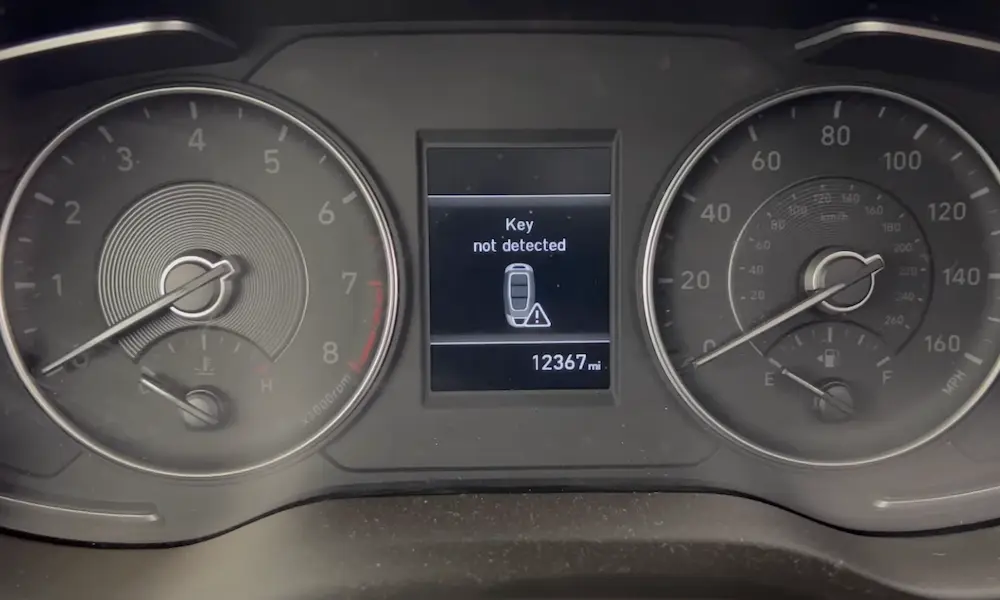

Seeing a “Key Not Detected” message in your Hyundai can be irritating at best; and genuinely stressful when you’re late, it’s raining, or you’re parked far from home. The good news is that this warning is extremely common across Hyundai models equipped with Smart Key and push-button start, and it usually has a simple explanation. In the majority of cases, the smart key fob battery is depleted or too weak to reliably transmit and confirm its signal, and replacing it is a quick, inexpensive fix.
Still, “common” doesn’t mean “always simple.” Smart-key systems rely on multiple layers of communication: the fob’s transmitter and battery, low-frequency proximity antennas inside the vehicle, the receiver module, and the immobilizer logic that decides whether the engine is allowed to start. A minor disruption at any point can trigger a detection warning, even if your key fob seems fine. That’s why this guide goes beyond the basic battery swap and walks you through clear, expert-style troubleshooting steps; from fast checks you can do in the driveway to the situations where professional diagnostics are the smartest next move.
Table of Contents
Read on for straightforward solutions that help you reconnect your key fob to your car and get back on the road without unnecessary guesswork, wasted time, or avoidable dealership visits.
Hyundai Smart Key Fob: How It Works
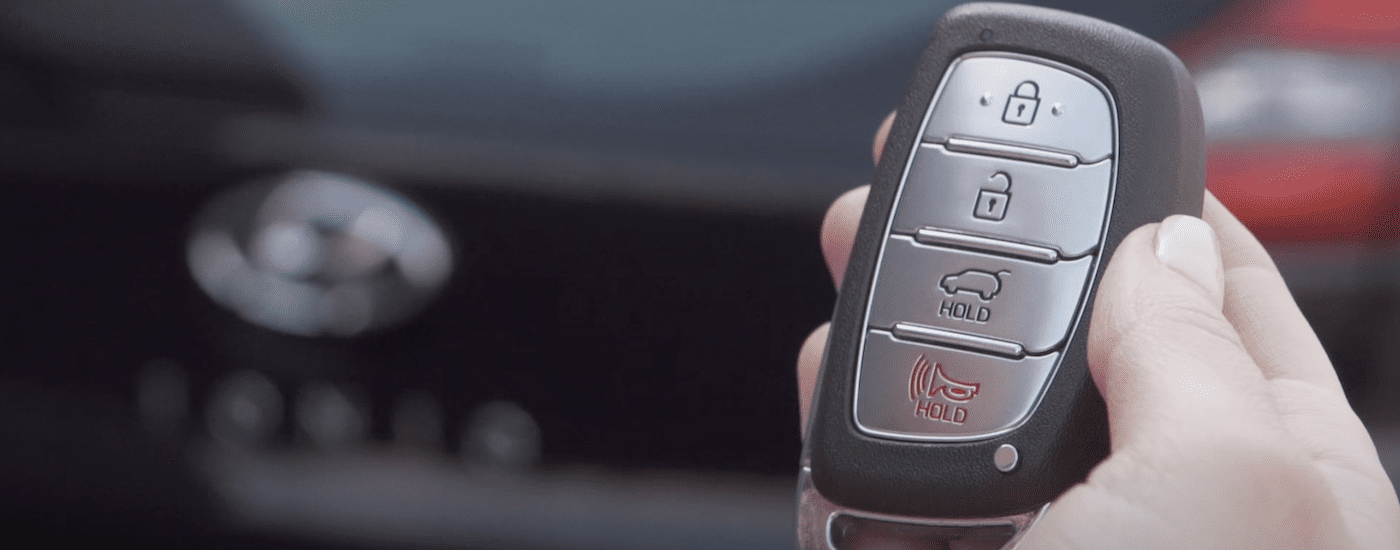
The Hyundai Smart Key Fob is a compact device, but it plays a central role in both convenience and security. It supports keyless entry, push-button ignition, remote locking/unlocking, and (depending on trim) remote trunk release, panic alarm, and remote start features. Under the surface, it functions as a secure “authorization token” that must be recognized by your vehicle before certain systems will unlock or allow the engine to run.
In normal operation, your Hyundai doesn’t just “hear” the key once and move on. It continuously checks whether a valid key is present, where it is (inside vs. outside the cabin), and whether the conditions for starting are met (brake pedal pressed, transmission in Park, steering lock status, and more). When the system can’t confirm those conditions, it displays messages like “Key Not Detected,” “Key Not In Vehicle,” or “No Key Detected” depending on your model and cluster wording.
Understanding the system’s basic architecture helps you troubleshoot faster; because you’ll know whether you’re dealing with a battery problem, a communication problem, a physical damage problem, or an immobilizer/receiver issue.
Key Components of the Smart Key Fob
The Smart Key Fob may look compact, but it’s packed with technology. At its core is a radio transmitter that communicates with your vehicle, enabling functions like locking, unlocking, and push-button start authorization. Most fobs also include buttons for trunk release and a panic/alarm function, and some models integrate remote start and other convenience controls.
The fob is powered by a small coin-cell battery. When that battery becomes weak, the fob may still work intermittently (for example, it might unlock the doors but fail to authorize starting), which can mislead you into thinking the battery is “fine.” In reality, different functions can require different signal strengths and timing accuracy. That’s why the first diagnostic step for a “Key Not Detected” warning is almost always battery-related.
If the battery malfunctions, replacing it is often a straightforward fix. Most Hyundai fobs are designed to open by snapping the casing apart. Once opened, you can access the coin-cell battery for replacement. The exact method varies slightly by fob style, so consult your owner’s manual for the correct procedure and the correct battery type for your specific model.
Expert tip: In many Hyundai smart keys, the mechanical emergency key (key blade) is stored inside the fob. If your fob battery dies, you can often remove that key blade to manually unlock the driver door. The mechanical key won’t fix “Key Not Detected” on its own, but it prevents a dead battery from leaving you locked out.
The Role of the Immobilizer System
The immobilizer system is a security feature that prevents unauthorized vehicle operation. It relies on a unique code or encrypted handshake shared between the smart key and the vehicle’s control modules. When the system recognizes a valid key, it permits starting. If it does not recognize the key; or if communication is incomplete or inconsistent; the vehicle remains immobilized and may display a warning message.
If the immobilizer system malfunctions or the code isn’t recognized, you may experience issues starting your vehicle. This could indicate a problem with the key fob, the immobilizer system, or the communication path between the two. In these cases, professional diagnostics may be necessary; especially if the vehicle repeatedly fails to recognize multiple keys, or if warnings appear alongside other electrical or security-related alerts.
Why this matters for troubleshooting: A dead key fob battery is the simple explanation. An immobilizer mismatch is the more complex explanation. By following a step-by-step process (battery, interference, placement, spare key, then vehicle-side diagnosis), you can usually determine which category you’re dealing with.
Why Your Hyundai Might Display “Key Not Detected”
The “Key Not Detected” message can stem from several issues, including a depleted battery, signal interference, or faults in the key fob or the car’s receiving system. Understanding the most likely causes helps you fix the problem faster; and helps you avoid replacing parts that aren’t actually faulty.
From a technician’s perspective, these warnings are best approached as a “communication confidence” issue. Your Hyundai is designed to fail safely: if it cannot reliably confirm that a valid key is present and authorized, it will refuse to start rather than risk allowing unauthorized operation.
Below are the main causes, along with practical signs that point to each one.
Dead Key Fob Battery
The most common reason for this error is a dead or low battery in the key fob. When the battery loses sufficient charge, it may not transmit a strong or stable signal, and the vehicle may fail to detect the key consistently; especially if the key is in a pocket, bag, or near other electronic items.
Replacing the battery is typically simple. Carefully open the fob using a small tool (often a flathead screwdriver), remove the old battery, and insert a new one; commonly a CR2032; ensuring correct polarity (typically the positive side faces up, though you should confirm the orientation in your fob). Reassemble the fob and test it immediately.
Important nuance: Not all Hyundai fobs use the same coin cell. CR2032 is common, but some variants use CR2025 or other types. The safe practice is to match the number printed on your original battery.
Signs the battery is the real culprit:
- Unlock range has dropped noticeably (you have to stand closer than usual).
- Push-button start works only if the fob is very close to the button.
- The warning appears intermittently, especially in cold weather.
- The fob works after you “tap” or move it; then fails again (weak battery behavior).
Cold weather deserves mention because coin-cell batteries drop in effective output when temperatures are low. A battery that is borderline in summer can fail completely in winter, leading to sudden “Key Not Detected” messages that seem to come out of nowhere.
Signal Interference
Electronic devices and environmental factors can disrupt the signal between your key fob and vehicle. Items like mobile phones, laptops, power banks, metal objects, and even certain parking structures or security systems can create interference or reduce signal quality. This doesn’t mean your key fob is broken; it means the communication environment is noisy enough that your Hyundai can’t confidently interpret the fob’s transmissions.
To resolve this, move the fob closer to the start button or away from possible interference sources. If you’re parked in a high-interference area (underground garage, near heavy electronics, near radio towers, or near certain industrial equipment), relocating the vehicle a short distance can restore normal operation.
Expert-level practical tip: If the key is inside a bag or pocket that contains other electronics, remove it and try again. Phones and power banks can sometimes “shield” the key’s signal simply by being adjacent to it, especially if there are coins, metal cards, or a thick wallet around it.
Common real-life interference scenarios:
- Key fob stored next to a smartphone in the same pocket
- Key fob packed tightly in a purse with cosmetics, chargers, and metal objects
- Vehicle parked near high-voltage electrical equipment
- Underground parking garages or dense urban environments with many competing signals
- Aftermarket electronics installed near the dash or steering column area
Interference is often intermittent, which is a key clue. If the issue happens in one location but not another, interference becomes much more likely than a hardware failure.
Key Fob Damage or Wear
Key fobs are durable, but they aren’t indestructible. Over time, they can develop wear from daily use, impacts, or exposure to moisture. If dropped repeatedly, internal components can loosen. If exposed to water (rain, spilled drinks, washing machine incidents), the circuit board can corrode or short, causing inconsistent behavior.
Inspect the fob for visible signs of damage, stuck buttons, cracks, or grime around seams. If the fob is dirty, careful cleaning may help. If it has been exposed to moisture, internal corrosion may be present, and replacement or repair may be necessary.
What “fob damage” looks like in practice:
- The key works only sometimes, regardless of battery replacement
- Buttons feel mushy, stuck, or trigger unexpectedly
- There’s visible cracking or the fob doesn’t close tightly after battery replacement
- The issue began immediately after a drop or water exposure
If the problem persists after battery replacement and the fob shows signs of damage, contacting a Hyundai dealer is often the most efficient option; especially if reprogramming or a new key is required.
Issues With the Car’s Receiver
The vehicle’s receiver system and interior antennas are responsible for detecting the smart key’s signal and determining whether the key is inside or outside the car. If the receiver or related components malfunction, the car can fail to recognize a perfectly good key fob.
Diagnosing receiver problems generally requires professional tools (scan tools, module communication checks, and sometimes live-data testing). A Hyundai dealership or qualified technician can use advanced diagnostics to isolate whether the issue lies in antenna circuits, receiver modules, wiring integrity, or immobilizer logic.
Clues that suggest a vehicle-side issue rather than a fob issue:
- Both keys behave the same way (if you have a spare and it also fails)
- The warning appears regardless of location and regardless of new fob battery
- Other electrical quirks appear at the same time (random warning lights, erratic electronics)
- The problem started after body work, windshield replacement, or electrical repairs
Vehicle-side faults are less common than battery and interference issues, but they do happen; especially after repairs or when wiring/connectors are disturbed.
How to Troubleshoot and Fix “Key Not Detected” Errors
If your Hyundai key fob isn’t being detected, you can usually restore functionality by working through a structured checklist. A disciplined approach matters because it prevents you from repeating the same ineffective step (like pressing buttons repeatedly) when the actual issue is low battery voltage, a dead fob, or interference.
These steps include replacing the fob battery, resetting the fob (when applicable), and using a manual “proximity” method that many Hyundai models support as a backup start procedure.
Replacing the Battery
A dead battery is often the root cause of detection errors. To replace it, open the key fob and remove the old battery. Insert a new one, ensuring polarity is correct, then reassemble the fob and test its performance immediately.
Expert best practices for battery replacement:
- Use a quality brand-name coin cell rather than the cheapest option available.
- Avoid touching the battery’s contact surfaces with oily fingers; skin oils can reduce contact quality over time.
- Ensure the battery sits flat and the retaining clip is secure.
- Confirm the fob housing closes fully; mis-seated housings can lead to intermittent contact.
If your key works for a day and then fails again after battery replacement, suspect a contact issue inside the fob (battery not clamped tightly) or internal damage rather than “bad new battery.”
Resetting the Key Fob
Sometimes, resetting the key fob can resolve detection issues; particularly when the issue is related to a temporary synchronization glitch. The general reset method commonly circulated is:
Enter your car and close all doors. Insert the key into the ignition and turn it to the “On” position. Hold the lock and unlock buttons on the fob for about 10 seconds. Turn the ignition off and remove the key. Test the fob to see if it works.
Important clarification: This approach applies to some Hyundai models with a keyed ignition and certain remote systems. Many Hyundai smart-key vehicles with push-button start do not use a traditional ignition cylinder. If your Hyundai does not have a key slot, consult your owner’s manual for the correct reset or re-sync procedure for your specific model.
Also, keep expectations realistic: if the fob battery is weak, a reset won’t help. A reset is useful when the fob is healthy but communication state needs to be refreshed.
Bypassing the Error
If the error persists and you need to start the vehicle, many Hyundai models allow a manual “proximity” method. Press the key fob against the start button and attempt to start the car. This leverages the fob’s proximity system and can allow the vehicle to read the key even when the fob battery is weak.
Why this works: Even when the coin-cell battery is dead, the smart key often still contains a passive transponder element that can be read at very close range. Pushing the fob directly against the button brings it within that near-field reading zone.
Model variation warning: Some Hyundai vehicles have a designated spot to place the fob (such as a slot or a marked area in the center console). If pressing the fob to the button doesn’t work on your vehicle, consult your owner’s manual for the correct emergency start location.
Use a Spare Key (If Available)
This step is often overlooked, but it’s one of the most powerful diagnostics you can do. If you have a spare smart key, use it immediately. If the spare works perfectly, the problem is almost certainly the original fob (battery contacts, internal damage, worn electronics). If the spare fails too, the problem is more likely vehicle-side (receiver/antenna/immobilizer) or environmental interference.
From an expert standpoint, a spare-key test can save you from unnecessary battery swaps, unnecessary dealer visits, and wrong assumptions.
Check the Vehicle’s 12V Battery (Yes, It Matters)
Although “Key Not Detected” is usually a fob issue, a weak vehicle 12V battery can create strange behavior in modern cars. Smart key receivers, antennas, and control modules require stable voltage. If voltage drops too low; especially during cranking or startup attempts; modules can behave unpredictably or fail to detect signals consistently.
Signs your Hyundai’s 12V battery may be contributing:
- Interior lights are dim or flicker
- Infotainment resets or behaves erratically
- Multiple warning messages appear at once
- The issue is worse after the car sits for a few days
If you suspect the 12V battery is weak, have it tested with a proper load test. Replacing a failing vehicle battery can resolve a surprising number of “electronic” issues, including intermittent key detection problems.
Confirm Start Conditions: Brake Pedal, Gear Position, and Steering Lock
Sometimes the message appears alongside other conditions that prevent starting. Ensure:
- You are pressing the brake pedal firmly (push-button start typically requires brake input).
- The vehicle is in Park (or Neutral, depending on model and situation).
- The steering wheel is not bound against the steering lock (try gently turning the wheel left/right while starting).
This won’t fix a dead key battery, but it can resolve edge cases where the system appears “confused” because multiple start conditions are not met simultaneously.
Deep Dive: Diagnosing the Root Cause Like a Technician
If basic troubleshooting doesn’t solve the issue, the next step is to identify whether the fault is fob-side or vehicle-side. Here’s a practical diagnostic framework you can use without special tools:
- Does the fob unlock/lock the doors from normal distance? If no, suspect the fob battery or fob damage first.
- Does the issue change when the fob is held directly to the start button? If yes, suspect a weak fob battery.
- Does a spare key behave normally? If yes, suspect the primary fob. If no, suspect vehicle-side receiver/antenna or interference.
- Does the issue happen only in one location? If yes, suspect interference rather than hardware.
- Did the issue start after repairs or a collision? If yes, suspect receiver/antenna/wiring alignment or module configuration issues.
This diagnostic approach keeps you from jumping straight to expensive solutions. Most owners who get stuck in the “Key Not Detected” loop either (a) keep pressing the start button repeatedly, or (b) assume they need a new key immediately. Often, neither is true.
Why Battery Replacement Fixes Most Hyundai Key Not Detected Errors
The reason the fob battery is so often to blame is simple: the smart key has to do more than “send a signal.” It must send a consistent signal that the vehicle can interpret correctly and verify against security expectations. As batteries weaken, signal strength drops, timing becomes inconsistent, and the system may fail authorization checks even though the key is physically present.
Many owners are surprised by how suddenly these batteries can fail. In reality, they usually decline gradually. The signs can be subtle:
- Reduced unlock range
- More frequent need to press buttons twice
- Intermittent “Key Not Detected” warnings
- Push-button start works only when fob is very close
Replacing the battery early; before complete failure; prevents emergency situations and reduces wear on the start-button and latch mechanisms that get used more aggressively when owners are troubleshooting on the fly.
Tips for Preventing Key Fob Issues
Key fobs are easy to ignore until they fail. But a few simple habits can prevent most common problems and keep the smart key system reliable for years.
Protecting Your Key Fob
Protect your key fob from impact, moisture, and extreme temperatures. A protective case can reduce damage from drops. Avoid exposing the fob to water, and don’t leave it in places where temperature swings are extreme (hot dashboards, freezing gloveboxes). Also, keep the fob away from electronic devices when possible to reduce signal interference.
Expert tip: Avoid extremely heavy keychains. Excess weight can stress fob housings, crack plastic over time, and increase the chance of impact damage when dropped. It’s a small detail, but it matters long-term.
Regular Maintenance
Regularly test your key fob to ensure it functions properly. Replace the battery every 1–2 years (or sooner if you notice reduced range). Clean the exterior and buttons to remove debris that could affect performance. If any problems appear, address them early; small issues (like a weakening battery or a cracked casing) often become major inconveniences when ignored.
Maintenance checklist you can follow:
- Battery replacement interval: every 12–24 months (typical)
- Check for cracks or loose seams after drops
- Keep the fob dry; if it gets wet, dry it immediately
- Confirm spare key is stored in a known location and still works
When You Should Seek Professional Help
If you’ve replaced the fob battery, tested with a spare key (if available), tried the proximity start method, and the vehicle still cannot detect the key consistently, it’s time to consider professional diagnostics. In most cases, a Hyundai dealer or a qualified automotive locksmith with appropriate programming tools can pinpoint the issue quickly.
Professional help is strongly recommended when:
- The vehicle does not detect any key fob, including a spare
- The issue began after collision repair, body work, windshield work, or electrical service
- You suspect immobilizer issues (consistent no-start with security-related warnings)
- The fob was water-damaged and now behaves erratically even with a new battery
- The “Key Not Detected” message is accompanied by multiple electrical warnings
At that point, diagnostics may involve scanning for security/immobilizer fault codes, verifying antenna signals, checking receiver module communication, and; if needed; reprogramming or replacing components. That’s not a DIY-friendly step for most owners, and it’s better handled with the correct tools.
Quick Recap: The Most Reliable Fix Order
If you want a quick “do this first, then this” summary, here’s the most effective troubleshooting order:
- Move the fob closer to the car and away from other electronics/metal objects
- Press the fob against the start button (emergency/proximity method)
- Replace the fob battery (match the battery type)
- Try your spare key
- Check vehicle 12V battery health and terminal condition
- Consider reset/re-sync steps if applicable to your model
- Seek professional diagnostics if the issue persists across keys
Following that order solves the majority of Hyundai “Key Not Detected” issues with minimal cost and minimal wasted effort.