
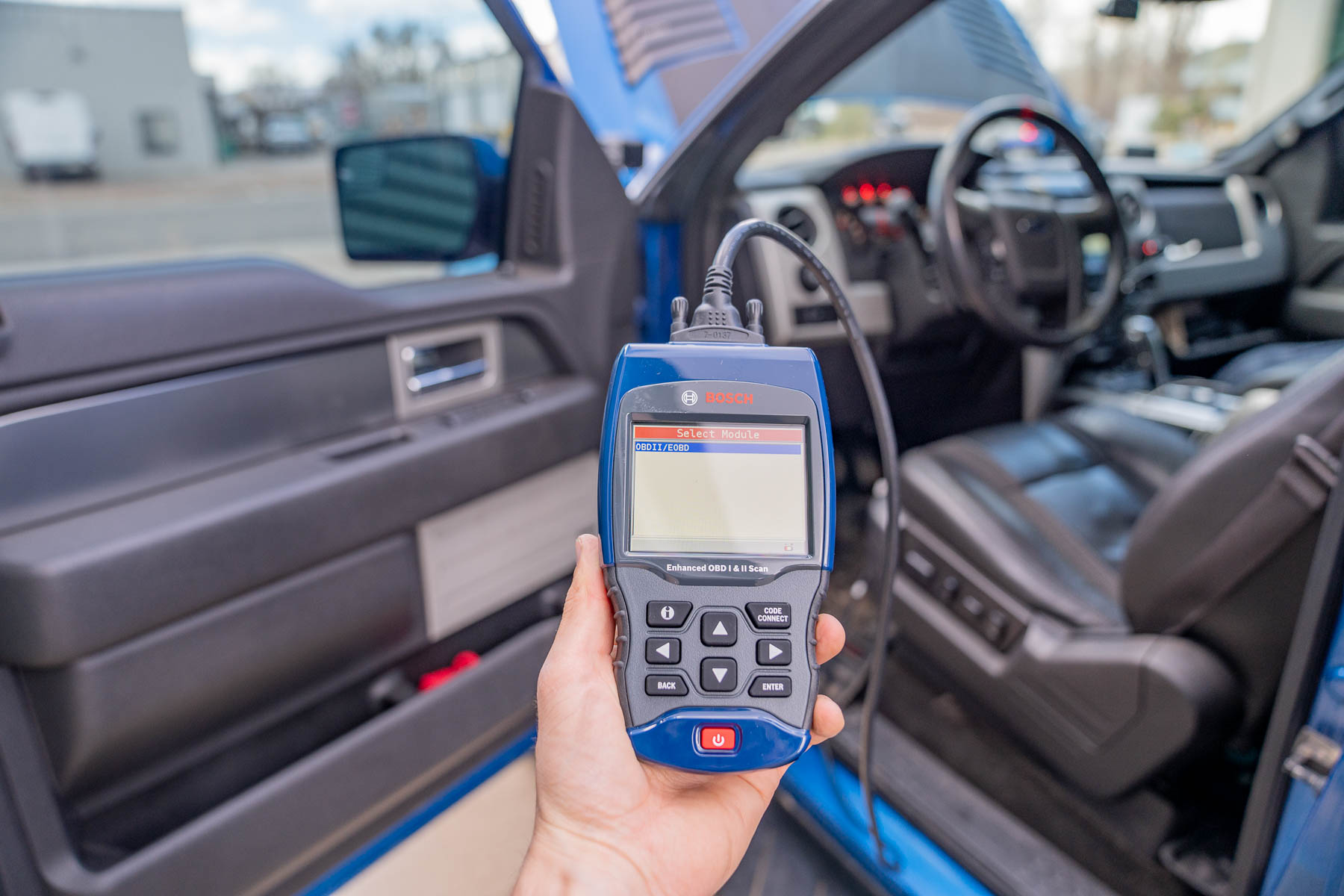

Few things in the DIY car repair world are more maddening than this scenario. You plug your OBD2 scanner into the port under the dash. The scanner powers on. The screen lights up. Everything looks like it is ready to go. And then… nothing. “No communication.” “Unable to connect.” “Link error.” Or maybe the scanner just sits there spinning, searching endlessly for a connection that never comes.
You unplug it. Plug it back in. Turn the car off and on again. Try wiggling the connector. Still nothing. The scanner clearly has power because the screen is on, but it absolutely refuses to pull any data from your vehicle.
Table of Contents
This is one of the most common and frustrating diagnostic dead ends that car owners and even experienced shade-tree mechanics run into. And the worst part? There are at least a dozen different things that can cause it, ranging from a five-second fix to a problem that requires some actual detective work.
But here is the good news. In the vast majority of cases, this is a solvable problem that does not require a trip to the dealership or an expensive repair. You just need to know where to look and what to check. So let us walk through every possible cause, starting with the simplest fixes and working our way up to the more involved stuff.
Understanding What “Power But No Communication” Actually Means
Before you start poking around with tools, it helps to understand what is actually happening when your scanner lights up but will not connect. This is not just a matter of “the port is broken.” The situation is more nuanced than that, and understanding the nuance will save you time.
Your OBD2 port is a 16-pin connector. Not all 16 pins are used on every vehicle, but several of them have specific jobs. Pin 16 provides battery voltage (12 volts) to the scanner. That is why your scanner powers on when you plug it in. Pin 16 is almost always live, even with the ignition off. It pulls power directly from the battery through a fuse.
But power is only half the equation. The other half is data communication. Your vehicle’s computer systems (the ECU, TCM, ABS module, and others) send and receive data through different pins on that same connector, depending on which communication protocol your vehicle uses. If the power pins are working fine but the data pins are not delivering a usable signal, your scanner sees power but cannot establish a handshake with the vehicle’s computers.
Think of it like plugging a phone charger into a laptop USB port. The phone charges because it is getting power. But if the data cable inside is broken, the laptop will not recognize the phone. Same port, same plug, but two different functions. Power works. Data does not.
That is exactly what is happening with your OBD2 port. The power circuit is intact. The communication circuit is broken somewhere. Your job is to figure out where.
A Quick Look at the Pins That Matter
You do not need to memorize all 16 pins, but knowing the key ones will make troubleshooting much easier. Here is a simplified breakdown of the pins that are relevant to this problem:
| Pin Number | Function | Expected Reading | Notes |
|---|---|---|---|
| 16 | Battery power (12V supply) | 12 to 14 volts | Always has power, even with ignition off |
| 4 | Chassis ground | 0 volts (near-zero resistance to battery negative) | Must have a solid connection |
| 5 | Signal ground | 0 volts (near-zero resistance to battery negative) | Must have a solid connection |
| 6 | CAN High (CAN-H) | Approximately 2.5 volts at rest | Used on most 2008 and newer vehicles |
| 14 | CAN Low (CAN-L) | Approximately 2.5 volts at rest | Used on most 2008 and newer vehicles |
| 2 | J1850 Bus+ | Varies by protocol | Used on older Ford and GM vehicles |
| 10 | J1850 Bus- | Varies by protocol | Used on older Ford and GM vehicles |
| 7 | K-Line (ISO 9141/KWP2000) | Varies | Used on older imports (Toyota, Honda, European) |
| 15 | L-Line (ISO 9141/KWP2000) | Varies | Used on older imports |
When your scanner has power, pin 16 is doing its job. The problem is almost always on pins 4, 5, 6, 7, 14, or 15, depending on your vehicle. Those are the pins that carry the actual data signals or provide the ground reference that the communication circuit needs.
Start With the Embarrassingly Simple Stuff (Seriously, Check These First)
Before you grab a multimeter or start tracing wires, check the things that make you feel silly when they turn out to be the answer. Because they are the answer more often than anyone wants to admit.
Is Your Ignition in the Right Position?
This trips up more people than you would expect. Most vehicles require the ignition to be in the “ON” or “RUN” position for OBD2 communication to work. Not “ACC” (accessory). Not “OFF.” The key needs to be turned far enough that all the dashboard warning lights come on and the vehicle’s computer modules are fully powered up.
On push-button start vehicles, this usually means pressing the start button twice without your foot on the brake. The first press typically activates accessory mode. The second press activates “ON” mode without starting the engine. That second press is usually what you need.
Here is a step that a lot of people skip. After turning the key to ON, wait at least 30 seconds before trying to connect the scanner. Some vehicles take a moment to complete their startup self-checks. During that time, the ECU is busy running through its initialization routine and might not respond to an external scan tool request. Let the dash lights do their thing, let the fuel pump prime, and then try your scanner.
On certain vehicles, particularly some older European models, the engine actually needs to be running for full OBD2 communication. If you have tried everything with the key in the ON position and nothing works, try starting the engine and scanning while it idles. It sounds counterintuitive, but some vehicle architectures do not fully activate the diagnostic communication bus until the engine is actually running.
Is Your Scanner Plugged in All the Way?
This one sounds almost too obvious to mention, but OBD2 connectors can be deceptive. The plug might feel like it is seated, but if it is even slightly cocked to one side or not pushed in that last quarter inch, the data pins might not be making full contact even though the power pins are.
Pull the scanner out completely. Look at both the scanner connector and the vehicle port. Make sure nothing is blocking full insertion. Then push it in firmly until you feel it click or seat completely. Some OBD2 ports are recessed behind a panel or angled in a way that makes it hard to get a straight, full insertion. Do not be afraid to apply a little pressure.
Have You Tried a Different Scanner?
If you have access to a second scan tool, try it. This is the fastest way to determine whether the problem is with the vehicle or with the scanner itself. If a different scanner connects without any issues, your original scanner is either incompatible with your vehicle or malfunctioning.
If you do not have a second scanner, try your scanner on a different vehicle. A neighbor’s car, a friend’s truck, anything with an OBD2 port. If your scanner connects and reads data on another vehicle without problems, you know the scanner is fine and the issue is on the vehicle side.
This simple cross-check can save you hours of troubleshooting. Do it early in the process.
The Most Common Reasons Your OBD2 Port Has Power But No Communication
Alright, you have confirmed the ignition is in the right position, the scanner is fully seated, and the problem is not the scanner itself. Now let us get into the real causes.
Bent, Pushed-Back, or Corroded Connector Pins
This is one of the most frequent causes of “power but no communication,” and it makes perfect sense when you think about it. The OBD2 port gets plugged and unplugged repeatedly over the life of the vehicle. Every time a technician, an emissions inspector, or a DIYer shoves a scanner plug into that port, the pins inside take a little bit of abuse.
Over time, pins can get bent sideways, which means they no longer align with the corresponding pins in the scanner connector. They can get pushed back into the housing, which means they do not protrude far enough to make contact. Or they can develop corrosion from moisture exposure, especially in vehicles driven in humid climates or areas with heavy road salt.
Here is the thing that makes this particular issue tricky. The power pin (pin 16) and the ground pins (pins 4 and 5) are often in good shape because they are the most robust pins in the connector and they are positioned in locations that tend to hold up well. But the data pins (6, 7, 14, 15) might be damaged. So you get power but no data. The scanner lights up, but communication fails.
To check for pin problems:
- Get a flashlight and look directly into the OBD2 port on your vehicle. You want a clear view of all the pins inside the connector.
- Look for any pins that are obviously bent, leaning to one side, or sitting lower than the others.
- Look for green or white crusty buildup on any of the pins. That is corrosion.
- If you find a bent pin, you can carefully straighten it using a very small flathead screwdriver or a dental pick. Be gentle. These pins are small and can break if you force them.
- For corroded pins, spray them with electrical contact cleaner and gently scrub with a small brush (an old toothbrush works in a pinch). Let everything dry completely before reconnecting your scanner.
A real-world example. A buddy of mine has a 2010 Ford F-150 that would not communicate with any scanner. The port had power, but every scanner just said “connecting…” forever. We pulled out a flashlight and found that pin 6 (CAN High) was bent almost flat against the bottom of the housing. A previous technician had apparently jammed a scanner in at an angle. Five minutes with a pick to straighten the pin, and the truck communicated perfectly.
Cost of the fix? Zero dollars. Time spent? About ten minutes, most of which was spent lying on the floor trying to see the port clearly.
A Blown Fuse You Did Not Know Existed
Most people know that pin 16 provides power to the scanner through a fuse. If that fuse blows, the scanner will not even light up. But what many people do not realize is that the data communication circuits on many vehicles also run through one or more separate fuses.
Your vehicle might have a fuse labeled “DLC” (Diagnostic Link Connector), “OBD,” “DATA,” “CAN,” “ECM,” or even just a generic label that you would never associate with the OBD2 system. If one of these fuses blows, the power fuse can remain intact (keeping pin 16 alive and your scanner lit up) while the data circuit is completely dead.
Where to find these fuses? There are typically two or three fuse locations in most vehicles:
- Under-hood fuse box: Usually near the battery or along the fender wall. This is where higher-amperage fuses and relays live, along with many engine management fuses.
- Interior fuse panel: Often located under the dashboard on the driver side, behind a small cover near your left knee. Some vehicles put it on the passenger side or at the end of the dashboard (visible when the door is open).
- Secondary fuse boxes: Some vehicles have additional fuse panels in the trunk, behind the glove box, or under the rear seat.
The fastest way to identify which fuse to check is to look at the fuse diagram in your owner’s manual. Every fuse is listed with its location, amperage rating, and the circuit it protects. Look for anything related to the ECM, PCM, data link, CAN bus, or diagnostics.
Pull the suspect fuse out and look at it. If the thin metal strip inside is broken or burned, the fuse is blown. Replace it with a fuse of the same amperage rating (never higher) and try your scanner again.
If the replacement fuse blows immediately, you have a short circuit somewhere in the wiring, and you will need to trace that down before the communication issue can be resolved. A fuse that blows right away is a symptom, not the root cause.
Your Scanner Does Not Speak Your Car’s Language
This is a compatibility issue that catches a lot of budget scanner buyers off guard. Not every OBD2 scanner can communicate with every OBD2 vehicle. The OBD2 standard specifies several different communication protocols, and while modern professional-grade scanners support all of them, cheaper consumer scanners sometimes do not.
Here is a quick breakdown of the main protocols and which vehicles use them:
- CAN Bus (ISO 15765-4): The current standard. Mandatory on all vehicles sold in the US from 2008 onward. Most scanners, even cheap ones, support CAN. If your vehicle is 2008 or newer and your scanner cannot connect, CAN compatibility is probably not the issue (but the CAN wiring might be).
- ISO 9141-2 and ISO 14230 (KWP2000): Used on many older imports, including Toyota, Honda, Hyundai, Kia, and European vehicles from the late 1990s through the mid-2000s. These protocols use the K-Line (pin 7) and sometimes L-Line (pin 15) for communication. Some very basic scanners do not support these protocols.
- SAE J1850 PWM (Pulse Width Modulation): Used primarily on older Ford vehicles. Communicates through pins 2 and 10.
- SAE J1850 VPW (Variable Pulse Width): Used primarily on older GM vehicles. Also communicates through pins 2 and 10.
If you bought a $15 Bluetooth OBD2 adapter off the internet and it will not connect to your 2003 Toyota Camry, there is a decent chance the adapter simply does not support the ISO protocol that your Camry uses. It might only support CAN, which your 2003 model does not have.
The fix is straightforward. Either buy a scanner that explicitly supports all OBD2 protocols, or get a scanner that is designed for your specific vehicle make. For European vehicles in particular, brand-specific scanners (like VCDS for Volkswagen/Audi or BMW Scanner for BMW) tend to have much better communication reliability than generic tools.
Here is how to test for compatibility issues:
- Try your scanner on a different vehicle, ideally one that is newer (2008 or later) and uses CAN protocol.
- If it connects on the other vehicle, the scanner works but might not support your vehicle’s protocol.
- Check the scanner’s documentation or manufacturer website for a compatibility list.
- If your vehicle is listed as compatible but still will not connect, the problem is likely on the vehicle side, not the scanner side.
Bad Ground Connections Killing the Data Signal
Ground problems are the silent killers of automotive electrical communication. A bad ground connection might not prevent your scanner from powering on (because pin 16 provides voltage through a separate circuit), but it can absolutely prevent data communication from working.
The OBD2 connector has two ground pins: pin 4 (chassis ground) and pin 5 (signal ground). Both of these need to have a solid, low-resistance path back to the battery negative terminal. If either ground is weak, corroded, or broken, the voltage reference that the communication circuit depends on gets corrupted.
In the real world, ground problems show up in several ways:
- The scanner connects intermittently. Sometimes it works, sometimes it does not.
- The scanner connects but reads garbage data or partial data.
- The scanner connects to some modules but not others.
- The scanner takes an unusually long time to establish a connection.
To test for ground issues, grab a multimeter and set it to measure resistance (ohms). Put one lead on pin 4 or pin 5 of the OBD2 connector, and put the other lead directly on the negative battery terminal. You should see a reading of less than 1 ohm. If you see 5 ohms, 10 ohms, or infinite resistance, you have a ground problem.
Common locations for bad grounds include:
- Battery terminal connections. Corroded or loose terminals create resistance in the entire ground circuit.
- Engine-to-frame ground straps. These braided metal straps connect the engine block to the vehicle chassis. They corrode over time and can develop high resistance.
- Body ground points. Many vehicles have ground wires bolted to the firewall, fender, or floor pan. These bolts can loosen or corrode, especially in areas that see a lot of moisture.
- The ground wire in the OBD2 harness itself. The wire running from pin 4 or pin 5 back to the main ground bus can break internally (looking fine on the outside) or corrode at a splice point.
Fixing a ground issue can be as simple as cleaning a battery terminal, tightening a ground bolt, or running a new ground wire from the OBD2 connector to a known-good ground point on the chassis.
Wiring Damage Between the Port and the Computer
The OBD2 port is not directly attached to the ECU. There is a wiring harness running between them, and that harness can be several feet long depending on the vehicle. Anywhere along that run, the wires can get damaged.
The most common types of wiring damage include:
- Rodent damage. Mice and rats love to chew on automotive wiring. Modern vehicles use soy-based wire insulation that rodents find particularly appetizing. If you park in a garage, near a field, or anywhere that mice might call home, rodent damage is a real possibility. One chewed-through data wire is all it takes to kill communication while leaving the power circuit intact.
- Broken wire inside intact insulation. This is a sneaky one. The wire looks perfectly fine from the outside. The insulation is not damaged. But inside, the copper conductor has broken, usually from vibration or repeated flexing. This happens most often where the harness passes through a grommet, around a sharp bend, or near a component that vibrates.
- Pinched wires. If the harness was routed through a tight space during assembly (or during a previous repair), one or more wires might be pinched against a metal edge. Over time, the insulation wears through, and the wire either shorts to ground or breaks entirely.
- Corroded splice connections. Factory wiring harnesses often include splice points where multiple wires are joined together. These splices can corrode, especially in areas exposed to moisture. A corroded splice can create enough resistance to prevent a clean data signal from getting through.
To check for wiring damage:
- Visually inspect the wiring immediately behind the OBD2 connector. Look for obviously damaged, chewed, or pinched wires.
- Follow the harness as far as you can see. Pay attention to areas where it passes through the firewall, near the steering column, or behind dashboard panels.
- Look for signs of rodent activity: droppings, nesting material, chew marks on surrounding components.
- If you have a multimeter, you can do a continuity test on the suspect wires. Disconnect the OBD2 connector, find the corresponding wire at the ECU connector (you will need a wiring diagram for this), and check for continuity from end to end. No continuity means a break somewhere in the wire.
Wire repair is not complicated if you find the damage. A quality solder joint with heat-shrink tubing over it will restore the connection. Or you can use weatherproof butt connectors with a proper crimping tool. Avoid cheap twist-on wire nuts for automotive wiring. They vibrate loose and corrode.
The ECU Itself Has Locked Up or Crashed
Your vehicle’s ECU is a computer. And just like every computer you have ever used, it can freeze, lock up, or get stuck in a state where it is no longer responding to external requests. When the ECU is in a hung or locked state, it might still be running the engine just fine (or mostly fine), but it refuses to respond to the scanner’s communication request.
This can happen after:
- A sudden voltage spike or drop (like a battery that died while driving and was jump-started)
- A failed software update or reflash attempt
- A short circuit in the electrical system that caused the ECU to enter a protective mode
- Extreme heat exposure that caused the ECU to overheat
- Water intrusion into the ECU housing
The first thing to try is a hard reset of the ECU:
- Turn the vehicle off completely.
- Disconnect the negative battery terminal.
- Wait 15 to 30 minutes. This gives the capacitors inside the ECU and other modules time to fully discharge.
- While the battery is disconnected, press and hold the brake pedal for about 30 seconds. This helps drain any residual power in the system faster.
- Reconnect the battery terminal.
- Turn the key to the ON position and wait 60 seconds before trying the scanner.
In many cases, this reset is enough to shake the ECU out of whatever state it was stuck in and restore normal communication. If it works, great. If it does not, the ECU might have a more serious internal problem that requires professional diagnosis or, in some cases, replacement.
A word of caution. If the ECU locked up because of a voltage issue, make sure you test your battery and alternator before assuming the ECU is the problem. A weak battery or a failing alternator can cause repeated ECU communication issues that will keep coming back no matter how many times you reset.
Using a Multimeter to Diagnose the Problem Like a Pro
If the simple checks did not solve your issue, it is time to break out the multimeter. This is where you stop guessing and start measuring. A basic digital multimeter (even a $20 one from the hardware store) is all you need for these tests.
Test Number One: Verify Power at Pin 16
You already know the scanner has power because it turns on. But let us confirm the voltage is correct and stable.
- Set your multimeter to DC voltage.
- Touch the positive (red) lead to pin 16 of the OBD2 connector. Pin 16 is the one in the bottom-right corner of the connector when you are looking at it from the front.
- Touch the negative (black) lead to a known-good ground point on the vehicle. The negative battery terminal is the most reliable ground reference.
- With the ignition in the ON position, you should see 12 to 14 volts.
If you see 12 to 14 volts, pin 16 is fine. Move on to the ground test.
If you see voltage but it is low (below 11 volts), you might have a weak battery or a charging system issue. Low voltage can prevent the ECU from communicating properly even though the scanner still has enough power to turn on.
If you see zero volts, the power fuse for the OBD2 port is blown or the wiring to pin 16 is broken. But since your scanner is powering on, this is unlikely unless the scanner has an internal battery (some do).
Test Number Two: Check the Ground Pins
- Set your multimeter to resistance (ohms).
- Touch one lead to pin 4 of the OBD2 connector.
- Touch the other lead to the negative battery terminal.
- You should see a reading of less than 1 ohm. Ideally under 0.5 ohms.
- Repeat the test on pin 5.
If either pin shows high resistance (anything above 2 to 3 ohms), you have a ground problem. Trace the ground wire from the OBD2 connector back to its ground point and look for corrosion, loose connections, or breaks.
If both ground pins show good resistance, move on to the communication line tests.
Test Number Three: Check the CAN Bus Lines (2008 and Newer Vehicles)
If your vehicle uses CAN protocol (which it almost certainly does if it is a 2008 or newer model sold in the US), you need to check the CAN High and CAN Low lines.
Voltage test (ignition ON, scanner disconnected):
- Measure the voltage on pin 6 (CAN High) relative to ground. It should read approximately 2.5 volts when the bus is at rest.
- Measure the voltage on pin 14 (CAN Low) relative to ground. It should also read approximately 2.5 volts at rest.
If both pins show approximately 2.5 volts, the CAN bus is likely present and active. If one or both pins show 0 volts, 5 volts, or battery voltage, there is a problem in the CAN wiring or a module on the CAN bus has failed and is pulling the line to an incorrect state.
Resistance test (ignition OFF, scanner disconnected):
- Measure the resistance between pin 6 and pin 14. You should see approximately 60 ohms.
That 60-ohm reading comes from the two 120-ohm terminating resistors at each end of the CAN bus network (one in the ECU and one in another module, usually the instrument cluster or gateway module). If you see 120 ohms, one of the terminating resistors is missing or disconnected, which means a module at one end of the bus is not on the network. If you see 0 ohms or very low resistance, there is a short circuit on the CAN bus. If you see infinite resistance (open circuit), the CAN wiring is broken.
This 60-ohm test is one of the most telling diagnostics you can perform. It gives you an immediate snapshot of the health of the entire CAN bus network in one measurement.
Test Number Four: Check Older Protocol Lines (Pre-2008 Vehicles)
If your vehicle is older and uses ISO 9141, KWP2000, or J1850 protocols, the relevant pins are different:
- ISO vehicles (older Toyota, Honda, European): Check pins 7 and 15 for voltage signals.
- J1850 vehicles (older Ford and GM): Check pins 2 and 10 for voltage signals.
These protocols do not have the convenient 60-ohm resistance test that CAN does, but you can verify that the pins have voltage present and are not shorted to ground or to battery voltage.
Vehicle-Specific Quirks That Can Block Communication
Some vehicles have unique characteristics that can cause OBD2 communication failures even when everything is physically in good shape. Knowing about these quirks can save you from chasing phantom problems.
Chrysler/Dodge/Jeep: The Security Gateway Module Problem
If you drive a newer Chrysler, Dodge, Jeep, or Ram vehicle (roughly 2018 and newer), there is a good chance your vehicle has a Secure Gateway Module (SGW). This module sits between the OBD2 port and the vehicle’s internal CAN bus network, and it acts like a firewall. Its job is to prevent unauthorized access to the vehicle’s computer systems.
The practical effect? Many aftermarket scan tools simply cannot get through the gateway. They plug in, power up, and then fail to communicate. The gateway blocks them. This is by design, not a malfunction.
Your options for dealing with the Chrysler security gateway include using a scan tool that is specifically designed to work with the SGW (some newer Autel, Launch, and Snap-on scanners can), purchasing a gateway bypass module, or taking the vehicle to a dealer where the factory scan tool has full access.
This issue has frustrated a lot of Chrysler/Dodge/Jeep owners and aftermarket shops. It is worth knowing about before you tear your dashboard apart looking for a wiring problem that does not exist.
European Vehicles: Sleep Mode and Wake-Up Procedures
Many European vehicles, particularly BMW, Mercedes-Benz, and Volkswagen/Audi, put their electronic modules into a sleep mode after the vehicle has been sitting for a while. When the modules are asleep, they do not respond to OBD2 communication requests.
On some BMWs, for example, you might need to open and close the driver door, press the brake pedal, or turn the headlights on before the modules will wake up and respond to a scan tool. The specific wake-up procedure varies by model and year.
If you are trying to scan a European vehicle that has been sitting for several hours and your scanner will not connect, try these steps before assuming there is a hardware problem:
- Open the driver door and leave it open.
- Insert the key and turn it to the ON position (or press the start button to activate ON mode).
- Press the brake pedal a few times.
- Wait 30 to 60 seconds for all modules to wake up.
- Then try connecting your scanner.
For VW and Audi vehicles specifically, a brand-specific tool like VCDS (VAG-COM) tends to have much better communication reliability than generic OBD2 scanners. If you own a VW or Audi and do any of your own diagnostics, VCDS is worth the investment.
GM Vehicles: Ignition Cycling
Some older GM vehicles can get stubborn about OBD2 communication, particularly when the modules have not been fully powered up in a while. GM technicians sometimes recommend cycling the ignition ON and OFF several times before attempting to connect a scanner.
Turn the key to ON, wait 10 seconds, turn it OFF, wait 10 seconds, and repeat two or three times. Then leave it in the ON position and try the scanner. This cycling helps ensure all modules on the network are awake and ready.
Nissan and Infiniti: Scanner Settings
Some Nissan and Infiniti models require the scanner to be set to a specific protocol or baud rate for successful communication. If your scanner has a manual protocol selection option, try switching between “Auto” and the specific protocol for your vehicle year. This is a scanner-side setting, not a vehicle-side problem, but it can feel like a vehicle problem when auto-detect fails.
Hybrid Vehicles: Ready Mode Requirement
Some hybrid vehicles, including various Toyota, Honda, and Ford hybrids, will not fully communicate via OBD2 unless the hybrid system is in “Ready” mode. This is the mode where the vehicle is fully operational and the hybrid drive system is active (the green “Ready” indicator is lit on the dashboard).
On a Prius, for example, you press the start button with your foot on the brake to enter Ready mode. If you only put the vehicle in ON mode without Ready, some modules might not respond to the scanner.
A Systematic Troubleshooting Roadmap
To avoid wasting time jumping between random checks, follow this sequence. It starts with the quickest and easiest tests and progresses to the more involved stuff. At each step, if you find the problem, stop and fix it before moving on.
- Verify the ignition position. Make sure it is in ON/RUN, not just ACC. Wait 30 seconds after turning the key before trying the scanner.
- Check the physical connection. Make sure the scanner is fully seated in the OBD2 port.
- Inspect the OBD2 connector pins visually. Look for bent, pushed-back, or corroded pins.
- Check related fuses. Consult your owner’s manual for fuse locations. Look for fuses labeled DLC, OBD, DATA, ECM, or similar.
- Try a different scanner if available, or try your scanner on a different vehicle to isolate the problem.
- Test power at pin 16 with a multimeter. Confirm 12 to 14 volts.
- Test ground at pins 4 and 5 with a multimeter. Confirm less than 1 ohm resistance to the battery negative.
- Test the CAN bus lines (pins 6 and 14) for correct voltage and 60-ohm resistance (on CAN-equipped vehicles).
- Perform an ECU hard reset by disconnecting the battery for 15 to 30 minutes.
- Inspect wiring between the OBD2 port and the ECU for rodent damage, breaks, or pinched wires.
- Check for vehicle-specific quirks (security gateways, sleep mode, protocol requirements).
If you get through all eleven steps and the problem persists, you are likely dealing with either a failed ECU, a failed module on the CAN bus that is dragging the entire network down, or an internal CAN bus wiring issue that requires a wiring diagram and more advanced tracing. At that point, professional diagnosis with a factory-level scan tool is your best next step.
When One Bad Module Kills Communication for Everything
This is a scenario that trips up even experienced mechanics, so it is worth understanding. On CAN bus vehicles, all the electronic modules share the same communication network. They are all connected in a chain (or a network topology). If one module on that network fails in a specific way, it can short out or corrupt the entire CAN bus, preventing all communication.
Think of it like a string of Christmas lights wired in series. If one bulb shorts out, the whole string goes dark. A failed ABS module, a water-damaged body control module, or a malfunctioning instrument cluster can potentially take down the entire CAN bus network, which means your scanner cannot talk to anything, including the ECU.
The way technicians diagnose this is by strategically disconnecting modules one at a time and checking CAN bus resistance and voltage after each disconnection. When they unplug the failed module and the CAN bus comes back to life (60 ohms, 2.5 volts on pins 6 and 14), they have found the culprit.
This is an advanced diagnosis that requires access to connector locations and a wiring diagram for your specific vehicle. But knowing that this is a possibility can save you from replacing an ECU that is actually fine while the real problem is a $150 body control module that got wet during a heavy rainstorm.
Aftermarket Accessories That Can Interfere With OBD2 Communication
This is a cause that a lot of people overlook because they do not think of their aftermarket accessories as being connected to the OBD2 system. But several types of plug-in devices use the OBD2 port and can cause communication conflicts.
- Insurance tracking dongles. Many insurance companies offer plug-in devices that monitor your driving habits for a discount. These devices occupy the OBD2 port and stay connected 24/7. Some of them can interfere with scanner communication, either by blocking physical access to the port or by occupying the CAN bus in a way that prevents a second device from connecting.
- Performance tuners and chips. Aftermarket performance tuners that plug into the OBD2 port can alter the communication parameters or add themselves as a device on the CAN bus. If the tuner is not properly configured, it can block scanner communication.
- Fleet tracking devices. Commercial vehicles often have GPS tracking devices plugged into the OBD2 port. These devices communicate with the vehicle continuously and can conflict with scan tool requests.
- OBD2 splitters. Some people use Y-adapters to connect multiple devices to a single OBD2 port simultaneously. These splitters can cause signal degradation and communication failures, especially if the devices connected to them are both trying to communicate at the same time.
If you have any device plugged into your OBD2 port, unplug it and try your scanner directly in the port with nothing else connected. If the scanner connects successfully after removing the accessory, you have found your problem. You may need to unplug the accessory whenever you want to use a scan tool, or consider an alternative installation method for the accessory.
Keeping Your OBD2 System Working Reliably Over Time
Once you get your OBD2 communication working again, a little preventive maintenance goes a long way toward making sure you do not run into this problem again.
- Apply dielectric grease to the OBD2 connector pins. A thin coating of dielectric grease on the pins prevents corrosion from moisture without interfering with electrical contact. Do this once a year or whenever you notice the connector looking dry.
- Do not leave scan tools plugged in when not in use. Leaving a scanner or Bluetooth adapter plugged into the OBD2 port 24/7 puts constant mechanical stress on the connector and keeps the port energized. Unplug it when you are done.
- Use a port cover or dust cap. If your vehicle’s OBD2 port does not have a factory cover, you can buy aftermarket dust caps that snap over the port and keep debris out. This is especially useful if the port is in an exposed location near the driver’s feet where it can get kicked or collect dirt.
- Keep your battery terminals clean. Corroded battery terminals affect every electrical system in the vehicle, including OBD2 communication. Clean them during oil changes and apply terminal protectant.
- Address check engine lights promptly. When you let fault codes pile up without diagnosis, you are more likely to encounter communication issues as the ECU struggles to manage multiple active faults. Fix problems as they arise instead of letting them accumulate.
- Use rodent deterrent measures if you park in areas with mice or rats. Rodent-deterrent tape wrapped around exposed wiring harnesses can discourage chewing. Some people also use peppermint oil sachets in the engine bay, though the effectiveness of that approach is debatable.
Common OBD2 Communication Issues by Vehicle Make
Different manufacturers tend to have different weak points when it comes to OBD2 communication. Here is a quick reference table based on patterns that show up repeatedly in repair forums and shop data.
| Make | Common Issue | Typical Fix |
|---|---|---|
| Ford | J1850 PWM timeout on older models | Clean pins 2 and 10, check the DLC fuse, try cycling ignition |
| GM (Chevrolet, GMC, Buick) | Module sleep issues, especially after sitting | Cycle the ignition ON and OFF multiple times before connecting scanner |
| Toyota | Weak K-Line signal on pre-CAN models | Check pin 7 connections, try a scanner with stronger K-Line support |
| Honda | Ground pin corrosion in humid climates | Clean pins 4 and 5, check the chassis ground point |
| VW/Audi | Selective module communication, gateway issues on newer models | Use VCDS or a VAG-compatible scanner, check CAN bus wiring |
| Chrysler/Dodge/Jeep | Security Gateway Module blocking aftermarket scanners | Use a gateway-compatible scanner or a bypass module |
| BMW | Sleep mode preventing communication after vehicle sits | Follow the specific wake-up procedure (open door, brake pedal, lights) |
| Hyundai/Kia | Blown DLC fuse after using cheap OBD2 adapters | Check and replace the OBD/DLC fuse in the interior fuse panel |
| Nissan/Infiniti | Auto-detect protocol failure | Manually select the communication protocol in scanner settings |
| Subaru | Intermittent pin contact on older models | Inspect and tighten OBD2 connector mounting, check for loose pins |
If your vehicle make is on this list, start with the common issue and typical fix listed here before going through the full diagnostic sequence. It could save you a lot of time.
When It Is Time to Call a Professional
There is no shame in knowing when a problem exceeds your tools, skills, or patience. OBD2 communication failures can range from a two-minute fix to a multi-hour wiring trace that requires a factory scan tool, a wiring diagram, and an oscilloscope.
Here are some signs that it is time to hand this off to a professional:
- You have checked all the pins with a multimeter and everything reads correctly, but the scanner still will not connect.
- The CAN bus resistance is wrong (not 60 ohms) and you cannot figure out which module is causing the problem.
- You suspect ECU failure but do not have the means to confirm it.
- The vehicle has extensive aftermarket wiring modifications (remote start, alarm system, stereo system) that have complicated the harness.
- You are dealing with a newer Chrysler/Dodge/Jeep with a security gateway that your scanner cannot penetrate.
A good independent shop with a professional-grade scan tool (J2534 pass-through device, factory subscription, or a high-end Autel/Snap-on/Launch scanner) can usually diagnose OBD2 communication failures within an hour. The diagnostic fee is typically $80 to $150, and it will tell you exactly what needs to be fixed.
Compare that to the cost of blindly replacing an ECU ($500 to $2,000+) only to find out the problem was a $3 fuse or a corroded ground wire, and the diagnostic fee looks like a bargain.
The Problem is Almost Always Simpler Than You Think
After walking through all of these causes and tests, here is the reality. The vast majority of “OBD2 has power but no communication” problems come down to one of five things: the ignition was in the wrong position, a pin in the connector was bent or corroded, a fuse was blown, the scanner was not compatible with the vehicle, or there was a ground connection issue.
That covers roughly 80 to 90 percent of cases. The wiring damage, ECU failures, CAN bus module problems, and vehicle-specific gateway issues make up the remaining 10 to 20 percent. They happen, but they are the exception, not the rule.
Start simple. Work methodically. Do not skip steps because you assume the answer must be something complicated. And above all, use a multimeter before you use a credit card. A few minutes of measuring is almost always cheaper than a few hundred dollars of guessing.
If your OBD2 port lights up the scanner but refuses to share data, the answer is in that connector, in that wiring, or in that fuse box. Go find it.