
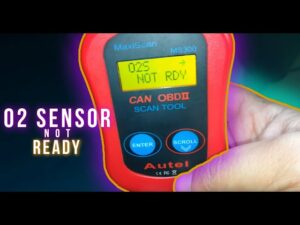

“Oxygen sensor not ready” is one of those OBD-II messages that looks harmless—until it keeps you from passing an emissions inspection, clearing a readiness test, or confirming that a repair truly worked. Yes, it’s often easy to correct, especially when it’s caused by an ECU reset or an incomplete drive cycle. But “easy” doesn’t mean “ignore it.” When the oxygen sensor monitor stays incomplete for too long, it can also be your vehicle’s way of telling you that a sensor, heater circuit, fuel-control issue, or exhaust problem is preventing proper self-testing.
In this guide, I’ll break down what “oxygen sensor not ready” really means, what conditions trigger it, and how to fix it in the most cost-effective way possible—starting with the no-parts-needed solutions (proper drive cycle and readiness completion), then moving into diagnosis when the monitor refuses to set. The goal is simple: help you get the oxygen sensor monitor to READY without guessing, wasting fuel, or replacing parts blindly.
Oxygen Sensor Monitor Incomplete
An oxygen sensor monitor incomplete status means your vehicle’s computer (PCM/ECU) has not finished the self-test that verifies oxygen sensor operation. In OBD-II terms, the monitor is still in a NOT READY state. When that happens, the vehicle can’t fully confirm emissions performance, and an OBD inspection (or emissions readiness check) may be reported as incomplete—even if the car seems to run fine.
To understand why this matters, you need to know what the oxygen sensor monitor is trying to prove. Oxygen sensors (O2 sensors) are the feedback devices that help the ECU adjust fueling in real time. They allow the engine to maintain a proper air-fuel ratio—lean enough to reduce emissions and protect the catalytic converter, but rich enough to maintain power and avoid misfires. If the O2 sensor data is unreliable, the ECU cannot confidently manage emissions, fuel trims, and catalytic converter efficiency.
The oxygen sensor monitor is a self-check routine designed to verify that:
- The oxygen sensor(s) heat up properly (if heated sensors are used, which most modern vehicles do).
- The sensor(s) respond quickly enough to changes in exhaust oxygen content.
- The sensor signal is within expected voltage/current ranges and switching behavior.
- The ECU can control fuel trim based on the sensor feedback in a stable “closed loop” mode.
If the oxygen sensor monitor finds a true fault—such as a heater circuit failure, slow response, or implausible readings—it can trigger the MIL (Malfunction Indicator Lamp), commonly called the check engine light. But “not ready” is different: it usually indicates that the ECU hasn’t completed the test, not necessarily that it has failed it.
This distinction is important. Many drivers conflate “not ready” with “bad sensor.” In reality, the monitor can remain incomplete for multiple reasons, including recent code clearing, battery disconnect, insufficient cold starts, or drive conditions that never match what the ECU needs to run the test. On the other hand, a genuine defect—like a weak heater circuit—can also prevent the monitor from completing. Your job is to determine which situation you’re dealing with.
Also note: some emissions programs will fail a vehicle if too many monitors are “not ready,” even if no trouble codes are stored. That’s why the oxygen sensor monitor incomplete status becomes a real-world problem—especially right after repairs, a battery replacement, or clearing codes.
Causes of “Not Ready” Oxygen Sensor Monitor in a Vehicle
Here are a few reasons your Chrysler, Ford, or GM’s O2 sensor monitor will indicate not ready. I’ve rearranged them from the most common “no parts needed” causes to the more mechanical/engine-condition causes that typically require deeper diagnosis.
- Incomplete drive cycle (the ECU never saw the right conditions to run the oxygen sensor test).
- Computer memory reset after clearing codes, performing an update, or completing repairs (readiness resets to “not ready”).
- Recently disconnected battery or weak battery (voltage instability can reset monitors or block test conditions).
- Faulty or damaged alternator (charging issues can disrupt stable sensor heater operation and ECU logic).
- Oxygen sensor contamination caused by prolonged rich fueling, emissions control issues, or exposure to additives/chemicals—sometimes requiring replacement.
- Oil blow-by or coolant burning in the combustion chamber (often linked to engine wear or gasket leaks), which can foul sensors and prevent reliable readings.
Let’s unpack these causes a little further, because understanding the “why” helps you fix the issue faster.
1) Incomplete drive cycle (most common and most misunderstood)
Oxygen sensor readiness doesn’t typically complete during random errands—especially if your trips are short, traffic is heavy, or the engine never gets fully warm. The ECU often requires a cold start, stable cruising at highway speeds, and one or more controlled deceleration events. If your driving never hits those conditions in the right order, the monitor stays incomplete.
From a diagnostic standpoint, this is the best-case scenario: you don’t need parts, just the correct driving pattern.
2) Memory reset after clearing codes or repairs
When you clear diagnostic trouble codes (DTCs) or disconnect the battery, you often reset readiness monitors. This is normal behavior. The ECU essentially says: “I need to retest everything before I can certify the system.” So your oxygen sensor monitor returns to NOT READY—even if nothing is wrong.
This is why people fix a check engine light and then immediately fail emissions: the repair worked, but readiness hasn’t been rebuilt yet.
3) Weak battery or charging problems
Heated oxygen sensors depend on stable electrical power. If battery voltage is low or alternator output is inconsistent, the ECU may delay or block monitor tests because it can’t guarantee reliable heater performance. Some vehicles are sensitive enough that even mild voltage instability prevents readiness completion.
If you suspect electrical issues, check for symptoms like slow cranking, fluctuating dash lights, battery warnings, or frequent “random” electronic behavior. A quick battery/charging system test can eliminate this variable.
4) Sensor contamination and aging
Oxygen sensors live in a harsh environment: extreme heat, moisture, vibration, soot, and chemical exposure. Over time, sensors can become “lazy” (slow response) even if they don’t immediately set a code. Contamination from rich fueling, oil ash, coolant additives, or silicone-based sealants can coat the sensing element and degrade performance. When response slows too much, the ECU may be unable to complete its monitor test reliably.
Importantly, not all sensor problems trigger an immediate check engine light. A sensor can be marginal—good enough to avoid a hard code, but weak enough to stall readiness or cause inconsistent fuel trims.
5) Oil consumption, blow-by, or coolant burning
Older engines sometimes develop oil blow-by (oil vapor entering the intake and combustion process) or coolant leakage into the cylinders (often from head gasket issues). Both can foul oxygen sensors and skew exhaust readings. Even if the engine still runs, the emissions system may struggle to self-validate. If you notice blue smoke (oil), white sweet-smelling smoke (coolant), unexplained coolant loss, or heavy carbon buildup, don’t treat “not ready” as a simple drive cycle issue.
In these cases, the oxygen sensor monitor incomplete status can be a symptom of a bigger engine condition that needs attention.
How to Fix “Oxygen Sensor Not Ready”
The most reliable fix for “oxygen sensor not ready” is usually completing the correct OBD-II drive cycle under the conditions your ECU needs. Since many “not ready” cases are caused by a reset or incomplete driving pattern, you should begin with the steps that cost nothing but time and fuel. I’ve reorganized the original checklist to follow a technician-friendly order: first confirm prerequisites, then perform the drive cycle, then verify readiness.
- Prep 1 (Cold start requirement): Ensure your engine is not on. Do not turn the ignition on for at least eight hours before the diagnostic test. The coolant temperature and the air temperature should be 50 C/122 F or less and 11 degrees, respectively.
- Prep 2 (Fuel level window): Ensure your car has enough fuel before starting the test. 35% to 85% fuel level is OK.
- Prep 3 (Codes and MIL status): Ensure you clear all DTC or pending ones. If you don’t, the Malfunction Indicator Light will remain on. Having the MIL on may hinder the complete running of a car’s monitor.
- Step 1 (Initial idle load): Start the engine, and turn on the defroster and the air conditioner. Leave the engine idle for 2½ minutes.
- Step 2 (Remove load): Once the above time elapses, turn off the defroster and the AC.
- Step 3 (Steady cruise + coast-down): For three minutes, speed up constantly between 55 to 60 mph. Then steadily decelerate to 20 mph without using your brake.
- Step 4 (Repeat stability segments): Repeat the process three more times.
- Step 5 (Extended highway driving): Drive between 50-100 miles at highway speed. During this process, the monitor diagnostics will occur.
- Step 6 (Confirm completion): Complete the OBD II drive cycle to bring the monitor to a complete status. Completing your drive cycle enables the monitors to determine any potential issues connected to the emission system. Driving your car at a given speed for a specific length of time will help get the monitor ready.
Now, here are the expert details that make these steps actually work in the real world.
Expert tips to make the drive cycle succeed
1) Use a scan tool that shows readiness monitors. You don’t need a high-end shop scanner—many affordable OBD-II tools show monitor status. Without this, you’re driving blind, guessing whether the monitor set or not.
2) Make your cruising truly steady. A lot of “failed drive cycles” happen because the driver thinks they maintained speed, but minor speed fluctuations and throttle changes prevent the ECU from entering the exact stable conditions it needs. If possible, use cruise control (when safe) to stabilize throttle.
3) Do the deceleration correctly. When the instructions say “do not brake,” take that seriously (as long as it’s safe). Many monitors rely on fuel cut-off during deceleration. Braking changes load conditions and can interrupt the test.
4) Avoid extreme weather shortcuts. Very hot or very cold ambient temperatures can delay readiness on some vehicles. It doesn’t mean the monitor can’t complete—but it may require more time or additional driving patterns.
5) Do not repeatedly clear codes. Clearing codes resets readiness again, putting you back at the beginning. Clear codes only after a repair when needed, then drive to rebuild readiness.
6) Pay attention to fuel quality and engine condition. If the engine is misfiring, running extremely rich/lean, or has vacuum leaks, the ECU may refuse to complete monitors because the data is unstable.
In other words: the drive cycle is not just “drive around.” It’s a controlled test routine with prerequisites. If you meet the prerequisites and follow the pattern, most vehicles will set the oxygen sensor monitor without any parts replacement.
Chrysler vs GM: How to Complete Drive Cycle for O2 Sensor Monitor
Manufacturers implement readiness logic differently. Chrysler and GM, in particular, can behave differently in how and when the oxygen sensor monitor completes. Below are simplified, practical drive cycle outlines you can try. Keep in mind: these are general patterns, not substitutes for your exact model’s service instructions. Still, they often work as a starting point when you’re trying to get the monitor to set.
Chrysler:
- Step 1: Start your car engine
- Step 2: Idle for about 5-7 minutes
- Step 3: Allow the system to hit closed loop operation
- Step 4: Steadily drive your Chrysler for 2 minutes above 25 mph speed.
- Step 5: Brake and stop for about two and a half minutes
- Step 6: Smoothly accelerate to 35-45 mph
- Step 7: Repeat steps 5 & 6 multiple times
What’s happening here (expert explanation): Chrysler strategies often want to see closed-loop operation (O2 sensors warmed and actively controlling fuel), then repeated transitions between idle/stop and moderate-speed cruising. Those transitions help the ECU observe sensor response, fuel trim correction, and heater performance under changing exhaust flow.
GM: Typically, General Motors models, like Chevrolet, use a two-part O2 sensor monitor.
- Start the engine
- Switch on the AC and defroster
- Let it idle for about 3 minutes
- The first part of the two-part O2 sensor monitor will run first
- As it’s running, it checks the sensor heater circuit.
- Switch off the AC and defroster
- Press the gas pedal and accelerate to 55 mph while at half throttle
- Hold the throttle at a steady speed of 55 mph for about 2 and a half minutes.
- The second part of the two-part O2 sensor monitor will run.
What’s happening here (expert explanation): GM platforms often validate the heater circuit first (because a heated sensor that doesn’t warm correctly can’t deliver accurate feedback). After that, steady-state cruising allows the ECU to evaluate sensor switching and fuel trim control under stable load. If electrical load or voltage is unstable, the first stage may not complete, which is why battery/alternator health matters more than many drivers realize.
If you’re repeating these drive cycles and still not getting readiness, that’s the moment to stop “cycling” and start diagnosing.
Deep-Dive Diagnosis: When “Not Ready” Is Not Just a Drive Cycle Problem
If you’ve done the cold start, followed the drive cycle steps, maintained steady cruising, and repeated the process—but the oxygen sensor monitor still won’t complete—then you likely have a condition that blocks the monitor or produces unstable sensor data. Below are the most productive checks, arranged in an order that typically saves time and avoids unnecessary parts replacement.
1) Check for pending codes (not just active codes)
A common mistake is assuming “no check engine light” equals “no problems.” Many faults begin as pending codes before becoming confirmed. Pending codes can prevent monitors from running, especially those tied to misfires, fuel trim, or O2 sensor heater circuits. Use a scanner that can read:
- Stored (confirmed) DTCs
- Pending DTCs
- Freeze frame data (if available)
If you find pending codes, address them first. Otherwise, you can waste hours trying to force readiness that the ECU is intentionally refusing to run.
2) Verify closed-loop operation is actually happening
The oxygen sensor monitor generally requires the engine to reach closed loop, where the ECU actively uses O2 sensor feedback to adjust fueling. If the car stays in open loop too long, readiness can’t complete. Reasons closed loop may be delayed include:
- Faulty coolant temperature sensor reporting incorrect temperature
- Thermostat stuck open (engine runs too cool)
- Weak O2 sensor heater circuit (sensor warms slowly)
- Exhaust leaks that distort O2 readings
If your scan tool shows long warm-up times or unstable fuel trims, closed loop may not be stable enough for the monitor to execute.
3) Inspect for exhaust leaks near the O2 sensors
An oxygen sensor reads oxygen content in exhaust. If there’s a leak upstream of the sensor, outside air can be drawn into the exhaust stream—especially during deceleration—making the sensor report a false lean condition. This confuses the ECU and can prevent readiness tests from completing. Pay close attention to:
- Exhaust manifold gaskets
- Flex pipe sections
- Flange joints near catalytic converter connections
- Cracks around welds
A smoke test is one of the most effective ways to confirm small leaks.
4) Evaluate oxygen sensor heater circuits
Most vehicles use heated oxygen sensors (HO2S). The heater brings the sensor up to operating temperature quickly, especially on cold starts. If the heater circuit is weak, the sensor may not reach the temperature required for accurate response, and the monitor may remain incomplete.
Symptoms of heater problems can include slow transition to closed loop, poor fuel economy during warm-up, or heater circuit codes (even pending). Electrical checks may include fuse inspection, wiring continuity, connector corrosion checks, and current draw evaluation (depending on the vehicle).
5) Check fuel trims for rich/lean conditions
The oxygen sensor monitor expects the engine to behave within normal fuel correction ranges. If your engine is running very rich or very lean due to vacuum leaks, MAF issues, fuel pressure problems, leaking injectors, or evap purge issues, the ECU may not trust the data enough to complete the monitor.
As a general guideline (varies by vehicle): if combined short-term and long-term fuel trims are consistently extreme, you should diagnose the fueling issue before chasing readiness.
6) Consider sensor aging and response speed
A sensor can be “working” but slow. Sluggish response may not set a code immediately but can delay monitor completion. If your car has high mileage and you have repeated readiness trouble with no other causes found, O2 sensor response testing (live data graphs) is a logical step before replacing parts.
Also, remember that using the wrong replacement sensor—or using a poor-quality sensor—can create new problems. For oxygen sensors, quality and correct fitment matter.
Common Mistakes That Keep the O2 Sensor Monitor “Not Ready”
In real-world troubleshooting, “not ready” often persists because of small mistakes that prevent the ECU from completing tests. Here are the most frequent ones I see:
- Doing the drive cycle without a cold start: Many monitors require a genuine cold start; warm restarts don’t qualify.
- Driving only short city trips: Stop-and-go rarely provides stable cruise time or proper coast-down segments.
- Braking during the coast-down segment: This can interrupt fuel cut behavior and invalidate the test segment.
- Clearing codes repeatedly: Each reset wipes readiness progress.
- Ignoring pending codes: Pending misfire or O2 heater faults can block monitor completion even without a MIL.
- Fuel level outside the acceptance window: Some ECUs won’t run certain monitors if fuel is too low or too high.
If you correct these mistakes and follow the drive cycle procedure carefully, readiness completion becomes much more predictable.
FAQs
How can I keep my oxygen sensor ready?
First, reset the car’s computer only when necessary (for example, after repairs). Then drive your car normally but include enough steady-speed highway driving to allow monitors to run—often 50 to 100 miles is enough for many vehicles. Your monitor needs real driving conditions—cold start, warm-up, cruising, and deceleration—to check the sensors and determine whether the system is operating properly.
From an expert standpoint, the best way to “keep readiness” is to avoid unnecessary code clearing. If you clear codes often, you’ll constantly reset readiness and have to rebuild it again.
Will my engine operate in the absence of oxygen sensors?
Your Power Control Module will be unable to determine the correct fuel corrections if your O2 sensors aren’t working properly, so it may rely on fallback strategies. The engine will usually still run, but it may run less efficiently, with worse fuel economy, higher emissions, possible drivability issues, and increased catalytic converter risk. In short: yes, it can run, but it’s not a condition you want to maintain.
How will I figure out if my drive cycle is complete?
The most accurate method is to check readiness status using an OBD-II scanner. Practically speaking, a typical approach includes a cold start (no engine start for at least eight hours), steady highway driving for around 15 minutes, and then mixed driving (including idle periods). But the exact “complete” definition depends on your vehicle’s required monitor sequence. If you want to avoid guessing, monitor status on a scan tool is the definitive answer.
Do I need to replace the oxygen sensor if it’s “not ready”?
Not automatically. If “not ready” appeared after clearing codes, battery disconnect, or repairs, the sensor is often fine and the ECU just hasn’t completed testing. Replace sensors only after confirming that drive cycle completion is not possible and that sensor data, heater performance, or related system behavior indicates a real fault.
Why does my car have no check engine light but still shows “not ready”?
Because “not ready” means “not tested (yet).” The ECU may have no confirmed faults, but the monitor hasn’t run to completion. This is common immediately after code clearing or battery work.
Final Thoughts
“Oxygen sensor not ready” should not be a cause for panic. It usually means your OBD-II system has not completed its self-check of the oxygen sensor(s) and related emissions controls. In many cases, the fix is as straightforward as completing the correct cold-start drive cycle with stable highway cruising and controlled deceleration—no parts required.
However, if you follow the drive cycle steps carefully and the oxygen sensor monitor still refuses to complete, treat it as a diagnostic clue. At that point, you may be looking at a heater circuit issue, exhaust leak, charging system problem, fuel trim instability, sensor contamination, or even engine wear. If the basic steps don’t resolve the problem, seeking a technician’s help can be the most cost-effective path—because it prevents unnecessary parts replacement and pinpoints the real blocker.
Overall, “oxygen sensor monitors incomplete” do not always require elaborate or costly repairs. Sometimes, it really is just a matter of driving the car under the right conditions for the ECU to finish its testing. The key is knowing when it’s a normal readiness reset—and when it’s a system telling you something deeper needs attention.