
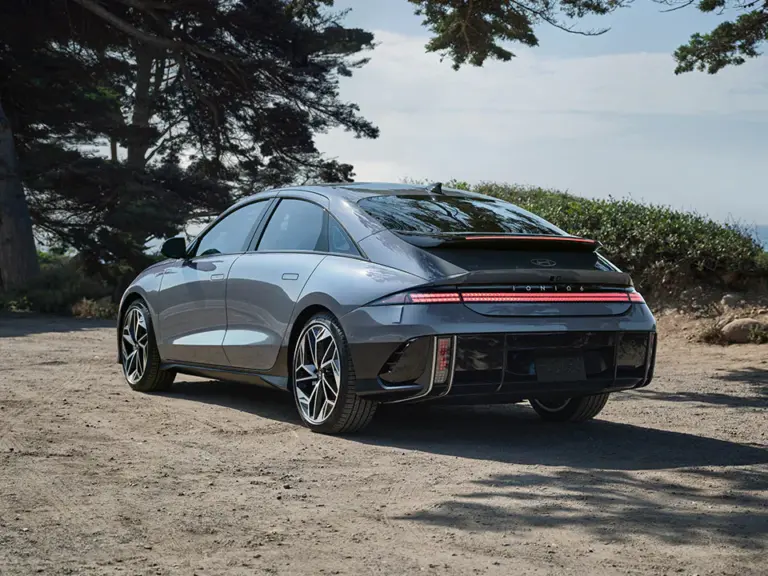
Your Hyundai’s Autonomous Emergency Braking system is one of those features you hope you never actually need. But when it is working properly, it is quietly watching the road ahead of you every single time you drive. So when a “Check AEB System” warning appears on your dashboard, it is not something to scroll past and forget about. That message means the system has detected a problem with its own ability to protect you, and it is asking you to pay attention.
The good news is that this warning does not always mean something is seriously broken. In many cases, the fix is simpler than you might expect. But you need to know what you are dealing with first. This guide walks through exactly what the AEB system does, what causes it to trigger that warning, how to fix the most common issues yourself, and when a professional needs to step in.
What the Hyundai AEB System Actually Does
AEB stands for Autonomous Emergency Braking. The name tells you most of what you need to know. It is an automated system that steps in when a collision is about to happen and you have not reacted yet.
Here is how it works in practice. The system uses a combination of radar sensors, cameras, and in some Hyundai models, lidar technology. These components are mounted at strategic points on the vehicle, typically at the front, to continuously monitor the road and everything moving on it. They are watching for other vehicles, pedestrians, cyclists, and any object that could end up in your path.
When the system detects that a collision is likely, it goes through a two-step response:
- Alert phase: The system warns the driver through dashboard lights, an audible alarm, and in some Hyundai models, a seat vibration to get your attention fast
- Braking phase: If the driver does not respond in time, the system applies the brakes automatically to either stop the vehicle entirely or reduce speed enough to lessen the impact
One thing worth understanding is that the automatic braking function is most effective at lower speeds. Between roughly 5 and 50 miles per hour, the AEB system can apply enough braking force to prevent or significantly reduce a collision. At highway speeds, it can still reduce the severity of an impact, but it may not be able to stop the vehicle completely before contact occurs.
Think of it less as a guarantee and more as a powerful backup to your own attention and reaction time.
When the “Check AEB System” message appears, it means the system has identified a fault somewhere in this chain and cannot confirm it will work when needed. The yellow AEB warning light typically stays illuminated alongside the message as a persistent reminder that the system is compromised.
What Causes the Hyundai Check AEB System Warning?
There is not just one answer to this question. Several different problems can trigger the same warning message, which is why a proper diagnosis matters before you start replacing parts or paying for repairs.
1. Dirty Sensors or Camera Lenses
This is the most common cause, and it is also the easiest to fix. The radar sensors, cameras, and any other tracking components used by the AEB system need a clear, unobstructed view to work correctly. When dirt, mud, road grime, snow, or ice builds up on or around those components, the system cannot gather reliable data, and it flags a fault.
Think about a typical winter drive. Slush gets kicked up from the road, mud sticks to the front of the vehicle, and a layer of road film settles across the front grille and the windshield area where the forward camera sits. None of that is unusual, but each of those deposits can be enough to partially or fully blind a sensor.
Heavy rain can have a similar effect. Even without visible dirt, a dense curtain of rain between the sensor and the road ahead scatters the radar signal and reduces camera visibility enough to trigger a fault.
The radar sensors are typically located at the front of the vehicle. Depending on your Hyundai model, they may be behind the front emblem, in the upper or lower grille vents, or integrated into the front bumper. The forward camera is usually mounted inside the windshield near the base of the rearview mirror.
2. Extreme Temperatures Affecting Sensors and Electronics
This one surprises a lot of owners, but it is a real and well-documented issue. The sensors and cameras that power your AEB system contain electronic components that do not perform well at temperature extremes.
On the hot end, prolonged exposure to extreme heat, particularly when the vehicle is parked in direct sunlight on a very hot day, can raise interior temperatures high enough to stress these components. Many sensor housings contain plastic parts that degrade under sustained heat exposure. When that degradation affects the sensor’s ability to function, the AEB system flags it.
On the cold end, electrical components generally become less efficient as temperatures drop. In freezing conditions, sensors can slow down in their data processing, which introduces errors that the vehicle’s computer system interprets as a fault. This type of warning often clears on its own once the vehicle warms up to normal operating temperature, but if it persists after warming up, something more serious may be going on.
3. A General System Malfunction or Software Error
Like any computer-controlled system in a modern vehicle, the AEB system runs on software. And software, as most of us know, is not perfect. A software glitch, a corrupted data set, or a communication error between the AEB module and another vehicle system can all cause the warning to appear even when the physical hardware is completely intact.
In these cases, you might receive the warning without any obvious physical cause. The sensors are clean, the temperature is normal, and nothing appears damaged. But the system still flags a fault. A software malfunction can also cause false collision alerts, where the system warns you or even briefly applies the brakes when there is no actual threat ahead.
This kind of issue typically requires a professional diagnostic scan to identify and in some cases a software update or module reprogramming to resolve.
4. ECU Problems
The ECU, or Engine Control Unit, is the central computer that manages and monitors virtually everything that happens in your vehicle, including the AEB system. When the ECU itself is experiencing a fault, whether from a software issue, internal hardware failure, or corrupted memory, it loses its ability to accurately process the data coming in from the AEB sensors.
When that processing breaks down, the ECU can no longer make reliable decisions about whether a collision threat is real or how the AEB system should respond. The result is that the system either goes dormant, behaves erratically, or defaults to sending a warning message to alert the driver that something is wrong at the control level.
ECU issues are typically identified through a professional diagnostic scan. They are not something you can assess visually or fix with a basic sensor cleaning.
5. Wiring Problems
The AEB system depends on a continuous, clean flow of electrical signal between its sensors, cameras, the AEB control module, and the ECU. When that flow is interrupted, the system cannot function correctly. Wiring problems are a less glamorous but very real cause of AEB faults.
Wiring issues that can affect the AEB system include:
- Corroded connectors that introduce resistance into the circuit
- Frayed or broken wires that interrupt signal flow entirely
- Loose connections at the sensor or module end that cause intermittent faults
- Water intrusion into a connector that causes short circuits or corrosion over time
A wiring fault can cut off the sensors from the control module, essentially putting the system in the dark. It cannot receive data, it cannot make decisions, and so it flags a fault and displays the warning. The tricky part is that wiring faults can be intermittent, meaning the warning might appear, disappear, and reappear without a clear pattern, which makes diagnosis harder.
6. The AEB System Has Been Turned Off
This one is straightforward but worth including because it catches some owners off guard. If the AEB system is manually switched off through the vehicle settings and remains off for an extended period, some Hyundai models will display a reminder warning to let the driver know the system is inactive. This is essentially the car prompting you to turn it back on.
In this case, turning the system back on through the driver assistance settings should clear the alert. If the warning persists even after the system is re-enabled, then something beyond a simple toggle-off situation is causing the fault.
How to Fix the Hyundai Check AEB System Warning
Now that you understand what can cause this warning, here is how to work through it systematically. Start with the simplest fixes and move toward more complex solutions only if the straightforward ones do not resolve it.
Step 1: Restart the Vehicle
Before you do anything else, turn the car completely off, wait thirty seconds, and start it again. A temporary glitch in the system’s self-diagnostic routine can trigger the warning without any real underlying fault. A restart clears the system and forces it to run its checks from scratch.
If the warning disappears after the restart and does not come back, you likely had a one-time software hiccup. Keep an eye on it over the next few days. If it comes back, move through the following steps.
Step 2: Clean All AEB System Sensors and Camera Lenses
This should always be your second step if the restart does not clear the warning. Locate the radar sensors and forward camera on your specific Hyundai model. Your owner’s manual will show you exactly where they are, but here are the most common locations:
- Radar sensor: Behind the front Hyundai emblem, inside the upper or lower front grille, or integrated into the front bumper
- Forward camera: Inside the windshield, mounted near the base of the rearview mirror, pointing forward through the glass
For the radar sensor, use a soft cloth or a gentle brush to clear away any dirt, mud, snow, or ice from the surrounding area. Avoid using high-pressure water directly at the sensor housing.
For the forward camera, clean the inside and outside of the windshield in the area directly in front of the camera. Use a quality glass cleaner and a clean microfiber cloth. Interior windshield film builds up gradually and can be just as disruptive to the camera’s image quality as exterior dirt.
After cleaning, restart the vehicle and check whether the warning has cleared. A surprising number of cases are resolved at this step.
Step 3: Rule Out Temperature as the Cause
If the warning appeared on an extremely hot or cold day, give the vehicle time to stabilize its interior temperature before drawing any conclusions. In winter, run the defroster fully before driving and make sure all frost and ice is cleared from the windshield and sensor areas. In summer, let the air conditioning run for a few minutes to bring the interior temperature down.
If the warning clears once the temperature normalizes, you have identified the trigger. Going forward, protect the vehicle from temperature extremes by parking in shade or a garage when possible, using a windshield sunshade in summer, and allowing adequate warm-up time in winter before driving.
Step 4: Re-Enable the AEB System Through the Settings Menu
If the system was accidentally turned off, here is how to turn it back on in most Hyundai models:
- Start the vehicle and access the infotainment screen
- Navigate to Settings and then select Driver Assistance
- Look for Forward Collision Avoidance Assist and make sure it is enabled by checking the box next to it
- Within the same menu, navigate to Forward Collision Warning and select your preferred sensitivity level, Late, Normal, or Early. Early is generally the best setting for city driving and highway use
- You can also enable Forward Cross-Traffic Safety from this menu if your model supports it
After enabling the system, restart the vehicle. If the warning was simply a reminder that the system was off, it should clear. If the warning remains after the system is enabled, proceed to further diagnosis.
Step 5: Inspect the Wiring Visually
If you are comfortable doing a visual inspection, look at the wiring connected to the front radar sensor and the forward camera. Look for:
- Cracked or brittle wire insulation
- Exposed copper wire
- Green or white corrosion around connectors
- Connectors that appear loose or partially unplugged
- Signs of water intrusion or moisture inside connector housings
If you find obvious damage, note exactly what you see and where. Do not attempt to repair automotive wiring unless you have experience with it. Take the vehicle to a qualified technician and describe what you found. That information will help them go straight to the problem rather than starting from scratch.
Step 6: Run a Diagnostic Scan
If the warning is persistent and none of the simple fixes above have resolved it, the next step is a proper diagnostic scan. The vehicle’s computer stores specific fault codes that point to exactly which component triggered the warning, whether it is a sensor, the AEB control module, a wiring circuit, or the ECU.
A basic OBD-II scanner from an auto parts store will read engine codes, but it may not access the AEB system module, which is a separate control unit. You need a scanner with advanced ADAS (Advanced Driver Assistance System) diagnostic capability. Many Hyundai dealers and independent shops have this equipment.
Common fault codes associated with the AEB system include radar sensor communication errors, camera signal faults, module power supply issues, and ECU data processing errors. Each code points directly at a component, which turns a frustrating guessing game into a targeted repair.
Step 7: Have a Professional Address System or ECU Faults
If the diagnostic scan points to a malfunctioning AEB module, an ECU software issue, or a failed radar sensor, these are not DIY repairs. Replacing an AEB radar sensor typically requires recalibration after installation. ECU software updates and module reprogramming require dealer-level tools. Attempting these without the right equipment and software can leave the system miscalibrated, which is potentially worse than having the warning light on.
Take the scan results to a Hyundai dealer or a reputable independent shop that has experience with advanced driver assistance systems on Hyundai vehicles. Give them the fault codes if you pulled them yourself. This will speed up the diagnostic process and potentially reduce your labor bill.
What Happens If You Keep Driving With the AEB Warning On?
Your car will continue to drive normally. The AEB fault does not affect the engine, transmission, steering, or your normal brakes. But here is the reality of what you are giving up when you ignore that warning.
With the AEB system offline:
- You will not receive automatic collision warnings
- The automatic emergency braking will not activate if you are about to hit another vehicle or pedestrian
- Other features that depend on the same sensors, such as adaptive cruise control and lane keeping assist, may also stop working
- You are effectively driving a car without one of its primary active safety features
If the warning appeared because of dirty sensors in heavy rain and clears itself once conditions improve, that is not a crisis. But a persistent warning that stays on across multiple drives and varying conditions needs to be addressed. Do not let it sit for weeks.
How Much Does It Cost to Fix a Check AEB System Warning?
The cost depends entirely on the root cause. Here is a realistic breakdown to help you plan:
| Cause | DIY Cost | Professional Repair Cost |
|---|---|---|
| Dirty sensors or camera | $0 – $10 | N/A |
| Temperature-related temporary fault | $0 | N/A |
| AEB system turned off | $0 | N/A |
| Damaged wiring or corroded connectors | Not recommended DIY | $100 – $500 depending on scope |
| Radar sensor replacement and calibration | Not recommended DIY | $500 – $1,500 depending on model |
| Forward camera replacement and calibration | Not recommended DIY | $400 – $1,200 |
| ECU software update or reprogramming | Not recommended DIY | $150 – $400 |
| AEB module replacement | Not recommended DIY | $600 – $1,800 |
| Diagnostic scan at a shop | $0 with your own scanner | $100 – $150 |
The wide range reflects how different the causes can be. Start with the free fixes. Most of the time, that is all it takes.
Does Your Hyundai Warranty Cover AEB System Repairs?
If your vehicle is within the 5-year/60,000-mile bumper-to-bumper warranty period, an AEB system fault caused by a defect in materials or factory workmanship should be covered at no cost to you. This includes sensor failures, module defects, and wiring issues that are not the result of owner damage or normal wear.
Take the vehicle to your Hyundai dealer, describe the warning, and let them run the diagnostic. Do not pay out of pocket for a repair that may be covered under warranty without checking first.
Also check whether any recalls have been issued for the AEB system on your specific model and year. You can do this quickly at nhtsa.gov by entering your VIN. Recall repairs are always free, regardless of your warranty status or how old the vehicle is.
Hyundai Models That Commonly Report AEB System Warnings
| Hyundai Model | Years Commonly Affected | Most Reported Trigger |
|---|---|---|
| Hyundai Elantra | 2017-2022 | Dirty sensors, cold weather faults |
| Hyundai Sonata | 2018-2023 | Software errors, sensor calibration drift |
| Hyundai Tucson | 2019-2022 | Radar sensor dirt and moisture |
| Hyundai Santa Fe | 2019-2023 | Camera overheating, wiring faults |
| Hyundai Palisade | 2020-2023 | ECU communication errors, dirty sensors |
| Hyundai Kona | 2018-2021 | Sensor obstruction, software glitches |
If your model and year appear here, that context is useful when talking to a dealer or technician, as known patterns on specific models can speed up the diagnostic process significantly.
Simple Habits That Keep Your AEB System Running Reliably
Prevention is always easier than repair. A few basic habits will dramatically reduce the chances of seeing that warning in the first place.
- Keep the front of your vehicle clean. Wash the front bumper, grille area, and windshield regularly. Pay attention to the sensor locations after driving in mud or slush.
- Clean the interior windshield surface. The inside of the windshield accumulates a hazy film over time from outgassing plastics and dust. This film directly degrades the forward camera’s image quality.
- Use a sunshade when parking in direct sunlight. Reducing interior heat protects the forward camera and every other sensor and electronic component near the dash.
- Clear ice and frost from the entire windshield. Do not just clear enough to see through. Make sure the area directly in front of the camera is fully clear before driving.
- Do not ignore the warning if it becomes persistent. A warning that appears once on a rainy day and then disappears is probably fine. One that comes back every time you start the car is asking for attention.
- Always have the camera recalibrated after windshield replacement. This is one of the most commonly skipped steps in auto glass work, and it can leave your AEB system pointed at the wrong part of the road even if no warning appears.
Your Hyundai’s AEB system is not optional equipment you can ignore when it acts up. It is one of the primary reasons modern cars are statistically safer than cars built a decade ago. If that system is flagging a fault, treat the warning with the same seriousness you would treat a brake warning or a tire pressure alert. Find the cause, fix it properly, and get the protection you are supposed to have back online.