
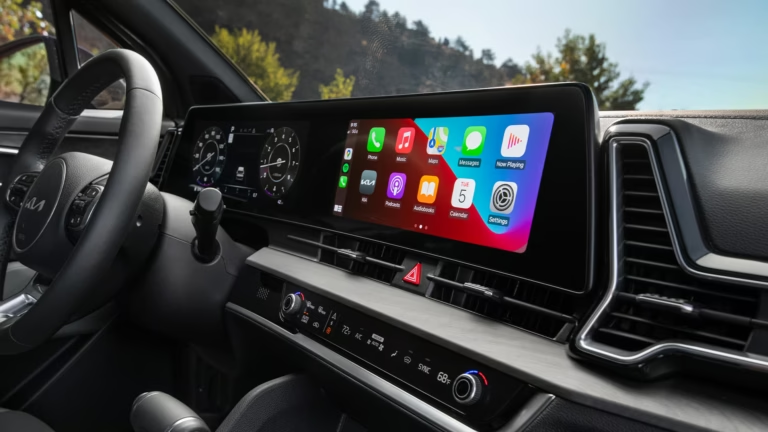
Few things ruin a morning commute faster than a blank screen staring back at you from your dashboard. You turn the key, expect your Kia to greet you with maps, music, and a clear backup camera view, and instead, you get a black rectangle. It is enough to make anyone groan.
But here is the good news: a dead infotainment screen is rarely the end of the world. In many cases, it is a simple fix you can knock out in your driveway with minimal tools. Even when it is a bigger issue, knowing what to look for saves you from paying a dealership for an expensive diagnostic fee when the problem was a 50-cent fuse all along.
Let us break down exactly why your Kia display screen might be acting up and walk through the practical steps to get it glowing again.
Why Did My Kia Screen Just Go Dark?
Before you start pulling panels apart, it helps to understand the usual suspects. The infotainment system in modern Kias is a complex piece of hardware. It relies on a delicate balance of power, software, and physical connections. When one of those three pillars fails, the screen goes dark.
Here are the four primary culprits you will likely be dealing with:
- Software Glitches: The system froze mid-task and needs a reboot.
- Blown Fuses: A power surge or electrical fault cut the juice to the unit.
- Loose or Damaged Connectors: A wire wiggled loose behind the dash or corroded over time.
- Firmware Crashes: The underlying operating system got corrupted and needs a fresh install.
Each of these issues has a different fix, and some are significantly easier than others. Let us look at how to diagnose which one is ruining your day.
The Software Glitch: The Most Common Culprit
Think of your Kia infotainment system like a smartphone. Phones freeze. Apps crash. The screen goes unresponsive for no apparent reason. Your car does the exact same thing. Usually, this happens after a long drive, a quick stop at a gas station, or sometimes for no reason at all.
When the software hits a snag, the display might go completely black, or it might freeze on the Kia logo. You might still hear audio playing, or you might hear nothing at all. The system is essentially in a coma, and you need to wake it up.
The Turn It Off and On Again Method
You might roll your eyes at this advice, but it works more often than you would think. A full power cycle drains the residual power from the capacitors in the system and forces the processor to start fresh.
Here is the right way to do it, not just a quick restart:
- Turn off the engine completely.
- Open the driver’s side door and step out of the vehicle.
- Wait at least 5 minutes. This is crucial. If you jump right back in, the system still has power.
- While waiting, press the power button on the radio for about 10 seconds to discharge any remaining power.
- Get back in, start the car, and check the screen.
In about 60% of cases, this solves the problem. The screen boots up, the logo appears, and everything is back to normal. If you are still staring at a black void, move on to the next step.
Finding the Hidden Reset Button
Some Kia models (like the Sportage and Soul) have a tiny reset pinhole near the screen or the control knob. It is usually a small hole that requires a paperclip or a pen tip to press.
If you see a tiny hole labeled Reset, press and hold it for 10 seconds. This forces a hard reboot of the system, bypassing the normal startup sequence. It is a slightly more aggressive approach than just turning the car off, but it is still safe and won’t erase your saved radio stations or paired phones.
If a reset doesn’t wake the screen, you are likely dealing with a power delivery issue rather than a software one. That means it is time to check the fuses.
Checking the Fuse Box: A Quick Mechanical Fix
Fuses are the unsung heroes of your car’s electrical system. They are designed to be the weak link in the chain. If a wire gets overloaded, the fuse blows instead of allowing the current to melt the wiring harness. This is a safety feature, but it is also a pain in the neck when it happens to your radio.
When the internal fuse for the infotainment system blows, the screen loses power instantly. You might notice other things stop working too, like the cigarette lighter or the USB ports, depending on how the circuits are tied together.
Locating the Right Fuse
You cannot just start pulling fuses willy-nilly. You need to find the specific one for the display. There are usually two fuse boxes in a Kia: one under the hood and one inside the cabin (usually under the dashboard on the driver’s side).
Check your owner’s manual for the exact diagram. Look for labels like Audio, Display, Multimedia, or Infotainment. If you do not have the manual, a quick online search for your specific model year will give you the fuse map.
How to Test and Replace a Blown Fuse
Do not just rely on your eyes to check if a fuse is blown. Sometimes the metal strip inside looks intact but is actually broken. Use a test light or a multimeter for a definitive answer.
Here is the process:
- Disconnect the battery: This prevents any accidental shorts while you are poking around.
- Pull the fuse: Use a fuse puller or a pair of needle-nose pliers.
- Test it: Set your multimeter to continuity mode. Touch the probes to the two metal prongs on the top of the fuse. If you hear a beep, it is good. If not, it is blown.
- Replace it: Use a fuse with the exact same amperage rating. If you put in a higher-rated fuse, you risk melting the wires. That is a fire hazard.
- Reconnect the battery and test the screen.
If the new fuse blows immediately when you turn on the car, you have a short circuit somewhere. That is a bigger problem that requires professional attention. Do not just keep replacing fuses and hoping for the best. At that point, you are feeding the problem until something worse happens.
Dealing with Loose Wires and Connectors
If the fuses are fine and the software is fine, the problem might be physical. Cars vibrate. They bounce over potholes. They endure extreme heat in the summer and freezing cold in the winter. Over time, these conditions can cause the connectors behind the display to loosen or corrode.
This is more common in older Kia models, particularly the ones from the early 2010s. The plastic clips that hold the wiring harnesses together can get brittle and crack. When that happens, the connection becomes intermittent. Your screen might work fine on smooth roads but flicker or die when you hit a bump.
Accessing the Back of the Display
This is the most invasive fix on this list, but it is still doable for a decent DIYer. You will need to remove the trim panels around the screen. You can usually do this with a plastic trim removal tool to avoid scratching the dashboard.
Once you have the screen exposed, you will see a bundle of wires plugged into the back of the unit. Here is what you are looking for:
- Corrosion: Look for green or white powder on the metal pins. This interferes with the electrical signal.
- Bent pins: A pin might be pushed down and not making contact with the socket.
- Loose clips: The plastic locking tab might be broken, allowing the connector to slide out partially.
If you find corrosion, you can clean it with electrical contact cleaner and a soft brush. If a connector is loose, push it back in until you hear a distinct click. If the clip is broken, you can secure it with a zip tie, but be careful not to overtighten it and crack the housing.
Before you put everything back together, it is a good idea to check the ground wire. A poor ground connection can cause weird electrical issues, including a dead screen. Look for a black wire bolted to the chassis. Make sure it is clean and tight.
Firmware Crashes and the Update Trap
Firmware is the operating system that runs the hardware. It is different from the apps you use. When the firmware crashes, it is like your computer’s BIOS failing. The screen might show a garbled image, flash error messages, or simply refuse to boot.
This often happens after a failed software update. Maybe you tried to update the navigation maps via a USB drive and the process got interrupted. Maybe the car battery died in the middle of an over-the-air update. Either way, you are left with a half-installed operating system that cannot run.
The USB Update Method
Some Kia models allow you to update the firmware manually via a USB stick. You download the update file from the official Kia owners website, put it on a formatted USB drive, plug it into the car, and follow the on-screen prompts.
But here is the catch: if the screen is completely dead, you cannot see the prompts. You are flying blind. In that case, you might need to let the car sit with the USB plugged in for 30 minutes while the system tries to reinstall itself. It is a gamble, but it has worked for some owners. If you have a 2020 or newer Kia, you might be able to do this through the Kia Access app if the car has a data connection.
If the screen is completely unresponsive to the USB method, you are likely looking at a hardware failure. The internal memory chip that stores the firmware might be fried. This is rare, but it happens.
When the Screen Is Cracked or Physically Damaged
Let us address the elephant in the room. Sometimes the screen is not working because it is physically broken. Maybe a kid threw a toy, or a rogue piece of cargo slid forward during a hard stop. If you see a spiderweb of cracks across the glass, no amount of software resets will fix it.
A cracked LCD requires a replacement. This is not a DIY job for most people. The screen is a sealed unit, and replacing it requires removing the entire infotainment assembly. You can source a used unit from a salvage yard to save money, but you have to make sure it is compatible with your VIN. Some systems are tied to the vehicle’s security module, and swapping them out can trigger an anti-theft lockout.
In this case, a dealership or a specialized car audio shop is your best bet. They have the tools to reprogram the new unit to match your car.
Why the Backup Camera Goes Dark
One of the most common specific complaints is that the backup camera stops working, even when the main screen still functions. This is a specific issue with a few specific causes.
First, check the camera lens. It sounds silly, but mud, snow, or a thick layer of grime can block the image entirely. If the lens is clean, check the wiring in the tailgate. The harness that runs from the body into the tailgate is constantly flexed every time you open and close the trunk. Over time, those wires can break inside the insulation. You cannot see the break, but you can test for it with a multimeter.
If the screen shows a black image but the parking guidelines still appear, that means the signal is reaching the screen, but the video data is not coming through. That points to a damaged camera or a broken video cable, not a software issue.
Dealing with a Frozen Touch Screen
Sometimes the screen turns on, but it just sits there. It shows the clock, or the radio station, but tapping the screen does nothing. This is a classic case of a frozen touch interface.
Before you assume the digitizer is broken, try the hard reset we talked about earlier. If that does not work, check if the screen responds to the physical buttons on the steering wheel or the control knob on the center console. If the volume knob works but the touch screen does not, the digitizer (the glass layer that detects your finger) is likely dead. That means a new screen assembly is required.
There is one more thing to try. Some Kia models have a Display Off button. It is possible you accidentally pressed it. Look for a button with a icon of a screen with a line through it. Press it and see if the screen wakes up.
Is It Worth Going to the Dealer?
You have checked the fuses. You have done the reset. You have pushed on the wires. The screen is still dead. Now what?
Going to the dealership is the safest bet, but it is not the cheapest. A diagnostic fee alone can run you $150 or more. However, if your car is still under warranty, this is a no-brainer. You should have gone there first. Do not let a DIY attempt void your warranty. If you are within the 5-year/60,000-mile powertrain warranty or the 10-year/100,000-mile limited warranty, let the pros handle it.
If you are out of warranty, you have a choice. You can pay the dealership premium, or you can find an independent shop that specializes in automotive electronics. These shops often have the same diagnostic equipment as the dealer for a fraction of the hourly rate.
One thing to keep in mind is that Kia has had a few recalls related to display screens over the years. Some earlier models had issues with the LCD screens cracking or delaminating due to excessive heat. Before you spend any money, check the National Highway Traffic Safety Administration (NHTSA) website for open recalls on your specific VIN. If your car qualifies, the repair is free.
There was a specific recall for certain models where the digital instrument cluster would go completely blank, rendering the speedometer and other vital gauges useless. If your main cluster is dark but the radio works, this could be a known defect, not a random failure.
Prevention: Keeping the Screen Alive
Once you get the screen working again, you want to keep it that way. Here are a few habits that will extend the life of your Kia display:
- Do not use harsh chemicals: Ammonia-based glass cleaners can strip the anti-glare coating off the screen. Use a microfiber cloth slightly dampened with water or a screen-specific cleaner.
- Park in the shade: Extreme heat is the number one killer of LCD screens. The dashboard can reach temperatures over 200 degrees in the summer sun. A windshield sunshade is a cheap insurance policy.
- Do not unplug the battery while the car is running: This can cause a voltage spike that blows fuses or corrupts the firmware.
- Keep the software updated: Updates often fix bugs that cause freezing and crashing. Check the Kia owners portal every few months for new releases.
These small habits take almost no effort but can prevent a $1,000 repair bill down the road.
The Cost of a Replacement Screen
If you end up needing a new screen, you should know what you are getting into financially. The price varies wildly depending on the model and year.
| Option | Estimated Cost | Pros | Cons |
|---|---|---|---|
| Dealership OEM Replacement | $1,200 – $2,500 | Perfect fit, warranty, guaranteed compatibility | Most expensive option |
| Used/Salvage Unit | $300 – $700 | Cheap, readily available | Might be damaged, no warranty, potential VIN lock issues |
| Aftermarket Android/Apple CarPlay Unit | $400 – $900 | New features, better performance, modern interface | Requires professional installation, might lose factory settings |
| DIY Repair (if just the digitizer is broken) | $100 – $200 for parts | Cheapest if you can do it yourself | Very difficult, high risk of breaking the LCD, not recommended for most |
Notice that the aftermarket option is often the smartest move for older cars. You get a faster processor, wireless Apple CarPlay, and a better screen. It does not have to look stock. Many of these units are designed to fit perfectly into the factory dash opening and look like they came from the factory.
Just make sure the installer uses a proper wiring harness adapter. Do not let them cut your factory wires. A proper adapter allows you to go back to stock if you ever sell the car or if the aftermarket unit fails.
Common Misdiagnosis: It Is Not Always the Screen
Before you order a new display unit, make sure the alternator is charging the battery properly. If your battery voltage is low or fluctuating, the infotainment system will shut down to save power for the engine. This is a protective measure. Test your battery with a multimeter. It should read around 12.6 volts with the car off and between 13.7 and 14.7 volts with the engine running.
If the voltage is too low, the screen might dim, flicker, or shut off entirely. This is not a screen problem. It is a power problem. Replacing the screen will not fix it. You will still have a dead battery and a dark screen.
This is a classic case where the symptom (blank screen) is not the disease (failing alternator). Always check the easy stuff first.
Kia Display Screen Not Working: The Final Word
You have the knowledge now. You know the difference between a software freeze and a blown fuse. You know that a loose connector is a different beast than a firmware crash. Do not panic when the screen goes dark. Work through the steps logically.
Start with the free fix: the reset. Move to the cheap fix: the fuse. Then, if you are handy, check the wiring. If all of that fails, it is a hardware issue. At that point, decide if the repair cost is worth it for the age and value of your car. Sometimes, it is smarter to trade the car in than to sink $2,000 into a new screen for a vehicle with 150,000 miles on it.
The next time you turn the key and see that dark rectangle, you will not be guessing. You will be diagnosing. And that puts you miles ahead of the average driver who just pays the dealership to fix everything. So, grab your multimeter, pop the fuse panel, and get to work. The fix is often simpler than you think.