
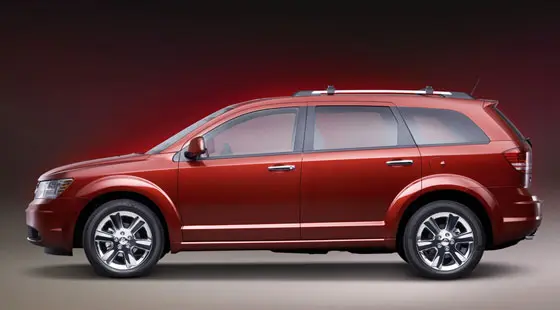
I’m sure you’ve been there. You throw the Journey into reverse, glance at the screen, and… what the hell? Everything’s upside down, or the picture looks like it got dragged through a car wash, or worse, the screen just stays black like it’s taking a permanent nap. It’s infuriating. That little camera is supposed to make your life easier, not turn parallel parking into a guessing game.
I’ve fixed hundreds of these Journeys over the years, and I’m going to walk you through every single thing that commonly goes wrong and exactly what to do about it—no dealership upsell nonsense, no “take it to the shop and bend over” answers unless it really needs it. Just straight talk from someone who’s elbow-deep in these tailgates every week.
The Most Common Ways Your Journey’s Backup Camera Will Try to Ruin Your Day
1. The Upside-Down Image (Yes, This Actually Happens More Than You Think)
You shift into reverse and suddenly the world is upside down like you’re in Australia. It’s not your breakfast burrito messing with your head—this is almost always the camera itself. The little circuit board inside has a setting that tells it which way is up, and sometimes it forgets. Or the camera was replaced with an aftermarket unit that wasn’t programmed right.
Quick test: If you have a 2014–2020 Journey with the 8.4-inch Uconnect screen, go into Settings > Safety & Driving Assistance > Backup Camera > Camera Orientation (or something close—menu names changed a couple times). Flip it from “Normal” to “Mirror” or vice versa. Half the upside-down cameras I see are fixed in 30 seconds doing that.
If the menu is grayed out or flipping it does nothing, the camera module itself is toast. Mopar part runs about $180–$220 from the dealer, $80–$120 aftermarket on RockAuto or Amazon if you’re willing to gamble. Takes me 20 minutes to swap one in the lift. You can do it in your driveway with a T20 Torx and a trim tool.
2. Blurry, Foggy, or Looks Like 240p YouTube From 2008
Nine times out of ten it’s just filthy. Road grime, salt, that weird film that builds up behind the lens—clean it. Use a microfiber and some glass cleaner or even just warm water and a soft cloth. Do NOT use paper towels; they scratch the hell out of it.
Still blurry after cleaning? Water has gotten inside the lens assembly. The seal around the lens fails on a lot of 2011–2018 Journeys, especially if you live where they salt the roads. Once water gets in, it fogs up every cold morning. Only real fix is a new camera. Again, cheap aftermarket ones work fine for this.
3. Intermittent Black Screen—Works, Then Doesn’t, Then Works Again
This one will make you crazy because it’s fine for three weeks and then decides to die exactly when you’re backing out of a crowded Costco parking lot.
Start simple:
- Pull the backup camera fuse (usually fuse M25 or M37 in the totally useless under-hood fuse box—check your owner’s manual because Dodge moved it around). Leave it out for five minutes, put it back in. This hard-resets the camera module on a lot of these.
- Next, check if your reverse lights come on. The camera gets its “wake up” signal from the same circuit. If the reverse lights are dim or dead on one side, the camera thinks you’re not actually in reverse and stays asleep. I’ve seen a $4 bulb fix a $400 “camera replacement” diagnosis more than once.
- Still nothing? Wiggle the wiring harness where it goes through the liftgate grommet (driver’s side). Those wires flex every single time you open the hatch and eventually break inside the insulation. You’ll see the screen flicker when you move the hatch if that’s it. Repair is a little soldering or just replace the whole tailgate harness (about $120 and two hours if you’re handy).
4. Completely Dead—No Picture Ever
When it’s 100% dead, the order I diagnose is always the same:
- Fuse
- Reverse light power/ground
- Wiring in the liftgate
- Camera itself
- Radio/head unit (rare, but I’ve seen two bad 8.4 Uconnect radios kill the camera feed)
About one in twenty times it’s the head unit. If everything else checks out and you’re still getting nothing, plug a scan tool in (even a $30 Bluetooth one works) and see if the radio can even see the camera. If it says “camera not detected,” the radio is usually the culprit. That’s a dealer-level repair because they have to program the new radio to your VIN.
Real-World Costs I’ve Seen Lately (2024–2025 prices)
| Issue | DIY Cost | Dealer Quote Range | What It Usually Actually Costs at an Independent Shop |
|---|---|---|---|
| Upside-down (menu fix) | $0 | $150 diag fee | $0–$50 if they’re honest |
| New camera (aftermarket) | $80–$130 + 1 hr | $450–$650 | $280–$380 |
| New camera (genuine Mopar) | $180–$220 + 1 hr | $600–$800 | $450–$550 |
| Tailgate wiring repair | $20 splice kits | $800–$1,200 | $250–$400 |
| Head unit replacement | Not DIY | $1,200–$2,000 | $900–$1,400 (used/reflashed unit) |
The Recalls You Should Actually Check Right Now
Pull your VIN and run it on the official Mopar recall site or the NHTSA site. Two big ones hit the Journey:
- 2018 models had a recall (18V-398) because the screen could go blank while backing up. Free fix.
- 2019–2020 had a software recall where the image stayed on the screen after you shifted out of reverse—distracting as hell. Also free.
If your Journey is in those years and you never got the letter, the fix is still free no matter how many miles or owners.
The One Trick Most Techs Won’t Tell You Because It Makes Them No Money
A ton of “dead” cameras come back to life with a simple battery disconnect reset. Pop the negative cable off for 15 minutes, touch it to the positive post for 10 seconds to drain the capacitors (don’t let it arc too much), then hook it back up. Starts the whole system from scratch. Fixed three last week alone.
Bottom Line
Ninety percent of Journey backup camera problems are cheap or free if you’re willing to spend 20 minutes checking fuses, cleaning the lens, and wiggling wires. The other ten percent still beat paying dealership labor rates.
Next time it acts up, don’t just sigh and live with it. Grab a Torx driver, a microfiber, and five minutes. You’ll probably fix it yourself and feel like a damn genius backing into that tight spot with a crystal-clear picture again.
Now go check that fuse before you spend a penny anywhere else. You’ve got this.