
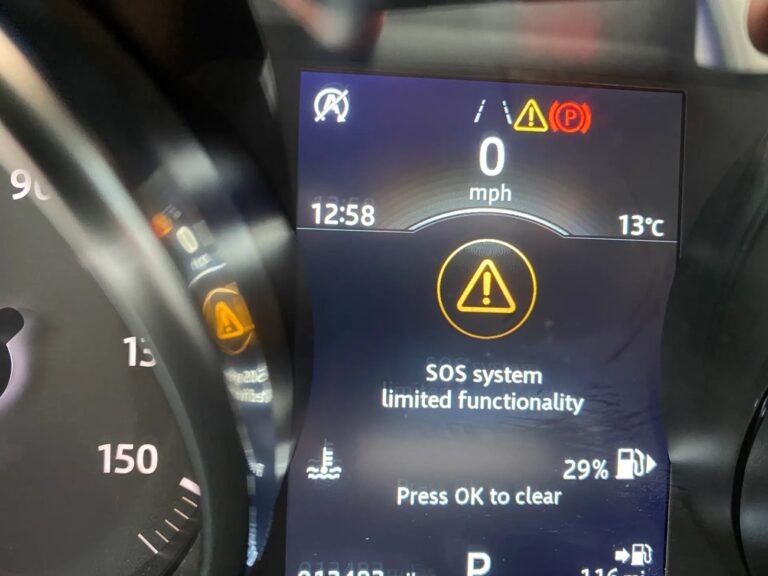
You glance at your Range Rover’s dashboard and notice a message that reads “SOS System Limited Functionality.” It is easy to dismiss this one because the vehicle drives fine, nothing obvious has changed, and there is no immediate impact on performance. But here is why you should not ignore it: that warning is telling you that if you are ever in a serious accident or emergency situation and you press the SOS button, the call may not go through. The one time you really need that system to work could be the time it fails you.
This guide explains exactly what the SOS system is, why this warning appears, what causes it, and how to fix it properly.
What the Range Rover SOS System Actually Does
The SOS emergency call system is a built-in telematics feature designed to connect the driver to emergency services quickly and automatically in the event of a serious accident or emergency. It is sometimes referred to as the eCall system, which has been a mandatory feature on new vehicles sold in Europe since 2018 and is also included on Range Rovers sold in other markets.
Here is how it works under normal conditions. There is an SOS button in the vehicle, typically located either on the steering wheel or on a panel at the top of the windscreen near the overhead console, depending on the specific Range Rover model. When that button is pressed, the system does two things simultaneously. It places a voice call through the vehicle’s built-in mobile connection to an emergency call center, and it automatically transmits the vehicle’s GPS location to that center. This means even if the driver cannot speak, the emergency operator knows where the vehicle is and can dispatch help to that exact location.
The system also has an automatic trigger in some configurations. A severe enough collision can activate the emergency call automatically without the driver needing to press anything, which is critical when the occupants are incapacitated.
The technology behind all of this is managed by the Telematic Control Unit (TCU). The TCU is the module that handles the vehicle’s wireless communications, including the mobile data connection needed for the emergency call, GPS positioning, and the link between the SOS button and the emergency call center. It has its own internal backup battery so that it can function even if the main vehicle battery has been damaged in a crash, which is one of the scenarios where you would actually need the SOS system most.
What “SOS System Limited Functionality” Means
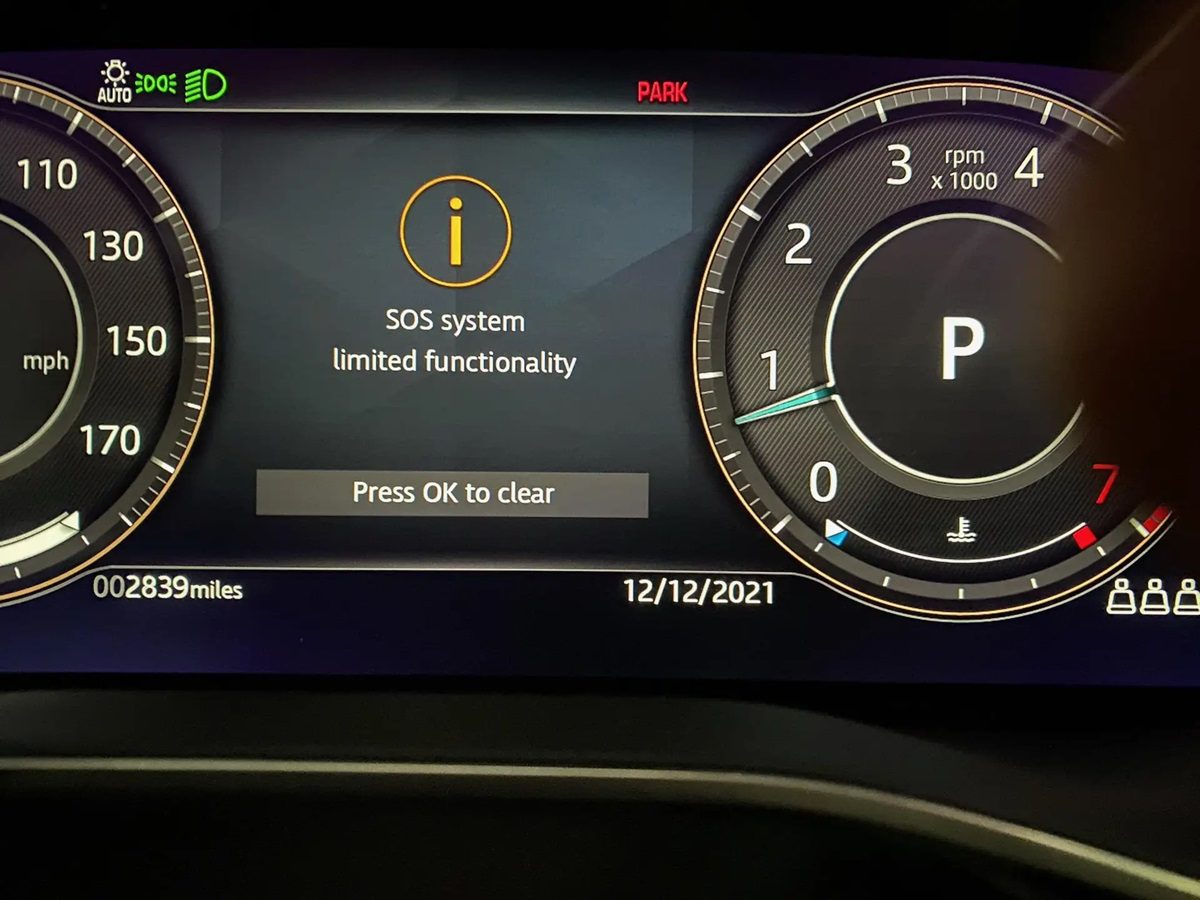
This warning message means the vehicle’s computer has detected a fault in the SOS emergency call system that prevents it from operating at its full intended capability. The system may be partially functional or completely non-functional depending on the specific fault. Either way, the vehicle is telling you that if you press the SOS button or if an automatic emergency trigger occurs, the call may not reach emergency services.
The message does not affect how the vehicle drives. Engine performance, transmission, braking, and other driving systems are completely unrelated to this warning. But the safety implication of having a non-functional emergency call system is significant enough that it warrants prompt attention rather than being put on the back burner.
Causes of the Range Rover SOS System Limited Functionality Warning
1. Dead or Depleted TCU Backup Battery
This is the most common cause by a significant margin, and it is also the least expensive fix. The TCU has its own internal backup battery, separate from the main vehicle battery. This backup battery exists specifically to keep the TCU powered in a crash scenario where the main battery may have been damaged or disconnected from the circuit.
Like any battery, this backup battery has a finite service life. It degrades over time, particularly in vehicles that sit unused for extended periods or in extreme temperature environments. When the backup battery can no longer hold a sufficient charge, the TCU detects this failure in its self-diagnostic routine and reports it to the vehicle’s central computer. The vehicle then displays the “SOS System Limited Functionality” warning to inform the driver.
The logic here is straightforward: if the backup battery is dead, the TCU would also lose power in a crash where the main battery is damaged, and the emergency call could not be placed. The system is designed to proactively warn you about this before it becomes a critical problem.
This is the first thing to investigate when you see this warning, especially on vehicles that are more than four or five years old.
2. Failed or Damaged TCU
A more involved cause is an actual failure of the TCU module itself. The TCU is an electronic module that handles wireless communications, GPS, and the SOS system logic. Like any electronic component, it can fail from age, heat, moisture intrusion, or electrical faults.
When the TCU fails, replacing the internal battery alone will not solve the problem because the failure is in the module hardware rather than the battery. A failed TCU needs to be replaced, and a replacement TCU must be programmed to the specific vehicle before it will function correctly. It is not a case of unplugging one and plugging in another, because the new unit needs to be paired with the vehicle’s VIN and configured with the vehicle’s communication credentials.
The TCU is located in the trunk area on the left side of the vehicle. It is a compact module that is not immediately obvious without knowing where to look. Diagnosing a TCU hardware failure requires connecting a Land Rover-specific diagnostic tool to read the fault codes stored in the module itself.
3. Wiring or Connector Problems
The TCU connects to the vehicle’s electrical system through a wiring harness. This harness provides power from the main battery, carries signals to and from the SOS button, and links the TCU to the vehicle’s communication network. Any fault in this wiring can disrupt the TCU’s ability to function and trigger the warning message.
Common wiring faults include:
- A corroded or damaged connector at the TCU, particularly if moisture has gotten into the trunk area
- A wire that has been chafed or broken by cargo movement in the trunk area over time
- A loose connector that is not making solid contact, causing intermittent signal loss
- Damage from a previous repair or modification that inadvertently affected the wiring near the TCU
Wiring faults can be intermittent, meaning the warning might appear and disappear, which can make diagnosis more challenging. A fault code that appears alongside the SOS warning, combined with physical inspection of the TCU connector and harness, is the most reliable way to identify wiring as the cause.
4. Mobile Network or SIM Card Issues
The SOS system uses a mobile network connection to place the emergency call. The TCU contains an embedded SIM card that manages this connection. In some cases, the warning can be triggered by a problem with the SIM card itself, an expired or deactivated service subscription, or a change in the mobile network infrastructure that affects the TCU’s ability to register on the network.
This is more likely to be the cause on older Range Rovers where the original mobile network technology has been phased out in some regions. The transition from 2G and 3G networks to 4G and 5G has left some older TCU units unable to connect to the available networks, which can trigger the limited functionality warning. In these cases, the TCU itself may not have failed, but the network it was designed to use no longer exists in the area.
5. Low Main Vehicle Battery
A severely depleted main vehicle battery can affect the TCU’s operation and trigger the warning, particularly if the voltage drop is severe enough that the TCU’s self-diagnostic detects an out-of-specification power supply. This is a less common cause but worth considering if the warning appeared around the same time as other electrical complaints or after the vehicle sat unused for a long period and the battery discharged.
How to Diagnose the SOS System Limited Functionality Warning
Step 1: Read the Fault Codes With a Diagnostic Tool
A standard OBD-II scanner will not access the TCU on a Range Rover. You need a Land Rover-specific diagnostic tool, such as the Jaguar Land Rover SDD software or a compatible third-party tool that supports Land Rover module access. Connect the tool and retrieve fault codes from the TCU specifically.
Common fault codes associated with this warning include codes related to:
- TCU backup battery low or failed
- TCU internal fault
- TCU network communication fault
- SOS circuit open or short
The specific code will tell you whether the problem is the backup battery, the TCU hardware, a network issue, or the wiring. This is the critical step that saves you from replacing the wrong part.
Step 2: Check the Main Vehicle Battery
Rule out the main battery as a contributing factor by testing its voltage and load capacity. A healthy battery at rest should read 12.6 volts or higher. Have it load-tested if you have any doubt about its condition. A weak main battery can mask other faults and should be replaced if it is failing before other diagnostic steps are taken.
Step 3: Inspect the TCU and Its Connector
Locate the TCU in the trunk on the left side of the vehicle. Access typically involves removing the left trunk lining panel. Once you have access to the TCU:
- Inspect the wiring connector at the TCU. Look for any corrosion on the pins, water damage inside the connector, or obvious physical damage.
- Check that the connector is fully seated and locked. A connector that is partially seated may work intermittently or not at all.
- Inspect the wiring harness as it routes from the TCU toward the main body of the vehicle, looking for any damage from cargo abrasion or previous repair work.
How to Fix the Range Rover SOS System Limited Functionality Warning
Fix 1: Replace the TCU Backup Battery
If the fault code confirms the backup battery is the issue, this is a manageable repair that resolves the majority of SOS system limited functionality warnings on Range Rovers. Here is how to access and replace it:
- Open the trunk and remove the left side trunk lining panel. This typically involves pulling back the panel from its retaining clips and removing any securing screws if present.
- Locate the TCU module. It is a rectangular module mounted to the vehicle body.
- On the TCU, there is a small panel or cover that provides access to the internal backup battery. This cover is usually held by a small tab that can be released with a flat screwdriver.
- Slide or pry the cover open and locate the battery connector inside.
- Disconnect the electrical connector from the old battery.
- Install the replacement battery, connecting the electrical connector securely.
- Close the battery cover and ensure it locks in place.
- Reinstall the trunk lining panel.
- Connect a diagnostic tool, clear the stored fault codes, and verify that the SOS system warning clears.
Make sure the replacement battery is the correct specification for your specific TCU. The voltage and connector type must match. Using the wrong battery can damage the TCU or produce the same fault immediately after replacement.

Fix 2: Replace and Reprogram the TCU
If the fault code points to a TCU hardware failure rather than just the backup battery, the TCU module needs to be replaced. This is a more involved repair for several reasons.
First, the replacement TCU must be programmed to the specific vehicle. The TCU communicates with the vehicle’s other modules and the emergency call infrastructure using vehicle-specific credentials. An unprogrammed or incorrectly programmed TCU will either not function or will not be recognized by the emergency call system.
Second, the programming process requires Land Rover-specific software tools. This is a dealer or Land Rover specialist job in most cases. A general mechanic without access to JLR SDD or equivalent software cannot complete this repair correctly.
The physical replacement process involves:
- Accessing the TCU through the left trunk panel as described above.
- Disconnecting the main wiring harness connector from the TCU.
- Removing the mounting fasteners that secure the TCU to the vehicle body.
- Installing the new TCU and securing it with the mounting fasteners.
- Reconnecting the wiring harness connector firmly.
- Connecting the programming tool and performing the vehicle coding and configuration steps for the new TCU.
- Clearing fault codes and verifying the SOS system warning is resolved.
Fix 3: Repair the Wiring Harness
If the fault code and physical inspection point to a wiring issue, the affected section of the harness needs to be repaired. Use your vehicle’s wiring diagram or service manual to trace the specific circuit involved in the fault.
- Identify the specific wire or connector that has failed based on the fault code and visual inspection.
- For a corroded connector, clean the pins with electrical contact cleaner and apply dielectric grease before reconnecting. If the corrosion has damaged the pins beyond cleaning, replace the connector using a proper automotive connector repair kit.
- For a broken wire, splice in a new section of wire using solder and heat-shrink tubing. Do not use tape-and-twist splices in the vehicle’s telematics wiring, as these are unreliable in an environment with temperature cycling and vibration.
- After the wiring repair, clear the fault codes, and verify the warning clears and does not return.
Fix 4: Address Network or SIM Card Issues
If the fault relates to mobile network connectivity rather than a hardware failure, contact your Land Rover dealer to investigate the SIM card and service subscription status. In regions where the mobile network has transitioned away from the technology the TCU was designed to use, a TCU with updated network compatibility may be necessary. This is a situation where dealer involvement is required, as the service subscription and SIM credentials are managed at the vehicle level by Land Rover’s connected services infrastructure.
What Does It Cost to Fix This Warning?
| Repair | Estimated Cost |
|---|---|
| TCU backup battery replacement (DIY) | $10 to $50 (battery cost only) |
| TCU backup battery replacement (shop) | $100 to $250 including diagnostic and labor |
| Wiring harness repair | $100 to $300 |
| TCU replacement and programming | $500 to $1,500+ |
| Network or SIM-related resolution | Varies by dealer and subscription status |
As you can see, the difference between the cheapest and most expensive fix is significant. The majority of SOS system limited functionality warnings on Range Rovers are caused by the TCU backup battery, which is the cheapest repair by far. Proper diagnosis before any parts are purchased or labor is authorized is what keeps the repair cost at the lower end of this range.
Why This Warning Should Not Be Ignored
The temptation to dismiss the SOS system limited functionality warning is understandable. The vehicle drives normally, nothing else has changed, and the fix requires effort. But think about what the SOS system is actually for. It is your last resort when you cannot help yourself. A severe collision, a medical emergency while driving, or a breakdown in a remote location are exactly the scenarios where pressing that button and having it connect to emergency services matters most.
In many regions, this system is not just a convenience feature. It is a regulatory safety requirement, and it is there for good reason. The few hours and modest cost required to fix this warning is a small price for the peace of mind that comes from knowing the system will actually work when you need it.
Start with a diagnostic scan to identify the fault code, replace the TCU backup battery if that is the cause, and have the system verified before driving again. Most of the time, that is all it takes.