
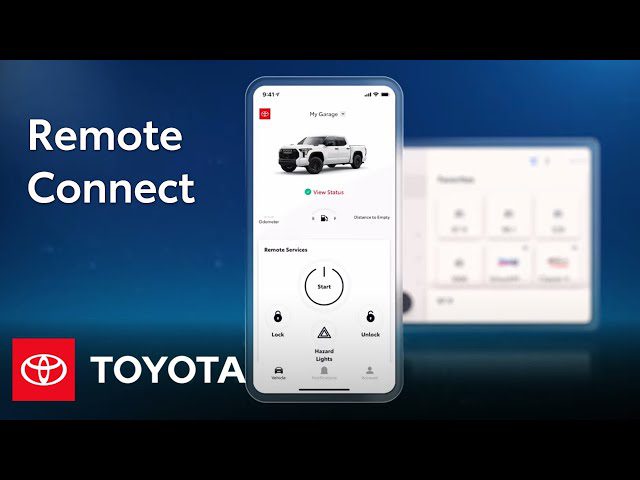
If you opened the Toyota Remote Connect app and nothing happens, you are not alone. Sometimes the app refuses to connect, the features show up but stay gray, or you see errors right after trying to start the engine or lock the doors.
When that happens, it is usually not a mystery. Remote Connect tends to fail for a few predictable reasons, and most of them can be fixed at home with simple troubleshooting.
Below are the four most common reasons Toyota Remote Connect might not work, what to check first, and the fastest way to get your app back to full functionality.
4 Common Reasons Toyota Remote Connect Might Fail
1. The app requires activation before it works
Before Remote Connect can control your Toyota, the account must be activated. Many owners assume setup is automatic, but it usually is not. If activation was skipped, the app can look “installed and ready,” yet still cannot properly register your vehicle.
If you suspect activation was missed, confirm it with these steps:
- Register at toyota.com/owners and open the activation link sent to your email.
- Sign in using your email address and password.
- Enter your vehicle VIN, your area code, and the dealership you selected.
- Add your contact details and review the services listed for your plan.
- Accept the terms and complete activation.
Once activation is complete, give the app a moment and try again. In many cases, the issue is solved immediately after the account is properly activated.
2. Your internet connection is unstable
Remote Connect is a communication link between your smartphone and your vehicle. That means it depends on a reliable internet connection, either mobile data or Wi-Fi.
If your signal is weak, the app might fail to sync, and some actions will not complete. This is especially common in:
- Underground parking garages
- Tunnels
- Rural or remote mountainous areas
- Places where data signal switches between towers frequently
Quick fix: step outside where reception is better, reconnect to Wi-Fi if available, and then try Remote Connect again. It is a small step, but it eliminates one of the most frequent failure points.
3. The app needs an update
Like most modern apps, Toyota Remote Connect depends on up-to-date software. Updates fix compatibility issues, improve reliability, and address bugs that can interrupt syncing.
Many updates require a Wi-Fi connection for download. If you have not updated the app in a while, check the app store and install any pending updates.
After updating, reopen the app and try the same action that failed before, such as locking/unlocking or remote start.
4. Corrupted app cache or app data
Every app stores temporary information in a cache to speed things up. If that cache becomes corrupted, Remote Connect might fail to open, freeze, or stop responding during sync.
To clear the cache, try this:
On most Android phones:
- Close the Remote Connect app completely.
- Open your phone Settings.
- Select Apps.
- Find Toyota Remote Connect.
- Tap Storage.
- Choose the option to clear cache or reset cache.
If clearing the cache does not fix it, the next step is uninstall and reinstall. Before you do that, write down your username and password somewhere safe. Resetting credentials can be slow, because security protocols usually require verification.
To uninstall and reinstall:
- Open phone settings and go to Apps.
- Find Toyota Remote Connect.
- Select Uninstall.
- After uninstalling, power off the phone.
- Restart the phone and install the app again from the app store.
That clean reinstall clears out corrupted data that cache clearing sometimes cannot fix.
What Does Toyota Remote Connect Do?
Most newer Toyota models include an onboard computer and a digital dashboard system that tracks vehicle performance and supports connected features.
Remote Connect brings control to your smartphone. It is designed to make day-to-day tasks faster and more convenient.
With the app, owners can commonly:
- Start or stop the engine remotely
- Lock or unlock doors
- Activate a parking alarm
- Locate a misplaced or stolen vehicle
Depending on your vehicle and plan, Remote Connect also includes subscription-based services. The original plan examples include:
- Destination Assist for $80/year
- In-car Wi-Fi
- Safety Connect emergency services for $80/year
In other words, Remote Connect is more than a “nice-to-have app.” When it works properly, it becomes a direct control and safety tool.
Final Thoughts
If Toyota Remote Connect is not working, it usually comes down to one of four issues: the account was not activated, the internet connection is weak, the app needs an update, or the app cache has become corrupted.
Start with activation at toyota.com/owners, then check signal strength, then update the app, and finally clear cache or reinstall if needed. That sequence solves most Remote Connect failures without wasting time or money.
Action step right now: Which step applies to you most, activation status, internet connection, app update, or cache trouble?