
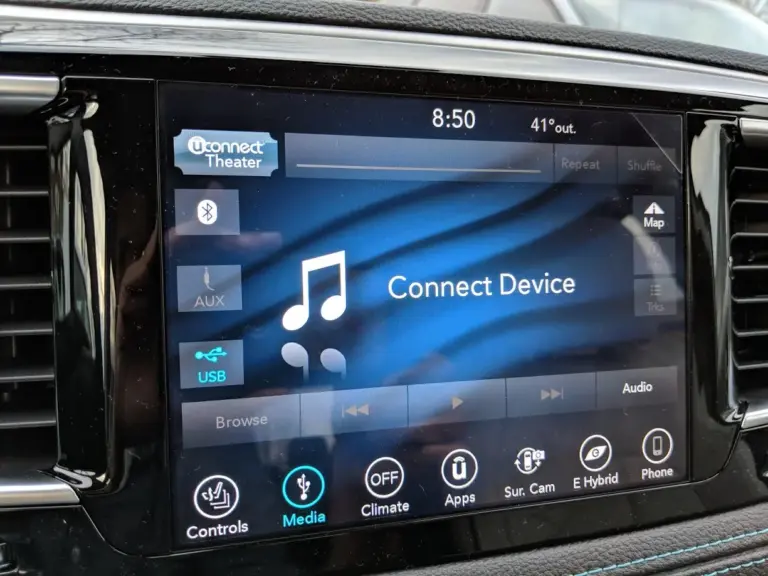
So your Chrysler Pacifica’s infotainment screen just went black. No radio, no navigation, no backup camera. Just a dark, lifeless screen staring back at you while you’re trying to back out of the driveway. Trust me, you are not the first person to deal with this, and you definitely will not be the last.
This is one of the more common complaints among Pacifica owners, and it can show up out of nowhere. One minute everything is fine, and the next the screen is completely dead. The good news? A lot of the time, this is something you can fix yourself without stepping foot inside a dealership. But you need to know what you are dealing with first.
Let’s walk through everything, from what causes the black screen to how you fix it, step by step.
What Chrysler Pacifica Owners Are Actually Complaining About
Before we get into fixes, it helps to understand exactly what people are experiencing. The black screen issue is not always the same thing for everyone. Sometimes it is a completely dead screen. Sometimes the screen turns on briefly and then goes dark again. Other times, the screen is technically “on” but completely frozen and will not respond to any touch input.
Here is what shows up most often in owner complaints and forum discussions.
The Screen Freezes and Stops Responding to Touch
This is one of the most reported issues. You tap the screen to change a song, adjust navigation, or turn up the heat, and nothing happens. The system is technically running, but it is locked up and completely ignoring your input.
Think of it like a smartphone that freezes in the middle of an app. The phone is still on, but the screen will not respond until you force restart it. The Pacifica’s Uconnect system works on a similar principle. When it locks up, you need to force it to restart.
A simple fix many owners have had success with is turning the vehicle off, waiting a few minutes, and starting it back up again. This gives the system a chance to restart cleanly. It does not always work, but it is always worth trying first.
Bluetooth and Device Syncing Problems
Another complaint that often goes hand-in-hand with the black screen issue is trouble syncing phones and other devices. Bluetooth pairing fails, audio does not come through even when the connection shows as active, or the system forgets a previously paired device entirely.
This can often be resolved by updating your phone’s software, deleting the old Bluetooth pairing and starting fresh, or doing a soft reset on the infotainment system itself. More on exactly how to do that in a moment.
No Access to Navigation, Music, or App Features
When the screen goes black or freezes, you lose access to everything. Navigation is gone. You cannot change the radio station. Apple CarPlay or Android Auto stops working. And if you have passengers in the back, the rear entertainment system may be affected too.
For some owners, this happens occasionally and goes away on its own. For others, it becomes a persistent problem that keeps coming back no matter how many times they restart the system. That pattern matters a lot when diagnosing the root cause.
The Safety Risk You Cannot Ignore
Here is where things get serious. The Pacifica’s backup camera feeds through the infotainment screen. When that screen goes black while you are shifting into reverse, you are essentially driving blind. No camera view, no parking guidelines, nothing.
If you have kids, pets, or just park in tight spaces regularly, a dead infotainment screen is not just an inconvenience. It is a genuine safety hazard. This is not something you should put off dealing with. If the screen goes out while you are reversing, slow down, roll down your window, and use your mirrors until the issue is resolved.
Known Defects and Recalls Worth Checking
It is worth pointing out that some Chrysler Pacifica model years have had known manufacturing defects tied to the infotainment system. These are not just random flukes. They are documented issues that Chrysler has been made aware of through owner complaints and regulatory filings.
If your vehicle falls under a recall or technical service bulletin related to the infotainment system, the repair may be covered at no cost to you. You can check for open recalls at the National Highway Traffic Safety Administration’s website by entering your VIN number. You can also call your local dealership and ask them to run your VIN to see if anything is outstanding.
Do not skip this step. Plenty of owners have spent money on repairs that should have been covered under a recall they never knew existed.
Why Is the Screen Actually Going Black? Real Causes Explained
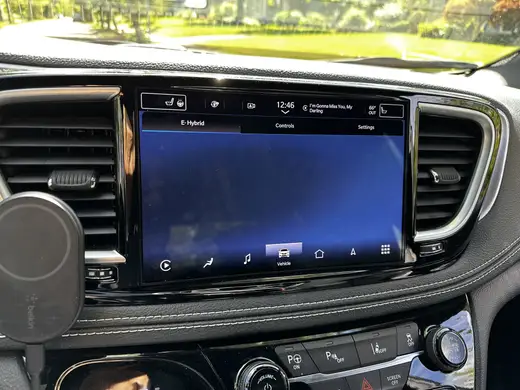
There is no single reason a Chrysler Pacifica screen goes black. In practice, there are several different root causes, and figuring out which one applies to your situation will save you a lot of time and guesswork.
A Software Glitch in the Uconnect System
The Uconnect system that runs your Pacifica’s infotainment screen is basically a computer. And like any computer, it can crash, freeze, or run into errors. This happens especially around software updates.
Chrysler pushes over-the-air updates to the Uconnect system, and sometimes these updates do not install cleanly. The update process might stall halfway through, leaving the system in a broken state. Or a newly installed update introduces a bug that causes the screen to misbehave.
This type of issue is usually resolved with a manual reset or by allowing the update to complete on its own. But if the update genuinely corrupted the system software, you may need a dealership to reflash the software with a clean version.
Battery Voltage Problems and Blown Fuses
This is a big one, and it gets overlooked more than it should. The infotainment system is sensitive to voltage. When your car’s battery is weak or the charging system is not performing the way it should, the screen can go black, reboot randomly, or simply refuse to turn on.
Think about what happens when your phone battery dips below a certain point. Apps crash, performance suffers, and eventually the screen shuts off. The same principle applies here, just on a larger scale.
A blown fuse is another common culprit. Your Pacifica has a fuse panel that controls power distribution to different components, including the infotainment screen. If the fuse that powers the screen blows, the screen goes dark immediately. The fix is simple: locate the correct fuse, pull it out, wait about 30 seconds, and plug it back in. If the fuse looks burned or broken, replace it with a new one of the same amperage rating.
Always make sure your battery connections are clean and tight before chasing other causes. A loose or corroded battery terminal can cause all kinds of strange electrical behavior, and the infotainment screen is usually the first thing to show symptoms.
The Uconnect System Itself Has a Technical Fault
Sometimes the hardware itself is the problem. The Uconnect head unit, which is the physical module behind your infotainment screen, can develop faults over time. Connections loosen, components fail, and in some cases the unit simply stops functioning correctly.
If you have tried every reset method available and the screen keeps going black, there is a real possibility the head unit itself needs attention. This is the point where a dealership or a qualified auto electronics shop needs to get involved. Replacing a head unit is not a typical DIY job unless you have experience with automotive electronics.
How to Fix the Chrysler Pacifica Black Screen: Step-by-Step
Now let’s get into what you actually came here for. Below are the fixes, ordered from the simplest to the more involved. Start at the top and work your way down. Most owners find their solution within the first two or three steps.
Step 1: Try a Simple System Reboot First
Before you do anything else, try this. Turn the vehicle off, open your door, get out, and close the door behind you. Wait at least 2 to 3 minutes. This is not just for show. Many modern vehicles keep certain systems running even after the ignition is turned off, and you need to give them time to fully power down.
Get back in, start the vehicle, and see if the screen comes back on. For some owners, this is all it takes. If the issue was a temporary software hang, a clean restart clears it out.
Step 2: Force Reset the Uconnect System Using the Buttons
If a basic restart does not do the job, the next thing to try is a hard reset of the Uconnect system using the physical buttons on the dashboard.
Here is how to do it:
- Make sure the vehicle is in park with the ignition running or in accessory mode.
- Press and hold the Volume button and the Browse/Enter button at the same time.
- Hold both buttons for approximately 10 to 15 seconds.
- The screen should go completely dark and then reboot, similar to restarting a computer.
- Release the buttons and wait for the system to come back up fully before testing.
This is one of the most recommended fixes on owner forums, and it works for a lot of people dealing with frozen or unresponsive screens. The exact buttons may vary slightly depending on your model year, so if this combination does not work, check your owner’s manual or search for your specific year and Uconnect version.
You can also watch the video below for a visual walkthrough of this process:

Step 3: Check the Fuse Panel
If the reset did not bring the screen back, it is time to check the fuses. This takes about 10 minutes and costs nothing if the fuse is still good.
Here is what to do:
- Turn the vehicle off completely.
- Locate the fuse panel. In most Chrysler Pacifica models, there is one under the hood and one inside the cabin, usually on the driver’s side near the dashboard or under the steering column.
- Refer to your owner’s manual to find which fuse corresponds to the radio or infotainment system. It is often labeled “Radio,” “Uconnect,” or “AV.”
- Use a fuse puller or a pair of needle-nose pliers to carefully pull the fuse out.
- Hold it up to a light source and look at the metal strip inside. If it is broken or looks burned, the fuse is blown.
- Wait about 30 seconds before plugging the fuse back in, even if it looks fine. Sometimes cycling the fuse is enough to reset the circuit.
- If the fuse is blown, replace it with a new fuse of the exact same amperage. Never go higher.
A word of caution here. If you replace a fuse and it blows again shortly after, that means there is an underlying electrical problem causing it to overload. Stop replacing fuses and take the vehicle to a shop. A repeatedly blowing fuse is a symptom of a deeper issue, not the issue itself.
Step 4: Disconnect the Battery to Reset the Body Control Module
This step is one that catches a lot of owners off guard because it sounds more involved than it actually is. But it works, and here is why.
Your Chrysler Pacifica has what is called a Body Control Module, or BCM. Think of the BCM as the central nervous system for all your vehicle’s electrical components. It manages everything from the windows and door locks to the lights and, yes, the infotainment system. When the BCM gets a glitch in its memory, it can cause the screen to malfunction.
Disconnecting the battery forces the BCM to power down completely and wipe out any temporary faults stored in its memory. When power is restored, the module starts fresh.
Here is how to do it safely:
- Turn the vehicle completely off and remove the key from the ignition.
- Pop the hood and locate the battery.
- Using a 10mm wrench, loosen the nut on the negative terminal first. The negative terminal is marked with a minus sign and is usually connected to a black cable.
- Carefully remove the cable from the terminal and fold it away so it cannot accidentally touch the battery post.
- Wait for a full 60 seconds. Do not rush this step. The system needs time to fully discharge.
- While you are there, take a quick look at the battery terminals. If you see white or blue-green crusty buildup around the posts, that is corrosion. Clean it off with a wire brush or a mixture of baking soda and water before reconnecting. Corrosion is one of the sneaky causes of infotainment problems that most people never think to check.
- Reconnect the negative terminal and tighten the nut snugly. Do not overtighten, but make sure it is firm.
- Get back in the vehicle, cycle the ignition to the accessory position, and see if the screen comes on.
For many owners, this single step resolves the black screen issue completely. If the screen comes back on and everything works, you are good to go. Keep an eye on it over the next few days. If the problem comes back within a short period, the BCM itself may be failing and will need professional diagnosis.
Step 5: Check for and Install Any Available Software Updates
If your infotainment system is back up and running after one of the steps above, do not stop there. One of the best things you can do to prevent the problem from coming back is to make sure the Uconnect software is fully up to date.
Chrysler releases software updates that fix known bugs, improve system stability, and address performance issues. If your vehicle has not received a recent update, it may still be running a version of the software that has a known issue tied to the black screen problem.
There are two ways to update:
- Over-the-air update: If your vehicle is connected to Wi-Fi, it may receive and install updates automatically. You can check for available updates through the Settings menu on the Uconnect screen.
- USB update: You can also download the latest software from Chrysler’s Uconnect update website, load it onto a USB drive, and install it manually through the USB port in the vehicle. Your owner’s manual will walk you through the process.
One important note: do not start a software update and then shut the car off in the middle of it. Let it finish completely. An interrupted update is one of the top reasons the system ends up in a broken state in the first place.
Step 6: Visit a Dealership or Auto Electronics Specialist
If you have worked through every step above and the screen is still black, or if it keeps coming back even after being fixed, it is time to let a professional take over. At this point, the issue is likely one of the following:
- A failing or failed Uconnect head unit that needs replacement
- A defective Body Control Module that is sending bad signals to the screen
- A wiring issue somewhere between the BCM and the display
- A hardware fault on the screen itself, such as a failed backlight or internal component
None of these are fixes you should attempt yourself unless you have professional experience with automotive electronics. A dealership can use their diagnostic tools to pull fault codes from the system and pinpoint exactly what is failing. An independent auto electronics shop can often do the same work at a lower labor rate.
Before you pay for anything out of pocket, do one more check. Call your dealership, give them your VIN, and ask if there are any open technical service bulletins or recalls related to the infotainment system. If there is an active recall, the repair is free. If there is a technical service bulletin, it may not be free, but the dealership will know exactly what to do and how to fix it correctly the first time.
A Quick Reference: Fixes Based on Your Specific Symptom
Not everyone’s black screen situation is identical. Here is a quick breakdown to point you toward the most likely solution based on what you are experiencing.
| Symptom | Most Likely Cause | Best First Step |
|---|---|---|
| Screen completely black, never turns on | Blown fuse or battery issue | Check fuse panel, test battery |
| Screen turns on briefly then goes dark | Software glitch or BCM fault | Disconnect battery for 60 seconds |
| Screen is on but frozen and unresponsive | Software crash | Force reset with Volume + Browse buttons |
| Screen goes black only after a recent update | Failed or corrupted software update | Manual reset, then reinstall update |
| Screen randomly goes black while driving | Loose wiring or weak battery | Check battery voltage, inspect connections |
| Screen black with no response to any fix | Faulty head unit or hardware failure | Dealership diagnosis required |
How Long Do These Fixes Actually Last?
This is the question most owners want answered, and the honest answer is: it depends on what was causing the problem in the first place.
If the screen went black because of a software glitch, a reset typically fixes it for good, especially if you follow up with a software update. If the cause was a temporary voltage drop or a momentary fuse issue, the battery disconnect fix can hold up for months or even years without the problem returning.
But here is the thing. If the root cause is a failing BCM or a deteriorating head unit, the fixes above will work temporarily, but the problem will keep coming back. Each time it comes back, the interval between failures tends to get shorter. That is your signal to stop chasing temporary fixes and get the underlying hardware addressed properly.
A good rule of thumb: if you have done the battery disconnect fix more than twice in a few months and the screen keeps going black, stop wasting time on resets and get it diagnosed. The cost of diagnosis is almost always less than the cumulative cost of repeatedly dealing with a broken infotainment system while ignoring the real cause.
What About the Chrysler Pacifica Hybrid? Does This Apply Too?
Yes, the Chrysler Pacifica Hybrid uses the same Uconnect infotainment platform as the standard Pacifica, so all of the fixes above apply to the hybrid version as well. The one additional thing to be aware of with the hybrid is that the high-voltage battery system adds another layer of electrical complexity to the vehicle.
If you own a Pacifica Hybrid and the infotainment screen goes black at the same time you notice other strange electrical behavior, such as the charge level display acting up or the vehicle behaving oddly on startup, have it diagnosed sooner rather than later. The 12-volt auxiliary battery in the hybrid can also cause infotainment issues when it starts to fail, just like in a standard gas-powered Pacifica.
Do not attempt to disconnect or work around any of the orange high-voltage cables in a Pacifica Hybrid. Those cables carry enough voltage to cause serious injury. The standard 12-volt battery disconnect described earlier is completely safe and does not involve the high-voltage system at all.
Preventing the Black Screen from Coming Back
Once you have the screen working again, a few simple habits can help keep it that way.
- Keep the software current. Check for Uconnect updates every few months. Outdated software is one of the leading causes of infotainment instability.
- Have your battery tested annually. Most auto parts stores will test your battery for free. A weak battery causes more electrical problems in modern vehicles than most owners realize.
- Keep battery terminals clean. A small amount of corrosion on the terminals is enough to disrupt the voltage flow to sensitive electronics. Clean them with a wire brush and apply terminal protector spray once a year.
- Avoid interrupting software updates. If an update starts, let it finish before driving or turning the vehicle off.
- Register your VIN for recall notifications. Sign up for recall alerts through NHTSA’s website so you hear about any infotainment-related recalls as soon as they are issued.
Real Talk: Is This a Design Flaw in the Chrysler Pacifica?
Honestly, yes and no. The Uconnect system has had more than its share of documented issues over the years, and the infotainment screen problems in the Pacifica are not isolated incidents. There have been enough owner complaints, class action discussions, and technical service bulletins issued that it is fair to say Chrysler knows this is a weak point in these vehicles.
That said, not every Pacifica owner deals with this. Plenty of owners put hundreds of thousands of miles on their vehicles without the screen ever giving them a problem. Whether you experience it or not often comes down to how well the vehicle was maintained, what software version is running, and sometimes just the luck of whether your specific unit has a hardware weakness.
The frustrating part is that Chrysler’s response to these complaints has not always been great. Some owners report being told the vehicle is working as designed, even when the screen is clearly malfunctioning. If that happens to you, do not accept it. Document the issue, report it to Chrysler customer service directly, and file a complaint with the NHTSA if the problem creates a safety concern like the backup camera going out.
You have more leverage than you think, especially if the vehicle is still under warranty or if there is an active technical service bulletin that the dealership has not mentioned.
Frequently Asked Questions About the Chrysler Pacifica Black Screen
How do I reset the Uconnect screen on a Chrysler Pacifica?
The quickest method is to press and hold the Volume button and the Browse/Enter button at the same time for about 10 to 15 seconds. The screen will go dark and reboot. If that does not work, try disconnecting the negative battery terminal for 60 seconds and reconnecting it.
Why does my Pacifica screen keep going black randomly while I am driving?
Random black-outs while driving usually point to a power supply issue. This could be a weak battery that is not maintaining stable voltage, a loose battery connection, or an intermittent wiring fault. Have your battery tested and check that the terminals are tight and clean before assuming it is a software problem.
Will disconnecting the battery reset everything in my Pacifica?
Disconnecting the battery will reset the Body Control Module and clear temporary fault codes. It will also clear any stored radio presets and may require you to re-enter a security code for the radio if your vehicle has that feature. It will not clear permanent fault codes stored in the engine control module, and it will not affect your vehicle’s mechanical settings. It is a safe procedure for most modern vehicles.
Is the Chrysler Pacifica black screen covered under warranty?
If your vehicle is still within the factory warranty period, infotainment issues are typically covered. If the warranty has expired, coverage depends on whether an extended warranty or service plan is in place, or whether the issue is covered under a recall or technical service bulletin. Always check your VIN for open recalls before paying out of pocket for any infotainment repair.
How much does it cost to replace a Uconnect screen on a Chrysler Pacifica?
The cost varies depending on the model year and whether you go to a dealership or an independent shop. Replacing the entire Uconnect head unit at a dealership can range from $500 to over $1,500 including parts and labor. Independent auto electronics shops often charge significantly less for the same repair. If the screen itself is the only problem and not the entire module, repair costs may be lower.
One More Thing Before You Walk Away
The black screen on a Chrysler Pacifica is annoying, but it is rarely a sign that the vehicle is falling apart. In most cases, a simple reset or a fuse check is all it takes to get things working again. The key is knowing where to start and not jumping straight to expensive repairs before trying the basics.
Work through the steps in order. Start with the soft reset, move to the fuse panel, try the battery disconnect if needed, and keep the software updated. Most owners never need to go beyond step four.
But if you have done all of that and the screen keeps going black, do not ignore it. A repeatedly failing infotainment system, especially one that takes out your backup camera, is a safety issue. Get it properly diagnosed, check for recalls, and push back if the dealership tries to brush you off. Your safety and your investment in that vehicle are worth standing up for.
If your screen just went black today and none of the fixes above worked, what exactly happened right before it went out? That detail might be the clue that points you straight to the answer.