
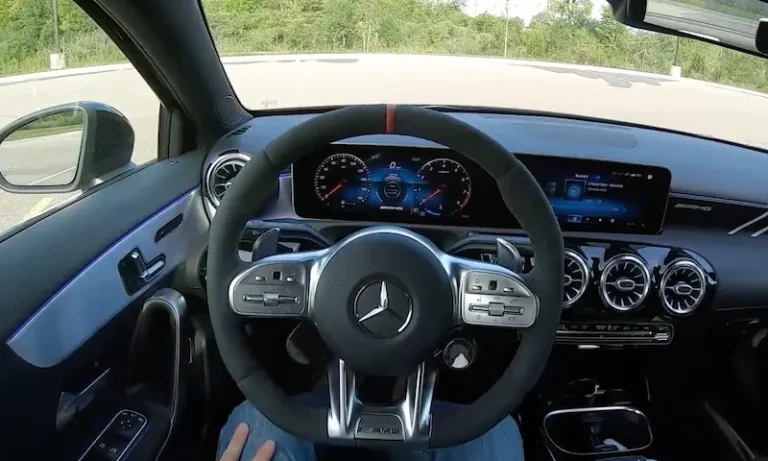
You are cruising down the highway in your Mercedes-Benz, you reach over to turn up the volume, and nothing happens. Dead silence. Or maybe the radio flickered on for a second and then shut itself off. Or the screen is stuck on the Mercedes logo like it is frozen in time. Whatever version of this you are dealing with right now, it is frustrating, especially in a vehicle that is supposed to represent the best of automotive engineering.
Here is the thing though. Audio system problems in Mercedes-Benz vehicles are more common than the brand would probably like to admit. The systems are sophisticated, which means there are more ways for things to go sideways. The good news is that a large number of these issues are fixable without a trip to the dealership, and without spending a fortune.
This guide is going to walk you through every common audio problem Mercedes owners run into, what is actually causing each one, and exactly how to fix it. No fluff, no vague advice. Just real, practical steps from someone who has seen these problems many times over.
Why Mercedes-Benz Audio Systems Are More Complicated Than You Think
Before jumping into the problems, it helps to understand what you are actually dealing with under the hood of that audio system. Mercedes-Benz does not use a standard audio setup like a basic aftermarket stereo. Their systems are built around a network of components that communicate with each other through a fiber-optic loop, and in some models, through the vehicle’s CAN bus network.
The centerpiece is the COMAND system, which stands for Cockpit Management and Data. This unit controls navigation, audio, phone connectivity, and in many cases, climate controls as well. Feeding into it are components like the CD changer, the Audio Gateway module (also called the AGW), the voice recognition unit, and the amplifier, which then sends signals out to the speakers.
All of these components talk to each other. When one of them develops a fault, the entire audio chain can break down. That is why a problem that looks like a dead speaker might actually be a faulty amplifier, or why a screen that will not turn on might be a software glitch in the COMAND unit rather than a hardware failure.
Knowing this changes how you approach troubleshooting. You stop chasing symptoms and start looking for the actual source of the problem.
The Most Common Mercedes-Benz Audio Problems and What Is Behind Them
The COMAND System Stops Working Properly
The COMAND system is the brain of your Mercedes audio setup, and when it acts up, everything downstream suffers. Owners report a range of symptoms: the system freezing on startup, random reboots while driving, unresponsive touchscreens, loss of navigation function, and audio cutting in and out.
The causes can range from a software glitch to a hardware fault inside the unit itself. One often-overlooked cause is a loose or damaged fiber-optic connection. The fiber-optic loop connects all the audio components in sequence, and if there is a break or a poor connection anywhere in that loop, the entire system can malfunction. Think of it like a string of old Christmas lights. One bad bulb and the whole string goes dark.
The first step when the COMAND system starts acting strange is a soft reset through the fuse panel. More on exactly how to do that in a moment.
The Radio Gets Stuck on the Mercedes-Benz Logo
This one is particularly annoying. You start the car, the Mercedes logo appears on the screen, and then it just sits there. The system never finishes booting up. You wait, and wait, and it just stays frozen on the logo.
This is almost always a software issue. The COMAND system failed to complete its startup sequence, which can happen after a software update that did not install cleanly, after a battery discharge, or sometimes just out of nowhere after years of normal use.
The fix is usually straightforward. Remove the key from the ignition, wait at least 30 seconds, reinsert it, and restart the vehicle. This gives the system a chance to restart cleanly from scratch. If that does not work, a fuse pull reset is the next move.
The Radio Powers On and Then Shuts Off by Itself
If your radio is cycling on and off on its own, that usually points to one of three things: a loose wiring connection, a blown or failing fuse, or an issue with the head unit receiving inconsistent power.
Power instability is the most common culprit here. When a component in the audio chain is not getting stable voltage, it will shut down as a protective measure. This can be caused by a weak battery, a corroded terminal, or a fuse that is on its way out but has not fully blown yet.
Start by checking the fuse panel. If the fuses look fine, have your battery tested. A battery that is two or three years old and holding a weak charge can cause all kinds of strange electrical behavior in these vehicles, and the audio system is usually the first to show signs of it.
The Radio Panel Will Not Turn On At All
A completely dead radio panel, where nothing lights up and there is zero response when you press any button, is typically caused by one of the following:
- A blown fuse in the fuse box
- A failed radio head unit
- A wiring fault somewhere between the fuse and the unit
- A failed power supply inside the COMAND unit itself
Check the fuses first. It takes five minutes and costs nothing. If the fuses are fine and the panel is still completely dead, the problem is either the wiring or the unit itself, and at that point you need a professional with diagnostic tools to figure out which one.
Random Audio Glitches and Intermittent Problems
Some owners describe their Mercedes audio system as just “acting weird.” The audio cuts out briefly and comes back. The navigation voice goes silent. The system randomly switches inputs. Bass drops out. Sound quality suddenly deteriorates and then returns to normal.
Intermittent problems like these are often the hardest to diagnose because they come and go. But in a Mercedes, this type of behavior frequently points back to the fiber-optic loop. Even a tiny kink in the optical cable, or a connector that is not fully seated, can cause the audio signal to drop unpredictably. Vibration from driving can make the connection flicker, which is why the problem often seems worse on bumpy roads.
A soft reset through the fuse panel is the right first step. If the glitches continue, you need someone to physically inspect the fiber-optic connections throughout the audio system.
No Sound at All from the Speakers
The screen works, the system is on, you can see the audio playing, but you hear absolutely nothing. This is one of the more frustrating situations because everything looks like it should be working.
In Mercedes vehicles, this is commonly tied to the fiber-optic loop or the amplifier. The COMAND unit might be functioning perfectly, but if the signal is not getting through the fiber-optic chain to the amplifier, the amplifier has nothing to process and the speakers stay silent.
It can also be a muted amplifier. Some Mercedes amplifiers have a built-in mute function that activates when they detect a fault in the signal chain. Resetting the system by pulling the relevant fuses for 10 minutes can sometimes “un-mute” the amplifier and restore sound.
How to Fix Mercedes-Benz Audio Problems: Step-by-Step
Now let’s get practical. Here are the fixes, starting with the simplest and working toward the more involved solutions. Always start at the top and work your way down. Most people find their fix within the first two steps.
Fix 1: Perform a Soft Reset Using the Fuse Panel
This is the single most effective first step for the majority of Mercedes audio problems. A soft reset forces all the audio system components to power down completely and restart fresh. It can resolve software glitches, fiber-optic loop errors, amplifier muting, and frozen screens all at once.
Here is exactly how to do it:
- Turn the vehicle completely off and remove the key from the ignition.
- Locate the fuse box. Most Mercedes-Benz models have the primary fuse box in the engine compartment, and a secondary one either in the trunk, under the rear seat, or inside the cabin near the dashboard. Consult your owner’s manual for the exact location on your model.
- Identify and remove the fuses for the following components. Write down their locations before pulling them so you know where they go back:
- CD Changer
- COMAND / NAV / DVD Player / Radio
- Audio Gateway (AGW)
- Voice Unit (if your vehicle is equipped with one)
- Leave all these fuses out for a minimum of 10 minutes. Do not rush this. The system needs enough time to fully discharge and reset its internal memory.
- Reinsert all the fuses in their correct positions.
- Start the vehicle and give the system a full minute to boot up before testing audio functions.
This process works a surprising number of times. Many owners who thought they needed an expensive repair fixed their audio system completely with nothing more than a fuse pull and a 10-minute wait. Try this before doing anything else.
Fix 2: Try a Key Cycle Reset for Frozen Screens
If your screen is stuck on the Mercedes logo or the system froze during startup, this simpler reset is worth trying before going to the fuse panel.
- Turn the ignition off.
- Remove the key completely from the ignition.
- Wait at least 30 seconds. A full minute is even better.
- Reinsert the key and start the vehicle.
- Give the COMAND system up to 90 seconds to fully boot before interacting with it.
This works best for screens that get stuck during startup. It is essentially the automotive equivalent of restarting a frozen computer. Simple, but effective.
Fix 3: Perform a Factory Reset via Battery Disconnect
If the soft fuse reset did not fully solve the problem, a factory reset through battery disconnect is the next step. This is more comprehensive than a fuse pull because it resets not just the audio components but the entire electrical system including the Body Control Module.
Before you do this, be aware of a few things:
- You will lose your saved radio presets.
- Some Mercedes models require a radio security code after battery disconnection. Check your owner’s manual to find out if your vehicle has this requirement and where to find your code before disconnecting anything.
- Any Bluetooth pairings may need to be re-established.
Here is the process:
- Turn the vehicle completely off and remove the key.
- Open the hood and locate the battery. In some Mercedes models, the battery is in the trunk rather than under the hood.
- Using a wrench, loosen and remove the negative battery terminal first. This is the cable attached to the terminal marked with a minus sign, usually black.
- Move the cable aside so it cannot accidentally touch the battery post.
- Wait 5 full minutes. This allows the system capacitors to fully discharge and clears any stored faults from the system memory.
- While you are there, inspect the battery terminals for corrosion. White or bluish-green crusty buildup on the posts can cause voltage issues that directly affect the audio system. Clean any corrosion with a wire brush or a baking soda and water mixture, then dry thoroughly before reconnecting.
- Reconnect the negative terminal and tighten it firmly.
- Start the vehicle and allow the COMAND system to boot fully before testing.
This reset is particularly useful when the audio system is exhibiting strange behavior that a fuse pull alone did not fix. Think of it as a deeper system refresh.
Fix 4: Check and Replace Blown Fuses
If the soft reset did not bring anything back and you still have a dead radio panel or no sound, it is time to do a proper fuse inspection. This goes beyond just pulling and reinserting. You need to actually look at each fuse.
- With the vehicle off, open the fuse box and locate all fuses related to the audio system. Your owner’s manual will have a fuse diagram identifying each one.
- Use a fuse puller or a small pair of needle-nose pliers to carefully remove each audio-related fuse.
- Hold each fuse up to a light source and look at the metal strip inside. A blown fuse will have a visible break in the strip, or the strip may look burned or discolored.
- Replace any blown fuses with new ones of the exact same amperage rating. Never substitute a higher-rated fuse. That is how electrical fires start.
- Reinstall all fuses and test the system.
One important point to repeat here: if a fuse blows again shortly after you replace it, stop replacing fuses. A fuse that keeps blowing is telling you that something in the circuit is drawing too much current. That is an underlying electrical fault that needs professional diagnosis. Replacing fuses repeatedly without finding the root cause can cause damage to the components themselves.
Fix 5: Inspect the Fiber-Optic Loop Connections
If you are dealing with intermittent sound, no sound despite everything else working, or audio glitches that come and go, the fiber-optic loop is a strong candidate for the problem.
The fiber-optic cables in a Mercedes audio system are thin, fragile, and usually routed in areas that can be disturbed during previous repair work, interior modifications, or even just over time from the constant vibration of driving.
Locating and inspecting these connections requires removing interior panels in some cases, which is why many owners leave this step to a professional. But here is what to check if you want to try it yourself:
- Look behind the COMAND unit for the fiber-optic connectors. They are small, usually green-tipped plastic connectors with a thin cable attached.
- Check that each connector is fully seated. Even a slightly loose optical connector can break the signal chain.
- Look for any kinks, sharp bends, or pinched sections in the fiber-optic cable itself. The cable cannot bend at tight angles without degrading the signal.
- Check the same connections at the amplifier, CD changer, and Audio Gateway module.
If you find a disconnected or damaged fiber-optic cable, reconnecting it or replacing the damaged section can restore full audio functionality immediately.
When the Problem Goes Beyond a Reset: Repairs and Replacements
If you have worked through every reset option and the problem is still there, the next step is looking at physical repairs or component replacement. Here is what that looks like for each part of the audio system.
Replacing the COMAND Unit
The COMAND unit is the most expensive component in the Mercedes audio system, and replacement is not something you want to jump to without exhausting every other option first. But when the unit itself has failed, either due to an internal hardware fault or irreparable software corruption, replacement is the only real fix.
You have a few options here:
- New unit from the dealership: This is the most expensive route, but it comes with the assurance of a fully compatible, properly coded unit. Expect to pay a premium for parts and labor.
- Remanufactured or used unit: You can often find refurbished COMAND units online at a fraction of the dealer price. The risk is compatibility. Mercedes COMAND units are often coded to the specific vehicle they were installed in, and some need to be recoded after installation. Make sure any replacement unit you buy is compatible with your specific model year and can be properly coded.
- Third-party repair services: There are companies that specialize in repairing Mercedes COMAND units. If the problem is a failed capacitor or a known internal fault, they can often repair your existing unit and return it at a cost significantly lower than a full replacement.
Whichever route you choose, this is not a job to hand off to a general mechanic who does not have experience with Mercedes electronics. The COMAND unit requires proper coding to the vehicle after installation, and without that step, it will not function correctly.
Replacing or Repairing the Amplifier
The amplifier in a Mercedes-Benz audio system is what takes the signal from the COMAND unit and drives it to the speakers with enough power to produce sound. When the amplifier fails, you get silence, even though everything else in the system might be working perfectly.
Before assuming the amplifier is the problem, check these things first:
- Is the amplifier receiving power? Check its dedicated fuse.
- Are the fiber-optic connections to the amplifier fully seated?
- Is there any visible damage to the amplifier unit? Look for burn marks, swollen capacitors, or signs of moisture intrusion.
Mercedes amplifiers are located in different places depending on the model. Common locations include the trunk, under the rear seat, or behind the dashboard. Once you locate it, inspect the wiring connections to ensure everything is secure. A loose ground connection on the amplifier is a surprisingly common cause of audio problems and is a free and easy fix.
If the amplifier needs replacement, choose one that is specifically compatible with your vehicle’s audio system. Using an aftermarket amplifier in a Mercedes fiber-optic audio system is possible but requires additional interface adapters to convert the signal properly. This is a job for an experienced car audio installer if you are not familiar with the process.
Replacing Blown or Damaged Speakers
Speakers are the most physically accessible component in the audio system, and they are also the most straightforward to replace. A blown speaker typically produces a crackling, distorted sound, or no sound at all from that specific location in the vehicle.
To diagnose a speaker problem:
- Play audio and walk around the interior of the vehicle, listening to each speaker location individually.
- If one area produces distorted or no sound while others are fine, that speaker is likely the issue.
- Remove the door panel or trim covering the speaker and inspect it visually. A torn cone or a burnt voice coil are obvious signs of failure.
When replacing Mercedes speakers, pay attention to the ohm rating. Mercedes uses specific impedance ratings in their speakers that match the amplifier’s output. Using a speaker with the wrong impedance can damage the amplifier over time. Stick with OEM replacement speakers or aftermarket options that specifically list compatibility with your Mercedes model.
Watch the video below for a visual guide on diagnosing and working through Mercedes audio system issues:

Quick Reference: Symptoms, Causes, and First Steps
| Symptom | Most Likely Cause | Best First Step |
|---|---|---|
| Screen stuck on Mercedes logo | Software startup failure | Key cycle reset, wait 30 seconds |
| No sound, screen works fine | Fiber-optic fault or amplifier issue | Soft reset via fuse panel (10 minutes) |
| Radio powers on then shuts off | Power instability, fuse, or weak battery | Check fuses, test battery voltage |
| Radio panel completely dead | Blown fuse or failed head unit | Inspect and replace blown fuses |
| Intermittent audio cutting in and out | Loose fiber-optic connection | Fuse reset, then inspect optical connectors |
| Crackling or distorted sound | Blown speaker or loose wiring | Identify affected speaker and inspect |
| COMAND system freezes randomly | Software glitch or hardware fault | Soft reset, then factory reset if needed |
| No sound after battery replacement | System needs re-initialization | Battery disconnect reset, check radio code |
How Much Should You Expect to Pay for Mercedes Audio Repairs?
Cost is always a concern with Mercedes-Benz repairs, so here is a realistic breakdown of what different fixes typically cost.
| Repair Type | Estimated Cost Range | Notes |
|---|---|---|
| Fuse replacement | $0 to $10 | DIY cost is nearly nothing |
| Fiber-optic cable repair | $50 to $300 | Depends on location and labor time |
| Amplifier replacement | $200 to $800 | OEM vs. aftermarket affects price |
| Speaker replacement (per speaker) | $80 to $400 | Higher-end Burmester systems cost more |
| COMAND unit repair (third-party) | $150 to $500 | Good option before full replacement |
| COMAND unit replacement (used/reman) | $300 to $900 | Must verify compatibility and coding |
| COMAND unit replacement (dealer) | $1,000 to $3,000+ | Includes coding and labor |
These are general estimates and your actual cost will vary based on your specific Mercedes model, model year, and where you take it for service. Independent shops that specialize in European vehicles will almost always charge less than a Mercedes dealership for the same repair, and the quality of work is often just as good.
Should You Go to the Dealership or an Independent Shop?
This is a question every Mercedes owner faces eventually, and the answer is not always the same.
For software-related issues, especially if a COMAND update or recoding is needed, the dealership has a real advantage. They have the proprietary software tools required to update and code the system to your vehicle. An independent shop that does not have access to Mercedes XENTRY software may not be able to handle these specific jobs.
For hardware repairs like amplifier replacement, speaker replacement, fiber-optic cable work, or even a used COMAND unit swap, a qualified independent shop that specializes in European vehicles can do the job just as well, usually at a significantly lower labor rate.
The worst move you can make is taking a Mercedes audio problem to a general repair shop that does not have experience with these vehicles. The fiber-optic audio system and the CAN bus network in a Mercedes are not things a shop that primarily works on Hondas and Toyotas will be familiar with. You can easily end up paying for misdiagnoses and parts replacements that do not fix the actual problem.
Preventive Habits That Help Your Mercedes Audio System Last Longer
Once your audio system is back in working order, a few simple habits can help prevent problems from coming back.
- Keep the battery in good shape. Have it tested every year, especially once it is past the three-year mark. A weak battery is one of the most underrated causes of Mercedes electronic problems.
- Do not let the battery fully discharge. Deep discharges can corrupt the memory in COMAND and other control modules. If you know the vehicle will sit unused for an extended period, use a battery maintainer.
- Handle audio connectors with care during any interior work. If you or a shop is ever working inside the doors, dashboard, or trunk area, make sure fiber-optic cables are not bent, kinked, or disturbed.
- Keep the system software updated. Mercedes releases software updates for the COMAND system that fix known bugs and improve stability. Ask your dealer about available updates at your next service visit.
- Address small issues before they become big ones. Intermittent static or occasional audio dropouts are easy to ignore, but they are early warning signs. A loose fiber-optic connector caught early is a free fix. Left alone, it can eventually corrupt the signal path and cause bigger problems.
Frequently Asked Questions About Mercedes-Benz Audio Problems
How do I reset my Mercedes COMAND system?
The most effective way is to pull the fuses for the CD Changer, COMAND/Radio, Audio Gateway, and Voice Unit and leave them out for 10 minutes before reinserting them. For a quicker option, remove the key, wait 30 seconds, and restart. For a deeper reset, disconnect the negative battery terminal for 5 minutes.
Why is there no sound from my Mercedes speakers even though the screen is working?
This usually points to a fiber-optic connection problem or a muted/failed amplifier. The COMAND unit may be working fine, but if the signal is not making it through the optical chain to the amplifier, you will get silence. Start with the fuse pull reset. If that does not work, have the fiber-optic connections and amplifier inspected.
Will disconnecting my Mercedes battery delete my settings?
Yes, you will lose radio presets and Bluetooth pairings. Some older Mercedes models also require a radio security code to be re-entered after battery disconnection. Check your owner’s manual to see if your vehicle has this requirement and locate your code before disconnecting the battery.
How long does a Mercedes COMAND unit last?
Most COMAND units last for many years without problems. Issues tend to arise in older high-mileage vehicles, after significant electrical events like a dead battery or a power surge, or in vehicles that have been driven in high-heat environments that stress the internal electronics. Many units are repaired rather than replaced, especially for older model years where OEM replacements are no longer sold new.
Can I replace the COMAND unit myself?
The physical removal and installation is something a mechanically confident person can do. The coding process afterward is what makes this difficult without professional tools. A COMAND unit that is not properly coded to the vehicle will not function correctly, and in some cases will not function at all. If you purchase a replacement unit, factor in the cost of having it coded at a dealership or a shop with Mercedes diagnostic software.
One Final Thought
Mercedes-Benz audio problems are almost never as catastrophic as they feel in the moment. Nine times out of ten, a fuse pull reset or a battery disconnect is all it takes to bring everything back to life. The fiber-optic system sounds intimidating, but most connection issues are just loose plugs that take seconds to reseat once you find them.
The key is to work methodically. Do not skip straight to expensive repairs because the problem seems serious. Start simple, eliminate possibilities one at a time, and you will almost always find the cause without spending more than you have to.
If you have already tried every reset in this guide and the audio system is still not working, that is your signal to stop guessing and get a proper diagnosis from someone with Mercedes-specific tools. Chasing an electrical fault without the right diagnostic equipment is how you end up replacing parts that were never the problem in the first place.
Your Mercedes was built to sound exceptional. Do not settle for silence when the fix might be as simple as a 10-minute fuse pull.