
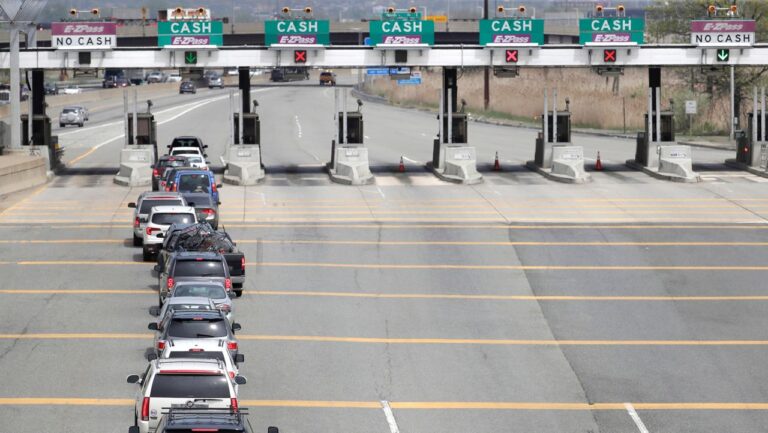
You pull up to a toll plaza, drive through the E-ZPass lane, and instead of the familiar beep and green light, you see an “invalid tag” message on the display. It is a frustrating moment, especially when you thought everything was set up correctly. But this message is actually giving you useful information: something about your transponder, your account, or your setup has a problem that needs to be addressed before it creates a bigger issue.
The good news is that most causes of an invalid tag message are straightforward to diagnose and fix. The important thing is to act on it rather than ignore it, because a single unresolved toll failure can multiply into a stack of violation notices and fees if you continue driving through toll plazas without addressing the underlying problem.
What Does “Invalid Tag” Mean?
When the toll system displays an invalid tag message, it means the overhead reader attempted to communicate with your E-ZPass transponder and either could not detect it at all, or detected it but found a problem with the associated account. The system is telling you that the toll was not collected through the normal E-ZPass process.
At that point, the toll authority will typically photograph your license plate as a backup and attempt to match it to an account or issue a violation notice. Whether you end up with a bill, a formal violation, or nothing at all depends on what happens in that backup process and how quickly you address the issue from your end.
Why Is Your E-ZPass Showing as Invalid? The Most Common Causes
1. Insufficient Account Balance
A zero or negative account balance is one of the most common reasons for an invalid tag signal. When your E-ZPass account runs out of funds, the system flags your transponder as unable to process a charge and the invalid tag message appears at the toll point.
This often happens when automatic replenishment fails. If the credit card linked to your account has expired, been replaced with a new number, or been declined for any reason, the replenishment transaction does not go through. The account continues drawing down with each toll charge until there is nothing left, and then the next time you drive through a toll, the system cannot collect what it is owed.
Drivers who set up automatic replenishment when they first open the account and then forget about it for years are particularly vulnerable to this. A card that expires in the meantime can sit in the account settings as the registered payment method without any obvious notification until the balance hits zero and transactions start failing.
2. Improperly Mounted Transponder
E-ZPass transponders are designed to communicate with overhead readers through the windshield. For that communication to work reliably, the transponder needs to be in the correct position. The standard recommended placement is behind the rearview mirror on the inside of the windshield, positioned horizontally and right-side up.
A transponder that has slipped from its mounting, is sitting in a cupholder, is propped against the dashboard, or has been placed somewhere other than the designated windshield position will frequently fail to be detected by overhead readers. The reader has a specific zone where it looks for transponder signals, and a device that is outside that zone simply will not be read.
Other objects on the windshield can also cause interference. Parking permits, inspection stickers, or registration tags placed directly over or adjacent to the transponder can disrupt the signal. Tinted film, including factory UV-blocking glass treatments in some vehicles, can also reduce or block the transponder’s signal depending on the specific material composition.
Proper installation steps matter for the initial mounting as well. The windshield surface should be cleaned with rubbing alcohol before applying the Velcro strips or adhesive that holds the transponder in place. A tag mounted on a dusty or oily surface will not adhere firmly and is more likely to shift or fall over time.
3. Damaged or Malfunctioning Transponder
Transponders are electronic devices and they do not last indefinitely. Physical damage from drops, impacts, or extreme temperature exposure can affect the internal components. The battery inside a sealed transponder will eventually deplete, causing inconsistent performance as the battery weakens before failing entirely.
A transponder that is malfunctioning may work on some passes through a toll and fail on others, which is one of the more confusing failure modes because it can suggest a different problem. If you are seeing intermittent invalid tag messages but your account balance and mounting position are both correct, a failing transponder is the most likely explanation.
Physical damage is sometimes obvious, such as a cracked case or a corroded battery compartment on older removable-battery models. Internal electronic failures are less visible but can often be confirmed by contacting E-ZPass customer service, which can run a diagnostic check on the transponder’s status from their end.
4. Transponder Reported Lost or Stolen
When a transponder is reported lost or stolen, E-ZPass deactivates it immediately to prevent unauthorized use. If someone else finds the device and drives through a toll with it, or if you find and attempt to reuse your own previously reported transponder, the system will flag it as invalid because the device has been deliberately deactivated.
This can occasionally catch people off guard. A driver who reports a transponder lost, receives a replacement, and then finds the original device tucked under a seat might slip the old one back into the windshield mount without realizing it has been deactivated. The replacement is the active transponder and the original is no longer valid, regardless of the account status.
5. Closed or Suspended Account
If an E-ZPass account is closed, all transponders associated with it become invalid immediately. Similarly, accounts that are suspended due to prolonged non-payment or outstanding violations will have their transponders flagged as invalid until the account is brought back into good standing. Driving through toll plazas with a transponder linked to a closed or suspended account will consistently generate invalid tag messages at every toll point until the underlying account issue is resolved.
6. Transponder Never Activated
A newly received transponder that has not been activated on the account will read as invalid at toll plazas. This applies both to brand-new transponders and to replacement transponders that were received but the activation step was skipped or forgotten. When you receive a new transponder, it needs to be formally linked to your account through the activation process before it will be recognized as valid by the toll system.
What to Do Right Now If Your Tag Is Showing as Invalid
Step 1: Log Into Your E-ZPass Account and Check Everything
Start with your account dashboard. Check the account balance and confirm it is positive. Verify that the payment method listed for automatic replenishment is current and valid. Look at the transponder status section and confirm the specific transponder that should be active shows as active rather than deactivated, suspended, or flagged. Review recent transaction history to see whether recent toll charges have been processed normally or whether there is a pattern of failed reads preceding this incident.
Step 2: Physically Inspect the Transponder
Remove the transponder from its mount and examine it closely. Look for any visible cracking, corrosion, or damage to the casing. Check that the mounting velcro or adhesive has not deteriorated and that the device is sitting firmly when remounted. Confirm you are mounting it in the correct position, behind the rearview mirror on the windshield interior, horizontally and right-side up. Make sure nothing is obstructing it from above or below on the windshield surface.
Step 3: Update Any Outdated Account Information
If your credit card has expired or been replaced, update the payment information in your E-ZPass account immediately. Also verify that your vehicle’s license plate number and state are correctly listed in your account. If you have recently received new plates, moved to a different state, or changed vehicles, update those details before your next toll drive. The license plate information is used as a backup identification method when the transponder fails to read, so incorrect plate information means both systems fail simultaneously.
Step 4: Contact E-ZPass Customer Service If the Problem Persists
If your account appears correct, your balance is positive, your payment method is current, and the transponder is properly mounted but you are still seeing invalid tag messages, contact E-ZPass customer service directly. They can run a diagnostic on your specific transponder from their end and confirm whether the device is functioning correctly, whether it has been inadvertently flagged for any reason, and whether a replacement needs to be issued. Replacement transponders are typically delivered within seven to ten business days.
What Happens If You Receive a Violation Notice?
If a toll was not collected at the point of travel due to an invalid tag, you may receive a violation notice by mail in the weeks following the incident. The notice will include the date, time, and location of the unpaid toll, the amount owed, and instructions for resolution. Read it carefully and compare the details against your travel history.
If the Charge Is Correct
Pay the outstanding toll and any administrative fee promptly. Most tolling authorities impose additional penalties if the initial notice is not addressed by its deadline. Resolving it quickly keeps the total cost to a minimum.
If You Believe the Notice Is an Error
You have the right to dispute a violation notice that you believe was issued incorrectly. Valid grounds for dispute include situations where your account records show the toll was successfully charged and paid, where the vehicle or license plate in the notice photograph does not match your vehicle, or where the incident date and time do not correspond to any trip you made.
To dispute, contact the customer service number listed on the violation notice specifically. Different tolling authorities manage their own violation processes, and the contact on the notice is the correct channel rather than the general E-ZPass customer service line. Gather your supporting documentation: account statements showing your transaction history for the relevant date, photos of your transponder and its mounting position if relevant, and any other records that support your case.
Submit the dispute before the payment deadline on the notice. Waiting past the deadline to begin the dispute process can result in additional fees even if the dispute is ultimately successful.
The Consequences of Ignoring an Invalid Tag Problem
Continuing to drive through E-ZPass lanes with an invalid transponder and not addressing the problem creates compounding consequences that escalate quickly:
- Each toll passage generates an unpaid toll record that either triggers a violation or accumulates as a delinquent balance on your account
- Administrative fees are added to each unpaid toll on top of the original toll amount
- Civil penalties are applied if the initial violation notices are not paid by their deadlines, adding $70 or more per occurrence at many tolling authorities
- Accumulated unpaid violations can result in vehicle registration suspension, which means you cannot legally renew your registration until the full balance is resolved
- Accounts sent to collections affect your credit report and add collection-related fees to the original balance
Every one of these outcomes is avoidable by addressing the invalid tag problem as soon as it appears rather than hoping it resolves itself or assuming the toll authority will sort it out on their end.
Using E-ZPass Across Different States
E-ZPass operates across 18 states as part of an interoperability agreement that allows transponders from any participating state to be read at toll facilities in all other participating states. This broad coverage makes the transponder genuinely useful for multi-state travel without needing separate accounts or devices.
However, some specific toll facilities within the network may have particular transponder requirements or configuration settings. For example, certain express lane configurations or variable-rate tolling facilities have different technical requirements than standard fixed-rate toll plazas. If you are traveling in an unfamiliar state and encounter a read failure at a facility you have not used before, it is worth checking whether that specific facility has any compatibility notes or special requirements for out-of-state transponders.
E-ZPass does not work on toll roads outside the participating network, which includes most toll roads in states like California, Texas, and Florida. Those states have their own separate electronic toll systems. Attempting to use an E-ZPass transponder at a toll facility that does not participate in the E-ZPass network will either generate no reading at all or an invalid response depending on the facility’s equipment.
Keeping Your E-ZPass Account Problem-Free: Ongoing Maintenance Habits
Most invalid tag problems are entirely preventable with a few simple habits maintained on a regular basis.
- Review your account balance and transaction history at least once a month. This takes two minutes and catches issues before they become violation notices. A missed transaction shows up in your history as an alert or an absence where a charge should appear.
- Update your payment method immediately when your card is replaced or renewed. Do not wait for a failed replenishment to prompt the update. Log into your account proactively when you receive a new card and change the information before the old card expires.
- Keep your vehicle information current in the account settings. Any time you get new plates, change vehicles, move to a new state, or add a vehicle to your household, update the account before driving through another toll facility.
- Periodically check the transponder’s physical condition and mounting position. A brief inspection every few months confirms it is properly seated, undamaged, and free from obstructions on the windshield.
- Report a lost or stolen transponder immediately and make sure you are using the replacement transponder rather than any previously deactivated device once it arrives.
An E-ZPass account that is actively managed takes almost no time to maintain and essentially eliminates the invalid tag problem from your driving experience. The invalid tag message is the system doing its job of flagging something that needs attention. Pay attention to it and you will rarely see it more than once.