
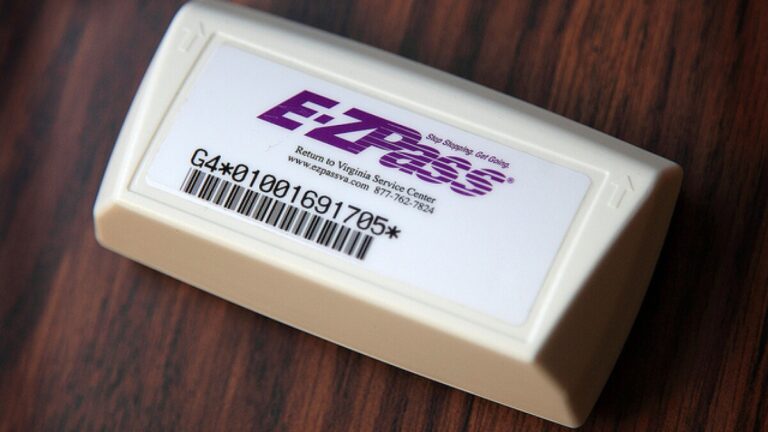
You drive through an E-ZPass lane and instead of the usual clean beep and green light, you see a “Toll Unpaid Go” message flash on the display. Your first reaction is probably confusion, especially if you know your account is active and funded. What just happened? Do you owe money? Are you going to get a violation notice in the mail?
The honest answer is that this message appears for several different reasons, and not all of them are your fault. Understanding exactly what triggers it, what to do immediately, and how to prevent it from happening again will save you from unnecessary fees and the frustration of chasing down violations that could have been avoided entirely.
What Does “Toll Unpaid Go” Actually Mean?
The “Toll Unpaid Go” message is a signal from the toll system that the transaction at that specific toll point was not successfully completed. The “Go” portion means you are cleared to continue driving through rather than stopping, but the system is flagging that a toll charge was not collected through the normal E-ZPass process at that moment.
In most cases, the tolling authority will capture a photo of your license plate as a backup and attempt to resolve the charge through your account or by mailing a notice. Whether that results in a simple billing correction or a formal violation notice depends on the specific cause of the failed transaction and how quickly it gets resolved.
Why Does the “Toll Unpaid Go” Message Appear?
1. Transponder Malfunction or Read Failure
The most common trigger for this message is a failure of the overhead reader to communicate with your transponder at the moment of passage. This can happen for a few different reasons.
The transponder battery may be dead or dying. Most E-ZPass transponders use a long-life battery sealed inside the unit, but those batteries do eventually run out. When the battery weakens, the transponder may work inconsistently, beeping and processing some transactions while failing at others depending on vehicle speed, lane positioning, and signal strength. If your transponder has not been replaced in several years and you are starting to see read failures, the battery is the first thing to suspect.
Improper mounting position is another common culprit. E-ZPass transponders are designed to be read through the windshield from overhead readers, and they need to be mounted in a specific position to ensure reliable detection. If the transponder has shifted, fallen from its mounting position, or is blocked by a tinted film, parking sticker, registration tag, or other obstruction on the windshield, the reader may not detect it reliably. A transponder sitting in a cupholder or on the dashboard rather than mounted on the windshield will cause read failures regularly.
Some windshields with built-in metallic UV or infrared blocking films can also interfere with transponder signals. Vehicles with these windshields typically need an exterior bumper-mount transponder rather than the standard windshield-mounted version. If this applies to your vehicle, contact E-ZPass customer service to get the correct transponder type.
2. Insufficient Account Balance
If your E-ZPass account balance has dropped to zero or below, the system may flag your transponder and generate an unpaid toll message when you drive through. This happens when the account cannot cover the charge being applied at that toll point.
The most common reason a balance depletes unexpectedly is a failed automatic replenishment. If the credit card linked to your account has expired, been replaced with a new number, or been declined for any reason, the auto-replenishment transaction fails and the balance continues drawing down with each toll charge until it hits zero. Drivers who use their transponder frequently may not notice this happening until they see the “Toll Unpaid Go” message or receive a low-balance notification.
Some E-ZPass accounts operate on a pay-as-you-go structure rather than automatic replenishment. In these cases, the driver is responsible for manually topping up the balance, and failing to do so before the balance runs out creates the same outcome.
3. License Plate Recognition Mismatch
On toll roads that use cashless tolling or license plate backup systems, the system attempts to match your vehicle’s license plate to an E-ZPass account if the transponder read fails. If your license plate is not correctly registered on your account, or if the plate on the vehicle does not match what is in the E-ZPass system, the backup identification fails as well.
This commonly affects drivers who have recently moved to a new state and received new license plates, drivers who got a vanity plate or a replacement plate and did not update their E-ZPass account, or drivers who are operating a different vehicle than the one registered to the transponder.
A dirty license plate can also interfere with the camera-based recognition system. In jurisdictions that rely heavily on plate imaging as a backup to transponder reads, a plate obscured by road grime, snow, mud, or a bent plate frame may not be captured clearly enough for the system to match it to an account. Keeping your plate clean and legible is a small but effective prevention step.
4. Driving Through at Too High a Speed
E-ZPass lanes have a designed maximum speed for reliable transponder reading, typically posted at the entrance to the lane. In open-road tolling environments without physical barriers, some drivers pass through well above the recommended speed. At higher speeds, the window of time during which the overhead reader can communicate with the transponder is reduced, and read failures become more likely. Slowing to the posted speed limit for E-ZPass lanes, usually 15 to 35 mph depending on the facility, helps ensure consistent reads.
5. Intermittent System or Equipment Issues on the Toll Authority Side
Occasionally, the issue is not on your end at all. Overhead readers can malfunction, software glitches can affect transaction processing, and communication failures between roadside equipment and the tolling authority’s servers can interrupt normal processing. When this happens, multiple vehicles in the same lane may receive “Toll Unpaid Go” messages even though their transponders and accounts are perfectly set up. If you experience a read failure but your account and transponder appear fine, this is worth investigating before assuming the problem is yours to fix.
What to Do Immediately After Seeing This Message
Seeing the message while driving through does not require you to stop or turn around. The “Go” part of the message means you are cleared to continue. But there are several steps worth taking in the hours and days after the incident to prevent the situation from escalating into a formal violation.
- Log into your E-ZPass account and check the transaction history for that date and time. If the toll appears as a charged transaction, the read failure may have been temporarily resolved by the backup plate recognition system and the charge processed normally. In that case, no further action is needed.
- Check your account balance. If the balance is at zero or in the negative, replenish it immediately and update any expired payment information. A low or empty account is often the simplest explanation for a failed transaction.
- Verify your vehicle and license plate information in your account settings. Confirm that the plate number listed matches the actual plate on the vehicle you were driving and that the plate is registered in the correct state.
- Inspect your transponder’s mounting position. Make sure it is mounted in the correct location on the windshield and that nothing is obstructing it. If the transponder is damaged, cracked, or appears to be malfunctioning, contact E-ZPass to request a replacement.
- Watch for a violation notice or bill in the mail. If the system could not process the toll through either the transponder or the plate recognition backup, you will likely receive a notice within a few weeks. Addressing this promptly prevents additional fees.
What Happens If You Receive a Violation Notice?
A violation notice arrives when the toll authority was unable to collect the toll through normal processing and is now formally requesting payment. The notice will include the date, time, and specific location of the unpaid toll, along with the amount owed and any associated administrative fee. Read it carefully and compare the details against your own account records and travel history.
If You Believe the Charge Is Legitimate
Pay the outstanding amount promptly. Most violation notices include a window of time during which you can pay the original toll amount plus the administrative fee to resolve the matter before additional late charges are added. Many tolling authorities escalate fees significantly if the initial notice is ignored, so acting quickly on a legitimate charge is always the cheaper path.
If You Believe the Notice Is an Error
You have the right to dispute a violation notice if you believe it was issued in error. Common grounds for dispute include: your account records show the toll was successfully charged and paid, the vehicle in the notice photo does not match your vehicle, or you were not operating the vehicle at the date and time listed.
To dispute, contact the Customer Service Center listed on the violation notice, not just the general E-ZPass customer service line. Different tolling authorities manage their own violation processes, and the contact information on the notice is the correct starting point. Gather your documentation before calling or submitting an online dispute: account statements showing your balance and transaction history for the relevant date, and any records that support your position.
Submit the dispute before the payment deadline on the notice. If you dispute and continue waiting without paying, and the dispute is not resolved before the deadline, additional fees may still be applied. In some cases, you can pay under protest while the dispute is reviewed, which stops the fee accumulation without waiving your right to challenge the charge.
The Financial Consequences of Ignoring an Unpaid Toll Notice
Ignoring a violation notice is never a good strategy, and the financial consequences of doing so escalate in a predictable and avoidable sequence.
- Administrative fees are added to the original toll amount on the first notice. These fees vary by tolling authority but commonly range from $25 to $75 per violation on top of the unpaid toll itself.
- Civil penalties are added if the initial notice is not paid by its deadline. Some authorities add an additional $70 or more per unpaid occurrence at this stage.
- Vehicle registration suspension can result if violations accumulate and remain unpaid. A suspended registration means you cannot legally renew your vehicle registration until the outstanding balance is resolved, which typically involves paying the full amount plus reinstatement fees.
- Collections referral occurs when the tolling authority transfers the debt to an external collection agency. At this point, the collection activity can appear on your credit report, and the fees associated with collection add further to the total owed.
- Legal action is possible in extreme cases of accumulated unpaid violations, particularly in states with aggressive toll enforcement programs.
None of these outcomes is difficult to avoid. The original toll on most facilities costs a matter of dollars. A violation notice addressed promptly costs modestly more. Every stage beyond that point costs progressively more for a problem that started as a few cents to a few dollars in unpaid tolls.
How to Prevent “Toll Unpaid Go” Messages From Happening Again
Set Up Automatic Replenishment With a Current Payment Method
Automatic replenishment is the most effective account management tool available to E-ZPass customers. When the account balance drops below a threshold you set, the system automatically charges your linked payment method and restores the balance. This eliminates the possibility of running out of funds unexpectedly as long as the linked payment method remains current and valid.
Update your payment information immediately when your credit or debit card is replaced, renewed with a new expiration date, or cancelled. Do not wait for a failed replenishment to alert you to the problem. Log into your account proactively when you receive a new card and update the details before the old card expires.
Check Your Account Regularly
Reviewing your E-ZPass account transaction history periodically, even briefly once a month, helps you catch anomalies early. A toll that appears as a missed transaction rather than a normal charge is a signal that something needs attention. Catching it before a violation notice arrives gives you more options and costs far less to resolve.
Keep All Account Information Current
Any time you get a new vehicle, a new license plate, or a new home address, update your E-ZPass account before you drive through another toll facility. This is especially important for the license plate field because this information is used as a backup identification method when the transponder read fails. An incorrect plate means both systems fail simultaneously and the unpaid toll goes directly to the violation process.
Inspect and Maintain Your Transponder
Make a habit of periodically confirming that your transponder is properly mounted in the correct location on the windshield, that nothing is obstructing it, and that it appears undamaged. If you notice cracking, discoloration, or the internal indicator light is behaving differently than normal, contact E-ZPass to assess whether a replacement is needed. Most E-ZPass programs provide replacement transponders at no cost or low cost when the existing unit is demonstrated to be malfunctioning.
Use the Correct Lane at Toll Plazas
Always use lanes marked with the E-ZPass logo or signage when you have a transponder. Do not drive through cash-only lanes with a transponder expecting it to be read, because those lanes typically do not have overhead transponder readers. Using the correct lane ensures the system is equipped to detect and process your transponder.
Also slow down appropriately before entering an E-ZPass lane. If the posted speed limit for the lane is 25 mph, driving through at 55 mph reduces the system’s ability to complete a successful read. A brief, slight reduction in speed through the toll zone is a small adjustment that makes a measurable difference in transaction reliability.
A “Toll Unpaid Go” message is not the end of the world, but it does require your attention. Check your account, verify your transponder, update your information, and respond to any notice that arrives. Handled correctly and promptly, this is a minor inconvenience. Left unaddressed, the same small issue turns into a financial problem that compounds with every week it sits unresolved.