
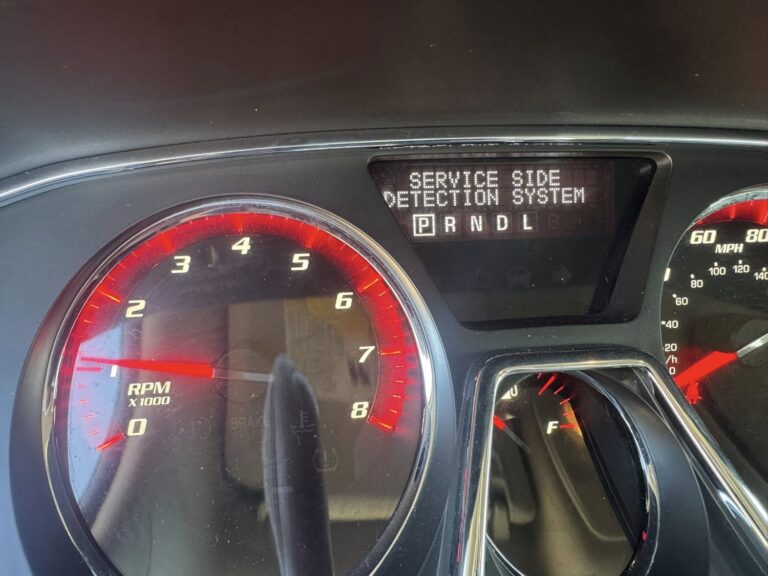
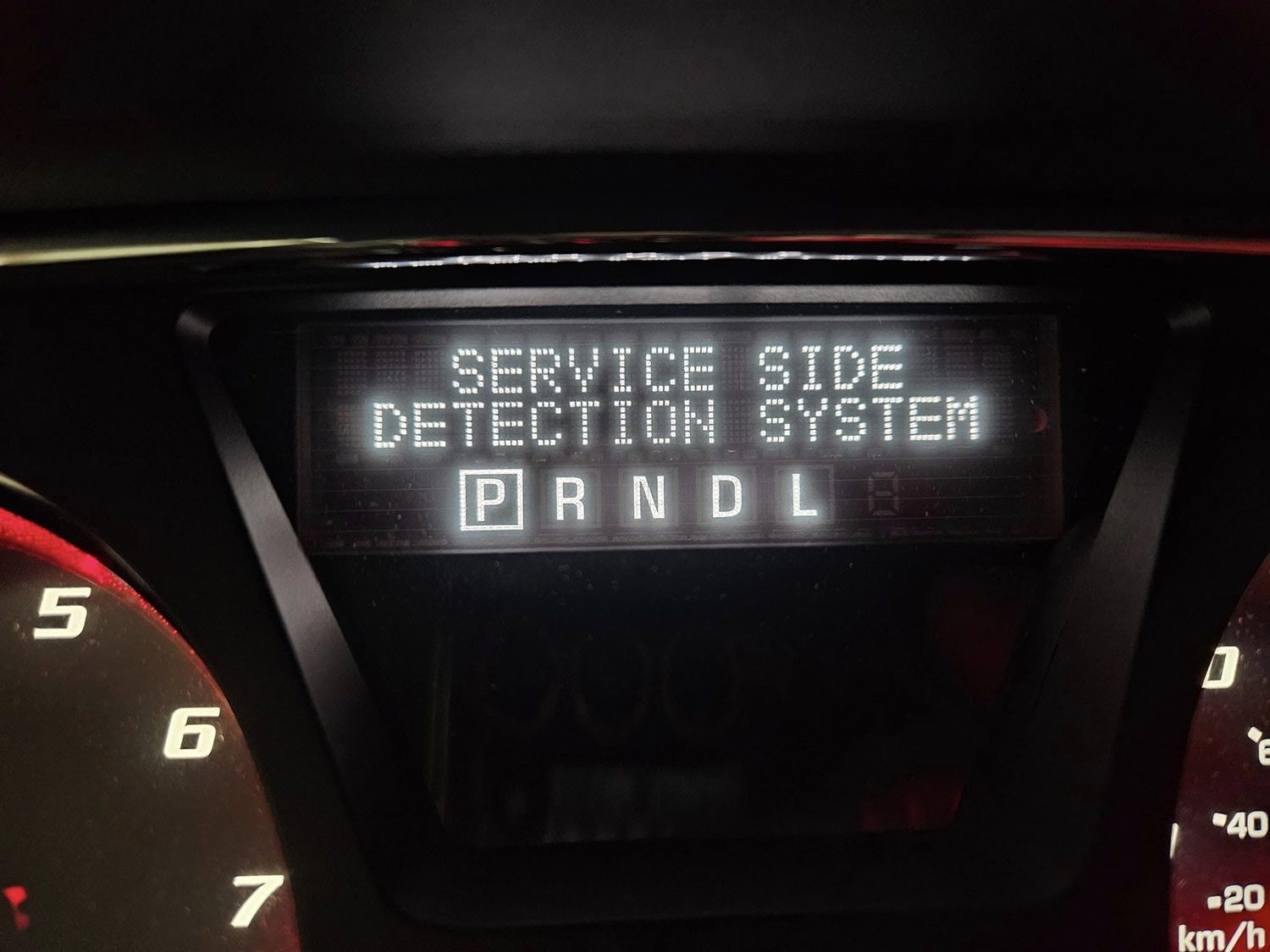
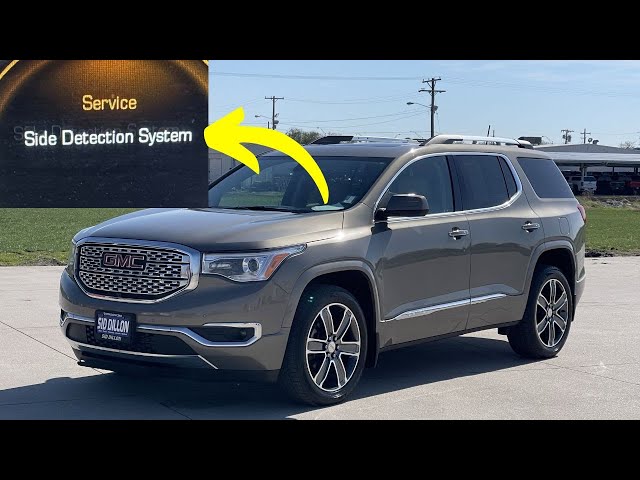
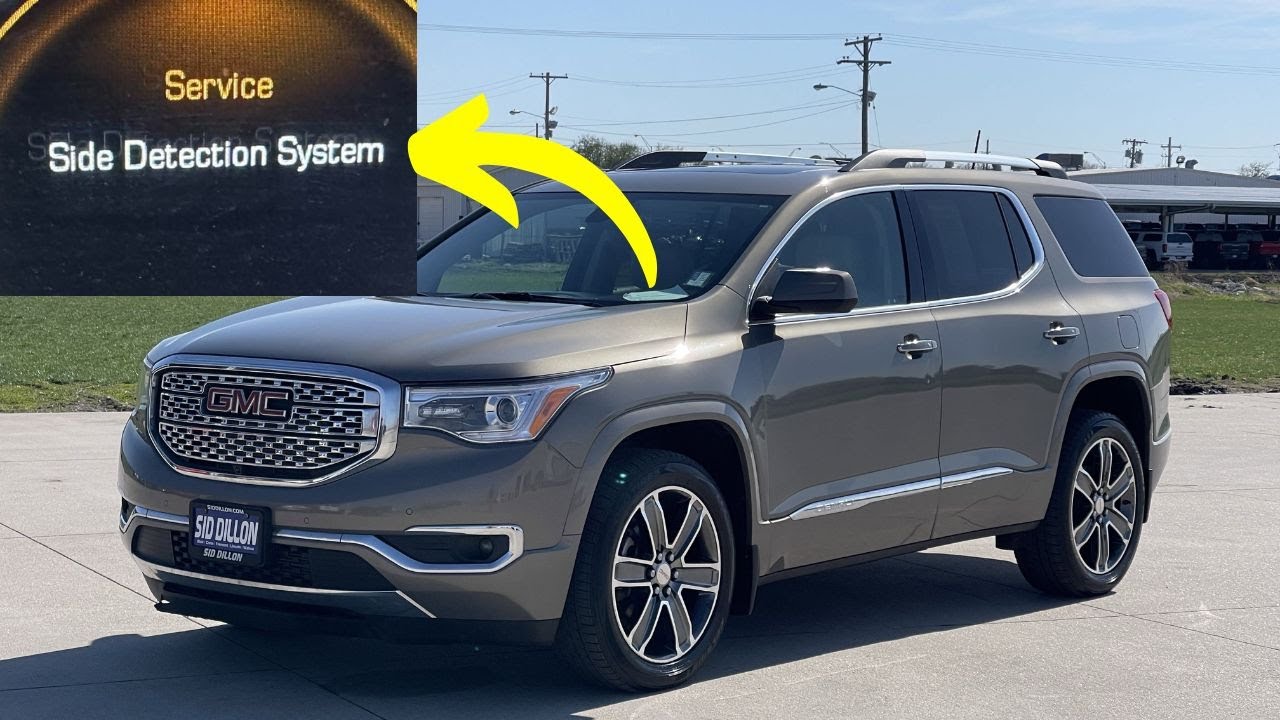
If your GMC Acadia’s dashboard is showing a “Service Side Detection System” message, it is telling you that one of its blind spot monitoring components has stopped working correctly. The system that quietly watches your flanks and warns you before a lane change goes wrong is offline, and the vehicle wants you to know about it.
The good news is that this warning is not usually a sign of something catastrophic. In many cases, the fix is straightforward. But you do need to take it seriously, because the side detection system is a genuine safety feature. Driving without it, especially on busy highways or roads with heavy traffic, removes a layer of protection that a lot of drivers have come to rely on without fully realizing it.
Let’s break down exactly what this system does, what causes it to fail, and how to fix it properly.
What the GMC Acadia Side Detection System Actually Does
The side detection system is Acadia’s version of blind spot monitoring. It uses radar sensors mounted at the rear corners of the vehicle to continuously scan the lanes beside and behind the car. These sensors track moving objects, specifically other vehicles, cyclists, and pedestrians that enter or approach the blind spot zones on either side of the Acadia.
When the radar picks up something in a blind spot zone, it sends that information to the ECU, which then activates a visual alert in the corresponding side mirror. The light in the mirror glows to indicate something is there. If you activate the turn signal to change lanes while the alert is active, the light in the mirror gets noticeably brighter and an audible warning tone sounds. The system is essentially saying, “You are about to move into a lane that is not clear.”
It is a passive but effective system. It does not take over the steering or hit the brakes. It just makes sure you have the information you need before you commit to a lane change. When it stops working, you lose that heads-up entirely and are back to relying solely on your mirrors and physical head checks.
The “Service Side Detection System” warning message appears when the ECU determines that something within this system is not functioning correctly. It could be the radar sensors, the wiring, the module, or something else in the circuit. The warning is the ECU telling you it has lost confidence in the system’s ability to protect you.
What Causes the Service Side Detection System Warning on a GMC Acadia
There are several reasons this warning can appear. Some are minor and quick to fix. Others require parts replacement or professional diagnosis. Here is what to look for.
1. Damaged Radar Sensors
The radar sensors are the core of the side detection system. They sit at the rear corners of the vehicle, which puts them in a vulnerable position. Road debris, minor parking lot impacts, and even aggressive car washing can physically damage the sensor housing or knock it out of alignment.
Beyond physical impact, the sensors are exposed to the full range of weather and road conditions. Moisture can work its way into the sensor housing over time, internal components can corrode, and the sensor’s transmitting or receiving elements can degrade. When any of that happens, the sensor either stops sending data entirely or starts sending inaccurate data, both of which prompt the ECU to flag the system as faulty.
Physical damage to the sensor is usually visible on inspection. Corrosion and internal degradation are less obvious and typically require testing with a scan tool to confirm.
2. Corroded Sensor Connector
Even if the sensor itself is physically intact, a corroded electrical connector can shut the whole system down. The connector is the plug that links the sensor to the vehicle’s wiring harness, and it needs to maintain a clean, solid electrical contact to pass data and power correctly.
Because the sensors sit at the rear corners of the vehicle, the connectors are regularly exposed to water, road spray, and the salt used on winter roads. Over time, that exposure causes oxidation on the connector terminals, which increases electrical resistance and can eventually break the connection entirely. The sensor cannot receive power or send signals, and the ECU reads that as a system failure.
Connector corrosion is often overlooked during diagnosis because the connector looks fine from the outside. The corrosion is usually on the terminal pins inside, where it is not immediately visible. Unplugging the connector and inspecting the pins directly, or testing resistance across the connection with a multimeter, is the only reliable way to identify this issue.
3. Dirt, Debris, or Obstructed Sensors
This is actually one of the most common and easily overlooked causes of the side detection warning. Radar sensors need a clear path to transmit and receive their signals. When mud, dirt, snow, or ice builds up over the sensor area, the radar cannot scan accurately. It may miss objects entirely, generate false alerts, or simply report to the ECU that something is wrong because the data it is producing is inconsistent.
In extreme weather conditions, particularly heavy snow or freezing rain, even a brief accumulation over the sensor zone can temporarily disable the side detection system. If the warning appeared after driving through harsh weather and the sensors look clean after the fact, this may have been the trigger.
The fix in this case is simply cleaning the sensor area thoroughly. No parts replacement, no scan tool, just a proper wash of the rear bumper area where the sensors are located. If the warning clears after cleaning and does not return, you have your answer.
4. Damaged Wiring
The wiring that runs from the radar sensors to the side detection module and then to the ECU is critical. If any part of that wiring is damaged, the system loses its ability to communicate and the warning will appear.
Wiring damage on the Acadia can come from several sources. Rodents chewing through insulation in the engine bay or under the vehicle is more common than most people expect. Wires that run near suspension or exhaust components can suffer damage from heat or abrasion over time. In rear-end collisions, even minor ones, the wiring near the rear sensors can be damaged without the sensor itself being visibly affected.
Damaged wiring needs to be repaired correctly. Splicing exposed wires with electrical tape is a temporary measure at best and can cause intermittent faults that are harder to diagnose later. The right approach is a proper wiring repair using the correct connector, wire gauge, and weatherproof sealing, or full harness replacement if the damage is extensive.
5. ECU or Module Software Fault
The side detection system has its own dedicated module that processes the radar data and communicates with the vehicle’s main ECU. If that module develops a software glitch or a hardware fault, it can generate the service warning even when the sensors and wiring are in perfect condition.
Software-related faults in the module are sometimes resolvable with a reset or a software update. If GM has released a calibration update for the side detection module on your Acadia’s model year, a dealer visit can apply that update and resolve the warning without any parts replacement. Hardware faults in the module itself are less common but do occur, and in those cases the module needs to be replaced and reprogrammed.
It is worth noting that ECU and module issues can sometimes be triggered by other electrical problems in the vehicle, like a weak battery or a ground connection that has corroded. Before concluding the module is the problem, confirm that the vehicle’s electrical foundation is sound.
6. Recent Body Work or Bumper Replacement
If your Acadia recently had body work done involving the rear bumper, and the service side detection system warning appeared shortly after, the repair shop may have disturbed the sensor alignment, damaged a connector during reassembly, or failed to properly reinstall the sensor housing. Radar sensors need to be positioned precisely to function correctly. Even a slight misalignment can affect their accuracy enough to trigger a fault.
If this is the situation you are in, going back to the shop that did the body work is the right first step. They should inspect the sensor installation and correct any alignment or connection issues at no additional cost if their work caused the problem.
How to Fix the GMC Acadia Service Side Detection System Warning
As with any warning system, start simple and work toward the more complex fixes only if the simpler ones do not resolve it. Here is a step-by-step approach.
Step 1: Clean the Sensor Areas First
Before doing anything else, check and clean the rear bumper corners where the radar sensors are located. This takes two minutes and costs nothing, yet it resolves the problem more often than you might expect.
The sensors on the GMC Acadia are typically housed within or immediately behind panels at the rear corners of the bumper. Use warm water and mild soap to clean those areas thoroughly. Remove any accumulated mud, road grime, or debris. In winter conditions, make sure there is no ice or compacted snow sitting over the sensor zones.
After cleaning, take the vehicle for a short drive and see if the warning clears. If it does and does not return, the blocked sensor was the cause. If it comes back, move to the next step.
Step 2: Try a System Reset
Sometimes the service warning is the result of a temporary glitch in the system rather than an actual hardware fault. A reset can clear those temporary faults and restore normal operation.
The most reliable way to reset the side detection system is with an OBD-II scan tool that has the capability to read and clear GM-specific body and chassis codes. Connect the tool to the OBD port, typically located under the dashboard on the driver’s side. Scan for stored codes, note what comes up, and then clear the codes. Restart the vehicle and check whether the warning returns.
Pay attention to what the scan tool found before you clear the codes. The fault codes stored in the system are your best diagnostic clues. A code pointing to the left rear sensor, for example, tells you exactly where to focus your physical inspection. Write the codes down or photograph them before clearing so you do not lose that information.
If the warning comes back after the reset with the same codes, the underlying fault is still present and needs to be addressed physically.
Step 3: Inspect and Test the Radar Sensors
Once you have the fault codes and know which sensor or side of the system is flagged, do a physical inspection of the relevant sensor. Here is what to look for:
- Visible cracks or impact damage to the sensor housing
- Signs of moisture intrusion inside the sensor body
- Corrosion or green oxidation on the connector terminals
- Loose or partially unplugged connectors
- Any sign that the sensor has been displaced from its mounting position
If the connector is corroded, disconnect it carefully and clean the terminals with electrical contact cleaner. Allow it to dry completely and reconnect it firmly. If the sensor housing is cracked or the sensor shows signs of internal damage, replacement is the correct fix.
Your vehicle’s owner’s manual will show the exact location of the sensors on your specific model year. If you need a replacement sensor, make sure to use the correct part number for your Acadia. Radar sensors are calibrated to specific mounting positions and vehicle configurations, and using the wrong part can create new problems.
Step 4: Inspect the Wiring Harness
Using your vehicle’s wiring diagram, trace the wiring from the flagged sensor back toward the side detection module. Look carefully along the entire run of wiring for these signs of damage:
- Chafed or worn insulation where wires contact metal edges or brackets
- Exposed copper wire from insulation that has worn through
- Corrosion at any connector or splice point along the harness
- Evidence of rodent damage, typically irregular chewing marks on the insulation
- Heat damage near exhaust routing points
If damage is found, resist the temptation to wrap it in tape and call it done. Replace the damaged section of wiring properly or, if the damage is widespread, replace the entire harness for that circuit. A correctly repaired wiring harness is reliable. A taped-over damaged wire is a future fault waiting to happen, and electrical gremlins from improper wiring repairs can be some of the most frustrating problems to track down later.
Step 5: Have a Professional Handle Module-Level Issues
If you have cleaned the sensors, reset the system, inspected the sensors physically, and checked the wiring, and the warning is still present, the problem is likely in the side detection module itself or in how the module is communicating with the rest of the vehicle’s systems.
Module-level diagnosis requires GM-specific scan software to test module communication, check for software version mismatches, and run actuator tests that a generic OBD-II reader cannot access. A certified GMC technician or a shop with proper GM diagnostic capability is the right resource at this point.
If the module needs to be replaced, it also needs to be programmed to your specific vehicle. This is not a simple plug-and-play swap. The replacement module needs to learn the vehicle’s configuration, and that programming step requires the same dealer-level software. Factor that into the cost estimate when getting a quote for module replacement.
Can You Drive With the Service Side Detection System Warning On?
Technically yes, the vehicle is still operable. The side detection system is a driver assistance feature, not a system that the vehicle requires to move. The engine, brakes, and steering all work normally regardless of whether the side detection system is functioning.
But here is the practical reality. You are now driving without blind spot monitoring. On a quiet rural road, that may not feel like a meaningful loss. On a busy multi-lane highway with fast-moving traffic, that is a different situation. The side detection system exists because human drivers miss things in blind spots. Removing that safety net on roads where it matters most is a risk worth taking seriously.
Drive more conservatively until the system is repaired. Check mirrors more frequently before lane changes. Increase the time you spend physically looking over your shoulder before moving laterally. And get the system repaired as soon as practically possible rather than treating it as a low-priority warning.
Quick Diagnostic Guide: Service Side Detection System
| Cause | Common Signs | Fix |
|---|---|---|
| Dirty or obstructed sensor | Warning appears after bad weather or off-road driving, clears after washing | Clean the sensor area with soap and water |
| Corroded sensor connector | Intermittent warning, sensor fault code for one specific side | Inspect and clean connector terminals or replace connector |
| Physically damaged sensor | Consistent warning, visible damage to sensor housing | Replace the damaged sensor with correct OEM part |
| Damaged wiring | Warning after accident or rodent activity, visible wire damage | Repair or replace damaged section of wiring harness |
| System or module software glitch | Warning appears without obvious physical cause, clears briefly after reset | Reset with scan tool, or GM software update at dealer |
| Side detection module failure | Warning persists after all other checks, module communication fault codes | Module replacement and reprogramming by certified technician |
How to Keep the Side Detection System Working Long-Term
A few basic habits go a long way toward preventing this warning from coming back after you have fixed it.
Wash the Rear Bumper Area Regularly
Particularly in winter months or after driving on unpaved roads, make a point of washing the rear bumper corners where the sensors are located. A minute of attention with a hose during each car wash prevents the kind of accumulated contamination that can progressively degrade sensor performance.
Be Careful During Parking Maneuvers
The rear corners of the Acadia are exactly where the sensors sit, which also makes them the areas most likely to make contact with curbs, bollards, or other vehicles during tight parking situations. Being mindful of those corners during parking protects both the body panels and the sensors housed within them.
Address Minor Electrical Issues Quickly
Weak batteries, failing grounds, and small wiring faults create electrical instability that can manifest in unexpected ways, including triggering warning lights in systems that are otherwise working fine. Keeping the vehicle’s basic electrical health in good condition helps the more sophisticated systems, like the side detection radar, operate reliably.
The side detection system on the GMC Acadia is one of those features that earns its value not in everyday driving but in the specific moments where it catches something your mirrors missed. Keeping it operational is straightforward with the right approach: clean sensors, sound wiring, good electrical connections, and prompt attention when the warning appears. The most expensive repair is almost always the one that waited too long.