
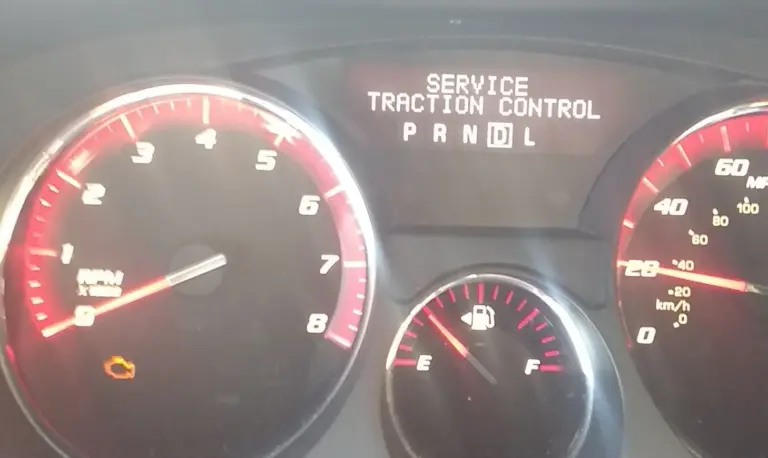
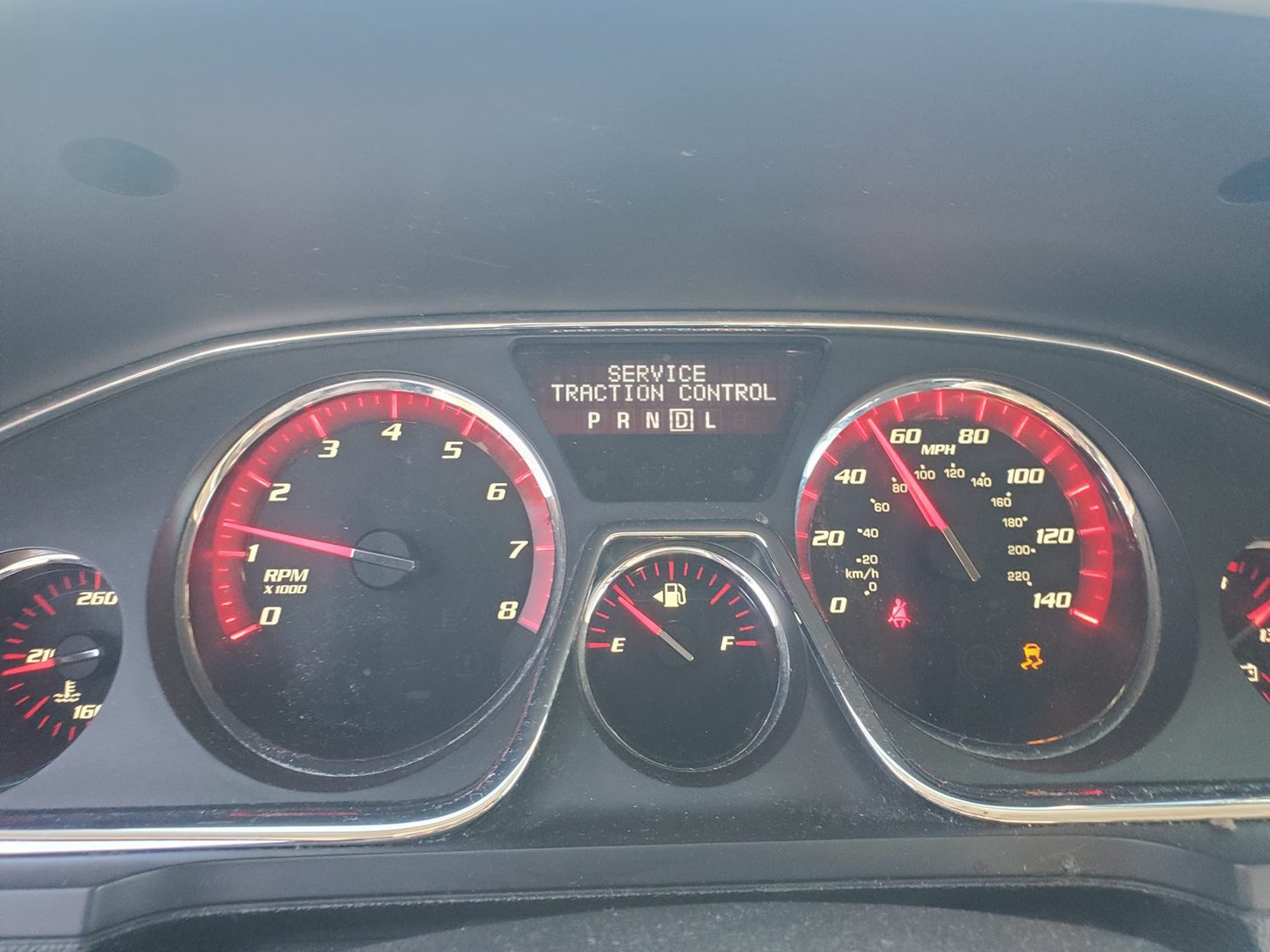
Seeing “Service Traction Control” pop up on your GMC Acadia’s dashboard is one of those moments that immediately raises questions. Is it safe to keep driving? Is this going to be an expensive repair? What exactly is the car trying to tell you?
Here is the short answer: it depends entirely on context. A traction control light that flashes briefly while you are driving on a slippery or uneven road is completely normal. That flash means the system just kicked in and did its job. But a light that stays on continuously, or a warning message that reads “Service Traction Control,” is a different situation altogether. That means the system has detected a fault and may not be functioning correctly.
That distinction matters because traction control is not just a comfort feature. It is an active safety system. When it is not working, you lose a layer of protection that helps keep the vehicle stable under conditions where wheels can lose grip. Let’s walk through what causes this warning and what you can actually do about it.
What the Traction Control System in a GMC Acadia Actually Does
Before getting into the causes and fixes, it helps to understand what you are dealing with. The traction control system in the GMC Acadia is part of the vehicle’s broader stability control setup. It uses wheel speed sensors at all four wheels to constantly monitor how fast each wheel is rotating relative to the others.
When the system detects that one or more wheels are spinning faster than they should be, which is exactly what happens when a tire loses grip on a slippery surface, it responds in two ways. First, it applies braking force to the spinning wheel to slow it down and restore grip. Second, it can reduce engine power output to prevent the wheel from spinning further out of control. Both responses happen automatically and faster than any driver could manually react.
The “Service Traction Control” warning appears as a yellow or amber light on the dashboard when the system detects a fault within itself. It is not telling you that your tires are slipping right now. It is telling you that the system responsible for managing tire slip may not be working correctly. That is why it needs prompt attention rather than being ignored.
What Causes the GMC Acadia Service Traction Control Warning
There are several reasons this warning can appear. Some are simple and inexpensive to address. Others require professional diagnosis and repair. Here are the most common culprits.
1. Wheel Speed Sensor Problems
Wheel speed sensors are the foundation of the traction control system. There is one at each wheel, and they continuously send rotation data to the electronic control module. The ECM uses that data to compare wheel speeds and identify any that are spinning out of sync with the others.
When one of these sensors fails, gets coated in road grime, or becomes damaged from road debris, the ECM starts receiving inaccurate or missing data from that corner of the vehicle. It cannot tell whether the wheel is genuinely spinning out of control or whether the sensor is just giving bad readings. In that situation, the system flags the fault and triggers the service warning on the dashboard.
Wheel speed sensors on the Acadia are mounted close to the wheel hub, which puts them right in the path of brake dust, dirt, water, and road debris. Physical damage from a pothole hit or a curb strike is also a real possibility. These sensors are not a rare failure point on higher-mileage Acadias, and replacement is generally not an expensive repair when diagnosed correctly.
2. ABS System Malfunction
The Anti-lock Braking System and the traction control system share components and sensor data. They are deeply integrated by design, because both systems ultimately serve the same goal of keeping the vehicle stable and under driver control. The traction control system relies heavily on ABS data to do its job.
When the ABS develops a fault, it can pull the traction control system down with it. The traction control loses access to reliable braking data, and the ECM responds by triggering the service warning. In many cases, both the ABS warning light and the traction control warning will appear on the dashboard simultaneously, which is a strong indicator that the root cause is in the shared ABS hardware rather than in the traction control system exclusively.
Signs that your ABS system is malfunctioning include:

- The ABS warning light is illuminated on the dashboard
- The ABS does not activate during hard braking when it normally would
- Braking distances feel longer than usual
- An unusual noise from the ABS pump motor, particularly a grinding or whirring sound
If you notice any of those symptoms alongside the traction control warning, the ABS system needs to be diagnosed as a priority.
3. Faulty Wiring or Corroded Connections
The traction control system depends on a network of wiring that connects the wheel speed sensors, the ABS module, and the ECM. Any break in that communication chain, whether from a frayed wire, a loose connector, or corrosion on a terminal, can disrupt the data flow and trigger the service warning.
Wiring issues are often the most tedious to diagnose because the damage is not always visible. A connector that looks clean on the outside can have corroded terminals inside. A wire that appears intact can have an internal break that only shows up under physical movement. Vehicles that operate in regions with road salt, heavy rain, or extreme temperature cycles are particularly prone to wiring and connector corrosion over time.
The good news is that wiring repairs, once the fault is correctly located, are typically not among the most expensive fixes. The challenge is finding the exact location of the fault without just replacing parts at random.
4. Steering Angle Sensor Fault
This one does not get mentioned as often but is worth knowing about. The traction control system does not just look at wheel speeds in isolation. It also factors in steering angle to understand what the driver intends to do versus what the vehicle is actually doing. The steering angle sensor provides that input.
If the steering angle sensor fails or goes out of calibration, the traction control system can start making incorrect calculations. It may interpret normal driving inputs as signs of instability, or it may miss actual instability events. Either way, a fault in this sensor can trigger the service warning and, more importantly, compromise the accuracy of the entire stability system.
The steering angle sensor can also go out of calibration without actually failing. This sometimes happens after tire rotations, wheel alignments, or steering component replacements. If the sensor was recently disturbed by service work, recalibration may be all that is needed rather than a full replacement.
5. Low Brake Fluid or Brake System Issues
Since the traction control system applies brakes to individual wheels as part of its operation, it relies on the brake system being in proper working order. Low brake fluid, air in the brake lines, or a failing brake master cylinder can interfere with the system’s ability to apply those targeted braking corrections. In some cases, this can trigger the service traction control warning alongside brake-related symptoms.
Checking brake fluid level is a quick and easy first step that costs nothing. If the fluid is low, finding out why it is low matters as much as topping it off, because brake fluid does not evaporate. A low level typically means there is a leak somewhere in the system or the brake pads have worn down to the point where the calipers are pushing more fluid into the reservoir displacement zone.
6. Electronic Control Module Issues
The ECM is the brain of the traction control operation. It receives all the sensor data and makes the real-time decisions about when to apply brakes or reduce throttle. A software glitch, a programming error, or actual hardware failure in the ECM can cause it to misread data or respond incorrectly, triggering the service warning even when the physical components are functioning correctly.
ECM issues are less common than sensor or wiring faults, but they do occur. In some cases, a software update from GMC can resolve the issue without any hardware replacement. In other cases, the ECM itself needs reprogramming or replacement. This is firmly in the territory of professional diagnosis using GM-specific scan tools rather than something a generic code reader can reliably identify.
How to Fix the GMC Acadia Service Traction Control Warning
Work through these in order, from simplest to most involved. Do not skip straight to the expensive fixes without ruling out the easy ones first.
Step 1: Try a Basic Reset First
Sometimes the warning is triggered by a temporary electrical glitch rather than an actual hardware fault. A simple restart can clear it. Here is how:
- Park the vehicle safely and engage the parking brake. If you have an automatic transmission, put the selector in Park.
- Turn the ignition completely off. If your Acadia has push-button start, press the Engine Start/Stop button to shut down. Turn the key to Off on a traditional ignition.
- Wait at least one full minute. This allows the electrical systems to discharge and reset rather than just bouncing back instantly.
- Restart the vehicle and check the dashboard. If the warning has cleared and does not return, it was likely a temporary glitch. If it comes back immediately or after a short drive, there is an actual fault that needs proper diagnosis.
A reset that clears the warning for a day and then brings it back is not a fix. It is just delaying the inevitable. If the warning returns consistently, move to the next steps.
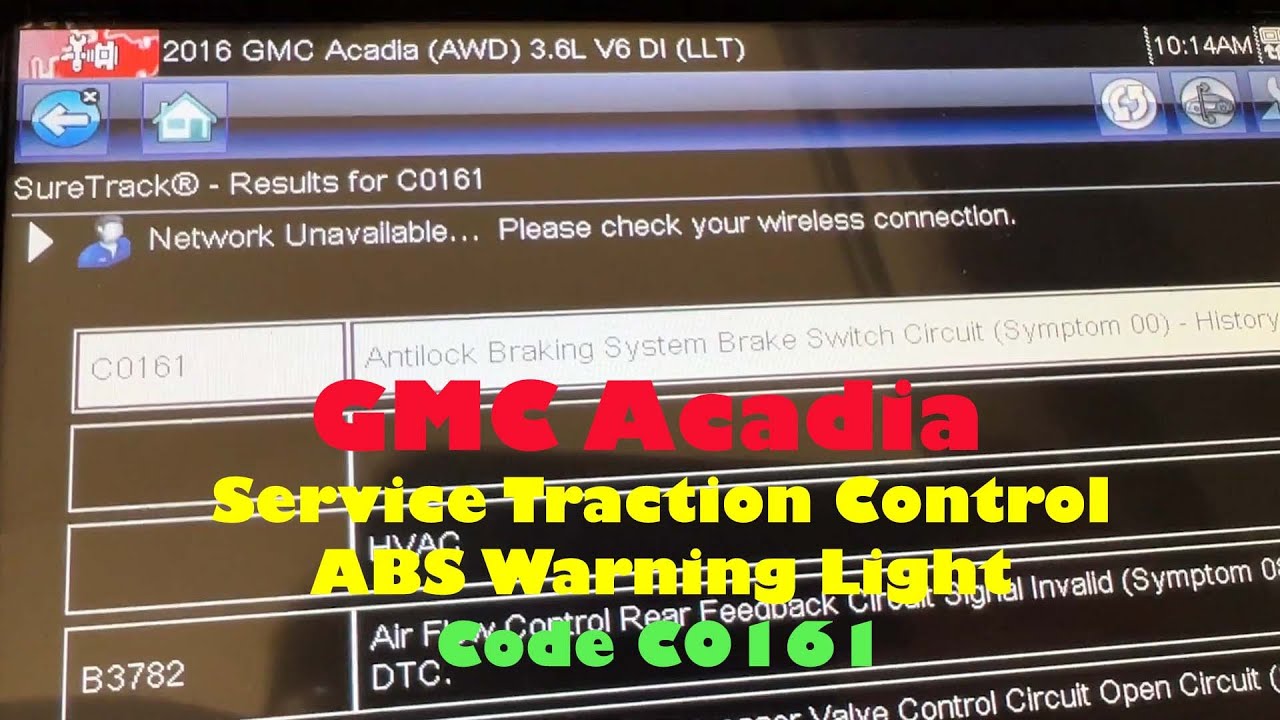
Step 2: Get the Fault Codes Read
This is the most important step in any diagnosis. When the traction control system detects a fault, it stores a diagnostic trouble code in the ECM. That code is the most direct clue to what is actually wrong. Without reading it, any repair attempt is a guess.
A basic OBD-II scanner from an auto parts store can pull generic powertrain codes for free. But traction control and ABS codes are often stored as body or chassis codes, which require a more capable scanner to access. For a GMC Acadia, a scan tool with GM-specific capability, or a visit to a dealer or shop with proper diagnostic equipment, will give you a much more complete picture of what the system is actually reporting.
Once you have the specific fault code, research it specifically for the GMC Acadia. That narrows your diagnostic path significantly and saves time and money on the repair.
Step 3: Inspect the Wheel Speed Sensors
If the fault codes point toward a wheel speed sensor, or if you want to do a quick visual check before heading to a shop, here is what to look for:
- Look at the sensor housing at each wheel hub for visible cracks or physical damage
- Check for heavy buildup of mud, brake dust, or debris on the sensor body. A sensor coated in contamination can give inaccurate readings without being mechanically damaged
- Inspect the wiring connector at each sensor for corrosion or looseness. A connector that has partially pulled out from vibration is a common failure point
- Look at the sensor’s tone ring, which is the toothed ring the sensor reads. A cracked or damaged tone ring produces erratic speed readings even if the sensor itself is fine
If a sensor is contaminated but not damaged, cleaning it carefully may restore normal function. If it is cracked, corroded, or showing damage, replacement is the correct path. Your Acadia’s owner’s manual or a certified mechanic can guide the replacement process for your specific model year.
Step 4: Have the ABS System Professionally Diagnosed
If the ABS warning light is also on, or if the fault codes point toward the ABS module, this is not a DIY repair for most owners. The ABS system involves hydraulic components and electronic modules that require specialized equipment to test and repair correctly.
A professional mechanic can run actuator tests on the ABS system using a diagnostic scanner, which tests each component of the ABS individually to pinpoint exactly where the fault is originating. Replacing the entire ABS module without confirming the fault is in that specific component is an expensive mistake. Proper testing first, then targeted repair.
Step 5: Inspect the Wiring and Connectors
If you are comfortable doing a visual inspection under the hood and around the wheel wells, look for any obvious wiring issues in the traction control system circuit. Pay attention to:
- Wires that appear chafed or worn through where they run against metal edges or brackets
- Connectors that are not fully seated or that show green or white corrosion on the terminals
- Any wiring that has been routed in a way that would put it in contact with hot exhaust components or moving suspension parts
Loose connections can sometimes be resolved simply by unplugging the connector, cleaning the terminals with electrical contact cleaner, and plugging it back in firmly. Damaged wiring needs proper repair with the correct connector and wire gauge rather than being taped over. A wiring issue that is patched incorrectly will fail again, often in a worse way.
Step 6: Bring in a Certified GMC Technician
If you have worked through the previous steps and the warning is still present, or if the fault codes point toward the ECM, the steering angle sensor, or the ABS module itself, professional help is the right call. A certified GMC technician has access to GM’s proprietary diagnostic software, which provides significantly deeper insight into the vehicle’s systems than any aftermarket tool can offer.
Bringing a detailed record of what you have already checked and what codes were found will help the technician work more efficiently and reduce diagnostic time. The more information you can provide, the faster they can focus on the actual fault rather than repeating steps you have already covered.
Is It Safe to Drive With the Service Traction Control Warning On?
This is a question every Acadia owner asks when the warning first appears, and the honest answer is: it depends on what is causing it and what the driving conditions are.
In dry conditions on well-maintained roads, a vehicle with a non-functional traction control system can generally be driven carefully for a short distance, such as getting to a shop. The traction control system is a supplemental safety layer, not a primary driving function. The brakes, steering, and engine still work without it.
But here is where it gets important. If road conditions are wet, icy, or unpredictable, driving without a working traction control system significantly increases the risk of losing vehicle control during acceleration or cornering. The system exists specifically for those moments, and without it, you are relying entirely on driver skill and tire grip to manage wheel slip.
The safest approach is to treat the warning as a prompt for prompt action rather than something to ignore until the next scheduled service. Get it diagnosed as soon as practically possible, and be conservative with your driving in the meantime.
Preventive Maintenance That Reduces the Chance of This Warning Appearing
A lot of traction control failures can be prevented or caught early with basic maintenance habits. None of these are complicated or expensive, but they pay off by avoiding the kind of cascading failures that turn a minor sensor issue into a full system fault.
Keep Up With Brake System Maintenance
Since the traction control system relies on the braking system to function, keeping the brakes in good condition directly supports traction control reliability. Have brake fluid checked at every service visit. Replace brake pads before they wear down to the metal. Inspect brake lines and hoses periodically for signs of cracking or leakage.
Have Wheel Speed Sensors Inspected During Tire and Brake Service
Every time a technician has a wheel off the vehicle for a tire rotation, brake job, or suspension work, it is a good opportunity to visually inspect the wheel speed sensor and its connector at that corner. This costs nothing extra and can catch a sensor that is showing early signs of deterioration before it causes a dashboard warning.
Address Warning Lights Promptly
Any warning light that appears on the dashboard, whether it is a check engine light, ABS light, or traction control light, should be investigated rather than ignored. Systems that share components, like the ABS and traction control on the Acadia, can cascade failures from one into the other when problems go unaddressed. Catching a small ABS sensor issue early prevents it from becoming a full traction control system fault later.
Quick Reference: GMC Acadia Service Traction Control Causes and Fixes
| Cause | Common Symptoms | Recommended Fix |
|---|---|---|
| Faulty wheel speed sensor | Service TC warning, ABS light, erratic traction control behavior | Inspect, clean, or replace the affected sensor |
| ABS system malfunction | ABS light on, longer braking distance, pump noise | Professional ABS diagnosis and targeted repair |
| Corroded or loose wiring | Intermittent warning, multiple system faults | Inspect and repair wiring and connectors |
| Steering angle sensor fault | Service TC warning, stability control issues | Sensor recalibration or replacement |
| Low brake fluid | Brake warning light, spongy pedal feel | Check fluid level, inspect for leaks, top up or repair |
| ECM software or hardware fault | Multiple unrelated system warnings, erratic behavior | ECM reprogramming or replacement by a certified technician |
The traction control system in your GMC Acadia is one of the safety features you genuinely hope you never need. But when the road gets slippery, it is there doing a job that happens too fast for any driver to replicate manually. Keeping it in working order is not optional if you care about having full control of the vehicle in the moments that matter most. Get the warning diagnosed, address the root cause, and do not let a fixable problem sit until it becomes a bigger one.