
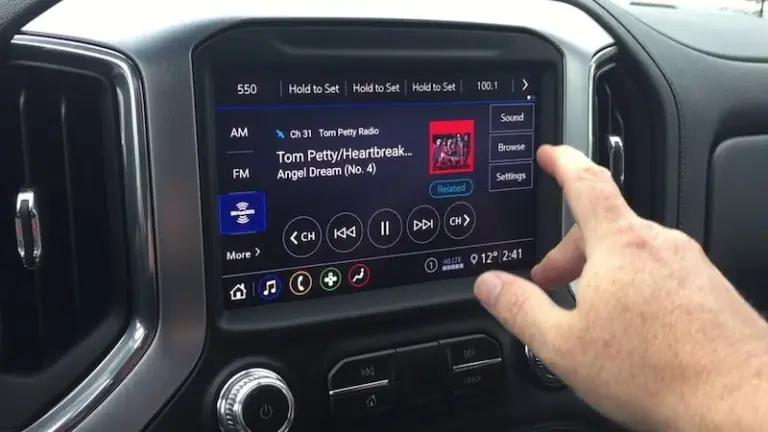
You turn the key, reach for the volume knob out of habit, and nothing happens. No sound, no screen, maybe just a black rectangle staring back at you where your radio used to be. If this just happened to you in your GMC truck or SUV, take a breath. This is one of the more common complaints I hear in the shop, and the fix is usually a lot simpler than people expect.
Before you start pricing out a brand new head unit, let us walk through what actually causes this problem. In most cases, it comes down to one of three things: a software hiccup, a power delivery issue somewhere in the fuse box, or a frozen infotainment system that just needs a proper reboot. Rarely is the entire radio actually dead. More often, it is confused, not broken.
Stick with me here. We are going to go through the common causes first, then walk step by step through the fixes, starting with the free and easy stuff before we get into anything that involves a wrench or a trip to the dealership.
Why Your GMC Radio Suddenly Stopped Working
GMC vehicles, like most modern trucks and SUVs, run their radios through a computer system rather than a simple analog circuit like the old days. That means when something goes wrong, it is often a software problem rather than a mechanical one. Good news for your wallet, honestly, since software issues almost never require replacement parts.
Watch this quick breakdown of common infotainment issues in GM vehicles before we get into the details:
When Sound Cuts In and Out Randomly
One of the more annoying versions of this problem is when your radio works, sort of, but the volume comes and goes or the sound cuts out at random moments. This intermittent behavior usually points to one of three components: the head unit itself, the amplifier, or the speakers.
Here is a quick way to narrow it down. If you can hear some sound occasionally, even faintly, that tells you the hardware itself is probably fine. In that case, you are likely dealing with a software glitch rather than a wiring or speaker failure. The fix for that is almost always as simple as restarting the head unit, which we will cover in the troubleshooting section below.
When The Radio Has No Power At All
If your radio screen is completely black and nothing lights up when you start the truck, you are probably not dealing with software at all. This smells like a power delivery issue, and that means it is time to check your fuses.
GMC trucks route power to the radio circuit through specific fuses, most commonly labeled Fuse 18 and Fuse 34 depending on your model year. These handle the main power feed to the infotainment system. It is also worth checking the fuses tied to the Body Control Module, or BCM, since that little computer plays a role in managing power distribution to your radio as well.
Do not assume you know which fuse is which just by looking at the panel. Pop open your glove box or check under the hood for the fuse box cover, which usually has a diagram printed right on the inside. That diagram will save you a ton of guesswork.
When The Screen Freezes Or Goes Black
This one is particularly frustrating because it looks like a total failure, but it is often just the infotainment computer choking on a bad connection or a software hang. You will notice the screen either freezes on one image, shows a black screen with backlighting still on, or becomes completely unresponsive to touch.
In most cases, this points to either a loose connector somewhere behind the dash or a software update that is overdue. GM has released what they call HMI updates, short for Human Machine Interface, specifically to patch these kinds of freezing bugs in their infotainment systems. If a software update does not resolve it, the next step is checking the physical connections, which we will get into shortly.
One quick note before we move on: always keep your owner’s manual handy when working through these steps, or better yet, have a qualified technician double check your work if you are not confident poking around behind the dashboard. Safety first, especially around airbag wiring that runs near the steering column.
Step 1: Try The Simple Fixes Before Touching Anything Mechanical
In the real world, most GMC radio complaints get solved without ever removing a single screw. Before you assume the worst, run through these three basic troubleshooting steps in order.
Reset The Radio The Easy Way
This is the automotive equivalent of turning your computer off and back on, and it works surprisingly often. Here is exactly how to do it:
- Put your vehicle in Park
- Turn off the engine completely
- Wait a full two to three minutes without touching anything
- Restart the engine and check if the radio comes back to life
That waiting period matters more than people realize. The infotainment computer needs time to fully power down and clear whatever glitch caused the freeze in the first place. Restarting the engine too quickly sometimes does not give the system enough time to reset properly.
Check Your Fuses With A Test Light
If the simple restart does not bring your radio back, a blown fuse becomes the next likely suspect. You do not need to be a mechanic to check this. A basic test light, the kind you can grab for under ten dollars at any auto parts store, will tell you everything you need to know in a few minutes.
Here is how to check:
- Locate your fuse panel. In most GMC trucks, this is either under the dashboard on the driver’s side or inside the engine bay near the battery
- Find the fuse diagram, usually printed on the inside of the panel cover
- Turn the ignition to the on position without starting the engine
- Touch the test light probe to the metal contact points on each side of the radio-related fuses, including Fuse 18 and Fuse 34
- If the light illuminates on one side but not the other, that fuse has blown and needs replacing
Replacement fuses cost next to nothing, usually a few dollars for a variety pack, and swapping one out takes about thirty seconds once you have identified the culprit. Just make sure you replace it with the exact same amperage rating. Using a higher rated fuse might mask a deeper electrical problem and create a fire risk down the road.
Reboot The Infotainment System Directly
Sometimes the radio hardware is completely fine, but the infotainment software running the touchscreen has locked up. This happens more often than GM would probably like to admit, especially on trucks that have gone a while without a software update.
To force a reboot on most GMC models:
- Put the vehicle in Park
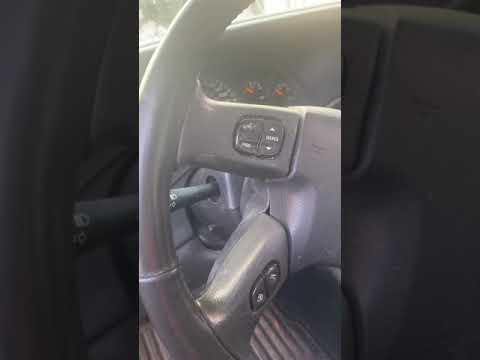
- Locate the phone hang-up button on your steering wheel
- Press and hold that button for a full ten seconds
This forces the infotainment computer to restart independently from the rest of the vehicle’s electrical system. Think of it like a hard reset button hidden in plain sight. It will not erase your saved settings or presets, so there is no downside to trying this before jumping to more involved fixes.
Run through these three steps in order, restart, fuse check, then infotainment reboot, and you will solve the vast majority of GMC radio complaints without spending a dime.
Step 2: When Software Updates Become Necessary
If the basic resets did not do the trick, it is time to look at whether your infotainment system is simply running on outdated software. GM pushes updates periodically to fix bugs, improve stability, and occasionally add new features. An outdated system is more prone to freezing, crashing, or behaving unpredictably.
Here is a more detailed look at diagnosing infotainment software problems:

How To Check Your Current Software Version
Finding out what version your truck is currently running takes just a few taps on the touchscreen:
- Go to the Settings menu on your infotainment screen
- Select About
- Tap Build Number
- Look for the Information icon, usually a small lowercase “i” in a circle
This screen will tell you exactly what version you are running. If GM has released something newer, this is usually the point where you would either connect to WiFi to download the update directly, or visit a dealership where a technician can push the update through their diagnostic equipment.
In my experience, dealership updates tend to be more reliable since they use direct diagnostic connections rather than relying on your truck’s WiFi connection, which can be spotty depending on where you live. If you have had recurring freezing issues even after a home update attempt, it might be worth the trip to have a professional handle it directly.
Why Skipping Updates Costs You More Down The Road
Here is something a lot of drivers do not think about. Ignoring software updates does not just risk radio freezing. It can also affect other systems tied into the same infotainment computer, like backup camera displays, navigation, and even some safety alert systems in newer models. Treating your infotainment software the same way you treat your phone’s operating system, updating it regularly, saves you headaches across multiple systems, not just the radio.
Step 3: Hardware Replacement, The Last Resort
If you have gone through the resets, checked your fuses, and updated your software, and the radio still refuses to cooperate, you might genuinely be dealing with a hardware failure. This is less common than people initially assume, but it does happen, especially in older GMC models that have been on the road a long time.
Replacing The Head Unit
The head unit is essentially the brain of your radio system, controlling everything from audio playback to the touchscreen interface. If this component has failed internally, no amount of resetting or software updating will fix it.
Before authorizing a replacement, have a certified GMC technician run a full diagnostic. This step matters because head units are not cheap, and you want to be absolutely sure that is actually the failing component before spending money on a new one. A misdiagnosis here can mean paying for a part you did not need while the real problem, maybe a bad ground wire or corroded connector, goes unaddressed.
Antenna Problems And What They Actually Look Like
If your radio works fine for playing music from your phone or a USB drive but struggles specifically with AM and FM stations, the antenna is the more likely suspect rather than the head unit itself. Signs of antenna trouble include:
- Stations that used to come in clearly now sound static-filled or weak
- Complete loss of radio reception while Bluetooth and USB audio work normally
- Reception that gets worse specifically when driving near tall buildings or hills
Check that the antenna connection at the back of the head unit or near the antenna base itself has not come loose. Sometimes a simple reseating of the connector solves the whole problem. If the antenna itself is physically damaged, cracked, or missing entirely, replacement is straightforward and relatively inexpensive.
Speaker And Amplifier Failures
Distorted sound, one-sided audio, or complete silence from specific speakers usually points to a speaker or amplifier problem rather than the head unit. Here is a simple way to check this yourself before paying for a diagnostic:
- Play music through the system and slowly adjust the fader and balance controls
- Listen for which speakers respond and which stay silent
- If certain speakers never produce sound regardless of the fader position, those individual speakers may have failed
- If all speakers go silent together at certain volumes, the amplifier is more likely the culprit
Speaker replacement is usually the more budget-friendly fix here. Amplifier issues tend to run more expensive since amps are more complex components with more potential failure points internally.
Quick Reference: Matching Your Symptom To The Fix
Since we have covered a lot of ground, here is a simple table to help you match what you are experiencing to the likely cause and solution.
| Symptom | Likely Cause | Recommended Fix |
|---|---|---|
| Screen completely black, no lights | Blown fuse or power delivery issue | Check Fuse 18 and Fuse 34 with a test light |
| Sound cuts in and out randomly | Software glitch | Restart the head unit or reboot infotainment system |
| Screen frozen or unresponsive | Software hang or loose connector | Force reboot using steering wheel button, check for updates |
| No AM/FM reception, but Bluetooth works fine | Antenna connection issue | Inspect and reseat antenna connector, replace if damaged |
| Distorted or missing sound from specific speakers | Failed speaker or amplifier | Test with fader and balance controls, replace faulty component |
| Radio worked fine yesterday, dead today with no warning | Software freeze | Full restart: park, turn off, wait, restart engine |
Keep this table handy the next time your radio acts up. Matching your specific symptom to the right starting point saves you from wasting time on fixes that were never going to solve your particular issue.
A Few Preventive Habits That Keep This From Happening Again
Once you get your radio working again, a little bit of maintenance goes a long way toward keeping it that way. None of these take much effort, but they genuinely reduce the odds of another freeze or dead screen down the road.
Keep Your Software Current
Check for infotainment updates every few months, especially if GM has issued a recall or technical service bulletin related to your model. These updates often patch the exact bugs causing freezing and connectivity problems in the first place.
Avoid Yanking Cables And USB Drives Mid-Playback
Removing a USB drive or unplugging your phone while it is actively playing audio can sometimes confuse the infotainment system, leading to freezes. It sounds minor, but this small habit change reduces unnecessary strain on the software.
Address Battery Issues Promptly
A weak or aging battery can cause voltage fluctuations that confuse sensitive electronics like your infotainment computer. If you have noticed slow cranking when starting your truck along with radio glitches, get your battery and charging system tested. The two problems might be more connected than you think.
Do Not Ignore Small Glitches
If your radio freezes occasionally but you just shrug it off and reset it each time, you are treating the symptom without addressing the cause. Small recurring glitches often point to a loose connector or an aging component that is gradually failing. Catching it early usually means a cheaper, simpler fix compared to waiting until the whole system fails completely.
When It Is Time To Call In A Professional
There is no shame in handing this off to a certified technician, especially if you have gone through every step above without success. Some signs that professional help is the right call:
- You have replaced fuses and updated software, but the problem persists
- The radio issue coincides with other electrical problems in the vehicle, like flickering dashboard lights or issues starting the truck
- You are not comfortable working behind the dashboard or near airbag components
- The problem seems to be getting worse over time rather than staying consistent
A certified GMC technician has access to diagnostic tools that can pull error codes directly from your infotainment computer, giving a much clearer picture of what is actually failing compared to guesswork alone. Sometimes that diagnostic fee is worth every penny if it saves you from replacing parts that were never actually broken.
Your GMC radio acting up is annoying, no doubt about it, especially on a long drive with nothing but road noise for company. But in the real world, this is rarely a death sentence for your infotainment system. Work through the steps in order, starting with the free fixes, and there is a good chance you will have your tunes back before your next tank of gas runs out. Give it a real shot before you start pricing out replacement parts. Your wallet will thank you.