
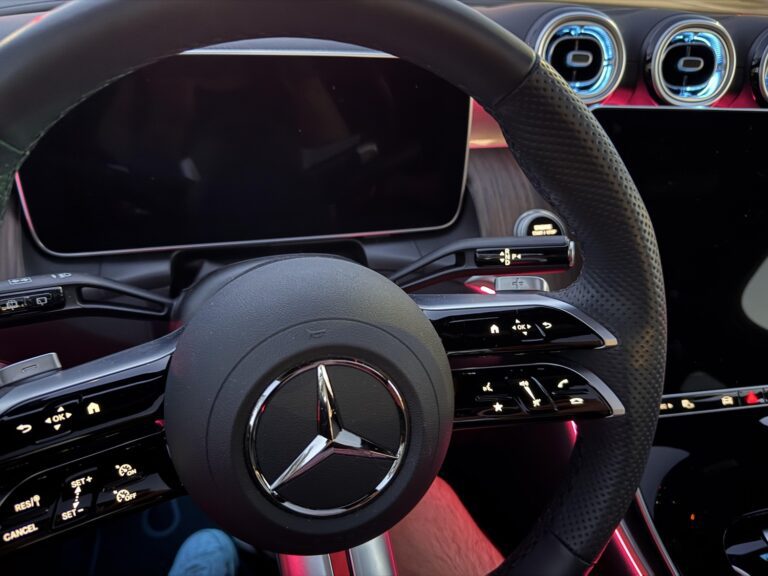
You are driving your Mercedes, everything feels right, and then the screen goes blank. Or maybe it was already dead when you got in the car this morning. No navigation, no audio controls, no climate display. Just a dark rectangle where all that premium technology used to be.
It is one of those problems that feels bigger than it probably is, especially in a vehicle you paid this much for. But the reality is that Mercedes screen failures happen across multiple model years and multiple screen types, and most of the causes are well understood. The fixes range from a quick reset that takes 30 seconds to a hardware replacement that requires a dealer visit. Knowing which situation you are in is the first step.
Let’s work through this properly.
Understanding the Mercedes Screen Setup Before You Start Troubleshooting
Not all Mercedes screen problems are the same, because not all Mercedes screens are the same. Depending on your model year and trim level, you could have any of the following:
- The COMAND system: The older infotainment head unit used across many Mercedes models from the 2000s through the mid-2010s. It controls navigation, audio, phone, and climate depending on configuration.
- The MBUX system: Mercedes-Benz User Experience, introduced in 2019. This is a more modern, AI-integrated system with a widescreen display and touch functionality.
- The instrument cluster display: The screen behind the steering wheel that shows speed, fuel, warnings, and vehicle information. This is a separate display from the main infotainment screen.
- The rear entertainment screens: Found in models like the V-Class, GLS, or S-Class with rear passenger entertainment packages.
The troubleshooting approach differs slightly depending on which screen has failed, so pay attention to which display is giving you trouble as you work through the steps below.
What Causes a Mercedes Screen to Stop Working
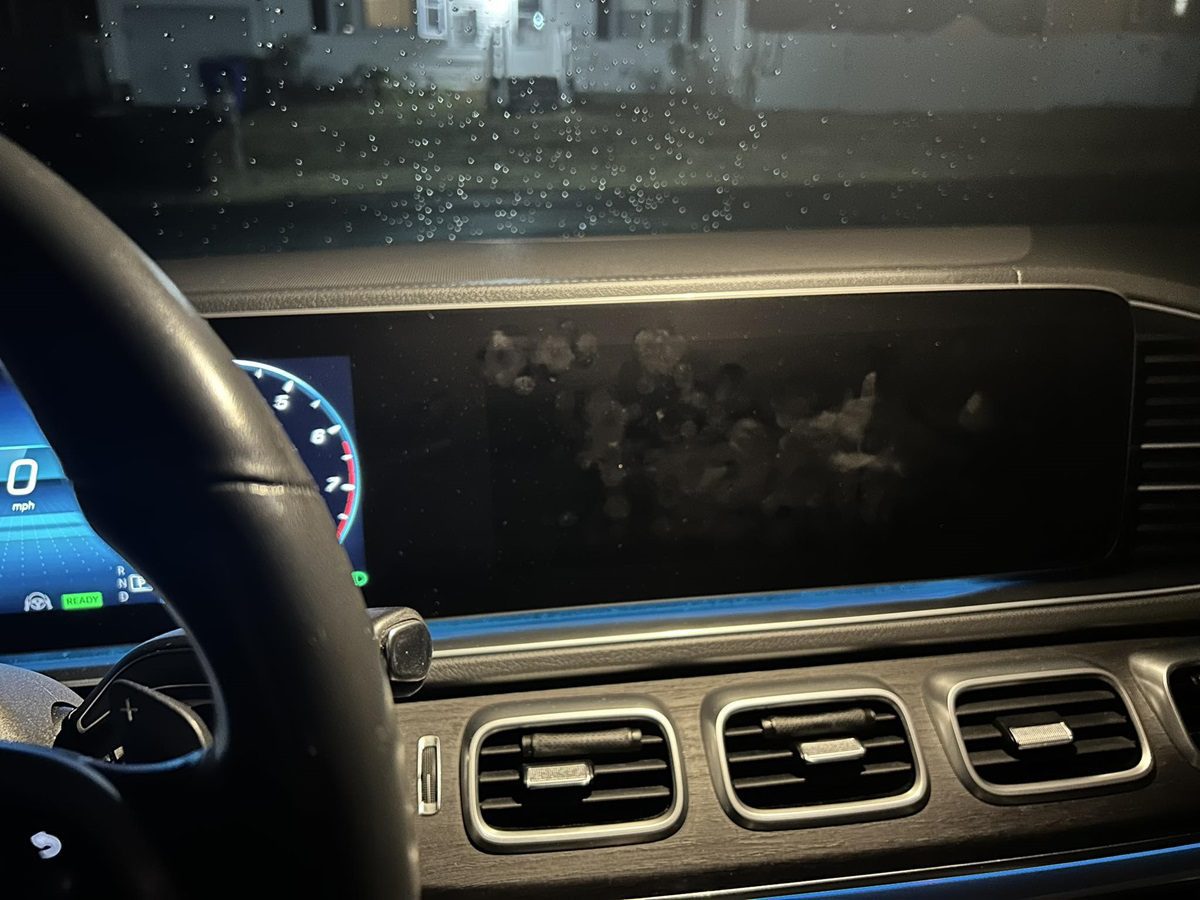
Cause 1: A Software Glitch or Frozen System
This is the most common cause of a sudden, unexplained screen failure in modern Mercedes vehicles, particularly those running the COMAND or MBUX systems. Like any computer, these infotainment systems can freeze, crash, or get stuck in a state where they refuse to display anything even though the underlying hardware is completely fine.
Software glitches happen most frequently after an interrupted or incomplete software update, after a low battery event that caused the system to shut down unexpectedly, or sometimes just from routine use over time. The system gets into a bad state, and since it cannot recover on its own, the screen goes black and stays that way.
The good news is that if software is the cause, a reset almost always fixes it without touching a single hardware component.
Cause 2: A Blown Fuse
The infotainment system and instrument cluster in your Mercedes are protected by fuses, just like every other electrical component in the vehicle. When a fuse blows, the component it protects loses power completely. A dead screen with zero response to any input, no backlight, no logo, nothing at all, often points directly to a blown fuse.
Fuses blow for a reason. Sometimes it is a power spike, sometimes it is age, and sometimes it is a sign of a deeper electrical fault in the circuit. Replacing a blown fuse is quick and cheap. But if the fuse blows again shortly after being replaced, there is an underlying problem that needs professional attention.
Cause 3: Loose or Damaged Wiring Connections
The screen in your Mercedes is connected to the vehicle’s electrical system through a series of wiring harnesses and connectors. Over time, vibration from driving can work these connectors loose. Previous repair work, especially anything involving the dashboard area, can also inadvertently disturb screen connections.
A loose connection typically produces intermittent behavior rather than a permanent failure. The screen works sometimes and not others. It flickers. It goes dark when you hit a bump and comes back on when you hit another one. If any of that sounds familiar, wiring connections are the likely culprit.
Cause 4: Faulty Display Hardware
Hardware failures in the screen itself do happen, though they are less common than software issues. Dead pixels, backlight failure, and internal display controller faults are the most frequently reported hardware-level problems.
Backlight failure is a particularly sneaky one. The display panel itself may be functioning correctly and showing an image, but if the backlight behind it has failed, you cannot see anything because there is no light illuminating the screen. In bright sunlight, you might be able to faintly see a very dim image on the screen, which confirms the backlight is dead while the display is technically still working.
Dead pixels and display controller faults typically result in partial screen failures, where part of the display works and part does not, or the screen shows static, incorrect colors, or corrupted images.
Cause 5: A Faulty Power Button
On older Mercedes models where the infotainment screen has a dedicated power button, that button can fail mechanically or electrically over time. If the button is stuck, shorted, or has lost its electrical contact, the screen may not respond to power-on commands even though everything else in the system is working fine.
This is more relevant on older COMAND-equipped vehicles than on newer MBUX models, which rely more heavily on capacitive touch controls and automatic power management tied to the ignition.
Cause 6: A Failed or Failing Head Unit
In some cases, the COMAND or MBUX head unit itself has an internal failure. This is the physical module that drives the screen output. When this unit fails, no reset or fuse replacement will bring the screen back because the device that generates the display signal is not functioning.
Head unit failures are more common in older vehicles and in those that have experienced water intrusion, overheating, or significant electrical events. A completely dead screen that does not respond to any reset attempt and has no blown fuses is a strong indicator that the head unit itself may be the problem.
How to Fix a Mercedes Screen That Is Not Working
Fix 1: Perform a Quick Ignition Cycle Reset
Before trying anything else, do this. It is fast, it is free, and it resolves a surprising number of sudden screen failures.
- Turn the vehicle completely off.
- Lock the vehicle using the key fob and step away from it for at least 2 to 3 minutes. Getting out of the vehicle and locking it allows certain keep-alive systems to fully power down, which a simple key-off without locking sometimes does not achieve.
- Unlock the vehicle, get back in, and start the engine.
- Wait up to 90 seconds for all systems to fully initialize before assuming the screen is still dead.
If the screen comes back after this, great. Monitor it over the next few days. A one-time occurrence is usually a minor software hiccup and not a sign of anything serious. If it keeps happening, the underlying cause needs to be addressed.
Fix 2: Use the Eject Button and Volume Knob Combination to Reset COMAND
On vehicles equipped with the older COMAND system that includes a CD player, this hardware reset combination is one of the most effective tools available. It forces the COMAND system to perform a hard restart without affecting any saved settings or navigation data.
Here is exactly how to do it:
- Make sure the vehicle is stationary and the ignition is in the on position or the engine is running.
- Locate the eject button on the CD player panel, usually positioned on the COMAND unit itself.
- Locate the volume knob on the infotainment control panel.
- Press and hold the eject button while simultaneously turning the volume knob counterclockwise.
- Hold the eject button down for approximately 10 seconds while keeping the volume knob turned counterclockwise.
- The screen should go dark and then display the Mercedes-Benz logo as the system reboots.
- Release both controls and allow the system to finish its startup sequence.
Watch the video below to see this reset method performed step by step:

This method works specifically on COMAND-equipped models with a CD player. If your vehicle has MBUX or a newer infotainment system without a CD player, the reset procedure is different. Check your owner’s manual for the specific reset combination for your system version.
Fix 3: Pull and Reseat the Infotainment Fuse
If the screen is completely unresponsive to the reset methods above, a fuse pull and reseat is the next step. This works in two ways: it checks for a blown fuse and it forces a complete power cycle of the system.
- Turn the vehicle completely off and remove the key.
- Locate the fuse boxes. Most Mercedes models have a primary fuse box in the engine compartment and a secondary one in the trunk, in the footwell area, or behind the glove compartment. Your owner’s manual will show the exact locations for your specific model.
- Consult the fuse diagram in the owner’s manual to identify the fuse for the navigation system, COMAND unit, or instrument cluster display. These are sometimes labeled as “Radio,” “Comand,” “NAV,” or “Instrument Cluster” depending on the model.
- Use a fuse puller or small needle-nose pliers to carefully remove the relevant fuse.
- Inspect the fuse. Hold it up to a light source. If the metal strip inside is broken or appears burned, the fuse has blown and needs to be replaced with a new one of the exact same amperage.
- If the fuse looks intact, wait 30 seconds before reinstalling it. This gives the system capacitors time to discharge.
- Reinsert the fuse firmly and start the vehicle. Give the system up to two minutes to fully boot before testing.
As with any vehicle, if a fuse blows again after replacement, do not keep replacing it. A repeatedly blowing fuse means something in the circuit is drawing excessive current, and you need a professional to find and fix that source before the fuse will hold.
Fix 4: Disconnect the Battery for a Full System Reset
When fuse cycling and ignition resets have not worked, a full battery disconnect forces a deeper reset of all vehicle electronics including the infotainment and instrument cluster systems.
- Turn the vehicle completely off and remove the key.
- Open the hood and locate the battery. On some Mercedes models, the battery is in the trunk rather than the engine bay.
- Using a wrench, loosen and remove the negative battery terminal, the black cable connected to the post marked with a minus sign.
- Move the cable away from the terminal so it cannot accidentally touch the post.
- Wait 5 full minutes. Do not rush this step.
- Reconnect the negative terminal and tighten it firmly.
- Start the vehicle and allow all systems to initialize fully before testing the screen.
Be aware that this will reset your radio presets and clock, and may require you to re-enter a radio security code on older models. Some Mercedes vehicles also require a steering angle sensor recalibration after a battery disconnect, which involves turning the steering wheel lock to lock after starting. Your owner’s manual will tell you if your model requires this.
Fix 5: Inspect the Display Screen Connections
If you have worked through every reset method and the screen is still not functioning, the next step is physically inspecting the connections behind the screen. This requires removing part of the dashboard trim to access the back of the display unit.
This is not a difficult job for someone comfortable with interior trim removal, but it does require patience and care. Mercedes interior trim is secured with clips and fasteners that can break if forced. Take your time and use a plastic trim removal tool rather than a screwdriver.
What to look for once you have access to the back of the screen:
- Any connectors that are partially unplugged or sitting at an angle rather than fully seated
- Any visible damage to the ribbon cables that connect to the display panel
- Corrosion or moisture inside the connector housings
- Any wires that appear chafed, pinched, or damaged
If you find a loose connector, firmly reseat it and test the screen before reassembling anything. A loose ribbon cable connection is a common cause of intermittent screen behavior that no software reset can fix because the problem is physical, not digital.
When the Screen Needs Professional Attention
Some screen problems in Mercedes vehicles go beyond what any reset or basic inspection can resolve. Here are the situations where you need to go to a dealer or a qualified Mercedes specialist.
Software Updates and Module Reprogramming
If the screen came back after a reset but is now behaving strangely, showing incorrect information, freezing frequently, or losing functionality inconsistently, an outdated or corrupted software version may be the cause. Mercedes releases software updates for both the COMAND and MBUX systems to address known bugs and improve stability.
These updates require the proprietary Mercedes diagnostic software, either XENTRY or the Star Diagnosis system, to install correctly. Over-the-counter tools cannot perform this type of update on a Mercedes. A dealer or an independent shop with Mercedes-specific software can handle this, and in some cases the update is covered if the vehicle is still within warranty.
Instrument Cluster Replacement
If the instrument cluster display, the screen behind the steering wheel, has failed rather than the infotainment screen, the repair situation is more involved. In many Mercedes models, the instrument cluster display is integrated into the cluster assembly and cannot be replaced as a standalone component. The entire cluster unit may need to be replaced.
According to owner reports and Mercedes-Benz forum discussions, a complete instrument cluster replacement can cost around $600 for the part itself, plus programming costs on top of that. The new cluster must be programmed to your specific vehicle’s VIN and configuration, which requires Mercedes factory tools. Using non-OEM parts for this repair is strongly discouraged and can affect your vehicle’s warranty coverage.
COMAND or MBUX Head Unit Replacement
When the head unit itself has failed, replacement is the only path forward. This is the most expensive repair in the Mercedes screen failure category, and costs vary significantly by model year and system type.
Before committing to a new OEM unit at dealer prices, there are a few alternatives worth considering:
- Remanufactured units: There are companies that specialize in repairing and remanufacturing Mercedes COMAND and MBUX head units. This option can cost significantly less than a new OEM unit and often carries a warranty.
- Used units: A used head unit from a salvage yard is an option, but compatibility must be carefully verified by VIN and system version. Mercedes head units require proper coding to the vehicle after installation, so factor that into the cost calculation.
- Third-party repair services: Some electronics repair specialists can repair common internal faults in Mercedes head units, particularly capacitor failures and power supply issues, at a fraction of the replacement cost.
Regardless of which replacement route you choose, the unit must be properly coded to your vehicle afterward. A head unit that is not coded will either not function at all or will function with significant limitations. This coding requires Mercedes diagnostic software and is not something a general mechanic without the right tools can perform.
Warranty Coverage: What You Need to Know Before Paying for Repairs
Before authorizing any repair, check your warranty status. Mercedes-Benz typically offers a 4-year or 50,000-mile new vehicle limited warranty, which covers electronics and display components. If your vehicle is within those limits, screen failures should be covered at no cost to you at an authorized Mercedes-Benz dealer.
Even outside the factory warranty period, there are a few things to check:
- Check whether you purchased an extended warranty or a certified pre-owned warranty that covers electronics.
- If your vehicle was purchased as a Certified Pre-Owned Mercedes, the CPO warranty extends coverage beyond the factory warranty period and typically covers electronic components.
- Ask the dealer specifically whether any technical service bulletins have been issued for your model and year related to screen or infotainment failures. TSBs do not automatically mean free repairs, but they indicate that Mercedes acknowledges the problem and has a defined repair procedure.
One important note on parts: always insist on genuine Mercedes-Benz parts for any screen or electronics repair if the vehicle is under any form of warranty. Using non-OEM parts can void warranty coverage for the affected components. The Mercedes-Benz Vehicle Service Parts and Accessories Limited Warranty specifically covers genuine Mercedes-Benz service parts, not aftermarket replacements.
Quick Reference: Screen Problem, Likely Cause, and First Step
| Screen Symptom | Most Likely Cause | Best First Step | DIY or Professional? |
|---|---|---|---|
| Screen suddenly went blank while driving | Software crash or glitch | Ignition cycle reset | DIY |
| Screen dead on startup, no response at all | Blown fuse or software fault | Check and reseat fuse | DIY |
| Screen intermittently goes off and comes back | Loose wiring connection | Inspect connections behind screen | DIY or professional |
| Screen very faintly visible in bright sun | Failed backlight | Professional diagnosis and display repair | Professional |
| Partial screen failure, some areas work | Dead pixels or display controller fault | Professional diagnosis | Professional |
| Screen works but freezes often or shows errors | Outdated software or head unit fault | Software update via dealer | Professional |
| Screen went black after battery died or was replaced | System needs reinitialization | Battery disconnect reset, check radio code | DIY |
| Screen dead after dashboard work or repair | Disturbed connector during repair | Inspect and reseat screen connections | DIY or professional |
Frequently Asked Questions About Mercedes Screen Problems
Will a factory reset delete my navigation maps and saved settings?
A soft reset using the eject and volume knob method, or an ignition cycle reset, does not erase saved data. A full factory reset through the system settings menu will erase personal settings and saved destinations but should not affect the navigation map data stored on the hard drive. A battery disconnect resets temporary system states and clears minor faults without erasing map data, though you will lose radio presets and the clock setting.
Can I drive my Mercedes safely with the screen not working?
If only the infotainment screen is affected, the vehicle is safe to drive. Your powertrain, brakes, and steering are not dependent on the infotainment display. You will lose access to navigation, audio controls, climate display, and in some models backup camera feed. If the instrument cluster display has failed, pay close attention to the analog gauges for speed and fuel level, and get the vehicle to a shop as soon as practical since you are missing important vehicle status information.
How much does it cost to replace a Mercedes COMAND or MBUX screen?
Cost varies significantly by model year, system type, and repair approach. A third-party head unit repair for a common internal fault can run $150 to $400. A remanufactured COMAND unit typically costs $300 to $800. A new OEM COMAND or MBUX unit from a dealer can range from $1,500 to $3,500 or more depending on the model, plus programming and labor. Instrument cluster replacement runs around $600 for the part plus programming costs. Always get the diagnostic work done before committing to any of these, since the actual failed component may be less expensive than the screen itself.
Why did my Mercedes screen stop working after I replaced the battery?
Battery replacement can trigger a few different screen-related issues. The most common is that the system simply needs to reinitialize after the power interruption. An ignition cycle reset usually resolves this. On older models, a radio security code may need to be re-entered before the system will activate. Some Mercedes COMAND units also require a brief adaptation period after a battery replacement before all functions work normally. If none of that applies and the screen is still dark, check whether the correct battery was installed and that the terminals are properly connected and free of corrosion.
The Right Order of Attack for a Dead Mercedes Screen
Work through the fixes in this order and you will resolve the problem without spending unnecessarily.
- Try the ignition cycle reset first. Lock the car, wait three minutes, restart.
- If that fails, use the eject and volume knob combination for COMAND systems.
- Check and reseat the relevant fuses. Replace any that are blown.
- Perform a battery disconnect reset if fuse cycling did not work.
- Inspect wiring connections behind the screen if the reset methods all failed.
- Take the vehicle to a dealer or Mercedes specialist for software diagnosis and update.
- Proceed with hardware repair or replacement only after proper diagnosis confirms which component has failed.
A dead Mercedes screen is frustrating, but it is rarely irreversible. Most failures have a straightforward cause, and most of those causes have a clear fix. The worst thing you can do is skip the diagnostic steps and go straight to an expensive parts replacement. Know what is broken before you start buying things, and you will almost always come out ahead.