
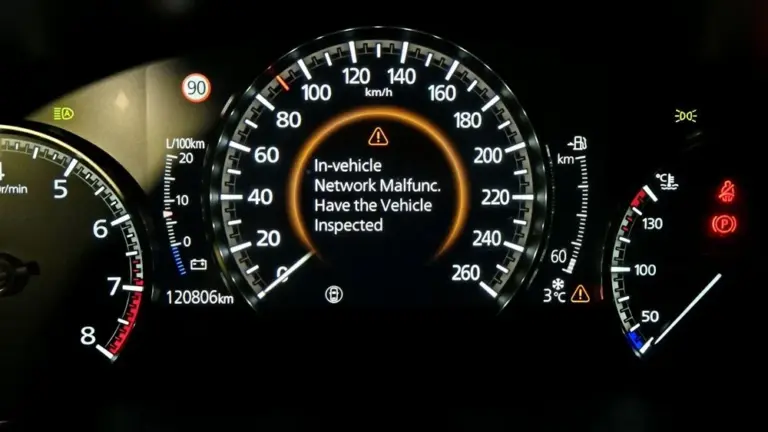
Seeing “In-Vehicle Network Malfunction. Have the Vehicle Inspected” pop up on your Mazda 3’s screen can genuinely catch you off guard, especially when you are in the middle of driving and suddenly notice the car has dropped into limp mode. You pull over, check for codes, and find nothing. A few miles later, the message disappears and the car seems fine. So what exactly is going on?
This is one of those issues that is frustrating precisely because it is not always consistent. But it is traceable, and in most cases, the repair is not as complicated or expensive as the warning message makes it sound. Let us break it all down.
What Does “In-Vehicle Network Malfunction” Actually Mean on a Mazda 3?
Your Mazda 3 is not just a mechanical machine. It is a rolling network of electronic modules, sensors, and communication systems that are constantly talking to each other. The various control units in the vehicle, covering everything from the engine and transmission to the infotainment system, GPS, and telematics, communicate over an internal data network called a CAN bus (Controller Area Network).
When the vehicle detects that communication within that network has broken down, whether a module has gone silent, a connection has been lost, or an external signal the network relies on has been disrupted, it displays the in-vehicle network malfunction warning. It is the car’s way of saying that something in its internal communication chain is not working as it should.
The limp mode that often accompanies this message is a protective response. When the vehicle’s computer cannot confirm that all systems are communicating correctly, it restricts performance to prevent potential damage. So you may find the car drives sluggishly, acceleration feels reduced, or certain features stop responding. In many cases, once the communication issue resolves itself temporarily, the message clears and the car returns to normal operation. That intermittent behavior is actually important diagnostic information, as we will discuss below.
Why Does This Warning Appear With No Stored Codes?
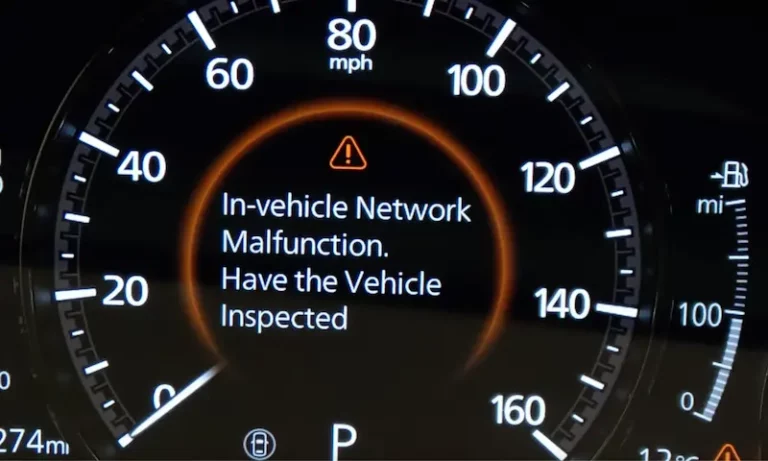
This is the part that confuses most Mazda 3 owners. You pull over, connect a scanner, and find nothing. No codes. The message may even be gone by then. How can there be a malfunction with no evidence?
The answer comes down to what type of fault is occurring. There are two categories of diagnostic trouble codes: hard codes (permanent faults that stay logged until cleared) and soft or intermittent codes (faults that occurred but resolved before the system confirmed them as permanent). If the communication interruption is brief, the module may log a temporary fault that clears itself before you connect a scanner.
There is also the specific nature of GPS and telematics-related faults. These systems operate partly outside the vehicle’s standard OBD-II diagnostic system. A lost satellite signal or a telematics module that briefly drops its cellular connection may not generate a standard OBD-II code but will still trigger the on-screen warning because it affects the in-vehicle network communication that the car monitors internally.
This is why a professional diagnostic using Mazda-specific software, rather than a generic OBD-II reader, gives a much clearer picture of what is actually happening in these cases.
Common Causes of the Mazda 3 In-Vehicle Network Malfunction
There are several different failure points that can produce this warning. Some are related to the vehicle’s internal hardware. Others involve external signals the car depends on. Here is each one explained in practical terms.
1. Lost or Interrupted Satellite Signal
Your Mazda 3’s GPS and navigation system continuously receives signals from satellites to determine the vehicle’s position. That GPS data is shared across the vehicle’s internal network and used by several systems, not just the navigation display. When the vehicle travels for an extended distance, roughly around 30 miles or more in some cases, without successfully receiving a satellite signal, it triggers the network malfunction warning.
Satellite signal loss can happen for several reasons:
- Driving through tunnels, underground parking structures, or dense urban areas with tall buildings blocking the sky
- Heavy tree canopy on rural roads blocking the satellite view
- Atmospheric interference during certain weather conditions
- A loose or disconnected wire in the GPS antenna circuit preventing the signal from reaching the receiver
- Local GPS jamming interference in certain areas
If the satellite signal loss is environmental and temporary, driving out of the obstructed area typically resolves the warning on its own. If the cause is a loose wire inside the antenna circuit, the problem will keep recurring regardless of where you drive.
2. Faulty GPS Antenna or Receiver
The GPS antenna is the physical hardware that receives satellite signals and feeds them into the vehicle’s navigation system. If the antenna itself becomes defective, whether from physical damage, internal component failure, corrosion at its connector, or degraded signal reception capacity, it can cause persistent signal loss that triggers the warning repeatedly.
On the Mazda 3, the GPS antenna is typically integrated into a module on the roof of the vehicle, sometimes combined with the radio and cellular antenna in a shark fin housing. Damage to this housing from a car wash brush, an impact, or water intrusion can compromise antenna function. If the GPS receiver module inside the vehicle has failed electronically, even a perfect external antenna will not resolve the issue because the receiver is what processes the incoming signal.
A GPS antenna or receiver fault tends to produce this warning consistently rather than intermittently, because the hardware failure is permanent rather than situational.
3. Defective Telematics Control Unit (TCU)
The Telematics Control Unit is an embedded module that connects your Mazda to external networks, including cellular networks for connected services, emergency assistance features, and over-the-air communication. The TCU communicates with both the external cellular network and the vehicle’s internal CAN bus network, making it a bridge between the outside world and the car’s internal systems.
When the TCU malfunctions or loses its connection, it can disrupt the in-vehicle network because other modules may be waiting for communication that is not coming. Several things can cause TCU issues:
- Internal electronic failure of the TCU module itself
- Poor cellular network coverage in certain areas that causes the TCU to repeatedly attempt and fail to connect
- Interference from a phone call or Bluetooth activity that temporarily disrupts the TCU’s cellular connection
- A software fault or corrupted firmware in the TCU
- Wiring or connector issues in the TCU circuit
TCU-related network malfunction warnings sometimes appear in areas with poor cellular coverage and disappear when the vehicle moves into a coverage area, which is a useful clue pointing toward the TCU as the cause.
4. CAN Bus Communication Faults
The CAN bus is the backbone of your Mazda 3’s internal communication network. Every module in the vehicle, the engine control module, the transmission control module, the ABS module, the infotainment system, and all the others, communicates through this shared data bus. When communication on the CAN bus is disrupted, the entire network effectively loses coherence.
CAN bus faults can stem from:
- A module on the bus failing and generating electrical noise that corrupts communication for other modules
- A short circuit or open circuit in the CAN bus wiring
- Corrosion at a connector in the CAN bus network
- A faulty gateway module that routes communication between different segments of the bus
CAN bus faults are among the more complex to diagnose because disruption at one point can affect communication throughout the entire network, making it harder to isolate the original cause.
5. Loose or Damaged Wiring
This is one of the most common real-world causes of the in-vehicle network malfunction warning, particularly on higher-mileage Mazda 3 vehicles or those that have had previous repair work. A loose connector, a wire that has partially pulled out of its terminal, or a harness that has developed a break from vibration or heat exposure can cause intermittent communication failures that are difficult to reproduce consistently.
Wiring issues often produce the frustrating pattern of the message appearing and disappearing, because the connection may be intact at rest but break under the vibration of driving, or vice versa. This on-again, off-again behavior is the classic signature of an intermittent wiring fault.
How to Fix the Mazda 3 In-Vehicle Network Malfunction
Here is a structured approach to addressing this warning, starting with the simplest steps and progressing to the more involved repairs.
Fix 1: Disconnect and Reconnect the Battery
This is always the right first step when dealing with electronic communication faults in modern vehicles. Disconnecting the battery forces all the vehicle’s electronic modules to fully power down and restart from scratch when power is restored. This clears any temporary faults or communication errors that may be stuck in module memory without being a genuine hardware failure.
Here is how to do it properly:
- Turn the vehicle completely off and remove the key from the ignition.
- Open the hood and locate the battery.
- Using the appropriate wrench, loosen and remove the negative battery cable (the black one) first.
- Wait at least 10 to 15 minutes. This allows the vehicle’s capacitors to fully discharge and all modules to completely reset.
- Reconnect the negative cable, tighten the clamp securely, and start the vehicle.
- Check the display to see if the warning message returns.
If this resolves the warning and it does not return after several days of driving, a soft electronic glitch was likely the cause. If the message comes back, the battery reset was not a fix, just a temporary clearing of the symptom. Move to the next steps.
Fix 2: Scan the Vehicle With a Mazda-Compatible Diagnostic Tool
Do not rely on a generic OBD-II scanner for this diagnosis. Generic scanners read powertrain codes well but often cannot access the infotainment, telematics, GPS, or body control modules where the root fault for this warning typically lives. You need either a Mazda dealer diagnostic system or a professional-grade aftermarket scanner with Mazda-specific module coverage.
A complete scan should pull codes from all accessible modules, not just the engine module. Even if no codes are immediately visible, the live data function can show whether the GPS module is receiving satellite signals, whether the TCU is communicating on the cellular network, and whether CAN bus communication between modules is functioning normally.
Write down every code present across all modules before clearing anything. Codes in modules other than the primary fault module often provide context that narrows down the root cause.
Fix 3: Inspect and Repair Loose or Damaged Wiring
If the diagnostic scan points to a GPS, TCU, or CAN bus communication fault, or if no codes are found but the warning persists, a systematic wiring inspection is the next step. Here is where to focus:
- GPS antenna cable: Trace the coaxial cable from the roof antenna module down through the headliner and into the infotainment or GPS receiver module. Check both ends of the cable for secure connection and inspect the length for any damage, kinks, or pinching.
- TCU wiring harness: Locate the TCU module (often in the headliner area or behind the dashboard) and inspect its wiring connector for corrosion or looseness. Also check the cellular antenna connection if it is a separate cable from the GPS.
- CAN bus connectors: Inspect the main CAN bus connectors at the OBD-II port area and at any known junction points in the harness. CAN bus wiring is typically twisted pairs of wires, usually green and yellow or can be color-coded differently depending on the model year.
Reconnect any loose connectors firmly, clean corroded terminals with electrical contact cleaner, and repair or replace any sections of wiring that show physical damage.
Fix 4: Replace the GPS Antenna or Receiver
If the diagnostic confirms that the GPS module is not receiving satellite signals and the wiring checks out as intact, the GPS antenna or receiver module is likely faulty. Here is how to approach this repair:
- Confirm the antenna cable is fully connected and undamaged before ordering a replacement antenna. A disconnected cable looks exactly like a dead antenna in terms of symptoms.
- Check the shark fin antenna module on the roof for any signs of physical damage, cracks, or evidence of water intrusion.
- Use an OEM replacement or a high-quality aftermarket antenna that is confirmed to be compatible with your specific Mazda 3 model year. GPS antenna specifications vary between model years and trim levels.
- If the external antenna tests fine but the GPS receiver module inside the vehicle is confirmed faulty by diagnostic testing, the internal receiver module needs replacement. This component is often integrated into the infotainment or navigation unit and may require the unit to be replaced as an assembly.
This is a repair most owners with basic mechanical skills can handle on the external antenna replacement side. The internal receiver module replacement is more involved and may warrant professional help depending on your comfort level with dashboard disassembly.
Fix 5: Repair or Replace the Telematics Control Unit
If the TCU is confirmed as the fault source, the repair options are:
- Software update or reflash: Some TCU faults are software-related and can be resolved with a firmware update from the dealership. Mazda periodically releases software updates for their connected vehicle systems, and a dealership service visit to check for available updates is worth doing before assuming hardware replacement is needed.
- TCU replacement: If the module has a hardware failure, it needs to be replaced. TCU replacement on Mazda vehicles typically requires the new module to be registered and activated on Mazda’s connected services platform, which is a procedure that needs dealer-level access. A replacement TCU that is not properly registered will not function correctly even if it is physically installed correctly.
TCU replacement is a job best handled at a Mazda dealership for this reason. The part cost and labor are manageable, but the post-installation activation step requires Mazda’s backend system access that independent shops typically cannot provide.
Fix 6: Address CAN Bus Communication Faults
CAN bus faults are the most complex category to diagnose and repair because they can be caused by a problem anywhere in the network, and the symptoms can appear across multiple systems simultaneously. Here is the systematic approach:
- Use the diagnostic scan to identify which modules are failing to communicate. The scan will show which modules respond to the scan tool and which do not. A module that does not respond is either completely dead or has lost its connection to the bus.
- Check the wiring and connectors at any non-communicating module. A module that has lost its CAN bus connection due to a broken wire or corroded connector can be restored by repairing the connection.
- If a module is communicating but generating errors on the bus, that module may need replacement. A failing module that is electrically present but malfunctioning can corrupt the communication of every other module on the same bus segment.
- Check the battery and charging system. A weak battery or a failing alternator can cause voltage fluctuations that disrupt CAN bus communication across the entire vehicle network. This is a commonly overlooked cause of widespread electronic communication faults.
CAN bus diagnosis genuinely benefits from professional expertise and the right tools. A technician who works regularly with Mazda vehicles will know the typical CAN bus architecture and the common failure points for that model year, which significantly accelerates the diagnostic process compared to working through it without that specific knowledge.

What If the Warning Keeps Coming Back After Repairs?
Persistent or recurring in-vehicle network malfunction warnings after attempted repairs are usually a sign that the root cause has not been fully identified or addressed. Here are the most common reasons a repair does not hold:
- The wiring was inspected visually but not tested electrically. A wire can look intact externally but have an internal break that only shows up under the vibration and temperature changes of driving.
- The diagnosis was based on a generic OBD-II scan that missed module-specific codes pointing to the actual cause.
- A failing module was replaced but the replacement was not properly programmed or registered.
- There are two separate faults present, and only one was found and repaired. This is more common than most people expect, particularly on higher-mileage vehicles where multiple systems have been aging simultaneously.
If the warning keeps returning after a repair attempt, the next step is a more thorough diagnostic using Mazda’s dealer-level tools rather than a repeat of the same diagnostic approach that did not find the root cause the first time.
Approximate Repair Costs for This Warning
Here is a realistic cost range for the repairs that most commonly resolve the Mazda 3 in-vehicle network malfunction warning.
| Repair Type | Approximate Parts Cost | Approximate Total Cost (with labor) |
|---|---|---|
| Full diagnostic scan (Mazda-specific) | N/A | $80 to $150 |
| Battery disconnect and reset (DIY) | Free | Free |
| Wiring repair (minor connector or harness section) | $10 to $50 (materials) | $80 to $300 depending on location |
| GPS antenna replacement (external shark fin) | $30 to $150 | $80 to $250 |
| GPS receiver module replacement | $100 to $400+ | $250 to $700+ |
| TCU replacement | $200 to $600+ | $400 to $1,000+ including registration |
| Infotainment unit replacement (if integrated GPS) | $300 to $1,000+ | $500 to $1,500+ |
The wide cost ranges reflect the variation between simple fixes like reconnecting a loose antenna cable and more involved repairs like replacing an infotainment unit with an integrated GPS receiver. Getting the diagnostic done properly before authorizing any repair is always the most cost-effective approach because it avoids spending money on the wrong component.
When to Go Straight to the Mazda Dealership
Some of these repairs are approachable as DIY projects for confident owners. Others genuinely need dealership-level access and tools. Here is a simple breakdown:
| Situation | DIY Possible? | Notes |
|---|---|---|
| Battery disconnect and reset | Yes | Simple and always worth trying first |
| Visual wiring and connector inspection | Yes | Look for obvious damage or disconnection |
| External GPS antenna replacement | Yes | Straightforward on most Mazda 3 models |
| Full multi-module diagnostic scan | Only with proper tools | Generic OBD-II readers are not sufficient |
| TCU replacement and registration | No | Requires Mazda backend access for activation |
| CAN bus diagnosis and repair | Not recommended without training | Complex network; needs proper diagnostic tools |
| Infotainment or receiver module replacement | Possible but complex | Dashboard disassembly required; programming may be needed |
Final Thought
The in-vehicle network malfunction warning on your Mazda 3 is more about communication than catastrophe. In many cases, it traces back to something as straightforward as a loose antenna cable or a brief satellite signal interruption. In other cases, it points to a failing TCU or a CAN bus communication issue that needs a proper multi-module diagnostic to unravel. Start with the battery reset, get a proper scan done at a shop with Mazda-compatible tools, and let the fault codes guide the repair rather than guessing at components. The right diagnosis makes this a manageable fix. Skipping the diagnosis and replacing parts based on assumptions is how a straightforward repair turns into an expensive one.