
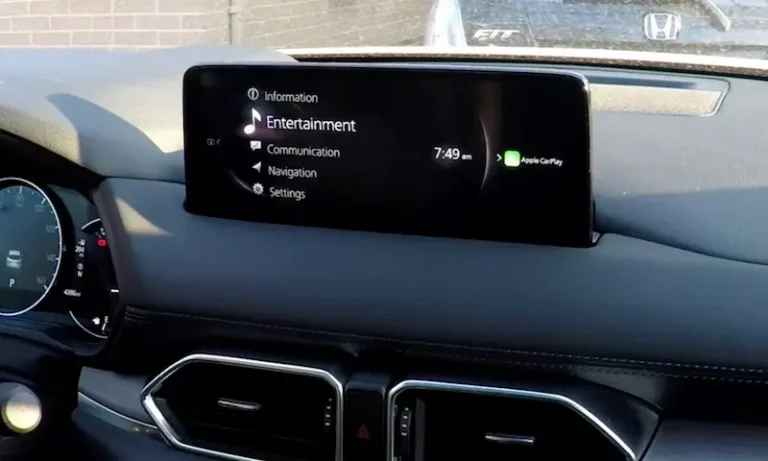
You get in your Mazda, start the car, and the infotainment screen is either completely black, frozen solid, or just not responding to anything you do. No navigation, no audio control, no Apple CarPlay or Android Auto. Just a dead or unresponsive display staring back at you.
It is one of those problems that feels more serious than it often is. The reality is that most Mazda infotainment issues, from frozen screens to completely blank displays, have a short list of well-known causes and a clear set of fixes. In most cases, you do not need a dealer visit. You just need to know where to start.
This guide covers every common Mazda screen problem, what is behind each one, how to fix it yourself, and when you actually do need professional help.
Understanding the Mazda Connect System Before You Start Troubleshooting
Mazda’s infotainment platform is called Mazda Connect, and it has gone through several generations across their lineup. The system controls navigation, audio, phone connectivity, vehicle settings, and on newer models, over-the-air software updates. It uses a combination of a touchscreen or a rotary commander knob depending on the model year, and feeds into the center display mounted on top of the dashboard.
Like any computer-based system, Mazda Connect runs on software that can glitch, freeze, or fail to update correctly. The hardware, including the display unit, connection cables, and control module, can also develop faults. Knowing which side of that divide your problem sits on is the key to fixing it efficiently.
One important thing to note: on newer Mazda models with the rotary commander knob, the center display is not a touchscreen. Trying to tap it will not do anything. All inputs go through the knob on the center console. If you have just switched from an older Mazda or another brand, this trips people up regularly.
The Most Common Mazda Infotainment Screen Problems
The Screen Freezes and Stops Responding
A frozen screen is probably the most common complaint from Mazda owners. The display shows content, music may still be playing, but nothing you do on the touchscreen or the commander knob has any effect. The system has locked up and is waiting for a restart.
This happens most often after software bugs, when the system is doing something in the background like a failed update, or when too many processes are running simultaneously. It can also happen after a rapid power cycle, like quickly shutting the car off and restarting it before the system has fully powered down.
A frozen Mazda Connect system is almost always a software issue, and a reset typically resolves it cleanly.
The Screen Is Completely Black or Blank
A completely blank screen, where nothing at all is displayed and there is no backlight, is a different situation from a frozen screen. It usually means one of three things: the system has lost power to the display, a fuse has blown, or the display hardware itself has failed.
Some owners report the screen going blank suddenly while driving, with no warning. Others find it already blank when they start the car. If the screen is blank but you can still hear audio, that tells you the main infotainment module is running but the display output has failed. If everything is silent and completely unresponsive, the entire system may have lost power.
The System Is On But Not Responding to Inputs
This is the most frustrating version of the problem. The screen shows content, the system appears to be running, but nothing you do with the touchscreen, the commander knob, or the physical buttons makes any difference. The system is alive but locked up.
This can be caused by a software crash that has locked the input processing without taking down the display entirely. It can also happen when the touchscreen digitizer has failed while the display panel itself still works, meaning you can see the screen but it cannot detect your touch inputs.
Navigation Not Working or Radio Malfunctioning
Sometimes the screen itself works fine but specific features within the system stop functioning correctly. Navigation gives wrong directions or loses GPS signal. Radio reception is poor, drops out, or produces static. These are usually software or hardware issues specific to the affected subsystem rather than problems with the display itself.
Navigation issues can also be caused by outdated map data. Mazda navigation uses map files that need periodic updates, and an old map database can cause routing errors, missing roads, or failure to recognize certain addresses.
Ghost Touch Issues on Mazda3 Models
If you own a 2014 to 2016 Mazda3, there is a specific known defect worth being aware of. The infotainment system in these models was found to suffer from what owners call “ghost touch,” where the system registers phantom touch inputs with no one actually touching the screen. This causes music to skip, phone calls to dial on their own, menus to open and close randomly, and the system to become essentially unusable.
Mazda issued a service bulletin for this specific issue and offered free repairs for affected vehicles. If your 2014 to 2016 Mazda3 is exhibiting this behavior, contact a Mazda dealer and specifically ask about the ghost touch service bulletin. The repair was covered at no cost for vehicles within the affected range.
What Causes These Problems in the First Place
Understanding the root causes helps you match the right fix to your specific situation rather than trying things randomly.
- Outdated software: Mazda releases periodic software updates for Mazda Connect that address known bugs, improve stability, and add features. Running an old version is one of the most common causes of freezing, unresponsiveness, and feature malfunctions.
- Software glitches from incomplete processes: A system update that did not install cleanly, a USB device that caused an error during reading, or an interrupted process can leave the software in a bad state.
- Low or unstable battery voltage: Electronics in modern vehicles are sensitive to voltage. A weak battery or a charging system that is not maintaining proper voltage can cause the infotainment system to behave erratically or fail to start correctly.
- Blown fuse: The infotainment system is protected by fuses, and a blown fuse can cut power to the display or the entire unit depending on which circuit is affected.
- Loose or corroded wiring connections: Vibration over time can work connectors loose behind the display unit. Previous repair work that disturbed dashboard wiring can also cause intermittent connection issues.
- Hardware failure: The display unit, touchscreen digitizer, or the main control module can develop hardware faults that no software fix can address.
How to Fix a Mazda Infotainment Screen That Is Not Working
Fix 1: Perform a Basic Ignition Cycle Reset
This is always the first thing to try. It is fast, it is free, and it works for a significant number of Mazda screen issues.
- Turn the vehicle completely off and remove the key, or open the driver’s door after turning off a push-button start model.
- Wait a full 2 to 3 minutes. Do not just wait a few seconds. The system needs enough time to fully power down, including clearing any processes that are still running in the background.
- Restart the vehicle and give the infotainment system up to 60 seconds to fully boot before testing.
If the screen comes back and everything works, you had a software glitch. Monitor it over the next few days. One isolated occurrence is rarely a sign of an ongoing problem. If it happens again within a short period, work through the steps below to find the underlying cause.
Fix 2: Reset the System Using the Button Combination
When the screen is frozen or unresponsive and a simple restart did not clear it, the Mazda Connect hard reset button combination is the next move. This forces the infotainment system to restart without affecting your saved settings.
- Make sure the car is on, either in accessory mode or with the engine running.
- Simultaneously press and hold the volume knob, the NAV button, and the back button at the same time.
- Hold all three for approximately 10 seconds.
- The screen should go dark and then reboot, similar to restarting a phone.
- Release all buttons and wait for the system to fully load before testing.
The exact button combination varies slightly between Mazda Connect versions and model years. Some models use the volume knob plus the mute button. If the combination above does not work on your specific vehicle, check your owner’s manual for the correct procedure, or look up your specific model year on a Mazda owner forum to confirm the right button combination.
For certain models, specifically the CX-5, some owners have reported success by putting the gear selector in reverse and then holding down the navigation and mute buttons simultaneously to trigger the reset. This model-specific variation has been shared by multiple owners as an effective workaround for a blank screen situation.
Fix 3: Check and Replace the Relevant Fuse
If the screen is completely blank and unresponsive to any reset attempts, a blown fuse is a strong possibility. This is especially likely if the screen went dead suddenly with no warning rather than gradually becoming less responsive.
- Turn the vehicle completely off.
- Locate the fuse boxes. Most Mazda models have one in the engine compartment and one inside the cabin, typically on the driver’s side under the dashboard or behind a panel near the footwell. Your owner’s manual will show the exact locations.
- Find the fuse diagram and identify the fuse for the infotainment system, often labeled as “Audio,” “Mazda Connect,” “CMU,” or similar depending on the model year.
- Pull the fuse using a fuse puller or small needle-nose pliers.
- Hold the fuse up to a light source and look at the metal strip inside. If it is broken or appears burned, the fuse has blown.
- Replace a blown fuse with a new one of the exact same amperage rating. The rating is printed on top of the fuse.
- If the fuse looks intact, wait 30 seconds and reinstall it anyway. Sometimes cycling the fuse is enough to reset the circuit.
- Start the vehicle and test the screen.
The same rule applies here as with any vehicle: if a fuse blows again shortly after replacement, stop replacing it and get the vehicle to a shop. A repeatedly blowing fuse means something in the circuit is drawing excessive current, and that underlying fault needs to be diagnosed and fixed.
Fix 4: Disconnect and Reconnect the Battery
A full battery disconnect forces every electronic module in the vehicle to completely power down and restart from scratch. This is more comprehensive than a simple ignition cycle and can clear deeper software faults that a quick restart does not address.
- Turn the vehicle completely off and make sure all accessories are powered down.
- Open the hood and locate the battery.
- Using a wrench, disconnect the negative terminal first. This is the cable connected to the post marked with a minus sign.
- Then disconnect the positive terminal.
- Wait 5 to 10 minutes. This allows all capacitors in the system to fully discharge.
- Reconnect the positive terminal first, then the negative terminal.
- Start the vehicle and give the infotainment system up to two minutes to fully initialize before testing.
Note that a battery disconnect will reset your radio presets and clock. Some Mazda models may also require a radio security code to be entered after reconnecting power. Check your owner’s manual before disconnecting the battery to find out if your model has this requirement and where to find your code.
Fix 5: Update the Mazda Connect Software
If the screen is working but behaving erratically, freezing frequently, or certain features are not functioning correctly, an outdated software version may be the cause. Mazda releases updates that fix known bugs and improve system stability.
There are two ways to update Mazda Connect software:
- Via USB drive: Download the latest software from Mazda’s official website by entering your VIN. Load the update files onto a compatible USB drive and follow the on-screen instructions in the vehicle to install the update. The process typically takes 20 to 40 minutes and requires the vehicle to remain running throughout.
- Via dealer: Your Mazda dealer can check for and install the latest software update during a service visit. This is the simpler option if you are not comfortable with the USB update process.
Do not turn the vehicle off during a software update. An interrupted update can corrupt the software and leave the system in a non-functional state, which then requires a dealer visit to reflash.
Watch the video below for a visual walkthrough of the Mazda infotainment reset and troubleshooting process:

Model-Specific Issues and What to Do About Them
Mazda CX-5 Blank Screen
The CX-5 is probably the most commonly discussed Mazda model when it comes to infotainment screen problems. Owners across multiple model years have reported the screen going blank unexpectedly, sometimes during normal driving and sometimes on startup. The issue has been discussed extensively in owner communities, with reports covering 2017 through 2022 model years.
For CX-5 owners dealing with a blank screen, the most effective initial approach is the button combination reset. Specifically, many CX-5 owners report success by shifting to reverse and then holding the navigation and mute buttons simultaneously. If that does not work, the battery disconnect reset is the next step.
If the blank screen occurs repeatedly, Mazda has acknowledged the issue for some CX-5 model years and has updated the CMU (connectivity master unit) software to address it. Check with your dealer about whether your VIN is covered under any software update campaign.
Mazda3 Ghost Touch Issue
As mentioned earlier, the 2014 to 2016 Mazda3 has a documented ghost touch defect where the touchscreen registers phantom inputs. If your Mazda3 is doing things on its own, changing radio stations without input, opening menus unexpectedly, or making phone calls you did not initiate, this is the ghost touch issue and it is a known defect that Mazda addressed through a service bulletin.
Contact a Mazda dealership with your VIN and ask specifically about the ghost touch service bulletin for your model year. If your vehicle qualifies, the repair should be available at no cost to you.
Mazda CX-30 and CX-3 Screen Problems
Owners of the CX-30 and CX-3 have also reported blank screen issues that sometimes do not respond to basic resets. In several cases, owners attempted all available self-help steps without success. When the standard reset methods fail on these models, the CMU unit itself is often found to be the failing component, which requires professional replacement and software configuration at a dealer.
Before assuming it is a hardware failure, always try the battery disconnect reset first. Some CX-30 owners who had exhausted other options found that a full battery disconnect was the step that finally cleared the issue.
When to Go to a Dealer or Professional Shop
Most Mazda infotainment screen problems can be resolved through the steps above. But there are specific situations where professional help is the right call.
- The screen is completely blank and none of the resets work. This suggests a hardware failure in the display or the CMU unit rather than a software issue.
- The touchscreen is visible but completely unresponsive to touch while the system works fine through the commander knob. The touchscreen digitizer may have failed and needs replacement.
- A fuse blows repeatedly. There is an underlying electrical fault driving excessive current through the infotainment circuit.
- The system freezes consistently even after a full software update, suggesting the CMU hardware itself is failing.
- Your model has a known defect covered by a service bulletin or recall, in which case the dealer may cover the repair at no cost.
A Mazda dealer can read module-specific fault codes from the CMU using their diagnostic software, which gives a definitive answer on whether the issue is software or hardware. An independent shop that specializes in automotive electronics can often perform the same diagnosis and repair at a lower labor rate.
Quick Reference: Symptoms, Causes, and Fixes
| Symptom | Most Likely Cause | Best First Fix | DIY or Professional? |
|---|---|---|---|
| Screen frozen, no response to input | Software crash | Button combination reset | DIY |
| Screen completely blank, no backlight | Blown fuse or power fault | Check and replace fuse | DIY |
| Screen blank on startup, works later | Software glitch or slow boot | Ignition cycle reset | DIY |
| Screen on, audio works, no display content | Display output fault | Battery disconnect reset | DIY then professional |
| Frequent freezing after updates | Outdated or corrupted software | Update Mazda Connect software | DIY or dealer |
| Random inputs, phantom touches | Ghost touch defect (2014-2016 Mazda3) | Dealer service bulletin repair | Dealer |
| Navigation inaccurate or failing | Outdated maps or software | Update navigation maps and software | DIY or dealer |
| Nothing works, blank and silent | CMU hardware failure | Professional diagnosis and CMU replacement | Professional |
How Much Does It Cost to Repair a Mazda Infotainment System?
Cost depends entirely on what is causing the problem. Here is a realistic breakdown.
| Repair Type | Estimated Cost Range |
|---|---|
| Software update | Free via USB, $0 to $100 at dealer |
| Fuse replacement | Under $10 for the fuse |
| Navigation map update | $50 to $200 depending on subscription or one-time purchase |
| Touchscreen digitizer replacement | $150 to $400 parts and labor |
| CMU (connectivity master unit) replacement | $500 to $1,500 parts and labor |
| Ghost touch repair under service bulletin | Free for qualifying 2014-2016 Mazda3 vehicles |
| Professional diagnostic scan | $100 to $150 |
Frequently Asked Questions About Mazda Screen Problems
Why does my Mazda screen keep going black?
Repeated blank screen events usually point to either a software issue that has not been fully resolved, an intermittent wiring connection behind the display, a weak battery causing voltage instability, or a CMU unit that is beginning to fail. If a software update and battery check do not resolve the repeated blanking, the CMU or display connections need to be inspected by a professional.
Will a factory reset delete my Mazda Connect settings?
A button combination reset does not erase your personal settings, saved destinations, or paired devices. A full factory reset performed through the system settings menu will restore default settings and erase saved data including Bluetooth pairings and personalization settings. A battery disconnect does not erase system settings but will reset the clock and radio presets.
Can I update my Mazda Connect software myself?
Yes, on most models. Download the update from Mazda’s official website using your VIN to ensure you get the correct files for your vehicle. Load the files onto a USB drive formatted to FAT32, plug it into the USB port in the vehicle, and follow the on-screen prompts. Keep the engine running throughout and do not interrupt the process. If you are not comfortable doing this yourself, a dealer or Mazda service center can handle it.
My Mazda screen shows content but the touchscreen does not work. What is wrong?
If the display shows content correctly but does not respond to touch, the display panel is fine but the touchscreen digitizer has likely failed. The digitizer is a separate layer on top of the display that detects touch inputs. This is a hardware failure that requires replacing the digitizer or the complete display assembly. On models with the commander knob, you can continue using all system functions through the knob while you arrange the repair.
Preventive Habits That Keep the Mazda Connect System Running Well
Once everything is working again, a few simple habits reduce the chances of these problems coming back.
- Keep the software current. Check for Mazda Connect updates annually. Software updates address bugs that cause freezing and unresponsiveness before they become a recurring problem.
- Keep the battery in good condition. Have it tested annually, especially once it is past three years old. Voltage instability from a weak battery causes more electronic gremlins in modern vehicles than most people realize.
- Avoid rapid ignition cycles. Turning the car off and back on within a few seconds does not give the system time to complete its shutdown process. This can leave software in a bad state on the next startup.
- Do not interrupt USB updates. If you are updating the software via USB, let it run completely. An interrupted update is one of the most reliable ways to end up with a corrupted system that needs a dealer visit to fix.
- Check for recalls and service bulletins regularly. Mazda periodically issues campaigns for known software and hardware issues. If yours is affected, the fix may be free.
A frozen or blank Mazda infotainment screen is almost always fixable. Start with the button combination reset, check the fuses if that does not work, and try the battery disconnect if the fuse is fine. Update the software once the system is back up. If the screen keeps failing after all of that, it is time for a professional to look at the hardware. Do not let a fixable software issue turn into a CMU replacement bill just because you skipped the simpler steps first.