
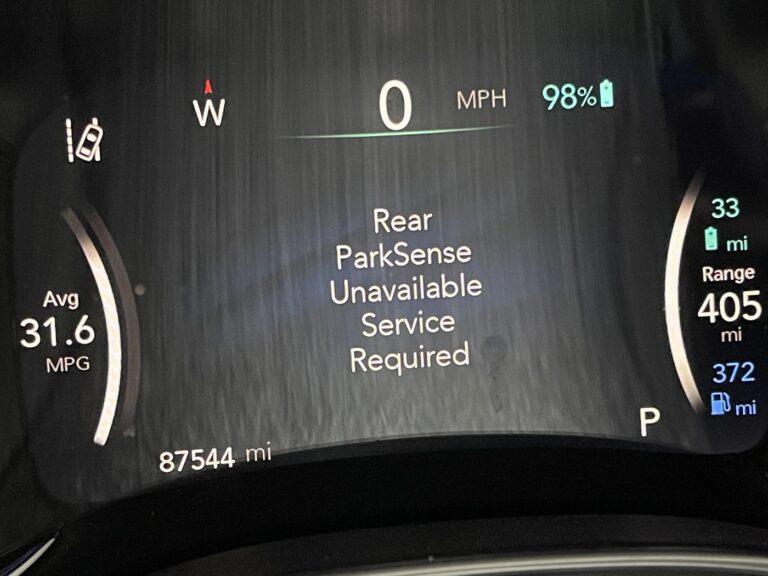
You shift into reverse, glance at the backup screen, and there it is: “Parksense Unavailable Service Required.” The parking assist system that is supposed to alert you when you are getting too close to something behind you has just taken itself offline. Not exactly what you want to see when you are about to back out of a tight parking spot.
Here is the thing though. This message shows up far more often than most people realize, and the majority of the time it is not a catastrophic failure. It is usually something correctable, and in many cases something you can fix yourself before spending money at a shop. But you need to know what you are dealing with first.
This guide covers exactly what the Parksense warning means, why it happens, which vehicles are most commonly affected, and how to fix it step by step.
What Is Parksense and How Does It Actually Work?
Before getting into the diagnosis, it helps to understand what Parksense actually is, because it gets confused with the backup camera all the time. They are two separate systems.
Your backup camera shows you a visual feed of what is behind the vehicle. Parksense is the sensor-based proximity detection system that measures actual distance to nearby objects and alerts you with audible warning tones. The closer you get to an obstacle, the faster and more urgent the tone becomes. In some configurations, it also provides visual distance bars on the infotainment screen.
Parksense uses ultrasonic sensors, small round plug-shaped units embedded in your front and rear bumpers. These sensors emit high-frequency acoustic waves, which bounce off nearby objects and return to the sensor. The system calculates how long the signal takes to return, converts that into a distance measurement, and uses that data to warn the driver.
On vehicles equipped with Parallel and Perpendicular Park Assist (PPPA), Parksense goes one step further. It can actually detect a parking space of appropriate size, guide the vehicle through the steering maneuver automatically, and alert the driver to brake and shift at the right moments. The driver controls the brakes, accelerator, and gear selection while the system handles the steering. It is semi-automated, not fully autonomous.
The Parking Assist Module, also called the PAM, is the control brain behind all of this. It receives data from the sensors, processes it, and coordinates with the vehicle’s other control modules to make the system work. When the PAM loses confidence in the sensor data or detects a fault anywhere in the system, it shuts down and posts the “Parksense Unavailable Service Required” message.
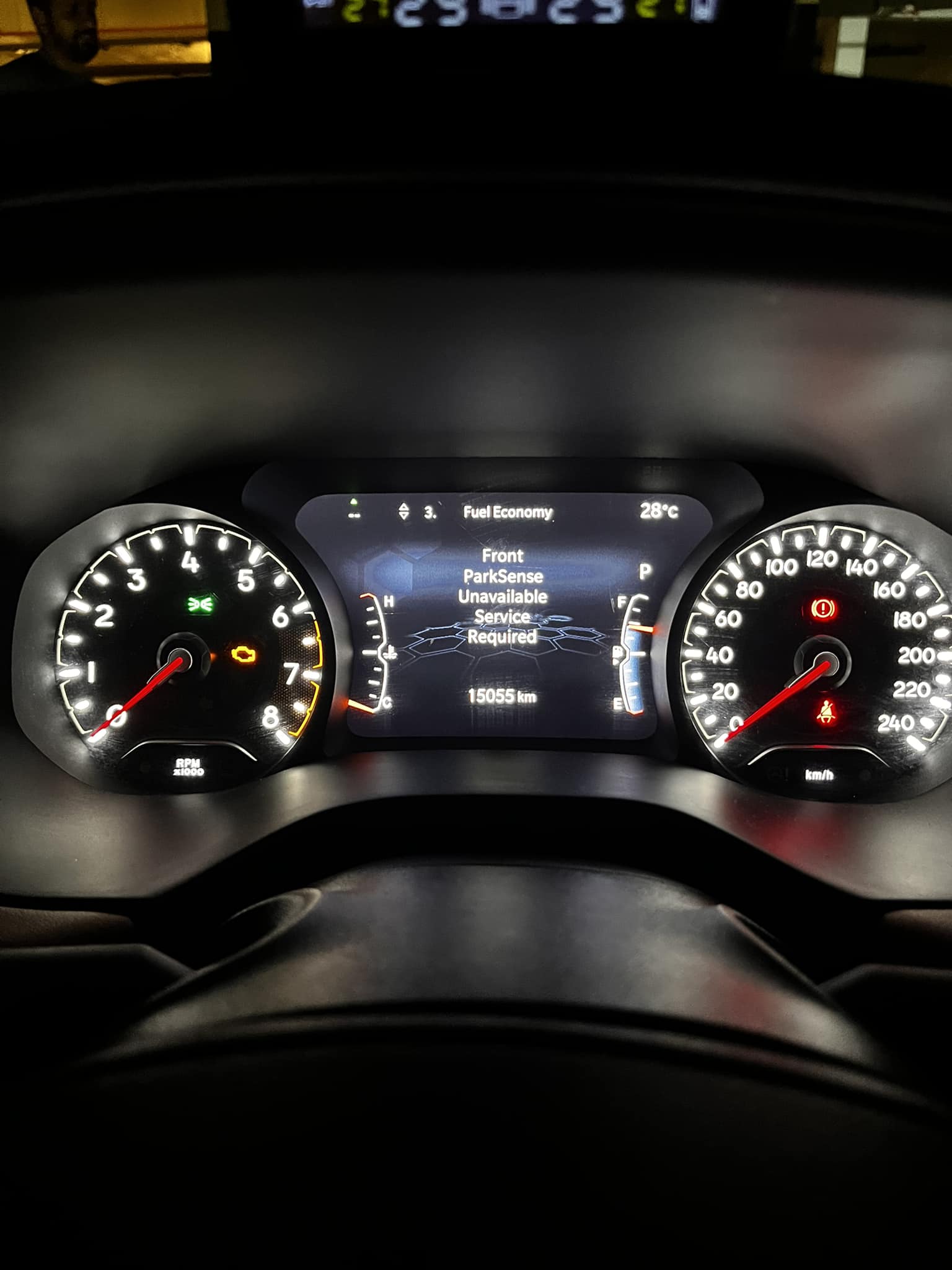
Which Vehicles Are Most Commonly Affected?
This is not a problem unique to one model or one year. The National Highway Traffic Safety Administration received enough reports about this issue that a Technical Service Bulletin was issued in December 2013 (TSB 08-093-13 REV. A) addressing it directly.
According to that NHTSA TSB, the vehicles specifically identified include:
- 2013-2014 Jeep Grand Cherokee
- 2014 Dodge Durango
- 2013-2014 Dodge Viper
- 2013-2014 Ram 1500 Pickup
- 2013-2014 Ram 2500 Pickup
- 2013-2014 Ram 3500 Pickup
Beyond these, owners of vehicles from Chrysler, Fiat, and Alfa Romeo have reported the same warning across various model years. The underlying cause, sensor contamination, PAM software issues, or sensor failures, is essentially the same across all of them.
If you own any FCA-platform vehicle with a Parksense system and this message has appeared, you are not dealing with a fringe issue. This is a well-documented problem with a known set of solutions.
Where Are the Parksense Sensors Located?
Knowing where the sensors are matters for both cleaning and inspection purposes. The Parksense sensors are small, round, button-shaped units installed flush with the surface of the front and rear bumpers. They blend in reasonably well with the bumper, but once you know what you are looking for, they are easy to spot.
On most vehicles with both front and rear Parksense:
- Rear bumper: Typically four sensors, evenly spaced across the lower rear bumper. These activate automatically every time you shift into reverse.
- Front bumper: Also typically four sensors, spaced across the lower front bumper. These may activate at low speeds when moving forward or when you press the front sensor activation button.
The sensors are positioned at bumper height specifically so their ultrasonic waves travel outward at the most useful angle for detecting vehicles, curbs, poles, shopping carts, and other common parking hazards. That positioning also means they are directly exposed to everything the road throws at your bumper: mud, road spray, snow, ice, salt, and debris.
Symptoms That Come With the Parksense Unavailable Warning
The warning message on the instrument cluster is the most obvious sign, but there are usually other things happening alongside it. Knowing all the symptoms helps you piece together which cause is most likely.
- The parking assist button does not illuminate when pressed. On vehicles with PPPA, when you press the parallel or perpendicular park assist button while the vehicle is stopped, the button light should come on to confirm activation. If it stays dark, the system is offline.
- False detection warnings appear during normal driving, not just during parking. The system chimes or shows a warning even when there is no obstacle nearby. This is a classic sign of a contaminated or partially failed sensor picking up false echoes from ground reflection or environmental interference.
- “Active Parksense Temporarily Unavailable” appears specifically when you try to initiate a PPPA parking maneuver. The system starts to engage and then backs out, reporting a temporary unavailability.
- Fault codes in the PAM when scanned with a diagnostic tool. The two most common codes associated with this warning are:
- DTC U045A-86: Implausible Data Received From Parking Assist Module, Signal Invalid
- DTC B2128-17: Sensor Supply Voltage, Circuit Voltage Above Threshold
If you are seeing any combination of these alongside the main warning message, that combination narrows down the likely cause significantly.
What Causes the Parksense Unavailable Service Required Message
Cause 1: Dirty or Contaminated Sensors
This is the most common cause by a wide margin, and it is the first thing to check every single time this warning appears. Mud, snow, ice, road salt, and compacted debris can coat the sensor surface and completely block the ultrasonic signal. When the wave cannot travel out cleanly or cannot return to the sensor correctly, the PAM receives garbage data and shuts the system down.
This is especially prevalent in winter months when road salt and slush accumulate heavily on bumpers, or after off-road driving where mud can pack solidly into the sensor housing. Even a thin coating of dried road film in dry climates can be enough to degrade sensor performance to the point where the system triggers the warning.
Ground reflection is another form of interference worth mentioning. When the vehicle is parked on certain surfaces, such as highly polished concrete or metal grating, the ultrasonic signal bounces off the ground rather than returning cleanly from a real obstacle. This can cause false detection and may contribute to the warning appearing in specific locations but not others.
Cause 2: A Damaged or Failed Sensor
The sensors themselves are not indestructible. A minor parking impact, contact with a shopping cart, damage from road debris, or even a pressure washer held too close to the bumper can crack the sensor housing or damage the internal transducer. A physically damaged sensor will either stop transmitting entirely or transmit a degraded signal that the PAM cannot use.
Failed sensors are also simply a wear-related issue on higher-mileage vehicles. The seals around the sensor can deteriorate, allowing moisture to enter the housing. Once water gets inside a sensor, it typically does not recover.
Cause 3: Electrical and Wiring Faults
Each sensor in the Parksense system is connected to the PAM via wiring. Damage to that wiring, from rodents, abrasion, moisture intrusion, or loose connectors, can interrupt the signal between the sensor and the module. The PAM interprets a missing signal as a sensor fault and posts the warning.
The fault code B2128-17, which references sensor supply voltage above threshold, specifically points toward an electrical issue in the sensor circuit. This is not just about a dead wire. An overvoltage condition can also develop if there is a wiring fault that is causing incorrect voltage levels in the sensor supply circuit.
Cause 4: Outdated or Corrupted PAM Software
The Parking Assist Module runs on firmware, and like any software it can have bugs, get corrupted, or simply fall behind the current version that addresses known issues. The NHTSA TSB for this problem specifically identified PAM software as a contributing factor in many reported cases.
When the PAM is running an outdated version, it may misinterpret sensor data that a newer software version would handle correctly. This can trigger false unavailability warnings even when the sensors and wiring are in perfectly good condition.
Cause 5: BCM Configuration Mismatch
The Body Control Module stores a proximity configuration that tells it which features and modules are present on the vehicle. If this configuration becomes corrupted, or if a module was replaced without the configuration being properly restored, the BCM may not correctly recognize the PAM, causing communication faults between the two modules. The fault code U045A-86 points directly to this type of module communication failure.
How to Fix the Parksense Unavailable Service Required Warning
Fix 1: Clean the Sensors Thoroughly
Always start here. This fix costs nothing and resolves the problem in a significant portion of cases.
- Walk around the vehicle and visually inspect every sensor on both bumpers. Look for mud, packed debris, ice, or any coating on the sensor face.
- Use warm water with a mild detergent to wash the sensor surfaces. You can use warm tap water safely. Soaking the sensors briefly in soapy water helps dissolve road salt and neutralize acidic deposits on the sensor face.
- Clean the area around and behind the bumper as well. Debris packed up behind the bumper cover near the sensor mounting points can interfere with sensor function even when the face looks clean.
- Rinse thoroughly and allow to dry before testing.
- Start the vehicle, shift into reverse, and check whether the warning has cleared.
One thing to avoid: do not use a high-pressure washer pointed directly at the sensors from a close range. The seal between the sensor body and the bumper can be damaged by high-pressure water, allowing moisture inside the sensor housing. Normal washing pressure from a garden hose or a gentle carwash setting is fine.
If the warning clears after cleaning but comes back repeatedly, you have a sensor that is failing to maintain proper function under normal driving conditions. That points toward a failing sensor rather than a contamination problem.
Fix 2: Reprogram the PAM with the Latest Software
If cleaning did not resolve the issue, the next step identified in the NHTSA TSB is reprogramming the PAM with the latest available software version. Outdated firmware in the PAM is a documented cause of this warning, and updating it can resolve faults that appear to be hardware-related but are actually software interpretation problems.
To do this properly:
- Connect a compatible OBD-II scan tool that supports FCA module programming. A generic code reader will not have this capability. You need either the manufacturer’s proprietary software or a professional-grade scan tool with FCA programming support.
- Navigate to the PAM programming or module update section in the diagnostic software.
- Follow the specific instructions provided in the scan tool’s help documentation for performing a PAM software update.
- Keep battery voltage between 13.2 and 13.5 volts throughout the programming process. This is not optional. A voltage drop below 13.2 volts during module programming can corrupt the software and leave the module in a non-functional state. Use a battery maintainer or charger connected throughout the procedure.
This step is best handled by a dealer or a well-equipped independent shop that has proper FCA diagnostic software. Attempting PAM reprogramming with an incompatible tool or without voltage management is a risk that can make the problem significantly worse.
Fix 3: Restore the BCM Proximity Configuration
If fault code U045A-86 is present, restoring the BCM proximity configuration is a specific step that addresses the module communication fault. This tells the BCM which modules are installed on the vehicle so it can communicate with them correctly.
- Connect the scan tool to the vehicle’s OBD-II port.
- Navigate to the BCM section of the diagnostic software.
- Find the “Restore BCM Proxi Configuration” or similar function. On most FCA-compatible scan tools, this is accessible under “Vehicle Preparations” on the main menu.
- Follow the on-screen instructions to perform the restore.
- Once complete, turn the ignition off and allow the vehicle to sit for at least one full minute to let all modules enter sleep mode and reinitialize.
Fix 4: Clear All Fault Codes and Retest
After performing the PAM reprogramming and BCM configuration restore, the next step is clearing all stored fault codes and allowing the system to reinitialize cleanly.
- With the scan tool still connected, clear all stored DTCs from every module, not just the PAM.
- Turn the ignition off and remove the key.
- Wait a full minute before restarting.
- Start the vehicle and allow all systems to fully initialize before testing.
- Shift into reverse and confirm whether the Parksense warning has cleared.
- Test the PPPA function if your vehicle is equipped with it by pressing the park assist button at slow speed.
If codes return immediately after clearing, the root cause is still present and needs to be addressed directly.
Fix 5: Inspect and Replace Damaged Sensors or Wiring
If the software fixes did not resolve the problem and the fault codes return, physical inspection of the sensors and wiring is the next step.
For the sensors:
- Inspect each sensor visually for cracks, chips, or physical damage to the housing.
- With the vehicle running and shifted to reverse, you can gently place the tip of your finger on each rear sensor. A functioning sensor will have a faint buzzing vibration you can feel. No vibration on a specific sensor often indicates that particular unit has failed.
- A scan tool with individual sensor monitoring capability can confirm which specific sensor is not responding.
- Replace any failed sensor with an OEM or quality aftermarket replacement. Sensors are specific to color match and vehicle configuration, so order by VIN or verify compatibility before purchasing.
For the wiring:
- Locate the wiring harness that runs from the rear bumper sensors up to the PAM, typically routed along the inside of the rear bumper and through the tailgate area.
- Look for chafing where the harness passes through body openings, cuts, rodent damage, or corroded connectors.
- Check that the PAM connector itself is fully seated and free of corrosion.
- Repair or replace any damaged wiring. Use proper automotive wire repair techniques with sealed connectors, not basic wire nuts or tape.
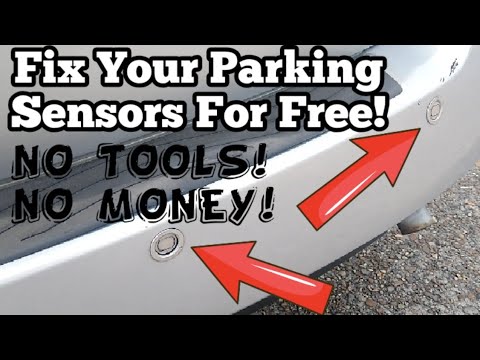
Watch the video below for a visual walkthrough of diagnosing and addressing a Parksense unavailable warning:
Diagnostic Fault Codes: What They Are Telling You
Understanding what the specific fault codes mean helps you target the right repair instead of throwing parts at a guessing game.
| Fault Code | Description | What It Points To |
|---|---|---|
| U045A-86 | Implausible Data Received From Parking Assist Module, Signal Invalid | BCM cannot communicate properly with the PAM. BCM proximity configuration restore needed. |
| B2128-17 | Sensor Supply Voltage, Circuit Voltage Above Threshold set in PAM | Electrical fault in the sensor supply circuit. Check wiring, connectors, and sensor voltage supply. |
Finding both codes together is common when the PAM software is outdated and a BCM communication issue exists simultaneously. Address the PAM software update first, then restore the BCM configuration, and the codes often clear together.
Step-by-Step Repair Order: The Most Efficient Way to Approach This
Work through these steps in sequence. Each step is progressively more involved, and starting with the simplest saves time and money.
- Clean all sensors on both bumpers thoroughly. Test and clear.
- Scan for fault codes using a compatible scan tool to identify which specific codes are stored.
- Update PAM software to the latest version using proper tooling and voltage management.
- Restore BCM proximity configuration if U045A-86 is present.
- Clear all codes, allow the vehicle to sleep for one minute, restart, and retest.
- Physically inspect sensors for damage and test for vibration during operation.
- Inspect wiring and connectors for damage, corrosion, or loose connections.
- Replace failed sensors or damaged wiring as identified.
Frequently Asked Questions About Parksense
Can I use water to clean the parking sensors?
Yes, warm water is safe for cleaning Parksense sensors. Using warm soapy water and soaking the sensor face for a couple of minutes helps dissolve road salt and neutralize any acidic buildup on the surface. Rinse thoroughly afterward. Avoid directing a high-pressure washer nozzle directly at the sensors from close range, as this can compromise the seal and allow water inside the housing.
Can I still park safely without Parksense?
Yes. Your backup camera still works independently of Parksense. Your standard mirrors and windows still give you visibility. Many drivers parked safely for decades before proximity sensors existed. The loss of Parksense reduces a layer of convenience and a safety assist feature, but it does not make the vehicle impossible to park. Just use extra caution, take your time, and rely on your mirrors and camera until the issue is resolved.
How much does a Parksense sensor replacement cost?
Individual sensors typically cost $20 to $80 each for OEM or quality aftermarket units. Labor for sensor replacement is generally straightforward on most vehicles since the sensors press or clip into the bumper and plug into a connector. However, if bumper removal is required for access on your specific model, labor costs increase. Most shops charge one to two hours of labor for a sensor replacement including diagnostics. A full set of four rear sensors plus installation typically runs $150 to $400 depending on the vehicle and shop.
Does this problem go away on its own?
Sometimes. If the cause is temporary sensor contamination from mud, snow, or ice, the warning may clear on its own once the vehicle is cleaned and driven in normal conditions. If the cause is a software fault, a physical sensor failure, or a wiring issue, the warning will not clear on its own. Sensor contamination that keeps returning even after cleaning is a sign that a sensor has weakened and is becoming hypersensitive to surface debris.
Why does the Parksense warning appear only in certain parking spots?
Ground reflection is the most likely explanation. In certain locations with specific surface types, such as highly polished concrete floors, metal grating, or surfaces with unusual acoustic properties, the ultrasonic signals bounce in unexpected ways. This can confuse the system temporarily and trigger a false warning or temporary unavailability. If the warning only appears in one or two specific locations and clears immediately when you drive away, ground reflection is the probable cause and no repair is needed.
Preventing the Problem from Coming Back
Once you have the Parksense system working again, a few simple habits keep it that way.
- Keep the bumpers clean. Include the sensor areas in your regular washing routine. This is especially important in winter. Salt and slush buildup on the rear bumper is the single most common cause of this warning, and a quick rinse of the bumper after winter driving goes a long way.
- Be careful with pressure washers. Keep a reasonable distance from the sensors when washing. There is no need to blast the sensor face directly.
- Inspect sensors after any minor impact. Even a gentle bump against a parking curb can crack or displace a sensor. A quick visual check after any contact is worth the 30 seconds it takes.
- Keep the PAM software current. Ask your dealer to check for available PAM updates during regular service visits, particularly if you have experienced this warning before.
The Parksense system on your vehicle is a useful tool, but like every electronic system on a modern car, it needs clean hardware, clean connections, and up-to-date software to perform correctly. Keep those three things in order and this warning is unlikely to become a recurring problem. If it does come back repeatedly despite all the steps above, at that point you have a hardware issue that needs a professional diagnosis to track down properly.