
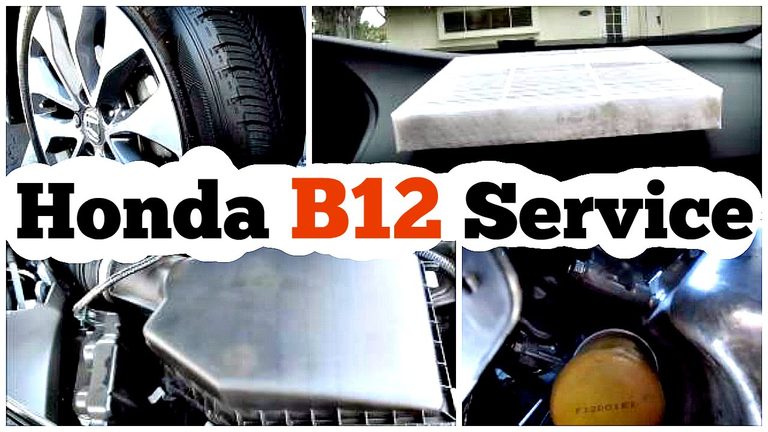
If B12 appears on your Honda’s dashboard, it’s asking for scheduled maintenance, not reporting an engine failure. The reminder combines a B service with two numbered items. In most cases, that means changing the engine oil and oil filter, rotating the tires, and replacing the engine air filter and cabin filter.
The full checklist can vary by model and year. I’ve seen owners get an oil change, reset the reminder, and then assume the whole B12 service was done, even though the tires and filters were never touched. Treat the code as a checklist, and confirm each item was completed before anyone clears it.
What the B12 reminder is asking you to do
Honda’s Maintenance Minder uses a main service letter and numbered subitems. The letter B identifies the main service, while 1 and 2 add specific jobs. So B12 means B, plus item 1, plus item 2. It isn’t a fault code, and “12” doesn’t mean the car has twelve problems.
| Code | Typical service item | What to keep in mind |
|---|---|---|
| B | Replace engine oil and oil filter, then carry out the B-level inspections listed for the vehicle. | The inspection list can vary by model year. |
| 1 | Rotate the tires. | Use the rotation pattern allowed by the owner’s manual and the tires fitted to the car. |
| 2 | Replace the engine air filter and cabin, or dust-and-pollen, filter. Some schedules also call for a drive-belt inspection. | Check the exact schedule for your Honda before buying parts. |
The B service often includes inspections of the brakes, steering and suspension parts, axle boots, brake hoses and lines, fluid levels and condition, and other listed components. An inspection doesn’t mean those parts automatically need replacement. If the brake pads are worn or a rubber boot is split, the technician should show you what they found and explain the recommended repair separately.
B12 also doesn’t automatically call for a transmission-fluid change. That service is normally listed separately in the Maintenance Minder, often under another numbered item. Check your owner’s manual or the maintenance schedule for your exact model instead of adding or skipping work based on a code from a different Honda.
Which Honda models use the B12 code?
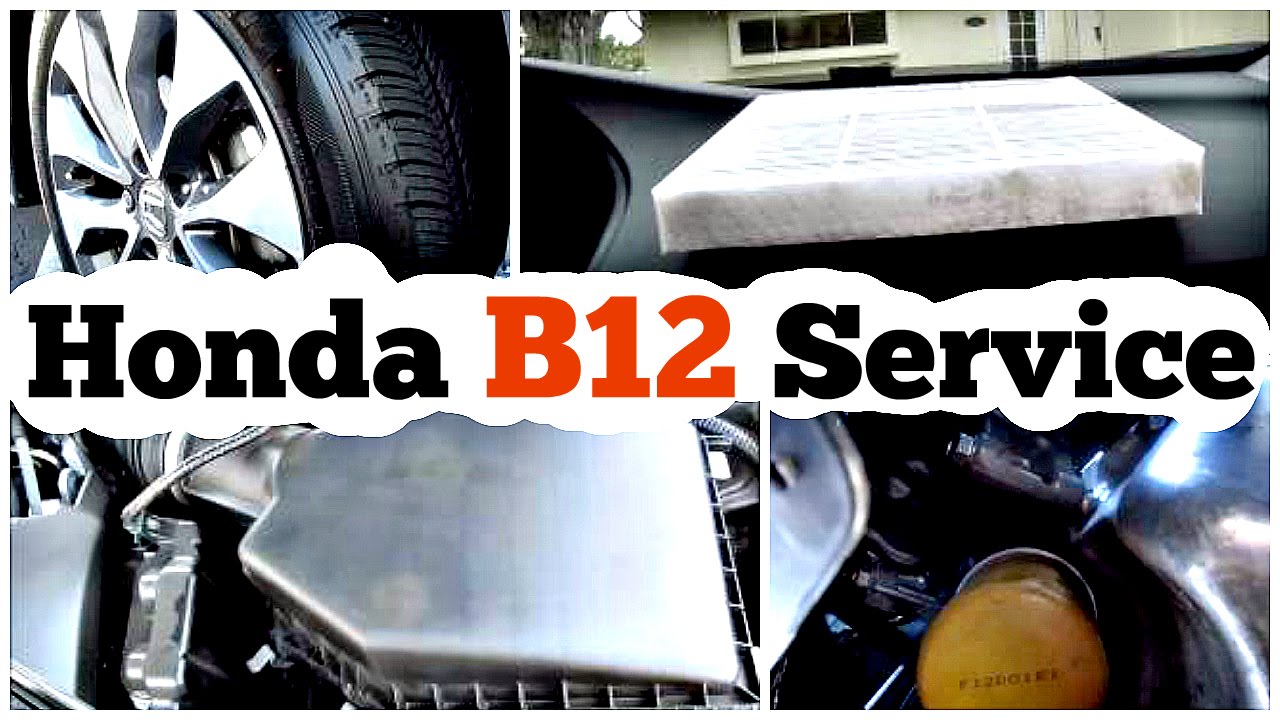
Many Honda vehicles equipped with Maintenance Minder use letter-and-number service codes, but the display and the assigned work aren’t identical across every Honda and model year. Some show the code on a multi-information display, while others present the oil-life information and service items in a different way. The code is common, but it isn’t safe to assume every Honda uses the same checklist.
Start with the owner’s manual for your model year. If you’ve bought the car used and don’t have the manual, look up the official maintenance schedule using the vehicle information, or ask a Honda service department to confirm the correct list. That’s especially useful if the car has a different trim, engine, or market specification from the Honda you’re comparing it with.
The Maintenance Minder is separate from the check-engine system. B12 is not an OBD-II trouble code, so a scan tool won’t explain the service reminder the way it would explain a stored engine or emissions fault. If the check-engine light is on as well, treat that as a separate issue and have the stored fault codes checked.
What gets done during B12 service?
B service: oil, filter, and inspections
The oil and filter change is the part most drivers recognize. The correct oil type, capacity, and filter depend on the vehicle, so use the owner’s manual or model-specific service information rather than guessing from a generic parts listing. A filter that fits the threads may still be the wrong part for the application.
During the oil change, the technician should check for signs of a leak and make sure the drain plug and filter are properly installed. At home, use the dipstick or the vehicle’s specified oil-level procedure to confirm the level after service. Dark oil by itself doesn’t tell you exactly how much useful life remains, and fresh-looking oil doesn’t prove that the rest of B12 has been done.
The B inspection is worth taking seriously, even if the car feels normal. A split axle boot can let grease out and dirt in, while a damaged brake hose or a leaking fluid line may not be obvious from the driver’s seat. Ask the shop which inspection items are included on your specific Honda, and ask for an explanation if they recommend extra repairs.
Item 1: tire rotation
Rotating the tires moves them to different positions so the tires can wear more evenly. The correct pattern depends on the vehicle and the tires. Directional tires, different front and rear tire sizes, or other fitment details can rule out some rotation patterns, so don’t assume a pattern you found online applies to your car.
A rotation is also a good time to look at the tread and sidewalls. Uneven wear across the tread, wear concentrated on one edge, or a tire with a bulge needs attention. Rotation can help manage ordinary differences in wear, but it won’t correct an alignment problem or repair a damaged tire.
If the car pulls to one side or the steering wheel shakes, mention that when you book the service. Those symptoms can have more than one cause, and a tire rotation by itself may not fix them. A technician can inspect the tires and check whether another diagnosis is needed.
Item 2: engine and cabin filters
The engine air filter and cabin filter do different jobs. The engine filter keeps dirt and debris out of the engine’s intake air, while the cabin filter helps clean air entering the passenger compartment through the heating and air-conditioning system. Replacing one doesn’t mean the other has been changed.
A restricted cabin filter can contribute to weak airflow from the vents or an unpleasant smell. A dirty engine air filter should be checked against the service schedule, not judged only by its color or by a quick glance. The housing and filter placement vary, so make sure the replacement is the correct part and sits in the right direction.
Some Honda schedules include a drive-belt inspection with item 2. Follow the schedule for your year and model. A belt that’s cracked, frayed, or making an unusual squeal deserves a closer look, but don’t assume the B12 reminder itself has diagnosed a belt problem.
Checks are not the same as replacement
The B inspection may include checking brake components, fluid levels and condition, steering and suspension parts, and axle boots. A visual check can identify wear or a leak, but it doesn’t mean the technician should replace every part that looks less than new. Ask what was inspected and what measurement or visible condition supports a repair recommendation.
Brake fluid and transmission fluid deserve care because their checking procedures can depend on the vehicle. Don’t top up a fluid with whatever is on the shelf, and don’t treat a low level as a routine nuisance. A falling level can point to a leak or another problem that needs diagnosis. The B12 reminder doesn’t automatically authorize a transmission-fluid service or a brake-fluid flush.
Why the reminder appears sooner for some drivers
Maintenance Minder estimates service needs using information about how the vehicle is used. It isn’t taking an oil sample or measuring the exact condition of every filter. Frequent short trips, repeated starts and stops, and high operating temperatures can make service needs arrive sooner than they might for someone who mostly drives longer, steady trips.
On short journeys, the engine may go through more start-up and cool-down cycles, while stop-and-go driving means the car spends more time working through traffic. Those conditions help explain why two Hondas of the same age can show different maintenance reminders. Follow the reminder and the schedule for your own vehicle rather than copying a neighbour’s service dates.
Dusty roads can also make it sensible to keep an eye on the filters, though the correct replacement timing still comes from the Honda schedule. Don’t wait for a filter to look filthy or for the cabin fan to become weak before checking it. A service reminder is there to help you plan the work before a clear symptom develops.
If the car has been sitting for a long time or its service history is missing, tell the shop. The reminder is useful, but it can’t tell you what a previous owner did or whether an earlier repair was completed correctly. Keep the maintenance history with the car, especially if you plan to sell it later.
What symptoms should you watch for?
Most cars needing routine B12 service don’t make a special noise or show a unique symptom. The reminder can appear while the Honda drives normally. Waiting for a warning sound before changing oil or filters is a poor plan because routine maintenance is meant to happen before parts start complaining.
Still, pay attention to changes in how the car feels. Grinding during braking, a soft brake pedal, a sudden pull to one side, a strong vibration, or a new burning smell shouldn’t be dismissed as ordinary B12 work. The maintenance reminder doesn’t diagnose the cause of those symptoms.
- Brake grinding or a soft pedal: Have the brakes checked promptly. The B inspection may include brake checks, but a symptom needs a proper assessment.
- Weak airflow or a stale smell from the vents: Ask whether the cabin filter is due, while keeping in mind that the HVAC system can have other causes of poor airflow or odor.
- Uneven tire wear or a vehicle that pulls: Have the tires inspected and ask whether alignment or suspension checks are needed. Rotation alone may not resolve the cause.
- A check-engine light along with B12: Treat the engine warning as a separate diagnostic issue. A scan tool can read stored OBD-II faults, but the B12 service reminder isn’t one of them.
A red oil-pressure warning is different from a routine maintenance reminder. If that warning appears while driving, pull over safely and follow the instructions in the owner’s manual rather than continuing to drive just because B12 was the message you noticed first.
What B12 service may cost at a shop or at home
There isn’t one fixed price for B12. The total depends on the Honda, the parts used, the shop’s labor rate, and what the inspection finds. A complete scheduled service and an estimate that includes repairs are two different things, so ask the shop to separate them.
| Cost reference | Rough figure | How to read it |
|---|---|---|
| Authorized service visit | About $250 to $300 | A broad estimate, not a guaranteed price for every Honda or location. |
| Labor rate example | About $120 per hour | Local rates and the way a shop bills the work can differ. |
| Labor time example | Around 30 minutes for a particular operation | Use this as a rough estimate only. It isn’t a promise that every item takes the same time. |
| DIY parts example | More than $70 overall; a cabin filter around $20; oil and filter together over $30 | Prices vary by vehicle, parts choice, and retailer. Tools and safe lifting equipment are separate costs. |
Those figures are useful as a rough starting point, not as a current price list. A quote near $250 to $300 should say what it includes: the oil and filter, tire rotation, both filters, and the inspections. If the shop finds worn brakes or a leak, ask for a separate estimate before approving extra work.
Labor estimates can be hard to compare line by line. A shop may list about 30 minutes for a particular operation, but that doesn’t mean it will bill a separate half-hour for every small task in the package. Ask what the labor charge covers and whether the estimate includes tax, shop supplies, or any additional service.
Doing the work yourself can reduce the labor bill, but it’s not free if you need tools or safe equipment. Routine DIY maintenance is generally permitted, and keeping dated receipts and a written record is sensible. If warranty coverage matters, follow the vehicle’s service requirements and keep enough documentation to show what parts and fluids were used.
How to handle B12 maintenance yourself without cutting corners
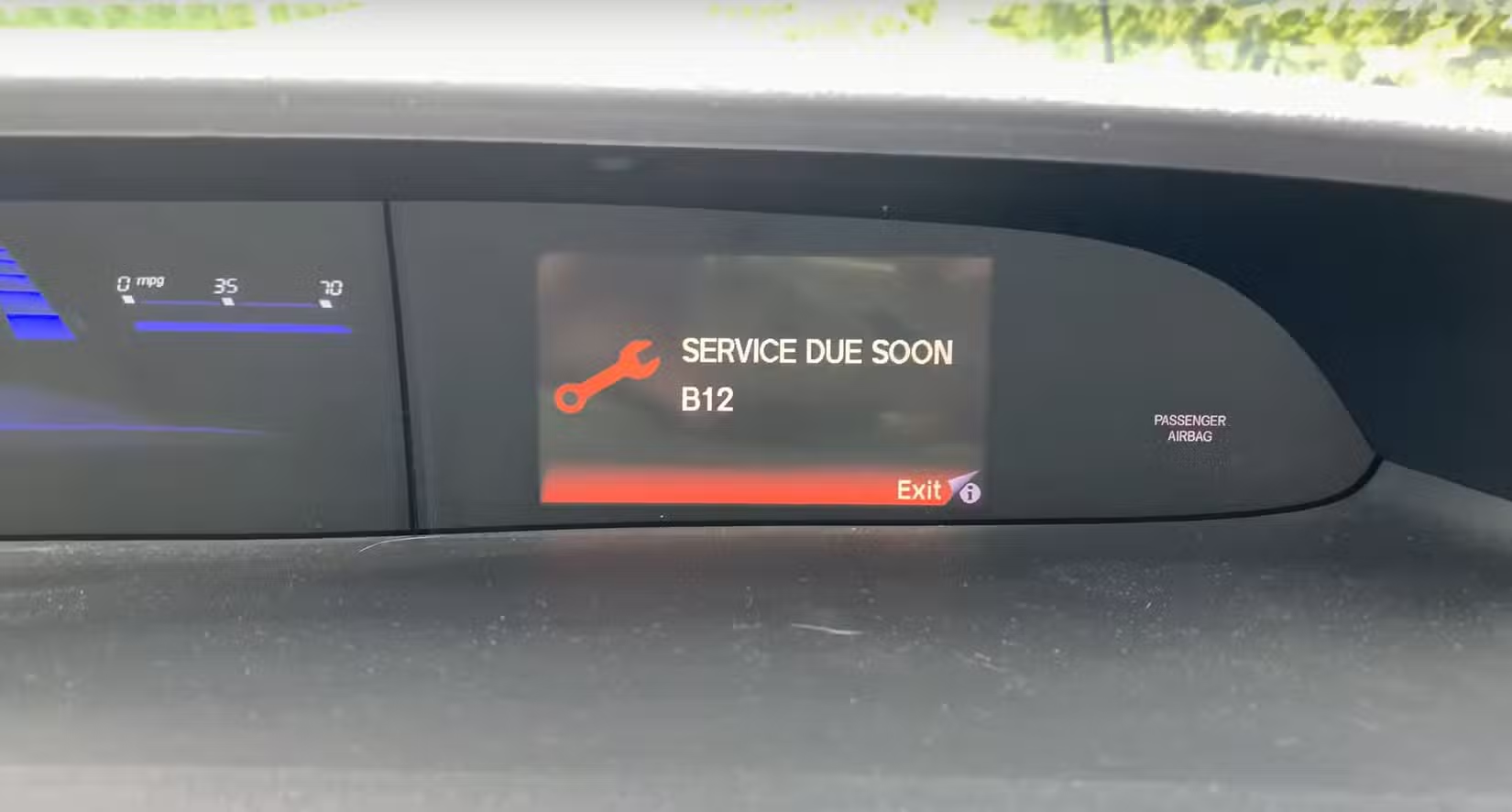
If you’re comfortable changing oil, rotating tires, and replacing filters, some or all of the work may be manageable at home. Read the instructions for your exact Honda first. The oil specification, service procedure, tire-rotation pattern, and wheel-fastener torque are vehicle-specific, so don’t fill in missing information with a guess.
For an oil change, common tools include a drain pan, a socket and ratchet, a filter wrench if needed, a funnel, gloves, and the correct lifting equipment. For tire work, you’ll want wheel chocks, a jack, properly rated jack stands, and a torque wrench. A hydraulic jack alone is not a safe support for working under a vehicle.
- Confirm the full checklist. Check the owner’s manual or maintenance schedule and make sure you know what B, 1, and 2 mean for your model year. Don’t order filters or plan a tire pattern until you’ve confirmed the correct parts and procedure.
- Set up a safe work area. Park on level ground, secure the vehicle, and use wheel chocks where appropriate. Let hot components cool enough to handle safely, and use jack stands whenever a raised vehicle needs to stay supported.
- Change the oil and filter carefully. Follow the vehicle-specific instructions for draining and refilling. Use the specified oil and filter, check the sealing surfaces, and use the correct tightening procedure for the drain plug and filter rather than guessing.
- Check for leaks and verify the oil level. After the service, inspect around the filter and drain plug. Follow the owner’s manual for checking the level, and correct any leak before driving normally.
- Rotate the tires only in an approved pattern. Check whether the tires are directional or whether the car has a fitment that limits rotation. Use the specified wheel-fastener torque with a torque wrench, not an impact gun as your final check.
- Replace the two filters separately. Confirm the engine air filter and cabin filter are the correct applications, and make sure each one fits and faces the right direction. Don’t force a housing or panel if it doesn’t line up; clips and covers can break.
- Look over the inspection items. Check the accessible parts listed in the maintenance schedule, such as tire condition, visible leaks, and obvious damage to rubber boots or hoses. If you see a brake concern or a damaged component you can’t assess safely, stop and get a professional inspection.
- Dispose of waste properly and keep a record. Collect used oil in a suitable container and take it to an appropriate recycling or disposal location. Write down the date, odometer reading, parts, and fluids used, and keep the receipts with the vehicle’s records.
One common DIY mistake is using the oil change as a reason to clear the reminder even though the tire rotation and filters are still due. Another is tightening a drain plug too aggressively. If the plug, threads, or oil pan are damaged, a small service job can turn into a repair that’s better handled by a shop.
Be honest about the equipment you have. If you don’t have a safe way to lift the car or a torque wrench for the wheels, paying for a tire rotation is the sensible choice. You can still handle a cabin filter or keep the service records yourself, but don’t trade safety for a lower bill.
Reset the reminder only after the work is complete
Resetting the Maintenance Minder clears the reminder from the display. It doesn’t change the oil, rotate the tires, replace the filters, or confirm that the car is in good condition. Reset it only after the service items that are due have actually been completed.
The button sequence depends on the Honda’s year and display. On some models, you use a Select/Reset or Enter control while viewing the oil-life screen, then confirm the reset when the display prompts you. Other models use different steering-wheel or dashboard controls, so follow the instructions in the owner’s manual rather than trying a sequence from another Honda.
If a shop performs the service, ask them to reset the reminder and list the completed work on the invoice. If the B12 message is still showing when you get home, the reset may not have been accepted, or the display may be showing another due item. Call the shop and check the invoice before assuming the service was missed or paying for it twice.
It’s easy to reset the reminder too early because the oil change feels like the main job. If only the oil and filter were changed, you may lose the prompt for the tire rotation and filters. Keep a note of any deferred items, and make sure they’re completed before clearing the service list.
How to read other Honda maintenance codes
Honda reminders can combine a letter with one or more numbers. A and B identify different main service levels, while the numbers identify additional tasks. Codes such as A13 and A123 are combinations of service items, not warnings that the car has a specific mechanical fault.
On many Honda schedules, item 3 refers to transmission-fluid service, but the complete interpretation should still be checked against the manual for the vehicle. A123, for example, tells you to consider the main item and the listed numbered subitems, not to treat the whole string as one repair. The exact service list can vary, so don’t use an online chart for a different model as your only reference.
If you’re unsure what a code means, write down exactly what the display shows and look it up in the owner’s manual. If the display shows a code you can’t find, a Honda service department can confirm the schedule using your vehicle details. It’s better to verify the work than to replace a fluid or part that isn’t due.
Common B12 questions and mistakes to avoid
Does B12 mean the car needs immediate repairs?
Usually, B12 is a routine service reminder, not an emergency warning. Arrange the listed maintenance, but don’t assume the engine is about to fail if the car is driving normally and no other warning is present. A separate warning light or a new symptom still needs its own attention.
I just had an oil change. Do I still need the whole service?
Check the receipt before booking another oil change. If the oil and filter were changed but the tires and filters weren’t handled, those remaining items may still be due. If the reminder was simply not reset, the shop can confirm what was done and clear it once the full due list is complete.
A common shop situation is a Honda arriving with B12 still displayed after a recent oil change. The invoice might show that only oil and a filter were replaced, or it might show the full service but no reset. We compare the paperwork with the maintenance list first so the owner doesn’t pay twice for work that was already done.
Does B12 mean I need brake pads or transmission fluid?
No, not automatically. The B service may call for a brake inspection, but inspection is not the same as replacing brake pads. Transmission-fluid service is normally listed as a separate item, so confirm the code and the vehicle schedule before approving it.
What if the B12 reminder comes back?
If it appears again soon after a service, check the receipt and the manual’s reset procedure. The reminder may not have been reset correctly, or a separate item may still be due. Don’t keep clearing it without checking the work, because the display can no longer help you track the service that was skipped.
If the reminder is accompanied by a check-engine light, a warning about oil pressure, or a noticeable change in how the car drives, have the extra warning or symptom diagnosed. The B12 code itself won’t explain a rough idle, a fluid leak, grinding brakes, or a new belt noise.
When it makes sense to use a mechanic
Use a shop if you don’t have safe lifting equipment, aren’t confident about the oil procedure, or can’t verify the correct tire pattern and wheel torque. A shop is also the better call if a drain plug is stuck, a tire shows unusual wear, a fluid is leaking, or an inspection finds a brake or suspension concern.
When booking, tell the service advisor that the display shows B12 and mention any recent oil change or other work. Ask for an estimate that lists the oil and filter, tire rotation, engine and cabin filters, and the inspection separately. That makes it easier to see what’s included and to avoid paying twice for a job you’ve already completed.
If the shop recommends repairs beyond the scheduled service, ask what they found and whether the item is urgent. A clear explanation, a photo, or a measurement can help you make a sensible decision. The maintenance code is a prompt to inspect and service the car, not a blank cheque for replacing parts.
What I’d do next if B12 appeared on my Honda
I’d check the owner’s manual for the exact B12 list, compare it with the service records, and book the work that hasn’t been done. If I had the right tools and a safe place to work, I’d handle the jobs I was confident doing and leave anything uncertain to a shop.
The clear takeaway is simple: complete each item in the B12 checklist, keep a record, and reset the reminder afterward. Don’t clear it just to make the display quiet, and don’t treat it as a diagnosis of a failed part.